
1. הקדמה
This manual provides instructions for the ZdalaMit XRT136 Replacement Remote Control. This remote is designed to function as a direct replacement for your original Vizio Smart TV remote without requiring any programming or pairing.
Compatible Vizio Smart TV Models:
- M657-G0
- M557-G0
- PX65-G1
- P659-G1
- P759-G1
- ד60-פ3
2. פּעקל אינהאַלט
זיכער מאַכן אַז אַלע זאכן זענען פאַראַן אין פּעקל:
- 1 x ZdalaMit XRT136 Replacement Remote Control
3. סעטאַפּ
3.1 באַטאַרייע ייַנמאָנטירונג
The remote control requires two (2) AAA alkaline batteries (not included) for operation.
- געפֿינען די באַטאַרייע אָפּטייל אויף די צוריק פון די ווייַט קאָנטראָל.
- רוקט דעם דעקל פונעם באַטעריע־אָפּטייל אַראָפּ צו עס עפֿענען.
- Insert two new AAA batteries, ensuring the positive (+) and negative (-) terminals align correctly with the markings inside the compartment.
- שטופּט צוריק דעם דעקל פון דעם באַטעריע־אָפּטייל ביז עס קליקט זיכער.

בילד: צוריק view of the XRT136 remote control, illustrating the battery compartment location.
Once batteries are installed, the remote is ready for use. No programming or pairing is required.
4. אַפּערייטינג ינסטרוקטיאָנס
To operate your Vizio Smart TV, point the ZdalaMit XRT136 remote control directly at the television's infrared receiver. Press the desired buttons to control your TV's functions.

בילד: פראָנט view of the XRT136 remote control, displaying the layout of all buttons.
4.1 שליסל פונקציעס איבערview
The remote features standard television control buttons, including:
- מאַכט קנעפּל: טורנס די טעלעוויזיע אויף אָדער אַוועק.
- אַרייַנשרייַב קנעפּל: Selects video input sources (HDMI, AV, etc.).
- נאַוויגאַציע פּאַד (אַרויף, אַראָפּ, לינקס, רעכטס, גוט): פֿאַר מעניו נאַוויגאַציע און סעלעקציע.
- באַנד אַרויף / אַראָפּ: אַדזשאַסץ די טעלעוויזיע באַנד.
- קאַנאַל אַרויף / אַראָפּ: טוישט טעלעוויזיע קאַנאַלן.
- שטיל קנעפּל: Silences the television audio.
- נומערן בלאט (0-9): פֿאַר דירעקט קאַנאַל אַרייַנטרעטן.
- Back/Exit Buttons: Navigates back in menus or exits current functions.
- Menu/Info Buttons: Accesses TV menus and displays information.
- דעדיקירטע אַפּ קנעפּלעך: Quick access to streaming services (e.g., VUDU, Netflix, Amazon, Xumo, Crackle, iHeartRadio).

Image: A user holding the XRT136 remote control, demonstrating typical usage by pointing it at a television.
5. וישאַלט
5.1 רייניקונג
To clean the remote control, use a soft, dry cloth. Do not use liquid cleaners, sprays, or abrasive materials, as these may damage the remote's surface or internal components.
5.2 באַטערי קער
- טוישט די באַטעריעס ווען די ווייַטקאָנטראָל אַרבעט ווייניקער אָדער הערט אויף צו אַרבעטן.
- דו זאלסט נישט מישן אַלט און נייַ באַטעריז, אָדער פאַרשידענע טייפּס פון באַטעריז.
- אַרויסנעמען די באַטעריעס אויב דער ווײַטקאָנטראָל וועט נישט ווערן גענוצט פֿאַר אַ לענגערע צײַט כּדי צו פֿאַרמײַדן ליקאַדזש.
- פּאָטער פון געוויינט באַטעריז לויט די היגע רעגיאַליישאַנז.
6. טראָובלעשאָאָטינג
6.1 ווײַטקאָנטראָל רעאַגירט נישט
- טשעק באַטעריז: זיכער מאַכן אַז די באַטעריעס זענען ריכטיק אַרײַנגעשטעלט מיט דער ריכטיקער פּאָלאַריטעט (+/-).
- פאַרבייַטן באַטעריז: If the batteries are old or depleted, replace them with two new AAA alkaline batteries.
- שורה פון דערזען: Ensure there are no obstructions between the remote control and the TV's infrared receiver. Point the remote directly at the TV.
- דיסטאַנסע: Confirm you are within the effective operating range (up to 33 feet).
6.2 לימיטירטע פונקציאָנאַליטעט
- Verify that your Vizio Smart TV model is listed under the compatible models in Section 1.
- Some advanced TV features or smart functions may require the original remote or specific TV settings. This remote is designed for primary control functions.
7. ספּעסאַפאַקיישאַנז
| סאָרט | ZdalaMit |
| מאָדעל נאָמען | XRT136 (Mfr Part Number: fghea-593) |
| קאַמפּאַטאַבאַל דעוויסעס | Vizio Smart Televisions (M657-G0, M557-G0, PX65-G1, P659-G1, P759-G1, D60-F3) |
| קאַנעקטיוויטי טעכנאָלאָגיע | ינפרערעד |
| קאָנטראָללער טיפּ | קנעפּל קאָנטראָל |
| נומער פון קנעפּלעך | 18 |
| מאַכט צושטעלן | 2 x 1.5V AAA אַלקאַליין באַטעריעס |
| מאַקסימום קייט | 33 פֿיס (10 מעטער) |
| נומער דימענשאַנז (L X W X H) | 6.75" x 1.79" x 0.55" (17.15 ס״מ x 4.55 ס״מ x 1.4 ס״מ) |
| פּונקט וואָג | 1.6 אונס (45 גראַמז) |
| ספּעציעלע שטריך | ערגאַנאַמיק פּלאַן |
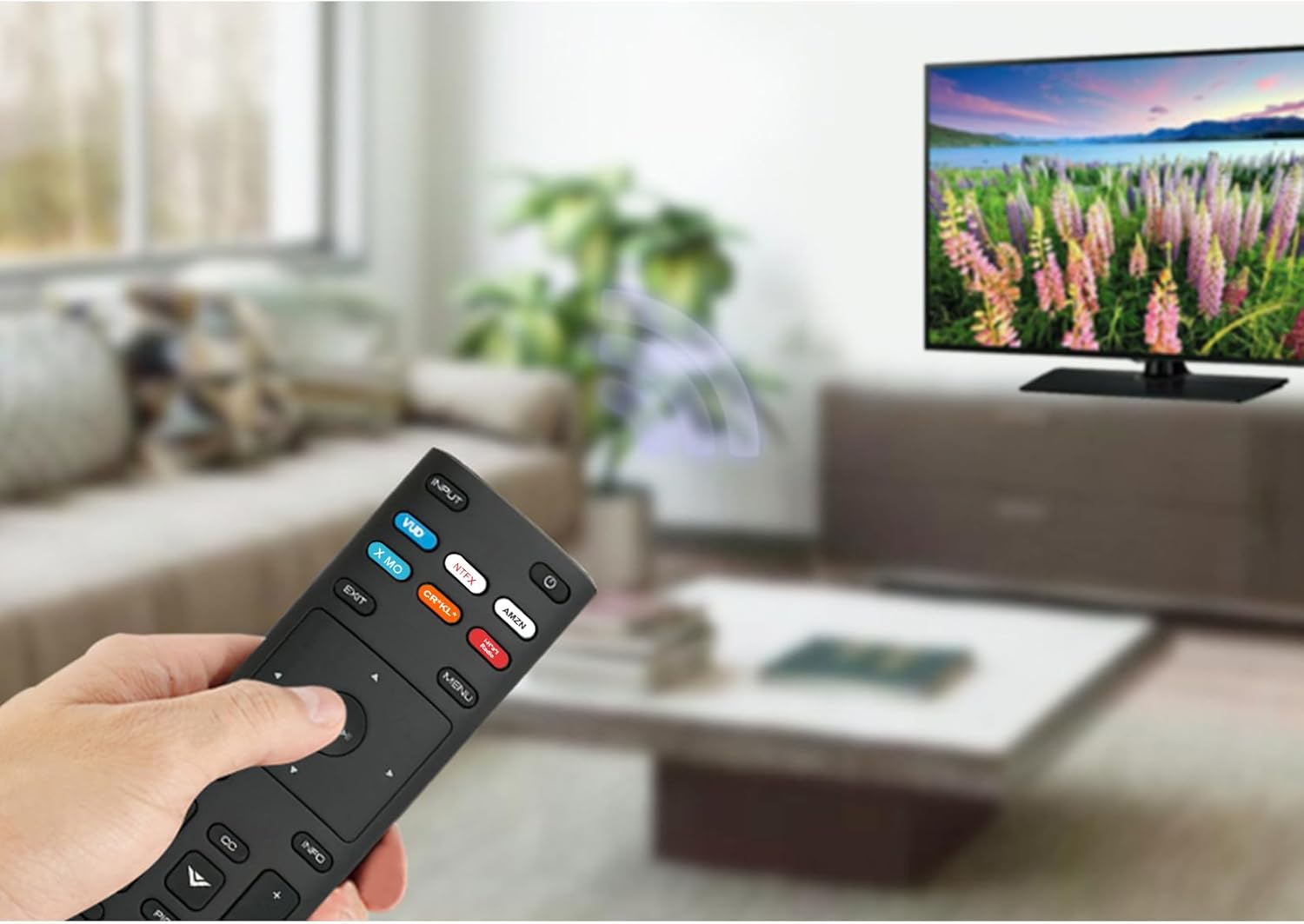
Image: The XRT136 remote control with its physical dimensions highlighted.
8. וואָראַנטי אינפֿאָרמאַציע
This ZdalaMit product comes with a 1 יאָר וואָראַנטי פֿון דעם קויפֿדאַטום. די וואָראַנטי דעקט פֿאַבריקאַציע־דעפֿעקטן אונטער נאָרמאַלן באַנוץ. עס דעקט נישט קיין שאָדן פֿאַראורזאַכט דורך אומרעכטן באַנוץ, אומגליקן, נישט־אָטעריזירטע מאָדיפֿיקאַציעס, אָדער באַטעריע־ליקאַדזש.
9. שטיצן
If you encounter any issues or have questions regarding your ZdalaMit XRT136 Replacement Remote Control that are not addressed in this manual, please contact the seller or manufacturer for assistance. Provide your product model (XRT136) and a detailed description of the issue for efficient support.