
1. הקדמה
This manual provides comprehensive instructions for the installation, operation, and maintenance of your Paulmann 79808 Amaris LED Panel. This ultra-flat LED panel, measuring 595 x 295 mm, offers versatile lighting options including warm white, cool white, and RGBW color control. It is compatible with Zigbee 3.0 for seamless integration into your smart home system. Please read this manual carefully before installation and use, and retain it for future reference.

Figure 1: Paulmann Amaris LED Panel product packaging.
2. זיכערקייַט אינפֿאָרמאַציע
- זיכער מאַכן אַז די מאַכט צושטעל איז דיסקאַנעקטיד איידער ינסטאַלירונג, וישאַלט אָדער רייניקונג.
- Installation must be performed by a qualified electrician or competent person in accordance with local electrical codes.
- מאדיפיצירט נישט דעם פּראָדוקט אויף קיין אופן. נישט-אויטאריזירטע מאדיפיקאציעס קענען בטל מאכן די גאראנטיע און שאפן זיכערהייט ריזיקעס.
- דער פּראָדוקט איז דיזיינד בלויז פֿאַר דרינענדיק נוצן.
- פֿאַרמײַדן דירעקטע קאָנטאַקט מיט וואַסער אָדער הויכער פֿײַכטקייט.
- Do not cover the LED panel with insulating material or other objects that may impede heat dissipation.
- די ליכט-קוואַל פון דעם לאַמפּיטער איז נישט אויסטוישבאַר; ווען די ליכט-קוואַל דערגרייכט איר סוף פון לעבן, מוז די גאנצע לאַמפּיטער ווערן אויסגעטוישט.
3. פּעקל אינהאַלט
באַשטעטיקן אַז אַלע קאָמפּאָנענטן זענען פאַראַן און נישט געשעדיגט איידער איר גייט ווייטער מיט דער אינסטאַלאַציע.
- 1x Paulmann Amaris LED Panel (Model 79808)
- 1x LED Driver (Power Supply Unit)
- 1 קס מאַונטינג קלאַמער
- ייַנמאָנטירונג אינסטרוקציעס (דעם דאָקומענט)

Figure 2: Included components of the Paulmann Amaris LED Panel.
4. סעטאַפּ און ייַנמאָנטירונג
The Paulmann Amaris LED Panel is designed for ceiling mounting. Follow these steps for secure installation.
4.1 דימענשאַנז
The panel measures 595 mm in length, 295 mm in width, and has a height of 52 mm.

פיגור 3: פּראָדוקט דימענסיעס פֿאַר ינסטאַלירונג פּלאַנירונג.
4.2 מאַונטינג סטעפּס
- צוגרייטונג: זיכער מאַכן אַז די הויפּט מאַכט צושטעל צו דער אינסטאַלאַציע געגנט איז אויסגעלאָשן ביים קרייַז ברעאַקער.
- מאַרקינג: Position the mounting bracket on the ceiling at the desired location and mark the drilling points.
- דרילינג: Drill holes at the marked points. Use appropriate drill bits and wall plugs for your ceiling material.
- זיכער בראַקאַץ: Attach the mounting bracket securely to the ceiling using screws.
- עלעקטריקאַל קשר: Connect the LED driver to the 230V AC mains supply. This panel does not require an external transformer. Ensure correct wiring (Live, Neutral, Earth) according to local regulations.
- Connect Panel to Driver: Plug the LED panel's connector into the LED driver's output.
- צוטשעפּען פּאַנעל: Carefully lift the LED panel and hook it onto the mounting bracket. Secure the panel to the bracket, ensuring it is flush with the ceiling.
- לעצט טשעק: Once the panel is securely mounted and wired, restore power to the circuit.
5. אַפּערייטינג ינסטרוקטיאָנס
The Paulmann Amaris LED Panel offers various lighting functionalities through its Smart Home Zigbee compatibility.
5.1 יקערדיק אָפּעראַציע
Once installed and powered, the panel can be controlled via a compatible Zigbee gateway and associated control devices (e.g., remote control, smartphone app).
- אויף / אַוועק: Use your Zigbee controller or app to switch the panel on or off.
- דימינג: Adjust the brightness level from 1% to 100% via your control device.
5.2 Color Temperature Adjustment (Tunable White)
The panel allows you to adjust the white light color temperature to suit your preference or activity.
- קייט: Adjust the white light from 2700 Kelvin (warm white) to 6500 Kelvin (daylight white).
- קאָנטראָל: Use the color temperature slider or presets in your Zigbee app or remote control.
5.3 RGBW Color Selection
Explore a wide spectrum of colors to create different ambiances in your room.
- קאָליר פּאַליטרע: Select any color from the RGBW color palette available in your Zigbee app.
- עפעקטן: Some Zigbee systems may offer pre-programmed color effects or scenes.

Figure 4: The LED panel's capability to display a wide range of RGBW colors.

פיגורע 5: עקסample of ambient lighting using the panel's RGBW features.
6. Smart Home Integration (Zigbee)
The Paulmann Amaris LED Panel is Zigbee 3.0 compatible, allowing integration into various smart home ecosystems.
6.1 Zigbee Compatibility
Zigbee is a wireless communication protocol that enables devices from different manufacturers to connect and communicate within a smart home network.

Figure 6: Zigbee logo, signifying smart home integration capabilities.
6.2 פארבינדן מיט א זיגבי גייטוויי
To control your LED panel via a smartphone app or voice assistant, you need a compatible Zigbee gateway (e.g., Philips Hue Bridge, Amazon Echo with built-in Zigbee hub, Google Nest Hub).
- מאַכט אויף: זיכער מאַכן אַז די LED פּאַנעל איז אנגעצונדן.
- גייטוויי סעטאַפּ: Follow the instructions for your specific Zigbee gateway to put it into pairing mode.
- אַנטדעקן דעוויסעס: Initiate a device search within your gateway's app. The LED panel should be discovered as a new light device.
- באַשטימען: Assign the discovered LED panel to a room or group within your smart home app for easy control.
The panel is ready for Amazon Alexa and Google Assistant integration when connected to a compatible Zigbee 3.0 gateway.

Figure 7: Smart lighting control options with Zigbee 3.0 gateway.
7. וישאַלט
Regular maintenance ensures optimal performance and longevity of your LED panel.
- רייניקונג: אָפּשטעקן די מאַכט איידער איר רייניגט. ניצט אַ ווייכן, טרוקענעם, אָדער אַ ביסל ווייכןamp cloth to wipe the surface of the panel. Do not use abrasive cleaners, solvents, or harsh chemicals.
- דורכקוק: Periodically check for any loose connections or physical damage. If any damage is found, disconnect power and contact support.
- ליכט מקור: די LED ליכט מקור איז אינטעגרירט און נישט באַניצער-פאַרבייטלעך.
8. טראָובלעשאָאָטינג
If you encounter issues with your Paulmann Amaris LED Panel, refer to the following troubleshooting guide:
| פּראָבלעם | מעגלעך סיבה | לייזונג |
|---|---|---|
| Panel does not turn on. | No power supply; Loose wiring; Faulty driver. | Check circuit breaker. Ensure all connections are secure. Contact support if driver is suspected faulty. |
| Cannot connect to Zigbee gateway. | Panel not in pairing mode; Gateway too far; Interference. | Ensure panel is powered on. Bring gateway closer. Check for other wireless devices causing interference. Reset panel (refer to gateway manual for specific reset procedure if needed). |
| קאלירן זענען נישט ריכטיג אדער נישט קאנסיסטענט. | Software glitch; Calibration issue. | Restart the panel by cycling power. Check for firmware updates for your Zigbee gateway. |
| Panel flickers. | Unstable power supply; Incompatible dimmer (if not using smart dimming). | Ensure stable power. This panel is designed for smart dimming via Zigbee; do not use with external conventional dimmers. |
9. ספּעסאַפאַקיישאַנז
Detailed technical specifications for the Paulmann 79808 Amaris LED Panel.
| סאָרט | פאולמאן |
| מאָדעל נומער | 79808 |
| דימענסיעס (L X W X H) | 59.5 X 29.5 X 5.2 סענטימעטער |
| וואָג | 2.24 קילאָגראַמס |
| מאַטעריאַל | מעטאַל |
| סטייל | מאָדערן |
| פאָרעם | Square (Rectangular Panel) |
| Voltage | 230 וואלטס |
| מאַכט מקור | AC |
| ציבעלע טיפּ | געפירט |
| לייַכטיק פלאַקס | 2300 לם |
| ינקאַנדעסאַנט עקוויוואַלענט | 142 וואטס |
| קאָליר טעמפּעראַטור | 2700K (Warm White) to 6500K (Daylight White) |
| ספּעציעלע פֿעיִקייטן | Dimmable, RGBW Color Control, Smart Home Zigbee 3.0 Compatible |
| דורכשניטלעך לעבן | 30,000 שעה |
| ענערגיע עפעקטיווקייַט קלאַס | F |
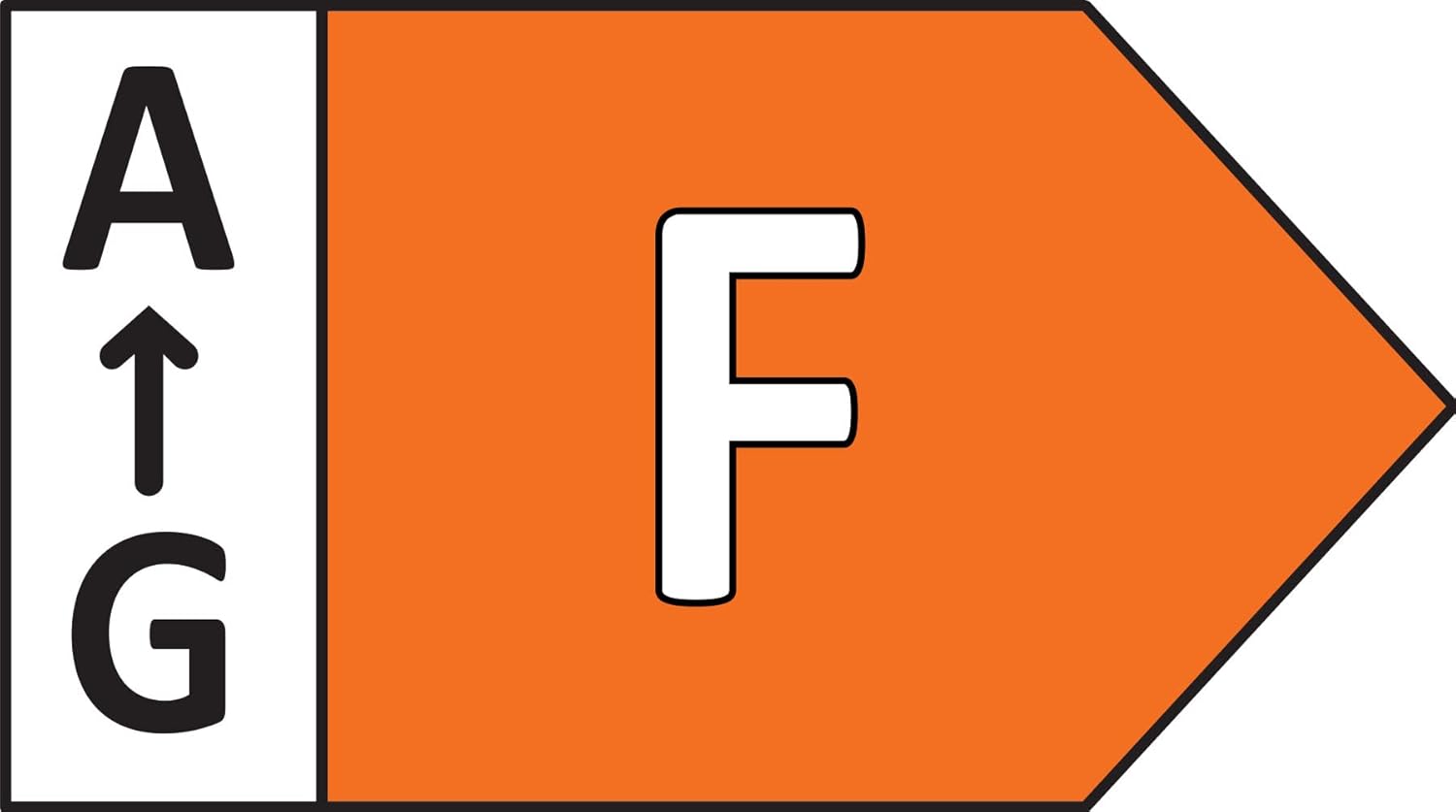
Figure 8: Energy efficiency rating of the Paulmann Amaris LED Panel.
10. וואָראַנטי און שטיצן
Paulmann provides a commitment to quality for its products.
- ספּער פּאַרץ אַוויילאַביליטי: רעזערוו טיילן זענען בנימצא פֿאַר 1 יאָר פֿון דעם טאָג פֿון קויפֿן.
- קונה שטיצן: For technical assistance, warranty claims, or further inquiries, please contact Paulmann customer service through their official webפּלאַץ אָדער דיין זיצער.