
הקדמה
The August Audar Smart Band KERi is a versatile health and fitness tracker designed to monitor various aspects of your well-being. This manual provides detailed instructions for setting up, operating, maintaining, and troubleshooting your device to ensure optimal performance and a seamless user experience. Please read this manual thoroughly before using your Smart Band.
סעטאַפּ
1. Charging the Smart Band
Before initial use, fully charge your Audar Smart Band KERi. The device features a convenient integrated USB charger. Simply remove the strap from one end of the tracker to reveal the USB connector.

Image: The Audar Smart Band KERi being plugged into a USB port for charging. The image highlights the integrated USB connector on the device.

בילד: א דעטאַלירטע view of the Audar Smart Band KERi's integrated USB charging port, showing how it connects to a power source.
- Connect the USB connector to any standard USB charging port (e.g., computer, USB wall adapter).
- דער באַטעריע אינדיקאַטאָר אויפן עקראַן וועט ווײַזן דעם טשאַרדזשינג פּראָגרעס.
- A full charge can provide up to 30 days of battery life.
2. Installing the Audar App
To unlock the full potential of your Smart Band and view your health data, download the official Audar app on your smartphone.
- Scan the QR code provided in the product packaging or search for "Audar" in your device's app store.
- The app is compatible with both Android and iPhone devices.

Image: Screenshot of the Audar app interface, displaying health data and showing icons for Google Play and Apple App Store downloads.
3. פארבינדן מיט אייער סמאַרטפאָון
- מאַכן זיכער אַז בלועטאָאָטה איז ענייבאַלד אויף דיין סמאַרטפאָנע.
- Open the Audar app and follow the on-screen instructions to search for and connect to your KERi Smart Band.
- Confirm the pairing request on both your phone and the Smart Band if prompted.
4. ערשט קאָנפיגוראַטיאָן
- Once paired, the app will guide you through setting up your personal profile, including age, height, weight, and gender, for accurate data tracking.
- Synchronize the time and date with your phone.
אַפּערייטינג ינסטראַקשאַנז
1. יקערדיק נאַוויגאַציע
The Audar Smart Band KERi features a color touchscreen display for easy navigation.
- צאַפּן: To select an option or wake the screen.
- לאַקכענען: To scroll through different menus and data screens.
2. טעטיקייט טראַקינג
The Smart Band automatically tracks your daily activity.

Image: A person running outdoors with the Audar Smart Band KERi on their wrist, showing the display with steps, distance, and calorie data.
- סטעפּס: ציילט די צאָל טריט גענומען איבערן טאָג.
- דיסטאַנסע: Estimates the distance covered based on your steps and profile דאַטן.
- קאַלאָריעס: Calculates calories burned during activity.
- גפּס טראַקינג: When connected to your smartphone, the app can use your phone's GPS to map your route during outdoor activities.
3. געזונט מאָניטאָרינג
The KERi Smart Band provides continuous and on-demand health monitoring.
- האַרץ קורס מאָניטאָר: Measures your heart rate in real-time. Access this feature from the band's menu or through the app.
- בלוט דרוק מאָניטאָר: Provides an estimate of your blood pressure. For accurate medical readings, consult a healthcare professional.
- בלוט אָקסיגען מאָניטאָר: מעסט אייערע בלוט זויערשטאָף זעטיקונג לעוועלס.
- שלאָף מאָניטאָר: Automatically tracks your sleep patterns, including deep sleep, light sleep, and wake times. View detailed analysis in the Audar app.
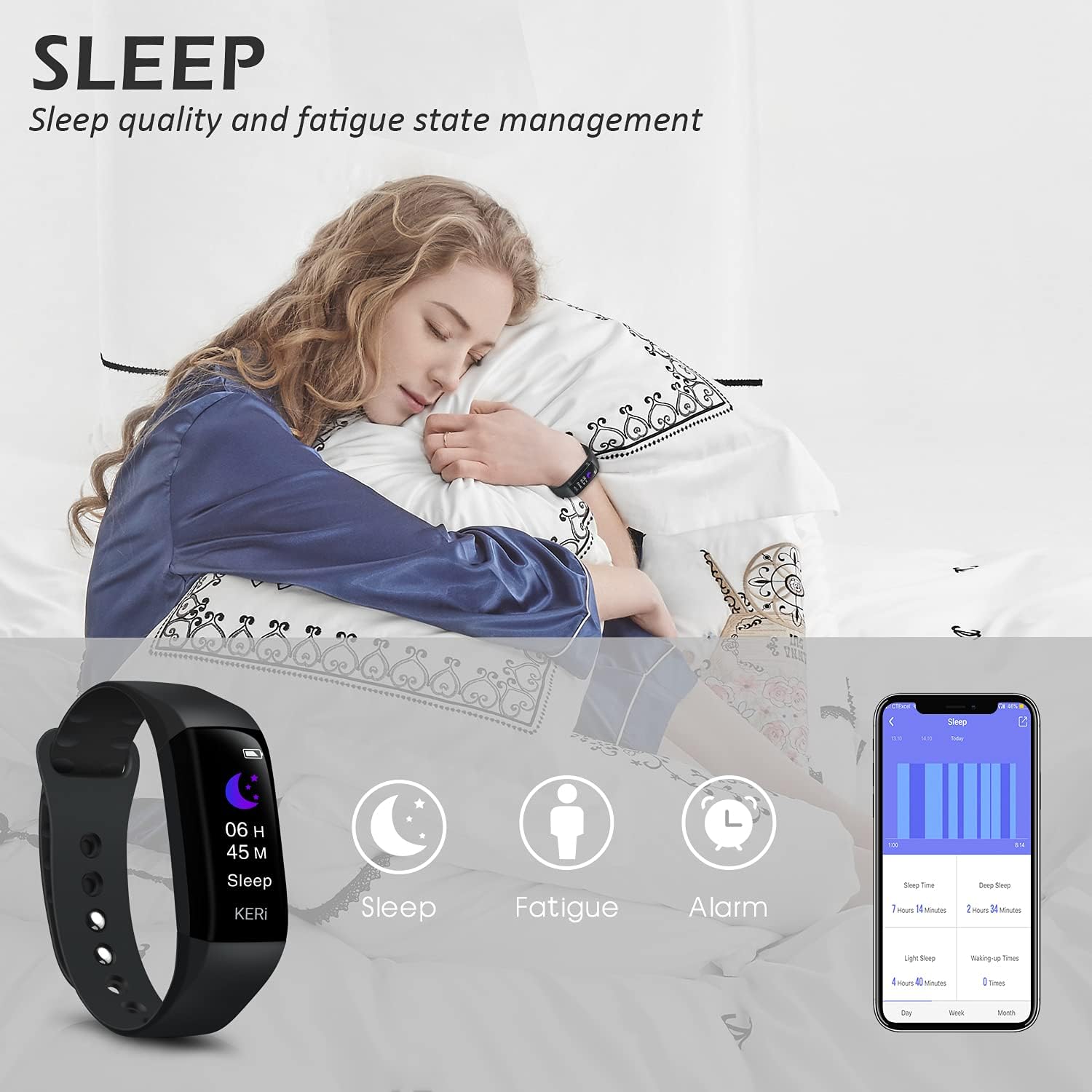
Image: A person sleeping with the Audar Smart Band KERi on their wrist, showing the band's display indicating sleep duration and an accompanying smartphone app displaying sleep analysis.
4. נאָוטאַפאַקיישאַנז
Receive alerts directly on your wrist when connected to your smartphone.

Image: A close-up of a wrist wearing the Audar Smart Band KERi, with the screen showing an incoming call notification.
- רוף וואָרענונגען: Displays incoming call notifications.
- מעסעדזש וואָרענונגען: Shows notifications for SMS, WhatsApp, Messenger, and other selected apps.
- Configure which app notifications you wish to receive through the Audar app settings.
5. נאָך פֿעיִקייטן
- Remote Camera Control (Shake Shooting): Use the band to remotely trigger your smartphone's camera by shaking your wrist.
- געפֿינען מיין טעלעפאָן: Activate this feature from the band to make your paired phone ring, helping you locate it.
- וועקער זייגער: Set silent vibrating alarms through the app.
- CareMate Function: Share your health data with family members through the app, allowing them to monitor your well-being remotely.

Image: Screenshots of the Audar app demonstrating the CareMate function, showing how users can subscribe to and view family members' health data.
וישאַלט
1. רייניקונג
- Regularly clean your Smart Band and strap to prevent skin irritation and maintain device hygiene.
- ווישן די מיטל מיט אַ ווייך, דamp שטאָף. ויסמיידן ניצן האַרב קעמיקאַלז אָדער אַברייסיוו קלינערז.
- זיכער מאַכן אַז די טשאַרדזשינג קאָנטאַקטן זענען ריין און טרוקן איידער טשאַרדזשינג.
2. וואַסער קעגנשטעל
The Audar Smart Band KERi is IP67 waterproof.

Image: The Audar Smart Band KERi being splashed with water, illustrating its IP67 waterproof capability. Icons for heart rate, calories, steps, distance, SMS alerts, and blood oxygen are also visible.
- It is resistant to rain, sweat, and can be submerged up to 1 meter underwater for a limited time.
- It is suitable for showering and swimming in shallow water.
- Avoid prolonged exposure to hot water, steam, or high-velocity water.
3. סטאָרידזש
- סטאָר די מיטל אין אַ קיל, טרוקן אָרט ווען ניט אין נוצן.
- ויסמיידן עקסטרעם טעמפּעראַטורעס.
טראָובלעשאָאָטינג
If you encounter issues with your Audar Smart Band KERi, refer to the following common solutions:
| פּראָבלעם | מעגלעך סיבה | לייזונג |
|---|---|---|
| Device does not turn on or respond | נידעריק באַטאַרייע | טשאַרדזש די מיטל פֿאַר בייַ מינדסטער 30 מינוט. |
| קען נישט צוזאמענשטעלן זיך מיטן סמאַרטפאָן | Bluetooth off, app issue, device out of range | Ensure Bluetooth is on. Restart phone and band. Reinstall app. Move band closer to phone. |
| ומפּינקטלעך געזונט רידינגז | Improper fit, movement during measurement, sensor obstruction | Ensure band is snug but comfortable. Remain still during measurements. Clean sensor on back of band. |
| No data synchronization to app | Bluetooth connection lost, app not running in background | Check Bluetooth connection. Ensure app has necessary permissions and is running. Manually sync from app. |
| קורץ באַטאַרייע לעבן | Frequent notifications, continuous monitoring, old battery | Reduce notification frequency. Disable continuous monitoring for certain features. Ensure full charge. |
אויב די פראבלעם בלייבט, ביטע זעט די שטיצע סעקציע פאר ווייטערדיגע הילף.
ספּעסאַפאַקיישאַנז

Image: A diagram illustrating the dimensions of the Audar Smart Band KERi, including screen size and band length.
| שטריך | דעטאַל |
|---|---|
| מאָדעל נאָמען | KERi |
| סאָרט | אויגוסט |
| פאַרשטעלן גרייס | 0.96 אינטשעס |
| ווייַז טיפּ | לקד |
| האַכלאָטע | 240 X 240 |
| קאַנעקטיוויטי טעכנאָלאָגיע | בלועטאָאָטה, וסב |
| ווירעלעסס קאָמוניקאַציע סטאַנדאַרד | בלועטאָאָטה |
| אָפּערייטינג סיסטעם | Android (Compatible with Android & iPhone) |
| מעטריקס געמאסטן | Heart Rate, Blood Pressure, Sleep Duration, Blood Oxygen |
| ספּעציעלע פֿעיִקייטן | Alarm Clock, Calorie Tracker, Notifications, GPS (via phone), Remote Camera Control |
| וואַסער קעגנשטעל מדרגה | IP67 (וואַסערפּרוף ביז 1 מעטער) |
| באַטאַרייע צעל טיפּ | ליטהיום פּאָלימער |
| באַטערי דורכשניטלעך לעבן | אַרויף צו 30 טעג |
| באַנד מאַטעריאַל טיפּ | Rubber or Silicone |
| Case Material Type | סעראַמיק |
| פּונקט וואָג | 29 גראַמז |
| נומער דימענשאַנז | 25.8 X 2.2 X 1.3 סענטימעטער |
| באַנד לענג | 130 - 190 Millimetres |
| קאָליר | שוואַרץ |
וואָראַנטי אינפֿאָרמאַציע
For detailed warranty information regarding your August Audar Smart Band KERi, please refer to the warranty card included in your product packaging or visit the official August webזייטל. גאַראַנטיע טערמינען און באדינגונגען קענען זיין אַנדערש לויט געגנט און הענדלער.

Image: The contents of the Audar Smart Band KERi product box, showing the smart band, charging cable, and instruction manuals.
קונה שטיצן
If you require further assistance or have questions not covered in this manual, please contact August customer support through one of the following channels:
- אָנליין שטיצן: Visit the official August webזייטל פֿאַר אָפֿט געשטעלטע פֿראַגעס, שטיצע אַרטיקלען, און קאָנטאַקט פֿאָרמען.
- E- בריוו שטיצן: Refer to your product packaging or the August webזייטל פֿאַר די קונה סערוויס בליצפּאָסט אַדרעס.
- בראַנד קראָם: איר קענט אויך באַזוכן די יו August Brand Store פֿאַר מער פּראָדוקט אינפֿאָרמאַציע און שטיצע רעסורסן.