
1. הקדמה
This manual provides essential information for the setup, operation, and maintenance of your Elo 10-inch I-Series for Android (Model E461790). The I-Series 3.0 for Android is a commercial-grade touchscreen solution designed for various interactive applications, integrating Google Play Services.
It is built for continuous public use in environments such as retail, hospitality, self-service kiosks, and corporate offices. Please read this manual thoroughly before using the device to ensure proper functionality and longevity.
2. פּראָדוקט איבערview
The Elo 10-inch I-Series for Android is a compact, high-performance touchscreen display. It features a 10.1-inch LCD with 1280 x 800 resolution, powered by a 2 GHz Cortex A53 processor, 3GB RAM, and 32GB storage. The device operates on the Android platform and supports Google Play Services.
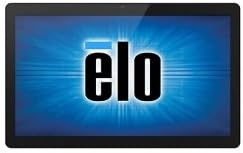
בילד: פראָנט view of the Elo 10-inch I-Series for Android touchscreen display, showing the Elo logo on the screen.
This unit is designed to support various peripherals and offers robust performance for demanding applications requiring continuous operation.
3. וואָס איז אין דער קעסטל
Upon unboxing, please verify that all the following components are present:
- Elo 10-inch I-Series for Android Device (Model E461790)
- מאַכט אַדאַפּטער
- Quick Start Guide (if included, not specified in input)
- Safety and Regulatory Information (if included, not specified in input)
If any items are missing or damaged, please contact Elo customer support immediately.
4. סעטאַפּ
- אויספּאַקן: Carefully remove the device and all accessories from the packaging. Retain the packaging for future transport or storage.
- אָרט: Place the device on a stable, flat surface. Ensure adequate ventilation around the unit to prevent overheating. Avoid placing it near heat sources or in direct sunlight.
- קאַנעקטינג מאַכט:
- Connect the power adapter cable to the power input port on the back of the device.
- צאַפּן די מאַכט אַדאַפּטער אין אַ פּאַסיק עלעקטריקאַל ווענטיל.
- ערשט מאַכט אויף: Press the power button, usually located on the side or back of the unit. The device will boot up and display the Elo logo, followed by the Android operating system interface.
- נעץ קאַנעקשאַן:
- For Wi-Fi: Navigate to Android Settings > Network & Internet > Wi-Fi. Select your network and enter the password.
- For Wired Ethernet: Connect an Ethernet cable from your network router/switch to the Ethernet port on the device (if available on your specific model).
- Google Play Services Setup: Follow the on-screen prompts to set up your Google account and access Google Play Services, if required for your application.
5. אַפּערייטינג ינסטרוקטיאָנס
5.1 טאָוטשסקרעען אָפּעראַציע
The device features a multi-touch display. Use standard touch gestures such as tap, double-tap, pinch-to-zoom, and swipe to navigate the Android interface and interact with applications.
5.2 Android Interface Navigation
- היים פאַרשטעלן: The main screen where app icons and widgets are displayed.
- אַפּ שופלאָד: צוטריט צו אַלע אינסטאַלירטע אַפּלאַקיישאַנז.
- נאָטיפיקאַציעס פּאַנעל: לאַקכענען אַראָפּ פֿון די שפּיץ פון דעם עקראַן צו view נאָטיפיקאַציעס און שנעלע סעטטינגס.
- סעטטינגס: Access system settings to configure Wi-Fi, display, sound, and other device options.
5.3 ינסטאָלינג אַפּפּליקאַטיאָנס
Applications can be installed via the Google Play Store (requires a Google account) or by sideloading APK files, depending on your deployment strategy and security policies.
5.4 מאַכט מאַנאַגעמענט
- שלאָפן מאָדע: Briefly press the power button to put the device into sleep mode. Press again to wake it up.
- Restart/Power Off: Press and hold the power button until a menu appears, then select "Restart" or "Power Off".
6. וישאַלט
6.1 רייניקונג די ווייַז
צו רייניקן דעם טאטשסקרין, מאַכט אויס דעם אַפּאַראַט און ווישט אָפּ דעם עקראַן מיט אַ ווייכן, לינט-פֿרייע שטאָף. פֿאַר שווערע פֿלעקן, ווישט אַ ביסלampen the cloth with water or a non-abrasive, ammonia-free glass cleaner. Do not spray cleaner directly onto the screen.
6.2 אַלגעמיינע קער
- ויסמיידן יקספּאָוזינג די מיטל צו עקסטרעם טעמפּעראַטורעס, הומידיטי אָדער דירעקט זונשייַן.
- דו זאלסט נישט פאַרשפּאַרן ווענטאַליישאַן אָופּאַנינגז.
- Do not attempt to disassemble the device. Refer all servicing to qualified personnel.
7. טראָובלעשאָאָטינג
| פּראָבלעם | מעגלעך סיבה | לייזונג |
|---|---|---|
| די מיטל טוט נישט מאַכט אויף. | קיין עלעקטריע, דעפעקטיווער עלעקטרישער אַדאַפּטער. | Ensure power adapter is securely connected to device and outlet. Try a different outlet. |
| טאָוטשסקרעען ניט ריספּאַנדאַבאַל. | ווייכווארג פראבלעם, פיזישע שאדן. | Restart the device. Ensure screen is clean and free of obstructions. If problem persists, contact support. |
| קיין Wi-Fi פֿאַרבינדונג. | Incorrect password, out of range, router issue. | Verify Wi-Fi password. Move closer to the router. Restart router and device. |
| Applications crashing. | App incompatibility, low memory. | Clear app cache/data. Update the app. Ensure sufficient storage space. |
For issues not listed here, or if solutions do not resolve the problem, please contact Elo customer support.
8. ספּעסאַפאַקיישאַנז
| שטריך | דעטאַל |
|---|---|
| מאָדעל נאָמען | E461790 |
| פאַרשטעלן גרייס | 10 אינטשעס |
| ווייַז האַכלאָטע | 1280 רענטגענ 800 פּיקסעלס |
| פּראַסעסער | 2 GHz (Cortex A53) |
| גראַפיקס קאָופּראַסעסער | ARM Mali T604 |
| אָפּערייטינג סיסטעם | אַנדרויד |
| באַראַן | 3 גיגאבייט (DDR3 SDRAM) |
| סטאָרידזש קאַפּאַסיטי | 32 GB (Flash Memory) |
| ווירעלעסס טיפּ | 802.11n |
| פּונקט וואָג | 1.94 פונט |
| פּראָדוקט דימענשאַנז (LxWxH) | 9.45 X 13.39 X 5.91 אינטשעס |
| דערציען Webקאַם האַכלאָטע | 5 מפּ |
באַמערקונג: די ספּעסאַפאַקיישאַנז קענען זיין געביטן אָן באַמערקן.
9. וואָראַנטי און שטיצן
Elo products are designed for reliability and come with a standard manufacturer's warranty. For specific warranty terms and conditions applicable to your region and purchase, please refer to the warranty card included with your product or visit the official Elo webפּלאַץ.
For technical support, service, or to inquire about replacement parts, please contact Elo customer support. You can find contact information and additional resources on the official Elo webפּלאַץ:
(This link directs to the Elo brand store on Amazon, which may contain links to official support resources.)