
1. פּראָדוקט איבערview
The Sharp SMD2489ES is a state-of-the-art built-in Smart Microwave Drawer Oven designed for modern kitchens. It integrates seamlessly into your cabinetry, offering both aesthetic appeal and advanced functionality. This model features touchless operation, smart connectivity, and a concealed control panel for a sleek, streamlined look.
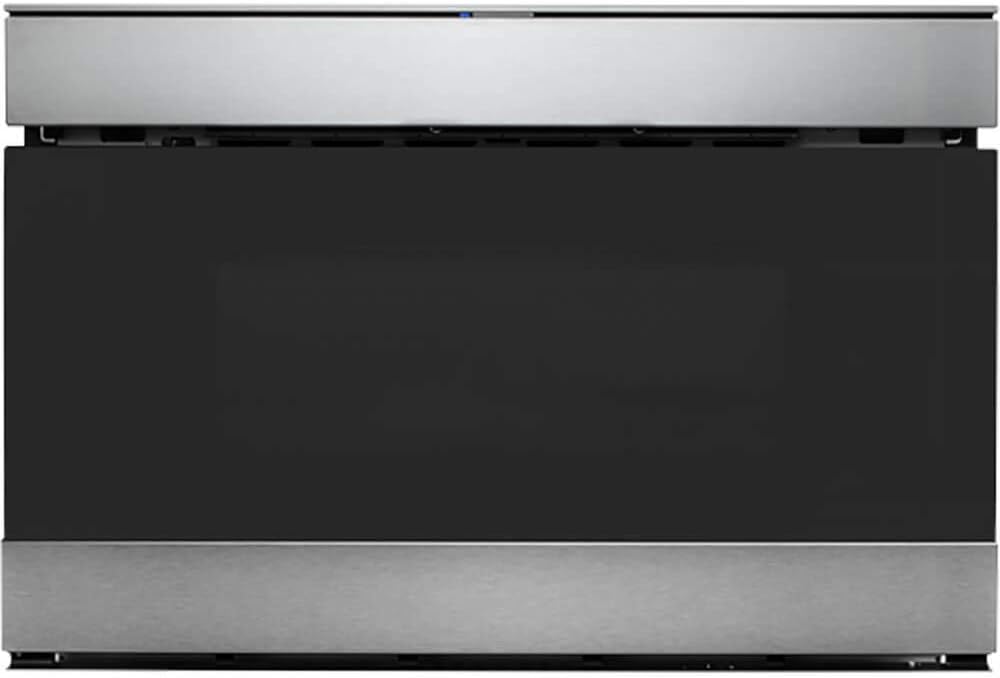
פיגורע 1: פראָנט view of the Sharp SMD2489ES Smart Microwave Drawer Oven.
2. שליסל פֿעיִקייטן
- סמאַרט קאַנעקטיוויטי: Works with Alexa and the Sharp Kitchen App for hands-free operation and voice commands.
- Easy Wave Open: Touchless opening of the microwave drawer oven by simply waving your hand.
- Concealed Touch Glass Controls: Controls are discreetly hidden and operate at a convenient 45° angle for easy visibility when needed.
- Built-In Airflow Venting: Supports both traditional "proud mount" and flush installation options without additional kits.
- מאָדערן פּלאַן: Edge-to-edge black glass with a viewing window and stainless steel accents, complemented by LED interior lighting.
- Easy Touch Automatic Drawer System: Smoothly closes the oven with a gentle nudge or button press, preventing spills.
- Sensor Cook & Defrost: Automated cooking and defrosting programs for various food items.
3. ייַנמאָנטירונג און סעטאַפּ
The SMD2489ES is designed for built-in installation, typically under a countertop or in a kitchen island. It offers flexible installation options:
- Proud Mount: Traditional installation where the microwave slightly protrudes from the cabinetry.
- פלאש בארג: For a seamless, integrated look, the microwave can be installed flush with your cabinets. This model features Built-In Airflow venting, eliminating the need for separate trim kits or vent deflectors for flush installation.
For detailed installation instructions, refer to the comprehensive installation guide provided with your appliance. Professional installation is recommended.

Figure 2: The microwave drawer oven seamlessly integrated into a kitchen island.
4. אַפּערייטינג ינסטרוקטיאָנס
4.1 Opening and Closing the Drawer
- Easy Wave Open: To open the drawer without touching, simply wave your hand up and down near the motion sensor located above the drawer. The drawer will glide open automatically.
- Manual Open/Close: Press the 'OPEN/CLOSE' button on the control panel.
- Easy Touch Automatic Drawer System: For closing, a gentle nudge on the drawer will activate the automatic closing mechanism.

Figure 3: The microwave drawer in its fully open position, ready for use.
4.2 ניצן די קאָנטראָל פּאַנעל
The control panel is concealed for a sleek appearance. To access it, open the microwave drawer. The panel is angled at 45 degrees for optimal viewינג און ינטעראַקשאַן.

פיגורע 4: נאָענט-אַרויף view of the concealed glass touch control panel.
4.3 קלוגע פֿעיִטשערז און שטימע קאָנטראָל
This microwave is Works with Alexa Certified. Download the Sharp Kitchen app and pair it with your Alexa device to enable voice commands. Over 35 voice commands are available, such as "Alexa, defrost 1 pound of chicken," simplifying your cooking experience.
4.4 Cooking and Defrosting
Utilize the Sensor Cook & Defrost menu items to automatically adjust cooking times and power levels based on the food's moisture and temperature. Refer to the full user manual for a complete list of pre-set programs and manual cooking options.
5. וישאַלט
רעגולערע רייניקונג און וישאַלט וועט ענשור די לאַנגלעבעדיקייט און אָפּטימאַלע פאָרשטעלונג פון דיין מייקראַווייוו אויוון.
- ינלענדיש רייניקונג: ווישן די ינלענדיש מיט אַדamp cloth and mild detergent after each use to prevent food buildup. For stubborn stains, place a bowl of water with lemon slices inside and microwave for a few minutes to loosen residue.
- עקסטעריאָר רייניקונג: Clean the stainless steel and glass surfaces with a soft cloth and a non-abrasive cleaner specifically designed for these materials. Avoid harsh chemicals or abrasive pads.
- שופלאד רעלסן: Periodically check the drawer rails for any obstructions and wipe them clean to ensure smooth operation.
6. טראָובלעשאָאָטינג
If you encounter any issues with your microwave oven, refer to the following common troubleshooting tips before contacting customer support:
| פּראָבלעם | מעגלעך סיבה | לייזונג |
|---|---|---|
| Microwave not heating food | Door not fully closed; Power outage; Incorrect settings. | Ensure drawer is completely closed. Check power supply. Verify cooking settings. |
| Drawer not opening/closing smoothly | Obstruction in rails; Sensor issue. | Check for and remove any obstructions. Clean drawer rails. |
| Control panel not visible/lit | Panel is concealed; Power saving mode. | Ensure drawer is open to reveal the panel. Some elements may only light up when active. |
| קלוגע פֿונקציעס אַרבעטן נישט | Not paired with app/Alexa; Wi-Fi connectivity issues. | Ensure proper pairing via Sharp Kitchen App. Check Wi-Fi connection. |
אויב די פראבלעם בלייבט נאך פרובירן די לייזונגען, ביטע קאנטאקטירט שאַרפּ קונה שטיצע.
7. ספּעסאַפאַקיישאַנז
| שטריך | דעטאַל |
|---|---|
| סאָרט נאָמען | שאַרף |
| מאָדעל נומער | SMD2489ES |
| קאַפּאַציטעט | 1.2 קוביק פֿיס |
| וואָסtage | 950 וואטס |
| ייַנמאָנטירונג טיפּ | געבויט-אין |
| פּראָדוקט דימענשאַנז | 23.25"ד רענטגענ 23.56"וו רענטגענ 16"ה |
| פּונקט וואָג | 74 פונט |
| קאָליר | ומבאַפלעקט שטאָל |
| ספּעציעלע פֿעיִקייטן | Programmable, Easy Wave Open, Sharp Kitchen App compatible |
| דעפראָסט טיפּ | אַוטאָ לאָזנ אָפּגיין |
8. וואָראַנטי און שטיצן
Your Sharp SMD2489ES Smart Microwave Drawer Oven comes with a manufacturer's warranty. Please refer to the warranty card included with your product for specific terms and conditions. For technical assistance, service, or to purchase replacement parts, please contact Sharp customer support through their official webזייטל אדער די קאָנטאַקט אינפֿאָרמאַציע וואָס איז צוגעשטעלט אין אייער פּראָדוקט דאָקומענטאַציע.