
הקדמה
Thank you for choosing the XINJIA Digital Watch Model 2400018. This manual provides detailed instructions for the proper setup, operation, and maintenance of your new watch. Please read this manual thoroughly to ensure optimal performance and longevity of your device. Keep this manual for future reference.
זיכערקייַט אינפֿאָרמאַציע
- פֿאַרמײַדט אויסשטעלן די זייגער צו עקסטרעמע טעמפּעראַטורן, דירעקטע זונשײַן פֿאַר פֿאַרלענגערטע פּעריאָדן, אָדער שטאַרקע מאַגנעטישע פֿעלדער.
- פרובירט נישט צו עפענען דעם זייגער קעסטל אדער צו פארטרעטן די באטעריע אליין, ווייל דאס קען בטל מאכן די גאראנטיע און שאדן דעם זייגער. זוכט פראפעסיאנעלן סערוויס.
- Clean the watch with a soft, dry cloth. Avoid using chemical cleaners.
- While the watch is designed for daily wear, avoid direct contact with corrosive substances.
פּראָדוקט איבערview
The XINJIA Digital Watch Model 2400018 features a digital display, date function, and a chronometer. It is designed with a durable silicone strap and a buckle clasp for secure wear.

פיגורע 1: פראָנט View of the Watch. This image displays the watch face with its digital display, showing time and day of the week. The four buttons are visible: 'START' (top left), 'RESET' (top right), 'LIGHT' (bottom left), and 'MODE' (bottom right).
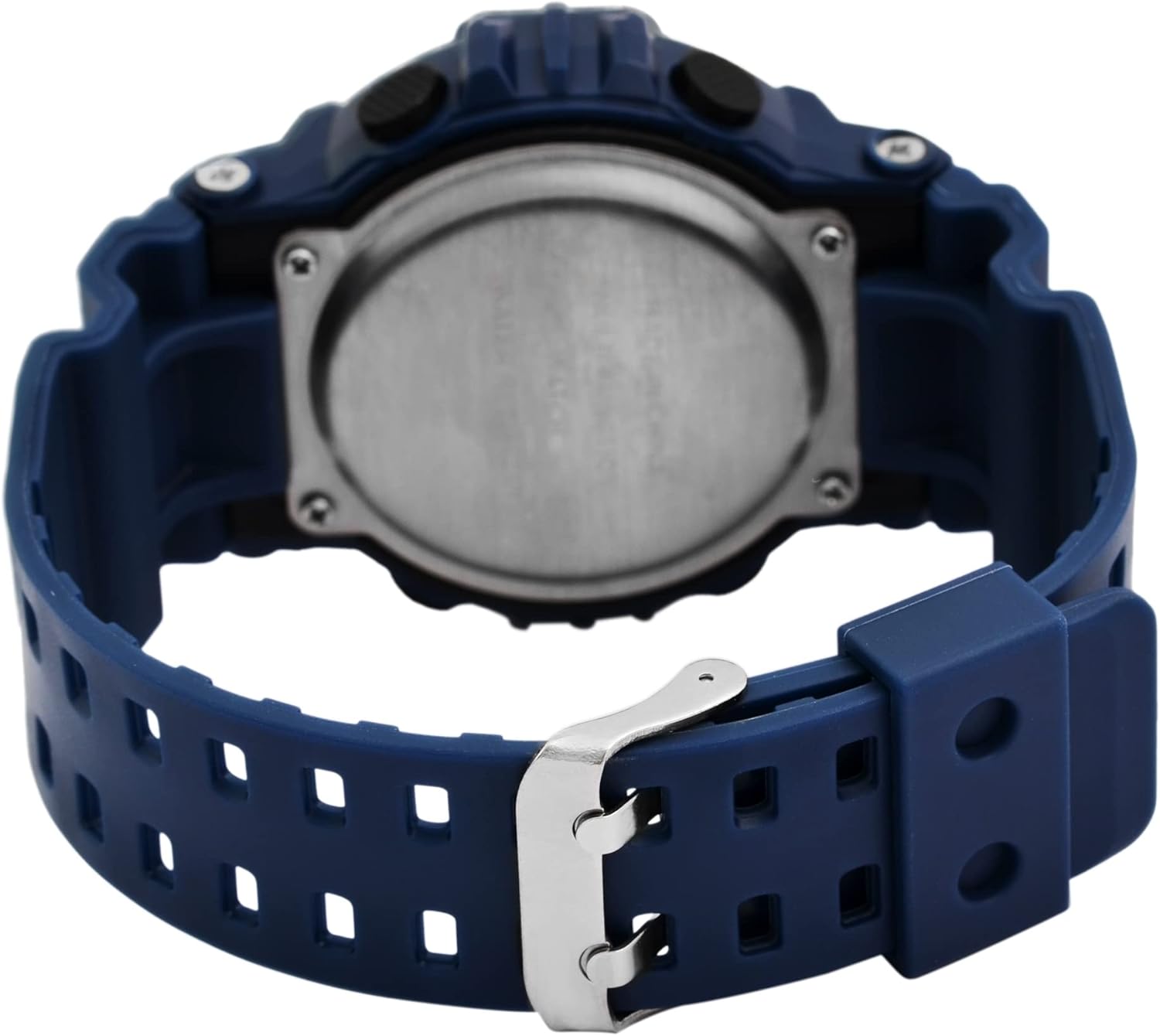
פיגורע 2: צוריק View of the Watch. This image shows the reverse side of the watch, highlighting the stainless steel case back and the blue silicone strap with its traditional buckle clasp.
קנעפּל פאַנגקשאַנז:
- MODE Button (Bottom Right): Cycles through display modes (Time, Date, Alarm, Chronometer). Used to select settings during adjustment.
- LIGHT Button (Bottom Left): Activates the backlight for visibility in low light conditions.
- START Button (Top Left): Starts/stops the chronometer. Used to increase values during setting.
- RESET קנעפּל (אויבן רעכטס): Resets the chronometer. Used to select items or move to the next setting during adjustment.
סעטאַפּ
באַשטעטיקן צייט און דאַטע:
- פֿון דער נאָרמאַלער צײַט־אַרויסווייַזונג, דריק די מאָדע קנעפל דריי מאל צו אריינגיין אין צייט איינשטעלונג מאָדע. די סעקונדעס ציפערן וועלן אָנהייבן צו בלינקען.
- דרוק די באַשטעטיק button to cycle through the settings: Seconds → Hours → Minutes → Month → Date → Day of the Week.
- While a digit is flashing, press the אָנהייב קנעפּל צו סטרויערן די ווערט. האַלטן די אָנהייב button to advance rapidly.
- אַמאָל אַלע סעטטינגס זענען ריכטיק, דריקן די מאָדע קנעפּל צו פֿאַרלאָזן דעם סעטטינג מאָדע און צוריקקומען צו דער נאָרמאַלער צייט אַרויסווייַזונג.
אַפּערייטינג ינסטראַקשאַנז
Using the Chronometer (Stopwatch):
- פֿון דער נאָרמאַלער צײַט־אַרויסווייַזונג, דריק די מאָדע button once to enter Chronometer mode. The display will show "00:00:00".
- דרוק די אָנהייב קנעפּל צו אָנהייבן טיימינג.
- דרוק די אָנהייב קנעפּל ווידער צו פּויזירן די צייט.
- דרוק די באַשטעטיק button to reset the chronometer to "00:00:00".
- דרוק די מאָדע קנעפּל צו צוריקקומען צו דער נאָרמאַלער צייט אַרויסווייַזונג.
באַשטעטיקן און ניצן די שרעק:
- פֿון דער נאָרמאַלער צײַט־אַרויסווייַזונג, דריק די מאָדע קנעפּל צוויי מאָל צו אַרייַן אַלאַרם מאָדע. די אַלאַרם צייט וועט ווערן געוויזן.
- דרוק די באַשטעטיק button to select the hour or minute digits for adjustment. The selected digit will flash.
- דרוק די אָנהייב button to adjust the flashing digit.
- צו אַקטיווירן/דעאַקטיווירן דעם אַלאַרם, דריק די אָנהייב און באַשטעטיק buttons simultaneously while in Alarm mode. An alarm icon will appear/disappear on the display.
- דרוק די מאָדע button to exit Alarm mode.
ניצן די באַקלייט:
- דרוק די ליכט button (bottom left) to illuminate the display for a few seconds.
וישאַלט
באַטערי פאַרבייַט:
This watch uses one LR44 battery. When the display becomes dim or the watch stops functioning, the battery may need replacement. It is recommended to have the battery replaced by a qualified watch technician to ensure proper sealing and water resistance.
רייניקונג:
ווישט אָפּ דעם זייגער־קעסטל און רימען מיט אַ ווייכן, לייכט נאַסן טוךamp cloth. Avoid using harsh chemicals, solvents, or abrasive cleaners, as these can damage the watch's finish and materials.
וואַסער קעגנשטעל:
The watch is designed to withstand splashes and brief immersion. However, it is not suitable for swimming, diving, or hot water activities (e.g., showering, sauna) as steam and hot water can compromise the seals. Do not operate buttons while the watch is wet.
טראָובלעשאָאָטינג
| פּראָבלעם | מעגלעך סיבה | לייזונג |
|---|---|---|
| דער עקראַן איז ליידיק אָדער טונקל. | נידעריק אָדער טויט באַטאַרייע. | Replace the LR44 battery. Seek professional service. |
| די צייט איז נישט ריכטיק. | Time was not set correctly or reset accidentally. | Refer to the "Setting Time and Date" section to reset the time. |
| די קנעפּלעך זענען נישט ריספּאַנדינג. | די זייגער איז אפשר אין א פארשלאסענעם מאָד אדער די באַטעריע איז זייער נידעריק. | פּרוּווט דריקן די מאָדע button to cycle modes. If still unresponsive, consider battery replacement. |
| דער אַלאַרם קלינגט נישט. | דער אַלאַרם איז נישט אַקטיוויזירט אָדער פאַלש געשטעלט. | Ensure the alarm icon is displayed and the alarm time is set correctly. Refer to "Setting and Using the Alarm". |
ספּעסאַפאַקיישאַנז
- מאָדעל נומער: 2400018
- סאָרט: XINJIA
- ווייַז טיפּ: דיגיטאַל
- קאַסטן מאַטעריאַל: Not specified (implied plastic/resin with stainless steel back)
- רימען מאַטעריאַל: סיליקאָנע
- קלעפּיק טיפּ: בלעכע
- קאַסע דיאַמעטער: 46 מם
- קאַסטן גרעב: 16 מם
- באַנד ברייט: 29 מם
- פּראָדוקט דימענשאַנז (L x W x H): 26 X 4.6 X 1.6 סענטימעטער
- נומער וואָג: 54.43 גראַמז
- באַטערי טיפּ: 1 x LR44 (אריינגערעכנט)
- פֿעיִקייטן: Time, Date, Day of Week, Chronometer, Alarm, Backlight
- וואַסער קעגנשטעל: Splash resistant (general, not for swimming/diving)
וואָראַנטי און שטיצן
פֿאַר וואָראַנטי אינפֿאָרמאַציע אָדער טעכנישע שטיצע, ביטע זען די דאָקומענטאַציע וואָס איז צוגעשטעלט געוואָרן ביים קויפן אָדער קאָנטאַקט דיין הענדלער. האַלט דיין באַווייַז פון קויפן פֿאַר קיין וואָראַנטי קליימז.