
הקדמה
This manual provides detailed instructions for the XINJIA Digital Quartz Watch, Model 2400017-001. Please read this guide thoroughly to understand the watch's features, setup, operation, and maintenance. Proper use and care will ensure the longevity and optimal performance of your watch.
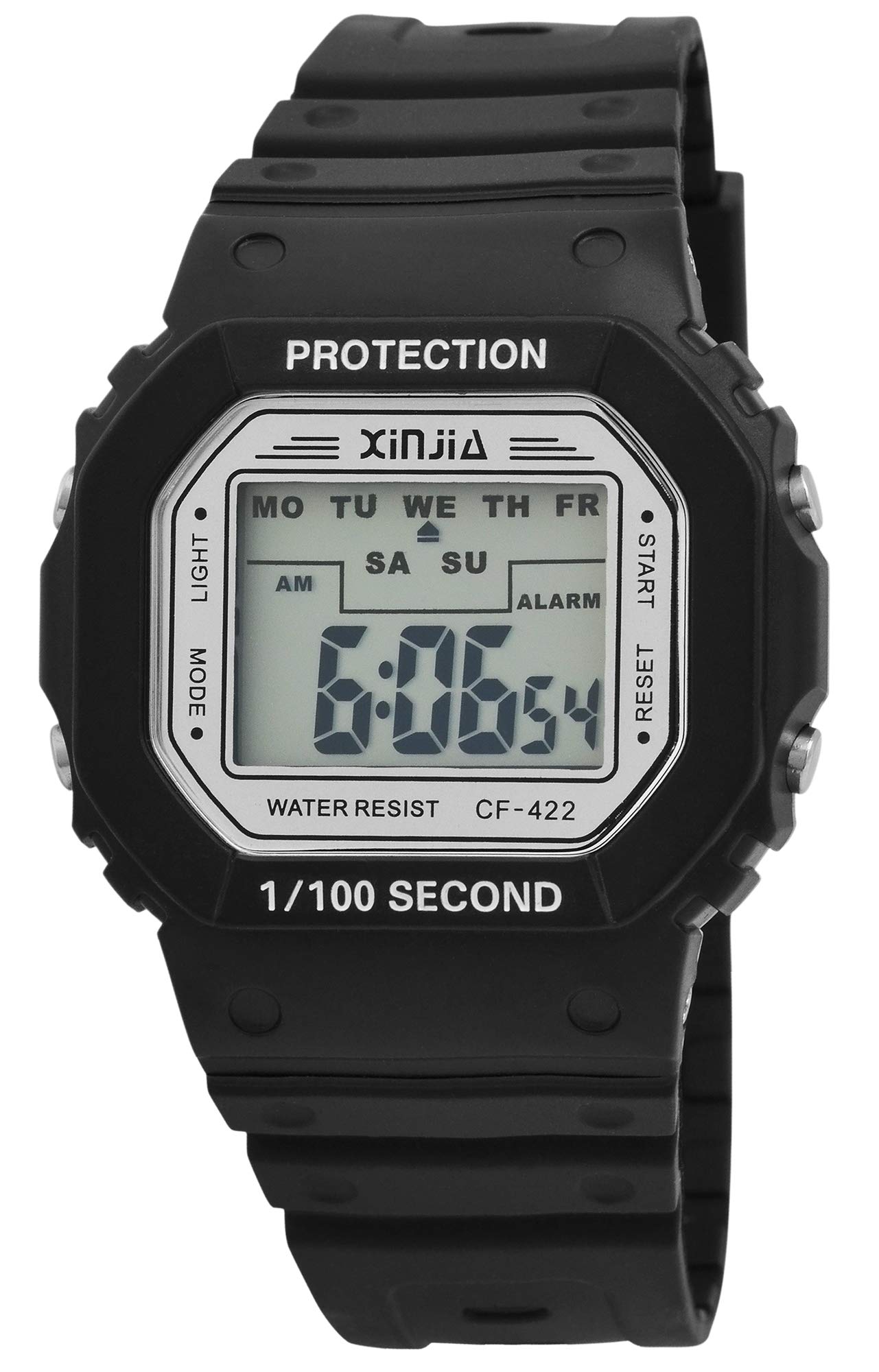
This image displays the XINJIA Digital Quartz Watch, featuring a black silicone strap and a clear rectangular digital display.
סעטאַפּ
ערשטע צייט און דאַטע שטעלונג
Your XINJIA Digital Quartz Watch comes with a pre-installed battery. To set the time and date:
- דרוק די מאָדע button (usually on the bottom left) repeatedly until the time display starts flashing.
- ניצן די שטעלן button (usually on the top right) to adjust the flashing digit (hours, minutes, seconds).
- דרוק די מאָדע button again to move to the next setting (e.g., minutes, then month, day, year).
- אַמאָל אַלע סעטטינגס זענען ריכטיק, דריקן די מאָדע button one last time to exit the setting mode.
רימען אַדזשאַסטמאַנט
The watch features a silicone strap with a buckle clasp. Adjust the strap by inserting the pin into the desired hole for a comfortable and secure fit on your wrist.
אַפּערייטינג ינסטראַקשאַנז
צייט און טאָג ווייַז
In normal mode, the watch displays the current time (hours, minutes, seconds). Press the מאָדע button once to cycle through different display modes, which may include date (month, day, year).
שרעק פֿונקציע
צו שטעלן די שרעק:
- דרוק די מאָדע button until the alarm setting screen appears (often indicated by 'AL' or a bell icon).
- ניצן די שטעלן קנעפּל צו סטרויערן די אַלאַרם שעה און מינוט.
- דרוק מאָדע צו באַשטעטיקן און אַרויסגאַנג.
צו אַקטיווירן/דעאַקטיווירן דעם אַלאַרם, דריק די שטעלן button while in the alarm display mode.
סטאַפּוואַטש פֿונקציע
צו נוצן די סטאַפּוואַטש:
- דרוק די מאָדע button until the stopwatch screen appears (often indicated by 'ST' or 'STOP').
- דרוק די שטעלן קנעפּל צו אָנהייבן די סטאָפּוואַטש.
- דרוק שטעלן נאכאמאל צו פּויזירן/אננעמען.
- צו באַשטעטיק, דריקן די ליכט button (if available) while the stopwatch is paused.
באַקלייט
דרוק די ליכט button (usually on the top left) to illuminate the display for a few seconds in low-light conditions.
וישאַלט
רייניקונג
ווישט אָפּ דעם זייגער־קעסטל און רימען מיט אַ ווייכן, טרוקענעם שטאָף.amp cloth. Avoid using harsh chemicals or abrasive materials, as these can damage the plastic and silicone components.
וואַסער קעגנשטעל
While the watch is designed for daily wear, specific water resistance ratings are not provided. Avoid prolonged exposure to water, swimming, or showering to prevent internal damage.
באַטערי פאַרבייַט
The watch is powered by a quartz movement with one battery. When the display dims or functions become erratic, it may be time to replace the battery. It is recommended to have battery replacement performed by a qualified watch technician to ensure proper sealing and function.
טראָובלעשאָאָטינג
- Watch not displaying time: Check if the battery needs replacement. Ensure no buttons are stuck.
- אומרעכטע צייט/דאטום: Follow the 'Initial Time and Date Setting' instructions to reset.
- דער שרעק קלינגט נישט: Ensure the alarm is activated in the alarm setting mode. Check battery level.
- דיספּליי איז טונקל: This usually indicates a low battery. Replace the battery.
If problems persist after attempting these solutions, contact customer support or a professional watch repair service.
ספּעסאַפאַקיישאַנז
| סאָרט | XINJIA |
| מאָדעל נומער | 2400017-001 |
| ווייַז טיפּ | דיגיטאַל |
| באַוועגונג טיפּ | קוואַרץ |
| מאַכט מקור | באַטאַרייע פּאַוערד |
| קאַסע מאַטעריאַל | פּלאַסטיק |
| רימען מאַטעריאַל | סיליקאָנע |
| קלעפּיק טיפּ | בלעכע |
| קאַסע דיאַמעטער | 44 מילאַמיטערז |
| קאַסע גרעב | 12.00 מילאַמיטערז |
| באַנד ברייט | 30 מילאַמיטערז |
| באַנד לענג | 240 מילאַמיטערז |
| פּונקט וואָג | 54.43 גראַמז |
וואָראַנטי און שטיצן
Specific warranty information for the XINJIA Digital Quartz Watch, Model 2400017-001, is not provided in the product data. For details regarding warranty coverage, service, or technical support, please refer to the product packaging or contact the manufacturer directly.