
COROS WAPXs-BLK-2
COROS APEX Premium Multisport GPS Watch - User Manual
Model: WAPXs-BLK-2
1. הקדמה
This manual provides essential information for the setup, operation, and maintenance of your COROS APEX Premium Multisport GPS Watch. Please read this guide thoroughly to ensure optimal performance and longevity of your device.
2. וואָס איז אין דער קעסטל
Upon unboxing your COROS APEX watch, verify that all the following components are present:
- COROS APEX Premium Multisport GPS Watch (42mm Black/Grey)
- Watch Strap
- טשאַרדזשינג קאַבלע
- באַניצער גייד ביכל
3. פּראָדוקט איבערview
The COROS APEX watch is designed for durability and performance, featuring a robust build and intuitive controls.
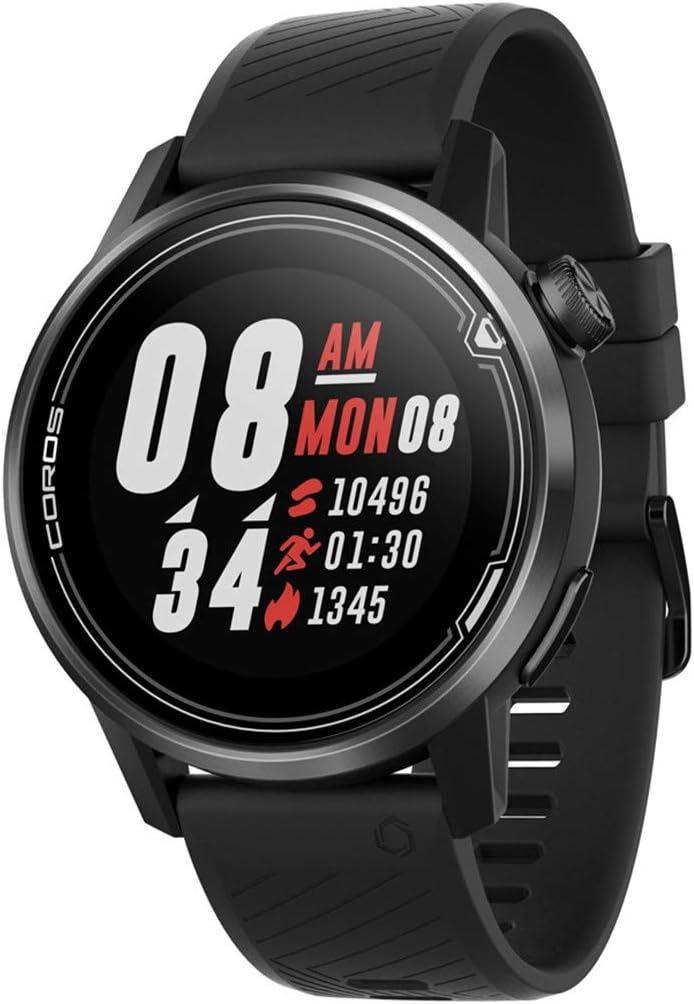
פיגורע 3.1: פראָנט view of the COROS APEX watch.
3.1. זייגער קאָמפּאָנענטן
- דיגיטאַלער צייגער: Used for navigation through menus and data screens.
- צוריק קנעפּל: Returns to the previous screen or marks a lap during workouts.
- Sapphire Glass Screen: Highly scratch-resistant display for clear visibility.
- Stainless Steel Bezel: Provides enhanced durability and protection.

פיגורע 3.2: זייַט view highlighting the digital dial and back button.
3.2. סענסאָרס
The COROS APEX is equipped with multiple sensors for comprehensive data tracking:
- Optical Heart Rate Monitor: Located on the back of the watch for continuous heart rate tracking.
- באַראָמעטרישער אַלטימעטער: Measures altitude changes for accurate elevation data.
- אַקסעלעראָמעטער: Detects motion and orientation.
- קאָמפּאַס: גיט ריכטונג-אינפארמאציע.
- גיראָסקאָפּע: Measures angular velocity and rotation.
- טערמאָמעטער: מעסט די אַמביאַנט טעמפּעראַטור.

פיגורע 3.3: צוריק view showing the optical heart rate sensor.
4. סעטאַפּ
4.1. Charging Your Watch
Before first use, fully charge your COROS APEX watch. Connect the provided charging cable to the charging port on the back of the watch and plug the USB end into a power source (e.g., computer USB port or wall adapter). A full charge typically takes approximately 2 hours.
4.2. Initial Pairing with the COROS App
- Download the COROS app from your smartphone's app store (iOS or Android).
- Open the COROS app and create an account or log in.
- Turn on your COROS APEX watch by pressing and holding the digital dial.
- In the COROS app, navigate to the 'Device' tab and select 'Add New Device'.
- Follow the on-screen prompts in the app to pair your watch. This typically involves confirming a code displayed on both the watch and the phone.
- Once paired, the watch will synchronize settings and data with the app.
5. אפערירן אייער זייגער
5.1. יקערדיק נאַוויגאַציע
- דיגיטאַלער צייגער: Rotate to scroll through menus and data screens. Press to select an option or confirm an action.
- צוריק קנעפּל: Press to return to the previous screen. Hold to access the toolbox menu or to exit a workout.
5.2. ספּאָרט מאָדעס
The COROS APEX supports a variety of sport modes to accurately track your activities:
- Running (Indoor Run, Trail Run)
- סייקלינג
- שווימערייַ
- קאַרדיאָו
- שטאַרקייט
- וואַסער ספּאָרט
To start a workout, rotate the digital dial to select your desired sport mode and press the dial to confirm.
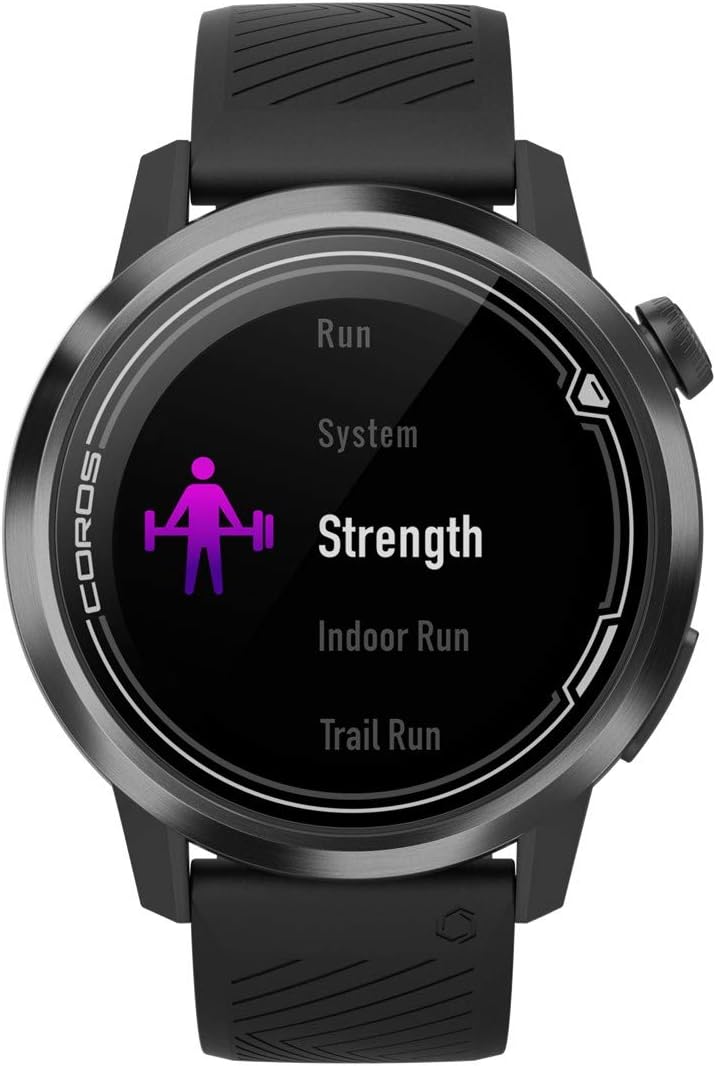
Figure 5.1: Selecting a sport mode on the COROS APEX.
5.3. GPS Functionality and Navigation
The watch utilizes GPS for accurate tracking of outdoor activities and offers route navigation features. Ensure you have a clear view פון הימל פֿאַר אָפּטימאַלע GPS סיגנאַל אַקוויזישאַן.

Figure 5.2: Route navigation display on the COROS APEX.
5.4. האַרץ רייט מאָניטאָרינג
The optical heart rate monitor continuously tracks your heart rate throughout the day and during workouts. For accurate readings, ensure the watch is snug on your wrist.
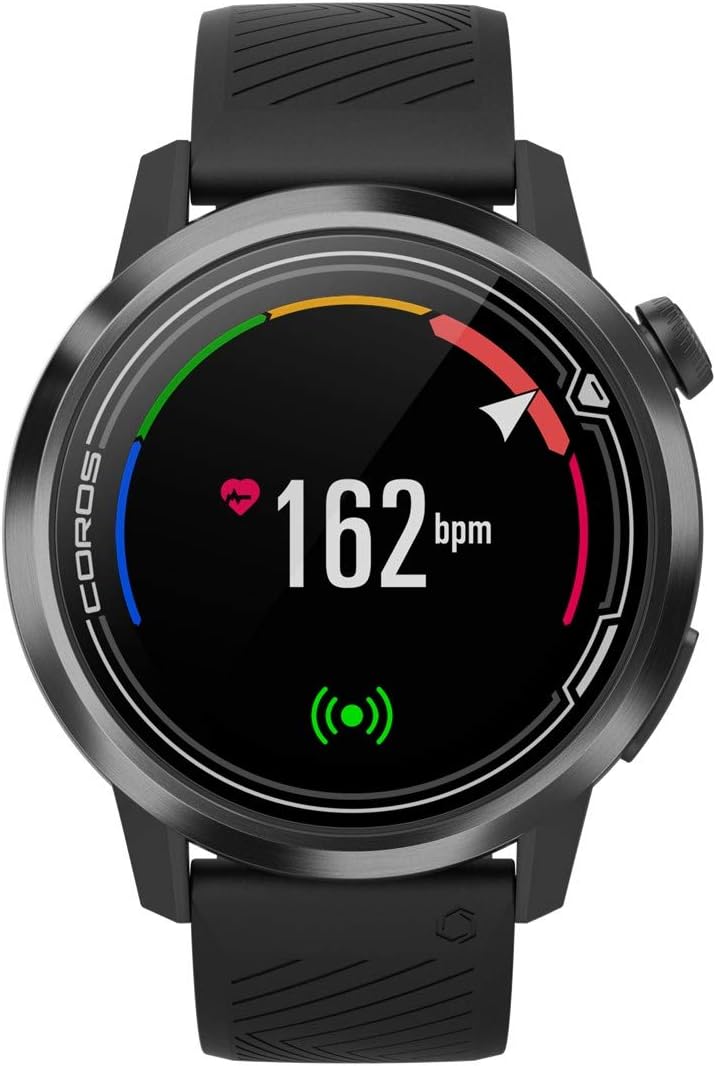
Figure 5.3: Heart rate monitoring display.
5.5. Daily Tracking
The COROS APEX automatically tracks daily metrics including steps, calories burned, and sleep patterns. This data can be viewed on the watch and in detail within the COROS app.
5.6. אַלערץ
The watch can provide various alerts, such as nutrition alerts during long workouts, to help you maintain performance.

Figure 5.4: Nutrition alert example.
6. וישאַלט
6.1. רייניקן דיין זייגער
רעגולער רייניקט אייער זייגער און רימען מיט א ווייכן, טרוקענעם שטאָףamp cloth to prevent skin irritation and maintain device hygiene. Avoid using harsh chemicals or abrasive materials.
6.2. באַטערי קער
The COROS APEX is known for its extended battery life. To maximize battery longevity:
- פֿאַרמײַדן עקסטרעמע טעמפּעראַטורן בעתן אויפֿלאָדן און סטאָרידזש.
- Do not fully deplete the battery frequently.
- Charge the watch using only the provided cable.

Figure 6.1: Battery usage display.
7. טראָובלעשאָאָטינג
If you encounter issues with your COROS APEX watch, refer to the following common solutions:
- Watch Not Pairing: Ensure Bluetooth is enabled on your phone and the watch is within range. Restart both the watch and the phone. Verify the COROS app is updated to the latest version.
- GPS Not Connecting: גיי אריבער צו אן אפענעם פלאץ מיט א קלארן view of the sky. Wait a few minutes for the watch to acquire a signal. Ensure GPS is enabled for your activity.
- נישט פּינקטלעכע אַלטימעטער לייענונגען: Ensure the altimeter port is clean and free of debris. Perform a manual calibration if available in the watch settings.
- Watch Unresponsive: Perform a soft reset by holding down the digital dial and back button simultaneously until the COROS logo appears.
For persistent issues, consult the COROS support webפּלאַץ אָדער קאָנטאַקט קונה דינסט.
8. ספּעסאַפאַקיישאַנז
| שטריך | דעטאַל |
|---|---|
| פּראָדוקט דימענשאַנז | 1.77 X 1.77 X 0.57 אינטשעס |
| פּונקט וואָג | 1.76 אונסעס |
| מאָדעל נומער | WAPXs-BLK-2 |
| באַטעריז | 1 ליטהיום פּאָלימער באַטעריז פארלאנגט (אַרייַנגערעכנט) |
| קאַנעקטיוויטי טעכנאָלאָגיע | דזשי-פי-עס, בלועטוט |
| פאַרשטעלן גרייס | 4 סענטימעטער |
| וואַסער קעגנשטעל | 100m (Waterproof) |
| Battery Life (Full GPS Mode) | 25 שעה |
| Battery Life (Regular Use) | אַרויף צו 24 טעג |
| מאַונטינג טיפּ | האַנטגעלענק בארג |
9. וואָראַנטי און שטיצן
The COROS APEX Premium Multisport GPS Watch typically comes with a 2-year manufacturer's warranty, covering defects in materials and workmanship under normal use. For specific warranty terms and conditions, please refer to the official COROS webוועבזייטל אדער די וואָראַנטי אינפֿאָרמאַציע וואָס איז אַרייַנגערעכנט מיט דיין פּראָדוקט.
For technical support, product inquiries, or warranty claims, please visit the official COROS support page or contact their customer service directly. Keep your proof of purchase for warranty validation.
Official COROS Webפּלאַץ: www.coros.com
Ask a question about this manual
Ask about setup, troubleshooting, compatibility, parts, safety, or missing instructions. Manuals+ will review the question and use this page’s manual context to help answer it.