
1. הקדמה
This manual provides essential instructions for the safe and effective use of your TECMATE OptiMATE TM-497 Lithium Ion Motorcycle Charger. The OptiMATE TM-497 is specifically designed for 12.8V LiFePO4 (Lithium Iron Phosphate) batteries, offering automatic charging and maintenance to ensure optimal battery performance and longevity. Please read this manual thoroughly before operating the charger.

Figure 1: TECMATE OptiMATE TM-497 Charger with included accessories.
2. זיכערקייַט אינפֿאָרמאַציע
Always prioritize safety when working with electrical equipment and batteries. Failure to follow these safety guidelines may result in electric shock, fire, or damage to the charger or battery.
- לייענען אַלע ינסטראַקשאַנז: איידער איר ניצט דעם טשאַרדזשער, לייענט אַלע אינסטרוקציעס און וואָרענונג מאַרקירונגען אויף דעם טשאַרדזשער, די באַטאַרייע, און דעם פּראָדוקט וואָס ניצט די באַטאַרייע.
- ווענטילאַטיאָן: Ensure adequate ventilation when charging. Do not operate the charger in a confined area or restrict ventilation in any way.
- באַטערי טיפּ: This charger is designed exclusively for 12.8V LiFePO4 (Lithium Iron Phosphate) batteries. Do not use it with other battery types (e.g., lead-acid, Ni-Cd, Ni-MH) as this may cause damage or injury.
- Avoid sparks: Connect and disconnect the battery cables only when the AC power cord is disconnected from the outlet to prevent sparks.
- נעץ: Do not expose the charger to rain or excessive moisture. It is designed for indoor use.
- Damaged equipment: ניצט נישט דעם טשאַרדזשער אויב ער האט באַקומען אַ שאַרפן קלאַפּ, איז געפֿאַלן, אָדער אַנדערש געשעדיגט געוואָרן. קאָנטאַקטירט קונה שטיצע פֿאַר הילף.
- קינדער: האַלטן די טשאַרדזשער און באַטאַרייע אויס פון דערגרייכן פון קינדער.
- פאַכמאַן נוצן: This device is intended for consumer use. For professional or commercial applications, consult the manufacturer.
3. פּעקל אינהאַלט
באַשטעטיקן אַז אַלע זאכן זענען פאַראַן אין פּעקל:
- OptiMATE TM-497 Lithium Ion Motorcycle Charger Unit
- Vehicle Side Cable (for permanent connection to the battery)
- Alligator Clip Cable (for temporary connection to battery terminals)
- אַק מאַכט שנור
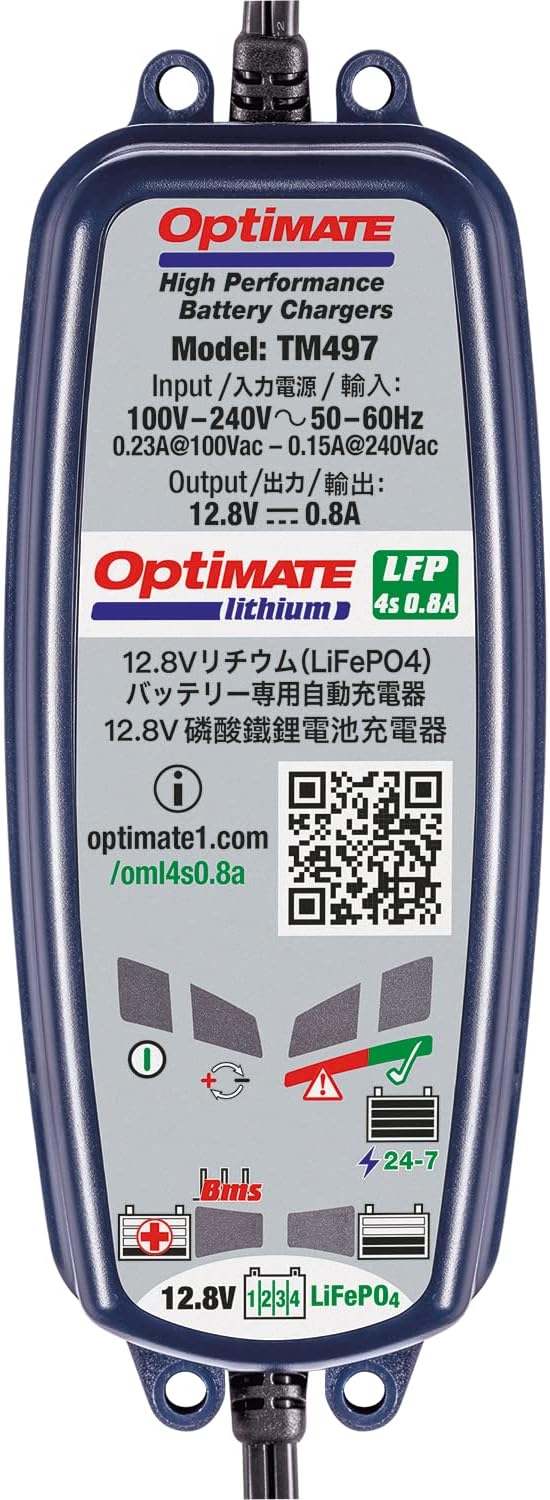
Figure 2: Contents of the OptiMATE TM-497 package.
4. סעטאַפּ און קאַנעקשאַן
Follow these steps to connect your OptiMATE TM-497 charger to a 12.8V LiFePO4 battery:
- קלייבט אויס קאנעקשאן מעטאד:
- Vehicle Side Cable: For long-term maintenance, connect the ring terminals of the vehicle side cable directly to your battery terminals (red to positive, black to negative). Ensure a secure connection. This allows for quick plug-in charging without accessing the battery each time.
- Alligator Clip Cable: For temporary charging, attach the red alligator clip to the positive (+) battery terminal and the black alligator clip to the negative (-) battery terminal. Ensure clips are firmly attached and do not touch each other or other metal parts.
- Connect Charger to Battery Cable: Plug the chosen battery connection cable (vehicle side or alligator clip) into the output port of the OptiMATE TM-497 charger.
- פאַרבינדן צו AC מאַכט: Plug the AC power cord into a standard 100-240V AC wall outlet. The charger will automatically begin its charging program.
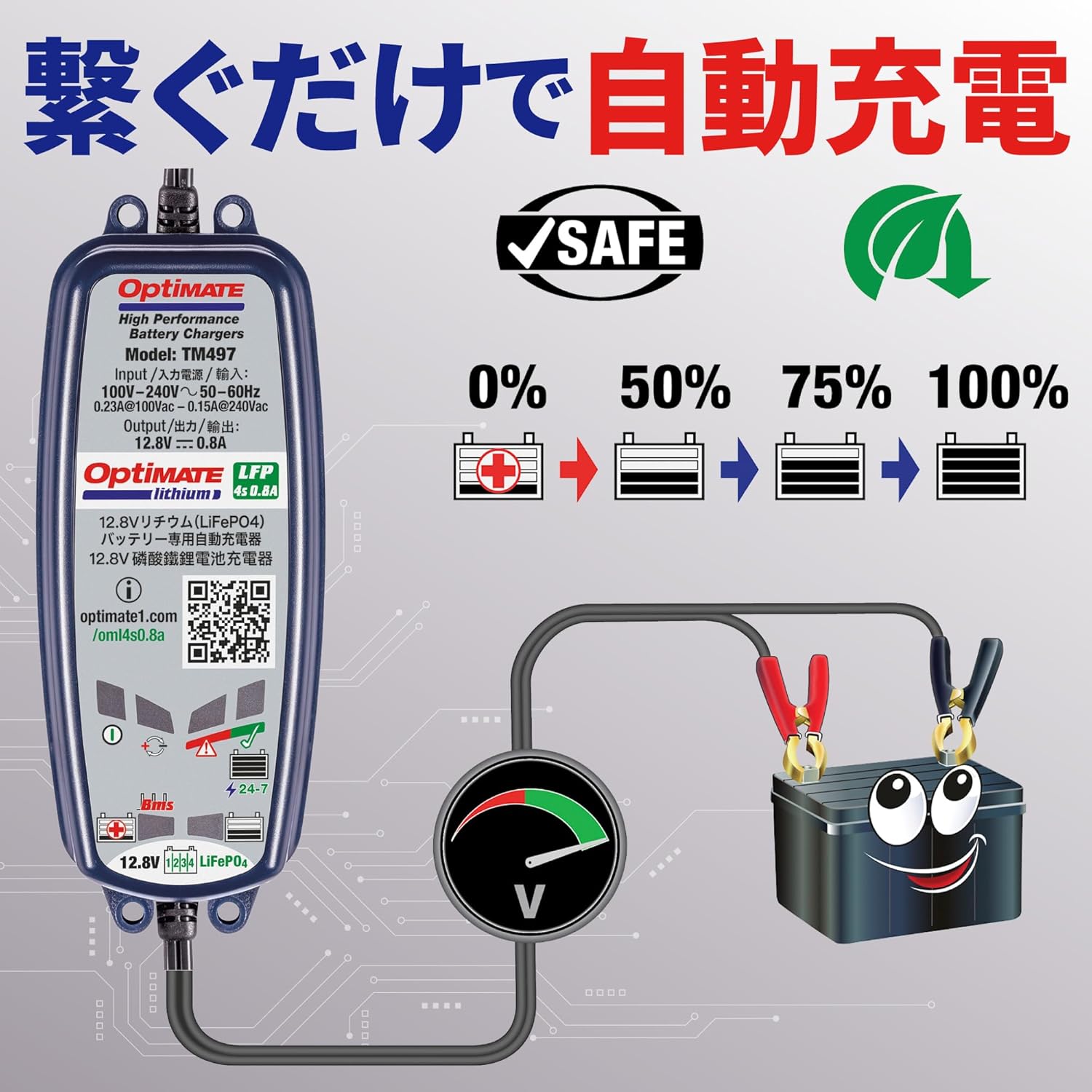
Figure 3: Illustrates connecting the charger to the battery and then to the power outlet.
5. אַפּערייטינג ינסטרוקטיאָנס
The OptiMATE TM-497 operates automatically once connected. It features a multi-stage charging program optimized for 12.8V LiFePO4 batteries.
5.1. טשאַרדזשינג פּראָצעס
Upon connection, the charger will perform a diagnostic check and then proceed through its charging stages. The output is 12.8V at 0.8A maximum. The charger is designed to recover deeply discharged batteries and maintain them at optimal levels without overcharging.

Figure 4: Visual representation of the charging progress from 0% to 100%.
5.2. Battery Management System (BMS) Compatibility
The OptiMATE TM-497 is compatible with LiFePO4 batteries equipped with a Battery Management System (BMS). It can detect and recover batteries that have entered a 'sleep' state due to deep discharge, automatically reactivating them for charging.

Figure 5: Depicts the automatic recovery process for batteries in a 'sleep' state.
6. וישאַלט
The OptiMATE TM-497 charger requires minimal maintenance. Keep the unit clean and dry. Regularly inspect the cables and connectors for any signs of damage or wear. If any damage is observed, discontinue use and contact customer support.
For long-term battery health, it is recommended to keep the charger connected to your LiFePO4 battery when the vehicle is not in use, especially during storage periods. The charger will automatically maintain the battery at its optimal charge level.
7. טראָובלעשאָאָטינג
If the charger does not appear to be functioning correctly, refer to the following common issues:
- No indicator lights: Ensure the AC power cord is securely plugged into a live outlet and the charger. Check the wall outlet with another appliance.
- Charger not starting: Verify that the battery connections are correct (red to positive, black to negative) and secure. Ensure the battery is a 12.8V LiFePO4 type.
- באַטערי נישט טשאַרדזשינג: The battery may be severely discharged or faulty. The OptiMATE TM-497 has a recovery mode for deeply discharged LiFePO4 batteries. Allow the charger sufficient time to attempt recovery. If the issue persists, the battery may need replacement.
- אומגעוויינטלעכע היץ אדער שמעק: Immediately disconnect the charger from both AC power and the battery. Do not use the charger if it exhibits unusual heat, smoke, or a burning smell. Contact customer support.
8. ספּעסאַפאַקיישאַנז
| מאָדעל | טם-497 |
| סאָרט | Tecmate (OptiMATE) |
| אַרייַנשרייַב וואָלtage | 100-240 וו אַק, 50-60 הז |
| רעזולטאַט חלקtage | 12.8V DC |
| רעזולטאַט קראַנט | 0.8A (מאַקסימום) |
| באַטערי טיפּ | 12.8V LiFePO4 (Lithium Iron Phosphate) |
| פּראָדוקט דימענשאַנז | 30 x 20 x 20 ס״מ (אומגעפער) |
| וואָג | 670 ג (בעערעך) |
9. וואָראַנטי און שטיצן
For warranty information, technical support, or further inquiries regarding your OptiMATE TM-497 charger, please refer to the official Tecmate webפּלאַץ אָדער קאָנטאַקט זייער קונה סערוויס אָפּטיילונג.
Additional product information and support can often be found at the manufacturer's dedicated product page: