
1. הקדמה
This manual provides instructions for the Zerone Replacement Remote Control, Model Zerone15zhcexa2d. This remote is designed as a direct replacement for various televisions, offering essential functions for daily TV operation. It is constructed from durable ABS material for longevity.
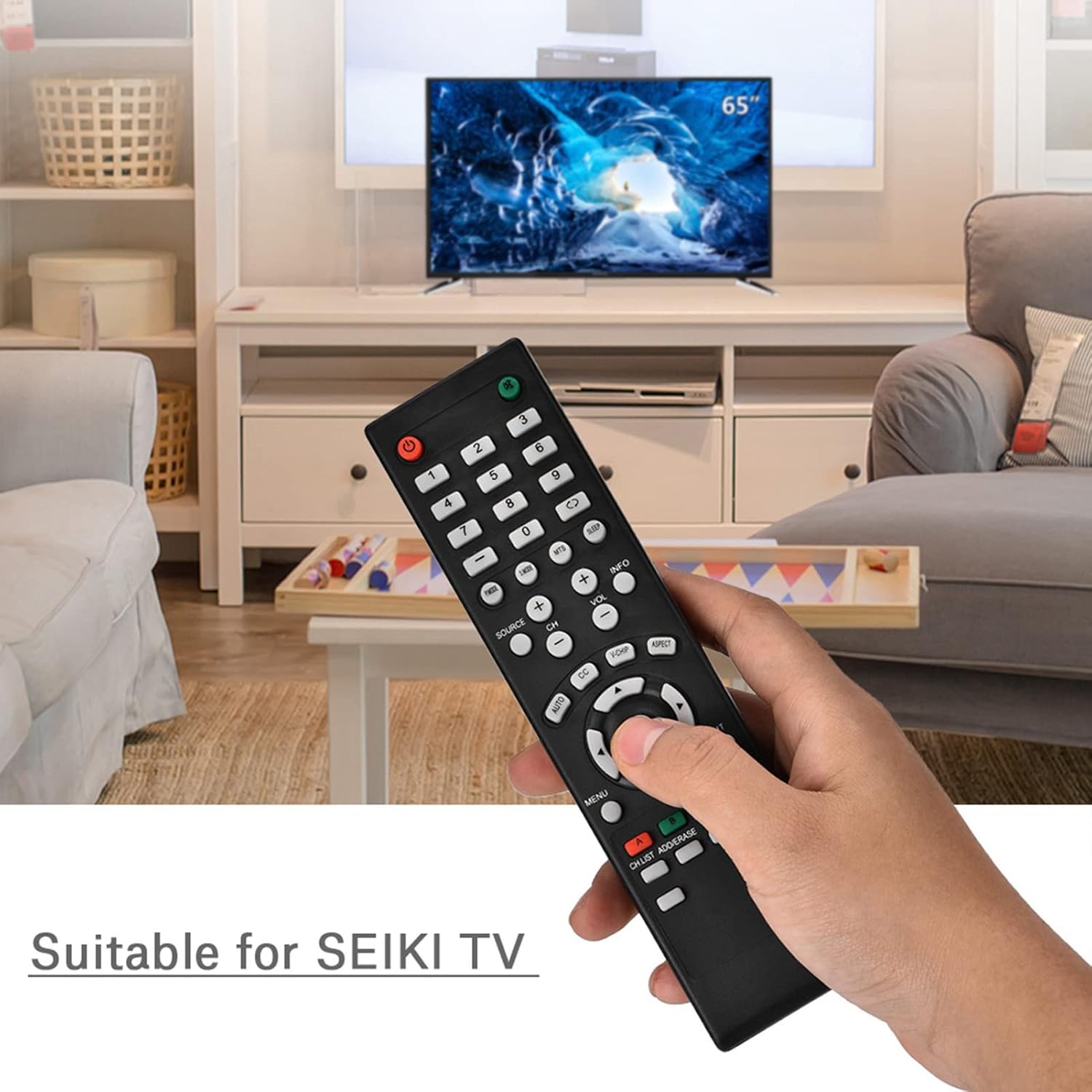
Image 1.1: The Zerone Replacement Remote Control in use, demonstrating its compatibility with televisions.
2. סעטאַפּ
2.1 באַטאַרייע ייַנמאָנטירונג
The remote control requires two AAA batteries (not included). Follow these steps to install the batteries:
- געפֿינען די באַטאַרייע אָפּטייל אויף די צוריק פון די ווייַט קאָנטראָל.
- רוקט דעם דעקל פונעם באַטעריע־אָפּטייל אַראָפּ צו עס עפֿענען.
- אַרײַנשטעלן צוויי AAA באַטעריעס, און זיכער מאַכן אַז די פּאָזיטיוו (+) און נעגאַטיוו (-) טערמינאַלן זענען ריכטיק אויסגעשטעלט מיט די מאַרקירונגען אינעווייניק אין דעם אָפּטייל.
- לייגט צוריק דעם דעקל פונעם באַטעריע־אָפּטייל דורך עס צוריקצורוקן אין פּלאַץ ביז עס קליקט זיכער.

בילד 2.1: דערציען view פון דער ווײַטקאָנטראָל, אילוסטרירנדיק דעם באַטעריע אָפּטייל.
2.2 ערשט נוצן
This remote control is designed for immediate use with compatible televisions. No programming or setup is typically required. Once batteries are installed, the remote should function directly with your TV.
Video 2.1: Demonstration of battery installation for the Zerone Replacement Remote Control.
3. אַפּערייטינג ינסטרוקטיאָנס
3.1 יקערדיק פאַנגקשאַנז
The remote control provides standard television functions. Point the remote directly at your television's infrared receiver for optimal performance.
- מאַכט קנעפּל (●): צינדט אָן אָדער אויס דעם טעלעוויזאָר.
- נומער קנעפּלעך (0-9): דירעקט אויסקלייבן קאַנאַלן.
- באַנד אַרויף/אַראָפּ (VOL +/-): Adjusts the sound volume.
- קאַנאַל אַרויף/אַראָפּ (CH +/-): Changes the TV channel.
- Source Button (SOURCE): Cycles through input sources (HDMI, AV, etc.).
- מעניו קנעפּל (MENU): גייט אריין אין דעם הויפּט מעניו פון דער טעלעוויזיע.
- Navigation Buttons (Arrows & OK): Navigate menus and confirm selections.
- אַרויסגאַנג קנעפּל (עקסיט): Exits current menu or function.
- שטום קנעפּל (●): שטומט אדער אנשטומט דעם טעלעוויזיע קלאַנג.

בילד 3.1: פראָנט view of the remote control, highlighting button layout.
3.2 אַפּערייטינג קייט
The effective operating distance for this remote control is typically over 8 meters (approximately 26 feet). Actual range may vary depending on the specific television model and environmental factors such as obstacles or interference.

Image 3.2: Illustration of the remote control's effective operating range.
4. וישאַלט
4.1 רייניקונג
צו רייניקן די ווײַטקאָנטראָל, ניצט אַ ווייכע, טרוקענע שטאָף. פֿאַר שווערע שמוץ, אַ ביסל ווייכער מאַכןampen the cloth with water or a mild, non-abrasive cleaner. Avoid using harsh chemicals or abrasive materials, as these can damage the remote's surface or internal components.
4.2 באַטערי פאַרבייַט
Replace batteries when the remote's performance degrades (e.g., reduced range, unresponsive buttons). Refer to Section 2.1 for battery installation instructions. Always replace both batteries at the same time with new ones of the same type (AAA).

Image 4.1: The remote control, showcasing its durable construction material.
5. טראָובלעשאָאָטינג
| פּראָבלעם | מעגלעך סיבה | לייזונג |
|---|---|---|
| ווייַט ניט ארבעטן. | טויטע אדער נישט ריכטיק אינסטאלירטע באַטעריעס. | Check battery orientation. Replace with new AAA batteries (refer to Section 2.1). |
| Limited operating range. | Weak batteries, obstruction, or remote not pointed at TV. | Replace batteries. Ensure a clear line of sight to the TV's IR receiver. Point the remote directly at the TV. |
| ספעציפישע קנעפלעך רעאגירן נישט. | Dirt or debris under buttons, or internal malfunction. | Clean the remote. If the issue persists after battery replacement and cleaning, the remote may require replacement. |
6. ספּעסאַפאַקיישאַנז
| שטריך | דעטאַל |
|---|---|
| סאָרט | נול |
| מאָדעל נומער | Zerone15zhcexa2d |
| קאַמפּאַטאַבאַל דעוויסעס | Televisions (specifically designed for SEIKI TVs, but compatible with others) |
| קאַנעקטיוויטי טעכנאָלאָגיע | ינפרערעד (IR) |
| מאַקסימום קייט | Over 8 meters (approx. 26 feet) |
| מאַכט מקור | 2 X AAA באַטעריז (ניט אַרייַנגערעכנט) |
| מאַטעריאַל | ABS |
| דימענסיעס (L X W X H) | 7.1" x 2" x 0.6" (180 מ״מ x 50 מ״מ x 15 מ״מ) |
| קנעפּל קוואַנטיטעט | 45 |

Image 6.1: Dimensions of the Zerone Replacement Remote Control.
7. וואָראַנטי און שטיצן
7.1 וואָראַנטי אינפֿאָרמאַציע
Specific warranty details for the Zerone Replacement Remote Control may vary. Please refer to the product packaging or the retailer's purchase terms for the most accurate and up-to-date warranty information.
7.2 קונה שטיצן
For further assistance or inquiries regarding your Zerone Replacement Remote Control, please contact the retailer or manufacturer's customer support channels. Contact information is typically provided with your purchase documentation or on the manufacturer's official webפּלאַץ.