
הקדמה
Thank you for choosing the Conceptronic REGAS01B Optical Desktop Mouse. This manual provides essential information for setting up, operating, and maintaining your new mouse. Please read these instructions carefully before use to ensure proper functionality and longevity of your device.
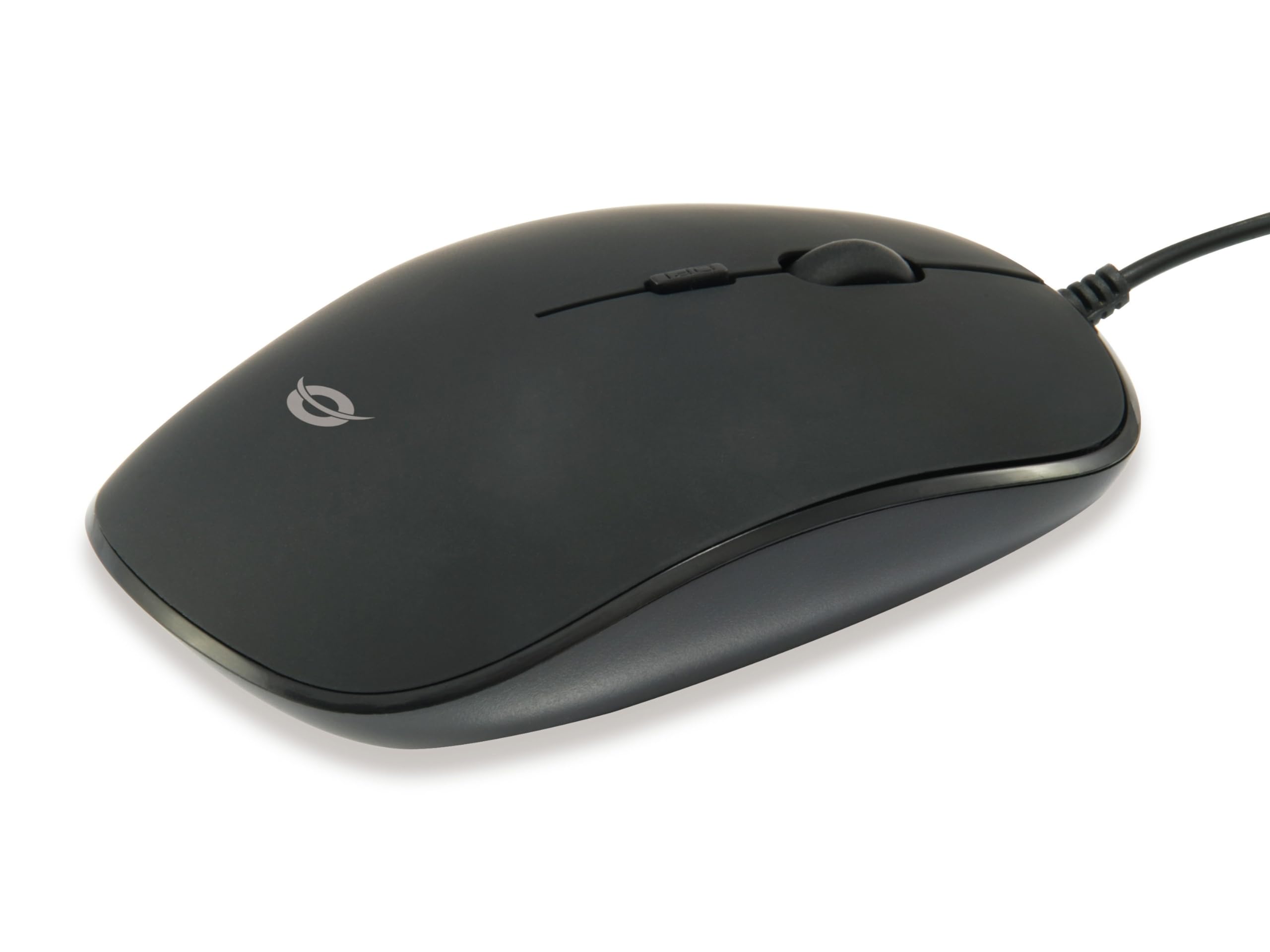
בילד: אויבן view of the Conceptronic REGAS01B Optical Desktop Mouse, showcasing its ergonomic black design.
פּעקל אינהאַלט
זיכער מאַכן אַז אַלע זאכן זענען פאַראַן אין פּעקל:
- Conceptronic REGAS01B Optical Desktop Mouse
- באַניצער מאַנואַל (דעם דאָקומענט)
- Note: This is a wired USB mouse and does not require external batteries for operation, despite some generic product data indicating otherwise.
פֿעיִקייטן
- דפּי סוויטש: Adjustable sensitivity (800/1000/1200 DPI) for precise control.
- צאַפּן און שפּיל: גרינגע אינסטאַלאַציע אָן די נויט פֿאַר נאָך דרייווערס.
- אַמבידעקסטראָוס פּלאַן: Comfortable for both left and right-handed users.
- Rubberized Surface: Provides enhanced grip and comfort during extended use.
- אָפּטישע טראַקינג: Reliable and accurate cursor movement.
- וסב קאַנעקטיוויטי: Standard wired connection for stable performance.
סעטאַפּ
- פאַרבינדן די מויז: Locate an available USB port on your computer. Insert the USB connector of the Conceptronic REGAS01B mouse into the USB port.
- אָטאַמאַטיק ינסטאַלירונג: Your operating system (Windows, Linux, etc.) will automatically detect and install the necessary drivers. This process typically takes a few seconds.
- גרייט פֿאַר נוצן: Once the installation is complete, the mouse is ready for immediate use. No additional software is required.

בילד: נאָענט-אַרויף view of the mouse's scroll wheel and the DPI switch button, located behind the scroll wheel.
אַפּערייטינג ינסטראַקשאַנז
יקערדיק פאַנגקשאַנז
- לינק קליקט: דריק דעם לינקן קנעפל צו אויסקלויבן זאכן, עפֿענען fileס, אדער אקטיוויזירן פונקציעס.
- רעכט גיט: דריק דעם רעכטן קנעפּל צו עפענען קאנטעקסט מעניוס אדער צוקומען צו נאָך אָפּציעס.
- סקראָל ראָד: ראָלט דאָס סקראָל ראָד אַרויף אָדער אַראָפּ צו נאַוויגירן דורך דאָקומענטן און web pages. The scroll wheel can also be pressed for a middle-click function, depending on software configuration.
אַדזשאַסטינג DPI סענסיטיוויטי
The Conceptronic REGAS01B mouse features a DPI switch to adjust cursor sensitivity on the fly. This allows you to quickly change between different tracking speeds for various tasks, such as precise editing or fast-paced gaming.
- DPI סוויטש קנעפּל: Located behind the scroll wheel.
- סענסיטיוויטי לעוועלס: Press the DPI switch button to cycle through 800, 1000, and 1200 DPI settings.
- סעלעקציע: Each press will change the sensitivity, allowing you to find the optimal speed for your current activity.
וישאַלט
- רייניקונג: ניצט אַ ווייכע, טרוקענע שטאָף צו רייניקן די מויז ייבערפלאַך. פֿאַר שווערע שמוץ, אַ ביסל ווייכער מאַכןampווישט דעם שטאָף מיט וואַסער אָדער אַ מילדער רייניקונג לייזונג. פֿאַרמייַדט שטרענגע כעמיקאַלן אָדער אַברייסיוו מאַטעריאַלן.
- אָפּטיש סענסאָר: האַלט דעם אָפּטישן סענסאָר אויף דער אונטערשטער זייט פון דער מויז ריין און פריי פון שטויב אָדער דעבריס צו ענשור פּינקטלעכע טראַקינג.
- סטאָרידזש: When not in use, store the mouse in a clean, dry environment.
- ויסמיידן ליקווידס: Do not expose the mouse to excessive moisture or immerse it in liquids.
טראָובלעשאָאָטינג
מויז רעאַגירט נישט
- קוק די USB קאַנעקשאַן: זיכער מאַכן אַז דער USB קאַבל איז זיכער אַרײַנגעשטעקט אין אַ פֿונקציאָנירנדיקן USB פּאָרט אויף אײַער קאָמפּיוטער. פּרוּווט אַן אַנדערן USB פּאָרט.
- ריסטאַרט קאָמפּיוטער: מאנchmal קען א פשוטע קאמפיוטער ריסטארט פאררעכטן קאנעקטיוויטי פראבלעמען.
- פּרובירן אויף אן אנדער קאָמפּיוטער: If possible, test the mouse on another computer to determine if the issue is with the mouse or your computer's setup.
Inaccurate Cursor Movement
- Clean Optical Sensor: זיכער מאַכן אַז דער אָפּטישער סענסאָר אויף דער אונטערשטער טייל פון דער מויז איז ריין און פריי פון שטויב אָדער דעבריס.
- מויז פּאַד/אויבערפלאַך: Use the mouse on a clean, non-reflective, and uniform surface. Avoid highly reflective or transparent surfaces.
- צופּאַסן DPI: Experiment with the DPI switch to find a sensitivity setting that provides accurate tracking for your needs.
ספּעסאַפאַקיישאַנז
| שטריך | דעטאַל |
|---|---|
| סאָרט | קאָנסעפּטראָניק |
| מאָדעל נאָמען | רעגאַס01ב |
| קאָליר | שוואַרץ |
| קאַנעקטיוויטי טעכנאָלאָגיע | USB (ווייערד) |
| באַוועגונג דעטעקשאַן טעכנאָלאָגיע | אָפּטיש |
| דפּי סעטטינגס | 800 / 1000 / 1200 DPI (Adjustable) |
| קנעפּל קוואַנטיטעט | 3 (Left, Right, Scroll Wheel/Middle Click) + DPI Switch |
| האַנט אָריענטירונג | אַמבידעקסטראַס |
| קאַמפּאַטאַבאַל דעוויסעס | פערזענלעכע קאָמפּיוטער |
| אַפּערייטינג סיסטעם קאַמפּאַטאַבילאַטי | Linux, Windows 7, Windows XP (and newer versions) |
| פּונקט וואָג | 61 גראַמז |
| ספּעציעלע פֿעיִקייטן | Ergonomic Design, Rubberized Surface, Plug & Play |
| מאַנופאַקטורער טייל נומער | רעגאַס01ב |
| GTIN (UPC) | 04015867208526 |
וואָראַנטי און שטיצן
For warranty information and technical support, please refer to the official Conceptronic webזייטל אדער קאָנטאַקט אייער לאקאלן הענדלער. האַלט אייער קויפן-באַווייַז פֿאַר וואָראַנטי-קליימז.
- אָנליין שטיצן: באַזוכן www.conceptronic.net (באַמערקונג: דאָס איז אַ פּלאַץ האָלדער URL, please replace with the actual support URL אויב בנימצא.)
- קאָנטאַקט: Refer to the contact information provided on the product packaging or the Conceptronic webפּלאַץ פֿאַר קונה דינסט.