
הקדמה
The SanDisk Ultra Flair USB 3.0 Flash Drive provides high-speed data transfer and reliable storage in a durable metal casing. Designed for efficiency, it allows you to move files quickly and securely. This manual will guide you through the setup, operation, maintenance, and troubleshooting of your flash drive.
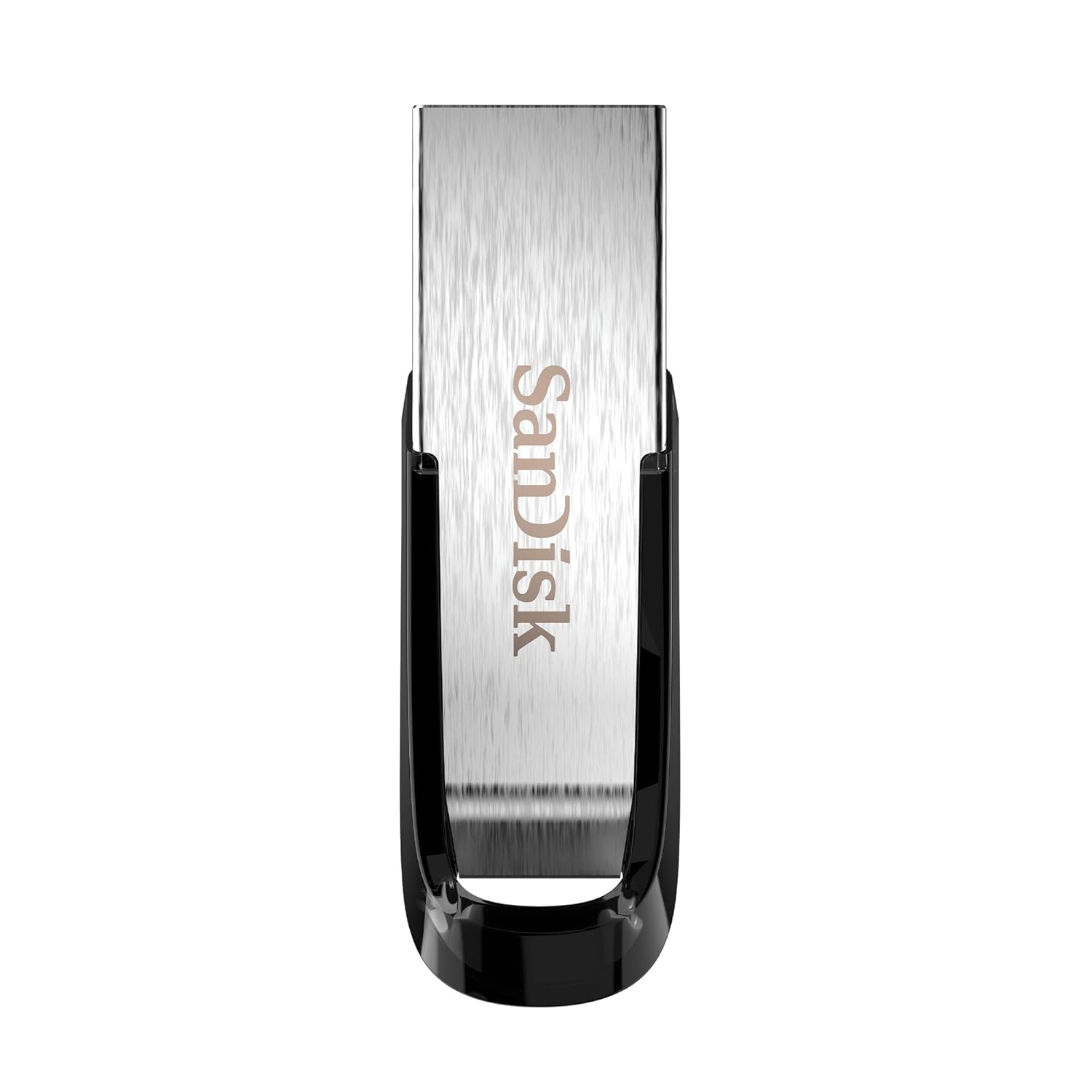
Image: The SanDisk Ultra Flair USB 3.0 Flash Drive, showcasing its sleek metal design and USB 3.0 connector.
סעטאַפּ
- אַרײַנשטעלן דעם פֿלעש דרייוו: Locate an available USB port on your computer (desktop, laptop, or compatible device). Gently insert the SanDisk Ultra Flair USB 3.0 Flash Drive into the USB port. For optimal performance, use a USB 3.0 port (often identified by a blue interior). The drive is also backward compatible with USB 2.0 ports.
- אָטאַמאַטיק דערקענונג: Your operating system (Windows, macOS, Linux) should automatically detect and install the necessary drivers for the flash drive. A notification may appear indicating that the device is ready for use.
- צוטריט צום דרייוו:
- Windows: Open "This PC" or "My Computer." The flash drive will appear as a removable disk (e.g., "SanDisk Ultra Flair" or a drive letter like E: or F:).
- macOS: The flash drive icon will appear on your desktop or in the Finder sidebar under "Locations."
- Pre-loaded Software: The drive may come with pre-loaded software, such as SanDisk SecureAccess. You can choose to install and use this software for password protection and file ענקריפּשאַן.
אַפּערייטינג ינסטראַקשאַנז
טראַנספערינג Files
צו אַריבערפירן files to or from your SanDisk Ultra Flair flash drive:
- Open the Drive: Double-click the flash drive icon in "This PC" (Windows) or on your desktop/Finder (macOS) to open its contents.
- שלעפּן און פאַלן:
- צו קאָפּיע files צו the flash drive: Drag and drop files or folders from your computer into the flash drive's window.
- צו קאָפּיע files פון the flash drive: Drag and drop files or folders from the flash drive's window to a location on your computer.
- קאָפּי / פּאַפּ: Alternatively, right-click on the desired files/folders, select "Copy," then navigate to the destination, right-click, and select "Paste."

Image: A person working on a computer, illustrating the fast data transfer capabilities of the SanDisk Ultra Flair USB 3.0 Flash Drive.
Using SanDisk SecureAccess Software
The SanDisk SecureAccess software allows you to create a password-protected folder (vault) on your flash drive to secure sensitive files with 128-bit AES encryption.
- ייַנמאָנטירונג: If not already installed, run the SecureAccess installer found on the drive. Follow the on-screen instructions to set up your vault and password.
- אַדינג Files: שלעפּן און פאַלן files into the SecureAccess vault window to encrypt them.
- אַקסעסינג Files: צו צוטריטן צו ענקריפּטעד files, open the SecureAccess application and enter your password.

Image: A person using a computer, representing the ease of backup and organization with SanDisk software.
Safely Removing the Flash Drive
Always safely remove the flash drive to prevent data corruption:
- Windows: Click the "Safely Remove Hardware and Eject Media" icon in the system tray (bottom-right corner), then select your flash drive. Wait for the "Safe to Remove Hardware" message before physically disconnecting.
- macOS: Drag the flash drive icon from your desktop to the Trash, or click the Eject icon next to the drive name in Finder. Wait for the icon to disappear before physically disconnecting.
וישאַלט
- פיזישע זאָרג: The SanDisk Ultra Flair features a durable metal casing. While robust, avoid exposing the drive to extreme temperatures, moisture, or strong magnetic fields. Keep the USB connector clean and free from dust or debris.
- דאַטאַ באַקקופּ: Regularly back up important data from your flash drive to another storage device to prevent data loss.
- ווייכווארג דערהייַנטיקונגען: קאָנטראָלירט פּעריִאָדיש די אָפֿיציעלע SanDisk website for any available firmware updates or new versions of SanDisk SecureAccess software.
טראָובלעשאָאָטינג
- דרייוו נישט דערקענט:
- פרובירט אריינצושטעלן דעם דרייוו אין אן אנדער USB פארט אויף אייער קאמפיוטער.
- Test the drive on another computer to rule out a port or system issue.
- זיכער מאַכן אַז דער דרייוו איז גאָר אַרײַנגעשטעלט אין דעם USB פּאָרט.
- ריסטאַרט דיין קאָמפּיוטער.
- לאַנגזאַמע טראַנספער גיכקייטן:
- Ensure you are using a USB 3.0 port for maximum speed. USB 2.0 ports will result in slower transfers.
- טראַנספערירן פילע קליינע fileס קען זיין שטייטער ווי איבערפירן א פאר גרויסע files.
- שליסט צו אַנדערע אַפּליקאַציעס וואָס קענען נוצן סיסטעם רעסורסן.
- דרייוו ווערט וואַרעם בעת באַניץ:
It is normal for the metal casing of the SanDisk Ultra Flair to become warm during prolonged data transfers, especially with USB 3.0 speeds. The metal design helps dissipate heat efficiently. This typically does not affect performance or durability.
- Lost or Corrupted Files:
Your SanDisk Ultra Flair includes a one-year subscription to RescuePRO software. Visit the SanDisk website to download and activate RescuePRO for data recovery attempts.
ספּעסאַפאַקיישאַנז

בילד: דעטאַלירט view of the SanDisk Ultra Flair USB 3.0 Flash Drive, showing its physical dimensions.
| שטריך | דעטאַל |
|---|---|
| סאָרט | סאַנדיסק |
| מאָדעל נאָמען | SanDisk Ultra Flair |
| מאָדעל נומער | SDCZ73-032G-I35 |
| זכּרון סטאָרידזש קאַפּאַסיטי | 32 גיגאבייט |
| ייַזנוואַרג צובינד | וסב 3.0 (צוריק קאַמפּאַטאַבאַל מיט וסב 2.0) |
| לייענען ספּיד | אַרויף צו 150 מעגאבייטן / s |
| ספּעציעלע פֿעיִקייטן | שטאַרק מעטאַל casing, Fast Data Transfer, Sleek design, Password Protected (with SecureAccess software), Data Encryption, Easy File Recovery (with RescuePRO software) |
| קאַמפּאַטאַבאַל דעוויסעס | Devices with USB 3.0 or USB 2.0 port |
| קאָליר | זילבער |
| דימענסיעס (L X W X H) | Approx. 43mm x 13mm x 7mm (1.69" x 0.51" x 0.28") |
| פּונקט וואָג | 4 גראַמז |
| UPC | 619659173975 |
| לאַנד פון אָריגין | טייוואַן |
| קעסטל אינהאַלט | 1x SanDisk Ultra Flair Flash Drive |
וואָראַנטי אינפֿאָרמאַציע
The SanDisk Ultra Flair USB 3.0 Flash Drive comes with a 5-יאָר לימיטעד וואָראַנטי provided by SanDisk. This warranty covers manufacturing defects under normal use. Please retain your proof of purchase for warranty claims.
For detailed terms and conditions, or to initiate a warranty claim, please visit the official SanDisk support webפּלאַץ.
שטיצן
For further assistance, technical support, or to download software like SanDisk SecureAccess or RescuePRO, please visit the official SanDisk support webפּלאַץ:
סאַנדיסק אפיציעלע שטיצע Webפּלאַץ
איר קענט אויך געפֿינען אָפֿט געשטעלטע פֿראַגעס און קהילה פֿאָרומס אויף זייער website for common issues and tips.


