
1. הקדמה
This manual provides essential information for the safe and efficient use of your TCL 32B400 32-inch HD LCD TV. Please read it thoroughly before operating the television and retain it for future reference.
The TCL 32B400 features a direct-lit LED backlight for uniform high brightness and image quality. Its VA panel technology delivers superior contrast, allowing for natural expression of subtle light and dark details. Equipped with a dual tuner, this TV supports terrestrial digital, BS digital, and 110-degree CS digital broadcasts, enabling simultaneous recording of one program while watching another. It supports various recording functions including instant, scheduled, daily/weekly repeat, and event recording. Connectivity options include two HDMI Ver1.4a input terminals (Port 1 supports ARC) and one USB2.0 input/output terminal, allowing connection to Blu-ray/DVD players/recorders and external speakers via ARC.

פיגורע 1: פראָנט view of the TCL 32B400 TV.
2. סעטאַפּ
2.1 אויספּאַקן די קעסטל און קאָמפּאָנענט קאָנטראָל
פֿאָרזיכטיק אַרויסנעמען אַלע קאָמפּאָנענטן פֿון דער פּאַקאַדזשינג. זיכער מאַכן אַז אַלע זאַכן וואָס זענען אויסגערעכנט אונטן זענען פֿאַראַן:
- רימאָוט קאָנטראָל קס 1
- אַאַאַ באַטעריז x2
- miniB-CAS card x1
- מאַכט שנור x1
- Tip-over prevention parts set x1
- שטיין קס 2
- Screws (ST4, 20mm) x4 (for 32-inch model)
- אינסטרוקציע מאַנואַל
- שנעל פירן
- וואָראַנטי קאָרט

פיגור 2: אריינגערעכנטע אַקסעסאָריעס.
2.2 שטיין ייַנמאָנטירונג
- לייגט דעם טעלעוויזיע מיטן עקראַן אַראָפּ אויף אַ ווייכער, גלאַטער ייבערפלאַך צו פאַרמייַדן שאָדן.
- Align the stands with the corresponding slots on the bottom of the TV.
- Secure each stand using the provided screws (ST4, 20mm).
2.3 קאַנעקטינג קאַבלעס
Connect the necessary cables to the appropriate ports on the TV. Refer to the connection diagram below.
- מאַכט שנור: פֿאַרבינדט דעם עלעקטרישן שנור צום טעלעוויזאָר'ס עלעקטרישן אַרײַנגאַנג און דערנאָך צו אַ וואַנט אַוטלעט.
- אַנטענע: Connect your terrestrial digital antenna cable to the 'Antenna Input' port. For BS/CS broadcasts, connect the satellite antenna cable to the 'BS/CS 110°' port.
- HDMI דעוויסעס: Connect external devices like Blu-ray players or game consoles to the HDMI input ports. HDMI Port 1 supports Audio Return Channel (ARC).
- USB דעוויסעס: Connect external USB storage devices for recording to the USB port.
- miniB-CAS Card: Insert the miniB-CAS card into its dedicated slot.

Figure 3: Connection terminals overview.
2.4 ערשט סעטאַפּ
After connecting all cables and powering on the TV, follow the on-screen instructions to complete the initial setup, including channel tuning and network configuration (if applicable).
3. אַפּערייטינג ינסטרוקטיאָנס
3.1 יקערדיק אָפּעראַציע
- מאַכט אויף / אַוועק: דריק דעם מאַכט קנעפּל אויף דער ווײַט קאָנטראָל אָדער דעם טעלעוויזיע.
- קאַנאַל סעלעקציע: Use the 'CH +/-' buttons or number buttons on the remote control.
- באַנד אַדזשאַסטמאַנט: Use the 'VOL +/-' buttons on the remote control.
- אַרייַנשרייַב מקור: Press the 'Input' button on the remote to select between HDMI, TV, and other connected sources.
3.2 רעקאָרדינג פּראָגראַמען
Your TCL 32B400 TV supports recording to an external USB Hard Disk Drive (HDD) thanks to its dual tuner. This allows you to record one program while watching another.
- Connect a compatible external USB HDD to the TV's USB port.
- Format the HDD if prompted by the TV.
- To record, select the desired program and use the recording options in the TV menu (e.g., instant recording, scheduled recording via EPG).

Figure 4: Dual tuner allows watching one program while recording another.
3.3 בילד און קלאַנג סעטטינגס
Access the TV's menu to adjust picture (brightness, contrast, color, sharpness) and sound (bass, treble, balance, sound mode) settings to your preference.
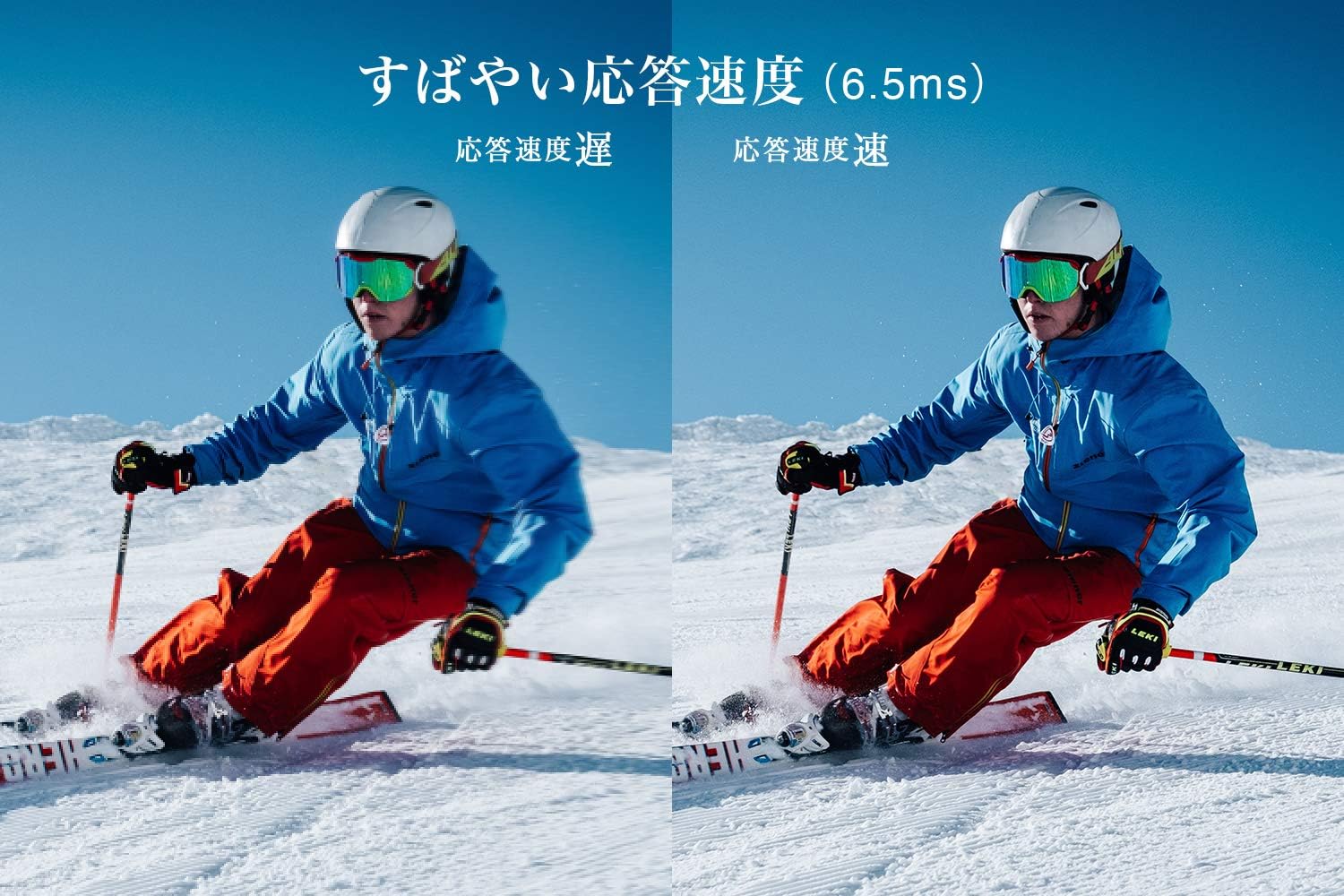
Figure 5: The TV features a fast response speed of 6.5ms for clear motion.
4. וישאַלט
4.1 רייניקן דעם עקראַן
ווישט אָפּ דעם עקראַן מיט אַ ווייכן, טרוקענעם, לינט-פֿרײַעם שטאָף. פֿאַר שווערע פֿלעקן, ווישט לײַכטampen the cloth with water or a specialized screen cleaner (ensure it's suitable for LCD screens) and wipe carefully. Avoid applying excessive pressure.
4.2 רייניקן דעם טעלעוויזיע קערפער
Wipe the TV body with a soft, dry cloth. Do not use abrasive cleaners, waxes, or solvents as they can damage the finish.
4.3 אַלגעמיינע קער
- פֿאַרמײַדט אויסשטעלן דעם טעלעוויזאָר צו דירעקטער זון אָדער עקסטרעמע טעמפּעראַטורן.
- זאָרגט פֿאַר גענוג ווענטילאַציע אַרום דעם טעלעוויזאָר צו פֿאַרמייַדן איבערהיצונג.
- נעמט ארויס דעם טעלעוויזאר פון דער עלעקטרישער ווענטיל בעת בליץ-שטורעמס אדער ווען עס וועט נישט ווערן גענוצט פאר לענגערע צייטן.
5. טראָובלעשאָאָטינג
If you encounter issues with your TV, refer to the following common troubleshooting steps. If the problem persists, contact customer support.
5.1 קיין מאַכט
- Check if the power cord is securely connected to both the TV and the wall outlet.
- באַשטעטיקן אַז די וואַנט אַוטלעט אַרבעט דורך אַרײַנשטעקן אַן אַנדער דעוויס.
- דריק דעם פּאַוער קנעפּל אויף דער טעלעוויזיע אַליין, נישט נאָר די ווײַטקאָנטראָל.
5.2 No Picture/No Signal
- זיכער מאַכן אַז די ריכטיקע אַרייַנגאַנג מקור איז אויסגעקליבן (למשל, HDMI 1, טעלעוויזיע).
- קאָנטראָלירט אַלע קאַבל פֿאַרבינדונגען (HDMI, אַנטענע) פֿאַר לויזקייט אָדער שעדיקן.
- אויב איר ניצט אַן עקסטערנעם מיטל, זאָרגט אַז עס איז אנגעצינדן און אַרבעט ריכטיק.
- Perform a channel scan if you are watching broadcast TV.
5.3 קיין געזונט
- קאָנטראָלירט דעם וואָלומען לעוועל און מאַכט זיכער אַז די טעלעוויזיע איז נישט שטיל.
- אויב איר ניצט עקסטערנע רעדנערס, זאָרגט אַז זיי זענען ריכטיק פארבונדן און אנגעצונדן.
- קאָנטראָלירט די אַודיאָ סעטטינגס אין די טעלעוויזיע מעניו.
5.4 ווײַטקאָנטראָל אַרבעט נישט
- פאַרבייַטן די באַטעריז מיט נייַע.
- זיכער מאַכן אַז עס זענען נישטאָ קיין שטערונגען צווישן דעם ווײַטקאָנטראָל און דעם טעלעוויזיע'ס IR סענסאָר.
6. ספּעסאַפאַקיישאַנז
| שטריך | באַשרייַבונג |
|---|---|
| ווייַז גרייס | 32 אינטשעס |
| ווייַז טעכנאָלאָגיע | לקד |
| האַכלאָטע | הד (1366 רענטגענ 768) |
| דערפרישן קורס | 60 הז |
| אַספּעקט פאַרהעלטעניש | 16:9 |
| קאַנטראַסט פאַרהעלטעניש | 3000:1 |
| Viewינג אַנגלע | 178/178 degrees (JEITA standard, CR>=10) |
| טיפּ באַקלייט | דירעקט-ליט געפירט |
| ענטפער ספּיד | 6.5ms |
| דימענשאַנז (מיט שטיין) | W731 X H491 X D186 מם |
| דימענסיעס (אָן שטיין) | W731 X H436 X D76 מם |
| וואָג (מיט שטיין) | 4.4 קג |
| וואָג (אָן שטיין) | 4.3 קג |
| Wall Mount (VESA) | 100x100מם |
| יערלעך מאַכט קאַנסאַמשאַן | 45 קוו / יאָר |
| HDMI פּאָרץ | 2 (HDMI Ver1.4a, Port 1 supports ARC) |
| וסב פּאָרץ | 1 (USB2.0) |
| טונער טיפּ | Terrestrial Digital, BS Digital, 110-degree CS Digital (Dual Tuner) |
| מאָדעל יאָר | 2019 |

Figure 6: TV dimensions and recommended viewינג ווייַטקייט.

Figure 7: VA panel technology provides superior contrast and depth.
7. וואָראַנטי און שטיצן
7.1 פאַבריקאַנט'ס גאַראַנטיע
דאס פּראָדוקט קומט מיט אַ 1-יאָר פאַבריקאַנט ס וואָראַנטי פֿון דעם טאָג פֿון קויפן. ביטע האַלטן דיין באַווייַז פֿון קויפן פֿאַר וואָראַנטי קליימז.
7.2 קונה שטיצן
For any inquiries, technical assistance, or repair requests, please contact TCL customer support. Our dedicated Japanese staff are available to assist you.
- טעלעפֿאָן: 0120-955-517
- אַפּערייטינג שעה: 9:00 - 18:00 (Weekdays and Holidays, excluding year-end and New Year holidays)
- Webפּלאַץ: https://www.tcl.com/jp/ja/services.html
Nationwide repair service is available.
Figure 8: TCL Customer Support details.