
1. הקדמה
This manual provides detailed instructions for the assembly, operation, and maintenance of your One For All WM7471 Universal TV Tripod Stand. Please read this manual thoroughly before installation and retain it for future reference. This stand is designed to securely hold televisions ranging from 32 to 65 inches with VESA mounting patterns between 200x100mm and 400x400mm.
2. זיכערקייַט אינפֿאָרמאַציע
ווארענונג: Failure to read and follow these instructions can result in serious personal injury, property damage, or voiding of your warranty. If you have any questions, please contact customer support.
- Ensure all components are present and undamaged before assembly. Do not use damaged parts.
- Do not exceed the maximum weight capacity or screen size specified in the specifications section.
- Always assemble the stand on a flat, stable surface.
- Ensure the TV is securely attached to the mounting brackets and the stand is stable before releasinג די טעלעוויזיע.
- האַלט קינדער און חיות אַוועק בעת צוזאַמענשטעלן. קליינע טיילן קענען זיין אַ דערשטיקונגס געפאַר.
- Do not attempt to modify the stand.
- קאָנטראָלירט פּעריִאָדיש אַלע שרויפן און פֿאַרבינדונגען צו זיכער מאַכן אַז זיי בלייבן פֿעסט און זיכער.
3. פּעקל אינהאַלט
Verify that all parts listed below are included in your package. If any parts are missing or damaged, do not proceed with assembly and contact customer support.
- Tripod Base Assembly (Wooden legs, central column)
- TV Mounting Brackets (Horizontal bars)
- Vertical Support Bar
- Cable Management Strap (Leather)
- Universal Soundbar Attachment
- Hardware Kit (Screws, washers, spacers for TV mounting)
- אינסטרוקציע מאַנואַל (דעם דאָקומענט)

4. סעטאַפּ און אַסעמבלי
Follow these steps carefully to assemble your TV tripod stand. It is recommended to have a second person assist with mounting the television.
- צוזאַמענשטעלן די דרייפוס באַזע:
Carefully attach the three wooden legs to the central column. Ensure they are securely fastened according to the provided diagrams in the separate assembly guide (if applicable). The design allows for tool-free or minimal tool assembly.

Figure 2: Detail of the central connection point of the tripod stand, showing the secure attachment of the wooden legs to the main column. - באַפעסטיקט טעלעוויזיע מאָונטינג קלאַמערן צו טעלעוויזיע:
Identify the VESA mounting holes on the back of your television. Select the appropriate screws, washers, and spacers from the hardware kit that match your TV's specifications. Attach the horizontal TV mounting brackets to the back of your TV. Ensure they are level and securely tightened.

Figure 3: The VESA mounting bar, illustrating the multiple hole patterns for compatibility with various TV models. - מאָנטירן טעלעוויזיע צו שטאַנד:
With assistance, carefully lift the television and hook the attached mounting brackets onto the vertical support bar of the tripod stand. Ensure the TV is centered and level. Secure the TV to the stand using the provided safety mechanisms, such as locking screws or clips, to prevent accidental dislodgement.

פיגור 4: א דעטאלירטע view of the TV mounting bracket securely fastened to the stand's central column, also showing the integrated cable management clip. - קאַבלע פאַרוואַלטונג:
Utilize the integrated cable management strap and clips to route and conceal TV and accessory cables along the central column and down one of the legs. This helps maintain a tidy appearance and prevents tripping hazards.

פיגורע 5: אַן עקסample of cable management, showing a cable neatly routed along one of the wooden tripod legs. - Soundbar Attachment (Optional):
If using a soundbar, attach the universal soundbar attachment to the TV mounting brackets as per its specific instructions. This allows the soundbar to move with the TV when adjusted.
5. אפערירן אינסטרוקציעס (אַדזשאַסטמאַנץ)
The One For All WM7471 stand offers flexibility in TV positioning.
- הייך אַדזשאַסטמאַנט:
The TV can be adjusted vertically along the central column. Loosen the height adjustment mechanism (refer to the assembly guide for specific details), slide the TV to the desired height, and then securely tighten the mechanism. Always ensure the TV is level after adjustment.
- 360° סוויוואַל:
The entire TV and mounting assembly can be rotated 360 degrees around the central column. Gently rotate the TV to achieve the optimal viewing angle. Ensure no cables are snagged or strained during rotation.
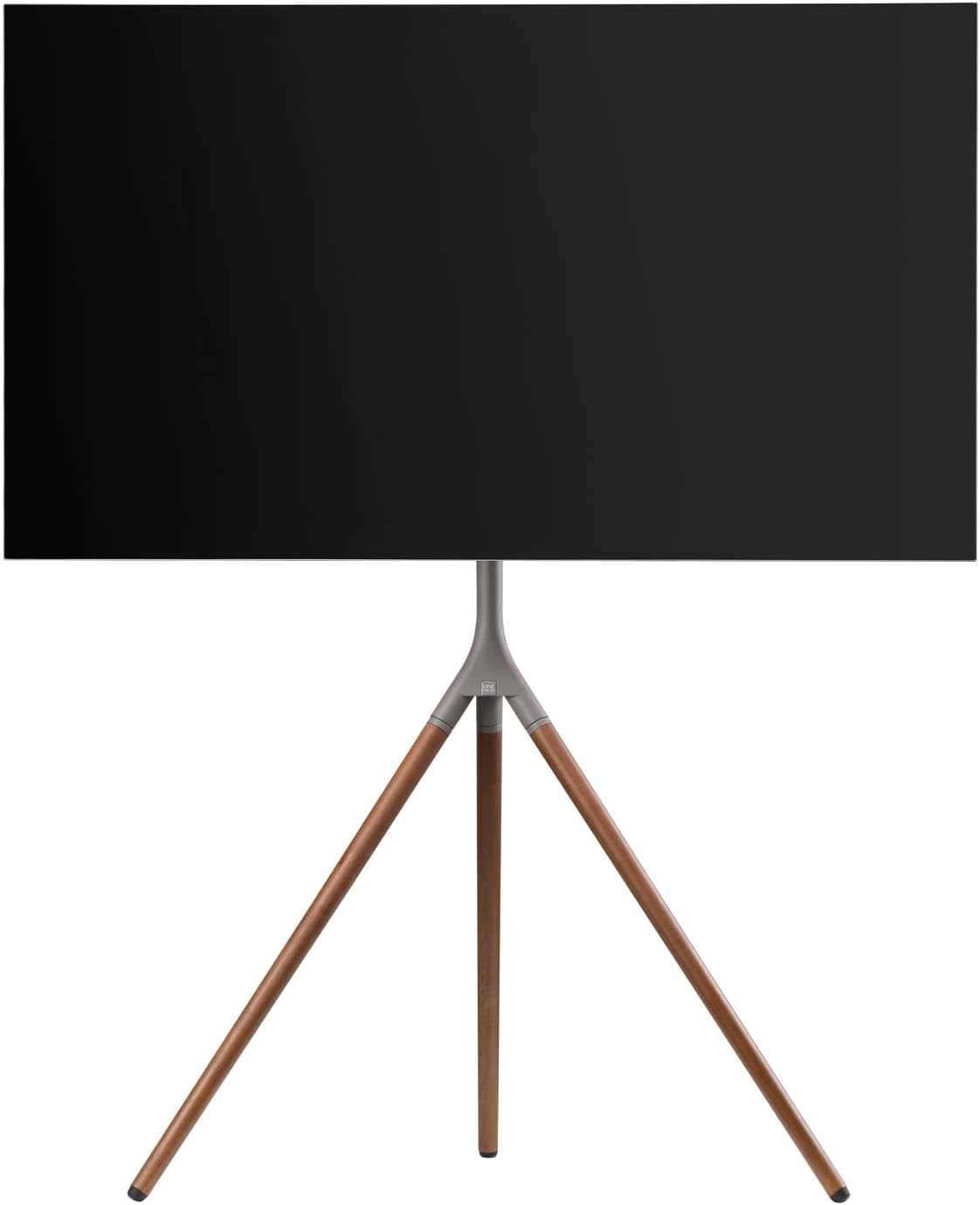
פיגור 6: זייט פּראָfile of the stand with a TV, demonstrating the potential for swivel and height adjustments.
6. וישאַלט
רעגולערע אויפהאלטונג גאראנטירט די לאנגעוויטי און זיכערע אפעראציע פון אייער טעלעוויזיע שטאנד.
- רייניקונג: ניצט אַ ווייכע, טרוקענע שטאָף צו ווישן דעם שטאַנד. פֿאַר שווערע פֿלעקן, ניצט אַ ביסל טרוקן שטאָף.amp מען קען ניצן אַ שטאָף מיט מילדער זייף, און עס זאָל גלייך טריקענען. מען זאָל עס אויסמיידן אַברייסיוו רייניגער אָדער סאָלווענטן.
- דורכקוקן: Periodically check all screws, bolts, and connections for tightness. Re-tighten if necessary.
- קאַבלע פאַרוואַלטונג: Ensure cables remain neatly organized and are not pinched or strained.
7. טראָובלעשאָאָטינג
אויב איר טרעפט פּראָבלעמען מיט אייער טעלעוויזיע שטאַנד, זעט די פאלגענדע געוויינטלעכע פּראָבלעמען און לייזונגען:
| פּראָבלעם | מעגלעך סיבה | לייזונג |
|---|---|---|
| שטאַנד פילט זיך נישט סטאַביל. | Loose connections; uneven floor; TV too heavy/large. | זיכער מאַכן אַז אַלע שרויפן זענען צוגעצויגן. רוקט דעם שטאַנד צו אַ גלייכער ייבערפלאַך. באַשטעטיקט אַז דער טעלעוויזיע וואָג און גרייס זענען אין די ספּעציפֿיקאַציעס. |
| די טעלעוויזיע איז נישט גלייך. | Mounting brackets unevenly attached; stand not level. | Re-adjust TV mounting brackets. Ensure stand is on a level surface. |
| Difficulty adjusting height or swivel. | Adjustment mechanism is too tight or obstructed. | Loosen adjustment mechanism slightly. Check for cable obstructions. Do not force movement. |
If the problem persists, please contact One For All customer support.
8. ספּעסאַפאַקיישאַנז
| שטריך | דעטאַל |
|---|---|
| מאָדעל נומער | וומקסנומקס |
| סאָרט | איינער פֿאַר אַלע |
| קאָמפּאַטיבלע פאַרשטעלן סיזעס | 32 - 65 אינטשעס |
| VESA קאַמפּאַטאַבילאַטי | 200 קס 100 מם צו 400 קס 400 מם |
| באַוועגונג טיפּ | 360° Swivel, Height Adjustable |
| מאַטעריאַל | Wood (Walnut), Metal (Gunmetal/Chrome) |
| קאָליר | Walnut & Gunmetal |
| אַרייַנגערעכנט קאַמפּאָונאַנץ | Tripod stand, TV mounting hardware, cable management strap, universal soundbar attachment |
9. וואָראַנטי און שטיצן
For warranty information and customer support, please refer to the documentation included with your purchase or visit the official One For All webזייטל. ספּעציפֿישע וואָראַנטי טערמינען קענען זיין אַנדערש לויט געגנט און הענדלער.
פאַבריקאַנט: איינער פֿאַר אַלע
לאַנד פון אָריגין: כינע