
הקדמה
This manual provides detailed instructions for the safe and effective use of your SKYBASIC S113-5.5mm Industrial Endoscope Inspection Camera. This device is designed for visual inspection in hard-to-reach areas, featuring a 1080P HD camera, a 4.3-inch LCD screen, adjustable LED lighting, and a semi-rigid cable. Please read this manual thoroughly before operation.
פּעקל אינהאַלט
באַשטעטיקט אַז אַלע זאכן וואָס זענען אויסגערעכנט אונטן זענען אַרייַנגערעכנט אין אייער פּעקל:
- LCD Digital Endoscope Unit
- באַניצער מאַנואַל
- וסב טשאַרדזשינג קאַבלע
- Accessories: Hook, Magnet, Side Mirror, Protective Cap
- 32 גיגאבייט מיקראָ סד קאָרט

פיגור 1: אריינגערעכנטע פּאַקעט אינהאַלט
שליסל פֿעיִקייטן
- 4.3-אינטש HD LCD פאַרשטעלן: גיט א קלארע און דעטאלירטע view of the inspection area.
- 1080P הד אַפּאַראַט: Captures high-resolution images and videos.
- 180° Image Rotation: Allows for easy adjustment of the viewינג ווינקל.
- 6 אַדזשאַסטאַבאַל LED לייץ: Ensures optimal illumination in various dark environments.
- IP67 וואַסערפּרוף פּראָבע: Suitable for use in wet or submerged conditions.
- האַלב-שטרענג קאַבלע: Offers flexibility for navigating tight spaces while maintaining shape.
- פּלאַג און שפּיל אָפּעראַציע: No external phone or Wi-Fi connection required.
- 32GB מיקראָ סד קאָרט: Included for storing captured images and videos.

Figure 2: 4.3-inch HD LCD Screen and Camera Specifications
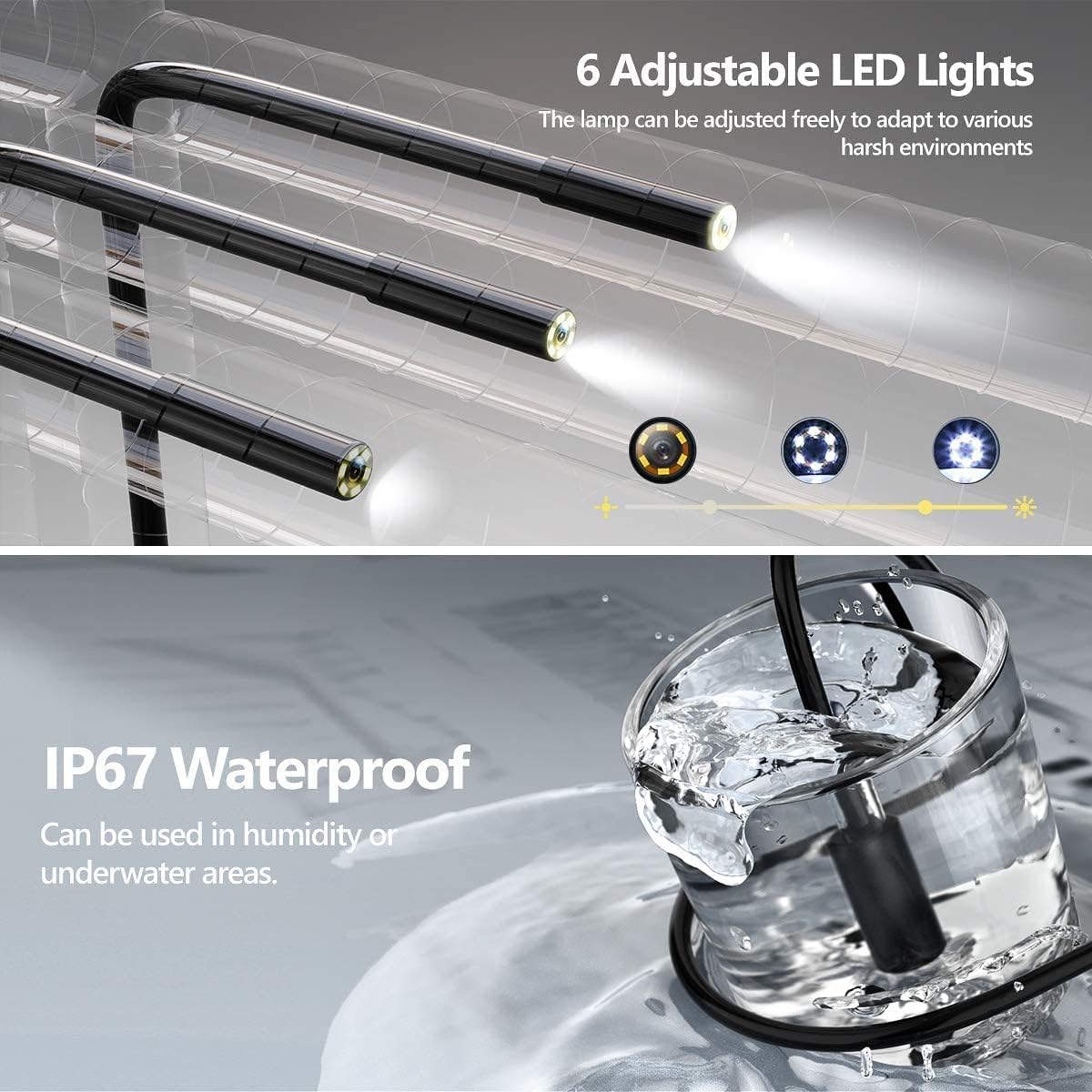
Figure 3: Adjustable LED Lights and IP67 Waterproof Probe

Figure 4: Semi-Rigid Cable Design
סעטאַפּ אינסטרוקציעס
- טשאַרדזשינג די מיטל: Before first use, fully charge the endoscope unit using the provided USB charging cable. Connect the cable to the unit's charging port and a standard USB power adapter (not included). The charging indicator will show the charging status.
- אַרייַנלייגן מיקראָ סד קאָרט: Locate the Micro SD card slot on the side of the unit. Gently insert the included 32GB Micro SD card until it clicks into place. Ensure the card is inserted correctly to enable photo and video recording.
- מאַכט אויף: Press and hold the power button (usually marked with a power symbol) for a few seconds until the screen illuminates. The device is designed for "plug and play" operation, meaning it's ready for use immediately after powering on.
- צוטשעפּען אַקסעסאָריעס (אפציאָנעל): If needed, attach the hook, magnet, or side mirror to the camera probe tip. These accessories are designed to assist in retrieving objects or viewאין פאַרשידענע אַנגלעס.

Figure 5: Plug and Play Operation
אַפּערייטינג ינסטראַקשאַנז
יקערדיק אָפּעראַציע
- מאַכט אויף / אַוועק: דרוק און האַלטן די מאַכט קנעפּל צו קער אויף אָדער אַוועק די מיטל.
- נאַוויגירן מעניו: Use the directional buttons (Up/Down/Left/Right) to navigate through menu options.
- באַשטעטיקן סעלעקציע: Press the "OK" button to confirm a selection or enter a menu.
- צוריקקומען: Press the "M" (Menu) button to return to the previous screen or exit a menu.
אַפּאַראַט פאַנגקשאַנז
- סטרויערן געפירט לייץ: Use the dedicated light adjustment button (often marked with a light bulb icon or up/down arrows) to increase or decrease the brightness of the 6 LED lights on the camera probe. This helps illuminate dark inspection areas.
- נעם בילדער: בשעת viewing the live feed, press the photo capture button (usually marked with a camera icon) to take a still image. The image will be saved to the inserted Micro SD card.
- רעקאָרד ווידיאס: Press the video recording button (usually marked with a video camera icon) to start recording. Press it again to stop recording. Videos will be saved to the Micro SD card.
- 180° Image Rotation: If the image orientation is incorrect, press the image rotation button (often marked with a circular arrow) to rotate the image 180 degrees. This feature is useful when the probe is inverted.
- פאָקוס דיסטאַנסע: The optimal focusing distance for clear images is between 3cm and 10cm from the object. Position the camera within this range for best results.
וישאַלט און זאָרג
- רייניקונג די פּראָבע: The camera probe is IP67 waterproof. After use in dirty or wet environments, gently wipe the probe with a damp cloth. For stubborn dirt, a mild detergent can be used, followed by a clean, damp cloth. Ensure the probe is dry before storage.
- רייניקונג די הויפּט אַפּאַראַט: The main unit is נישט waterproof. Clean it with a soft, dry cloth. Avoid using liquid cleaners or abrasive materials.
- סטאָרידזש: Store the endoscope in a cool, dry place, away from direct sunlight and extreme temperatures. Coil the semi-rigid cable loosely to prevent damage.
- באַטערי זאָרגן: כדי צו פארלענגערן די לעבן פון די באַטעריע, זאָלט איר לאָדן דאָס אַפּאַראַט רעגולער, אפילו אויב איר ניצט עס נישט אָפט. פֿאַרמייַדט צו גאָר אויסליידיקן די באַטעריע פֿאַר לענגערע פּעריאָדן.
- סד קאַרד מאַנאַגעמענט: Periodically transfer photos and videos from the Micro SD card to a computer to free up space and back up your data. Format the SD card through the device's menu if performance degrades.
טראָובלעשאָאָטינג
| פּראָבלעם | מעגלעך סיבה | לייזונג |
|---|---|---|
| די מיטל טוט נישט מאַכט אויף. | נידעריק באַטאַרייע. | Charge the device fully using the USB cable. |
| קיין בילד אויפן עקראַן. | Cable not properly connected; device malfunction. | Ensure the camera cable is securely connected. Restart the device. If the problem persists, contact support. |
| קען נישט נעמען בילדער/רעקארדירן ווידיאס. | No Micro SD card inserted; SD card full or corrupted. | Insert a Micro SD card. Check if the SD card has sufficient space or format it (this will erase all data). |
| דאָס בילד איז פֿאַרשוואָמען. | Camera lens dirty; object out of focus range. | Clean the camera lens. Adjust the distance between the camera and the object to be within 3cm-10cm. |
| געפירט לייץ זענען נישט ארבעטן. | ליכט אויסגעלאָשן; פראבלעם. | Press the light adjustment button to turn on/increase brightness. If still not working, contact support. |
ספּעסאַפאַקיישאַנז
| שטריך | דעטאַל |
|---|---|
| סאָרט | סקייבאַסיק |
| מאָדעל נומער | ס113-5.5מם |
| ווייַז | 4.3-אינטש לקד |
| ווידעא רעקאָרדינג האַכלאָטע | 720p (Note: Product title mentions 1080P HD, but specifications list 720p. User should be aware of this discrepancy.) |
| בילד ראָוטיישאַן | 360° (as per product title) / 180° (as per image feature) |
| קאַמעראַ דיאַמעטער | 5.5mm (implied by model number) |
| געפירט ליגהץ | 6 אַדזשאַסטאַבאַל לעדס |
| וואַסער קעגנשטעל מדרגה | IP67 (for probe only) |
| קאַנעקטיוויטי טעכנאָלאָגיע | וסב |
| סטאָרידזש מידיאַ | Micro SDXC Card (32GB included) |
| באַטערי | 1 ליטיום-פּאָלימער (אַרייַנגערעכנט) |
| פּונקט וואָג | 549 ג |
| פּעקל דימענשאַנז | 19.89 X 13.31 X 7.9 סענטימעטער |
Note: Some specifications, such as video resolution and image rotation degrees, may vary slightly between product descriptions and detailed specifications. Refer to the device's on-screen information for the most accurate details.
זיכערקייַט אינפֿאָרמאַציע
- פרובירט נישט צו צענעמען אדער מאדיפיצירן דעם אפאראט. דאס קען שאפן שאדן און בטל מאכן די גאראנטיע.
- Keep the main unit away from water and liquids, as it is not waterproof.
- שטעלט נישט אויס דעם אפאראט צו עקסטרעמע טעמפעראטורן, דירעקטע זונשייַן, אדער הויכע הומידיטי.
- ניצן בלויז די צוגעשטעלט וסב קאַבלע פֿאַר טשאַרדזשינג.
- האַלטן אויס פון דערגרייכן פון קינדער.
- אַוועקוואַרפן דעם אַפּאַראַט און זײַן באַטאַרייע לויט די לאָקאַלע רעגולאַציעס.
טיפּיש אַפּלאַקיישאַנז
The SKYBASIC S113-5.5mm Industrial Endoscope is suitable for a variety of inspection tasks in hard-to-reach areas. Common applications include:
- אַוטאָמאָטיווע וישאַלט: Inspecting engine components, cylinders, and other vehicle parts.
- Drainpipe Inspection: Checking for blockages, corrosion, or damage in pipes and plumbing systems.
- HVAC אינספּעקציע: Examining air conditioning ducts and ventilation systems.
- Electrical Repair: Inspecting wiring in walls or conduits.
- היים אינספּעקציע: Looking into wall cavities, behind appliances, or other confined spaces.

Figure 6: Endoscope in various inspection scenarios