
הקדמה
The Rapoo 1680 Silent Wireless Mouse offers a comfortable and quiet computing experience. Featuring a reliable 2.4GHz wireless connection, 1000 DPI optical tracking, and a silent click design, it is suitable for various environments, including offices and libraries. Its ergonomic and ambidextrous design ensures comfortable use for extended periods, and a long battery life provides convenience.

Image: The Rapoo 1680 Silent Wireless Mouse, showcasing its sleek, ambidextrous design in white.
וואָס איז אין די קעסטל
ביטע באַשטעטיקן אַז אַלע זאכן זענען פאַראַן אין דעם פּעקל:
- 1 x Wireless Mouse (Rapoo 1680)
- 1 רענטגענ וסב ריסיווער
- קסנומקס רענטגענ אַאַ באַטערי
- 1 x ינסטרוקטיאָן מאַנואַל

Image: The underside of the Rapoo 1680 mouse with the battery compartment open, showing the included AA battery and the USB nano receiver.
סעטאַפּ אינסטרוקציעס
- אַרייַנלייגן די באַטערי: Open the battery compartment located on the underside of the mouse. Insert the provided AA battery, ensuring correct polarity. Close the compartment securely.
- אַרײַנשטעלן דעם USB ריסיווער: Locate the USB nano receiver, typically stored within the battery compartment or packaged separately. Plug the USB receiver into an available USB port on your computer (PC, laptop, or tablet).
- מאַכט אָן די מויז: Slide the ON/OFF switch on the bottom of the mouse to the "ON" position. The mouse should now be powered on and ready for use.
- אָטאַמאַטיק קשר: The mouse is designed for plug-and-play functionality. Your computer should automatically detect and connect to the mouse within a few seconds. No additional drivers are typically required.
The Rapoo 1680 mouse is compatible with various operating systems, including Windows, Mac OS, Linux, and Chrome OS.
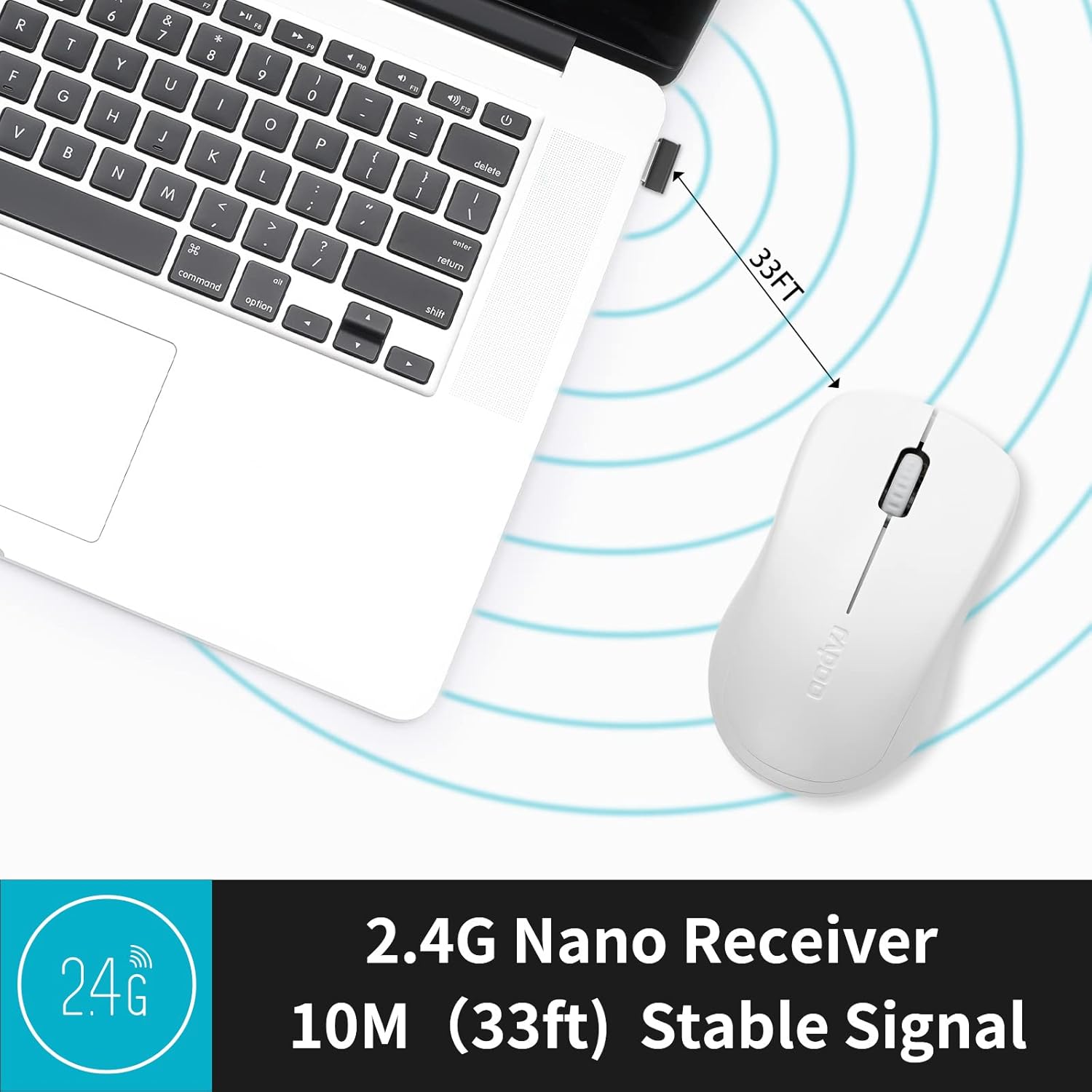
Image: A close-up of the 2.4G Nano Receiver plugged into a laptop, demonstrating the 10-meter (33ft) stable wireless signal range.

Image: The Rapoo 1680 mouse highlighting its wide compatibility with Windows, Mac OS, Linux, and Chrome operating systems.
אַפּערייטינג ינסטראַקשאַנז
The Rapoo 1680 mouse features a standard 3-button layout for intuitive control.
- לינק קליקט: הויפּט קנעפּל פֿאַר אויסקלייבן זאכן, עפֿענען fileס, און אינטעראַקטינג מיט ווייכווארג.
- רעכט גיט: צווייטיקער קנעפּל פֿאַר צוטריט צו קאָנטעקסט מעניוז און נאָך אָפּציעס.
- סקראָל ראָד: געניצט פֿאַר סקראָלן דורך דאָקומענטן און web בלעטער. די סקראל ראָד פונקציאָנירט אויך ווי אַ מיטל קליק קנעפּל.
שטיל קליק דיזיין: This mouse is engineered to reduce click sounds by up to 90%, providing a quiet environment without compromising the tactile click feel. This feature is particularly beneficial in quiet settings such as libraries or shared workspaces.
1000 DPI Optical Tracking: The high-definition 1000 DPI optical tracking engine ensures responsive and smooth cursor control on most surfaces.

Image: The Rapoo 1680 mouse demonstrating its silent click feature, ideal for quiet environments.

Image: A user operating the Rapoo 1680 mouse in a library, emphasizing its quiet operation for undisturbed work.
וישאַלט
- באַטערי פאַרבייַט: When the mouse performance degrades or stops responding, it may be time to replace the AA battery. Open the battery compartment, remove the old battery, and insert a new AA battery with the correct polarity.
- רייניקונג: ניצט אַ ווייכע, טרוקענע שטאָף צו רייניקן די אויסערלעכע זייט פון דער מויז. פֿאַר דעם אָפּטישן סענסאָר, ניצט אַ וואַטע שטעכל לײַכט.ampened with rubbing alcohol, ensuring no liquid enters the mouse's internal components.
- סטאָרידזש: When not in use for an extended period, slide the ON/OFF switch to the "OFF" position to conserve battery life. The USB receiver can be stored inside the mouse's battery compartment for safekeeping.
טראָובלעשאָאָטינג
- מויז ענטפערט נישט:
- Ensure the mouse is switched "ON" using the ON/OFF switch on the bottom.
- Check if the AA battery is correctly inserted and has sufficient charge. Replace if necessary.
- Verify that the USB receiver is securely plugged into a working USB port on your computer. Try a different USB port.
- אומשטענדלעכע קורסאָר באַוועגונג:
- רייניקט דעם אָפּטישן סענסאָר אויף דער אונטערשטער טייל פֿון דער מויז.
- זייט זיכער אז איר ניצט די מויז אויף א פאסיגע אויבערפלאך. פארמיידט שטארק רעפלעקטיווע אדער דורכזיכטיקע אויבערפלאכן.
- קשר ישוז:
- Remove and re-insert the USB receiver.
- Move the mouse closer to the USB receiver to rule out range issues (maximum 10 meters).
ספּעסאַפאַקיישאַנז
| שטריך | דעטאַל |
|---|---|
| סאָרט | Rapoo |
| מאָדעל נאָמען | 1680 |
| קאַנעקטיוויטי טעכנאָלאָגיע | יו-עס-בי (2.4 גי-הרץ ווירעלעס) |
| באַוועגונג דעטעקשאַן טעכנאָלאָגיע | אָפּטיש |
| Mouse Maximum Sensitivity | 1000 דפּי |
| קנעפּל קוואַנטיטעט | 3 |
| האַנט אָריענטירונג | אַמבידעקסטראַס |
| מאַכט מקור | באַטעריע געטריבן (1 x AA באַטעריע אַרייַנגערעכנט) |
| באַטערי דורכשניטלעך לעבן | אַרויף צו 12 חדשים |
| ווירעלעסס ראַנגע | 10 מעטער (33 פֿיס) |
| פּונקט וואָג | 58 גראַמז |
| נומער דימענשאַנז (L X W) | 4.33"ל x 2.56"ברייט |
| קאַמפּאַטאַבאַל דעוויסעס | פערזענלעכע קאָמפּיוטער |
| אָפּערייטינג סיסטעם | Windows, Mac OS, Linux, Chrome OS |
| אָפּצוימונג מאַטעריאַל | פּלאַסטיק |
| ענדיקן | מאַט |

Image: Detailed dimensions of the Rapoo 1680 mouse, showing its length and width.
אפיציעלע פּראָדוקט ווידעאָ
Video: An official product video from RAPOO showcasing the features and benefits of the Rapoo 1680 Silent Wireless Mouse, including its silent clicks, ergonomic design, and ease of use.
וואָראַנטי און שטיצן
The Rapoo 1680 Silent Wireless Mouse comes with a 1 יאָר וואָראַנטי from the date of purchase. This warranty covers manufacturing defects and ensures reliable performance under normal use conditions.
For technical support, warranty claims, or any product-related inquiries, please contact Rapoo customer service. Refer to the Rapoo official webזייטל אדער די פּראָדוקט פּאַקאַדזשינג פֿאַר די מערסט אַרויף-צו-דאַטע קאָנטאַקט אינפֿאָרמאַציע.
RAPOO is committed to providing high-performance and high-quality peripheral products. If you have any questions or require assistance, please do not hesitate to reach out to their support team.