
1. הקדמה
The Klein Tools ET20 Wi-Fi Borescope is designed for visual inspection in hard-to-reach areas. It transmits video and images wirelessly to your smartphone or tablet, providing a clear view with its 9 mm waterproof camera and adjustable LED lights. The durable 6-foot armored gooseneck cable allows for flexible maneuvering through various spaces. This manual provides essential information for the safe and effective use of your ET20 borescope.
2. וואָס איז אין דער קעסטל
באַשטעטיקט אַז אַלע זאכן וואָס זענען אויסגערעכנט אונטן זענען פאַראַן אין אייער פּעקל:
- ET20 Wi-Fi Borescope
- וסב טשאַרדזשינג קאַבלע
- קרוק אַטאַטשמאַנט
- קעריינג קאַסע
- ינסטראַקשאַנז מאַנואַל
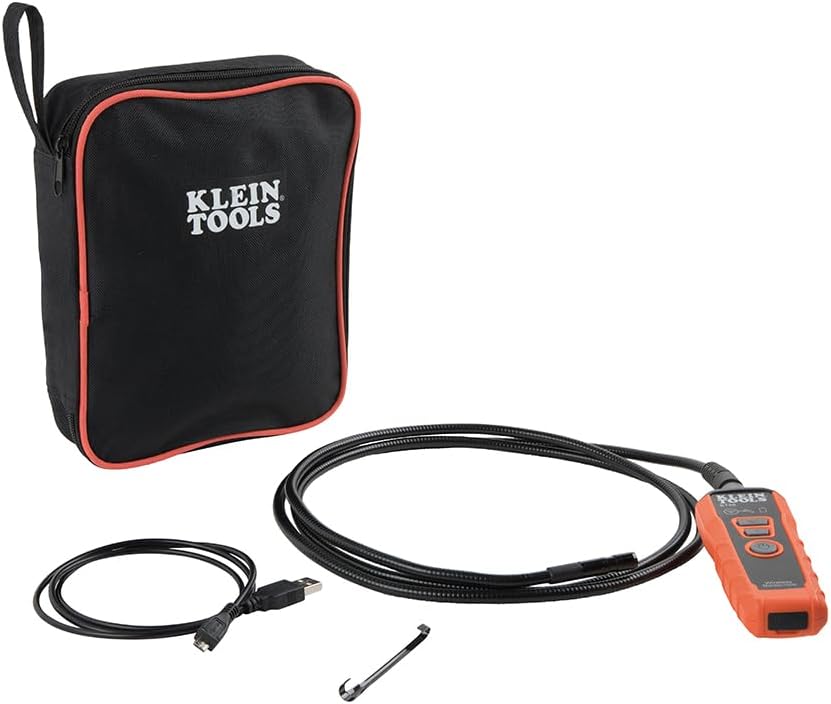
Image: Klein Tools ET20 Borescope, USB charging cable, hook attachment, and carrying case.
3. פּראָדוקט פֿעיִקייטן
- ווירעלעסס ווידעא טראַנסמיסיע: Connects to your smartphone or tablet via Wi-Fi, transmitting video and images up to 30 feet (9 m) away.
- Waterproof 9 mm Camera: Captures high-quality 640 x 480 images and video. Equipped with 6 adjustable LED lights for optimal illumination.
- Durable Gooseneck Cable: Features a 6-foot (1.8 m) armored, flexible, and waterproof gooseneck cable for navigating obstacles.
- Adjustable LED Output: Control camera LED brightness directly on the borescope unit or through the companion app.
- Multi-Functional App: The Klein Borescope App allows for live viewing, recording, storing, and sharing of images and videos.
- קריקאָנלאָדלעך באַטערי: Integrated lithium-ion battery with a status indicator for convenient power management.
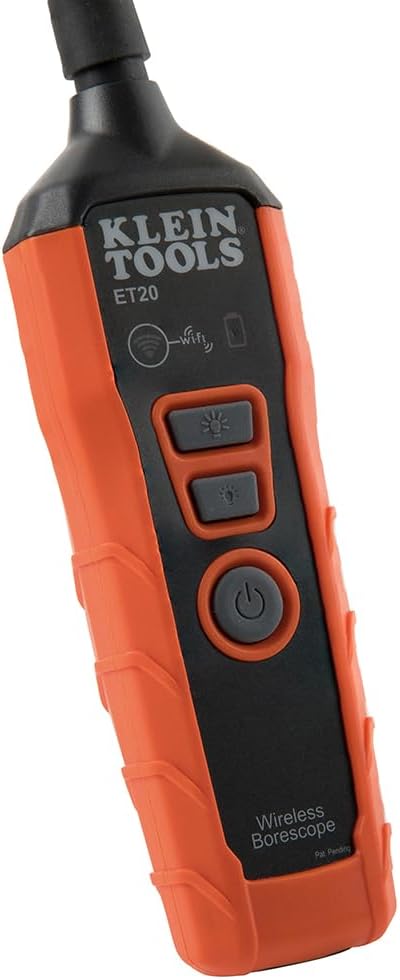
בילד: נאָענט-אַרויף view of the 9 mm camera head with integrated LED lights.
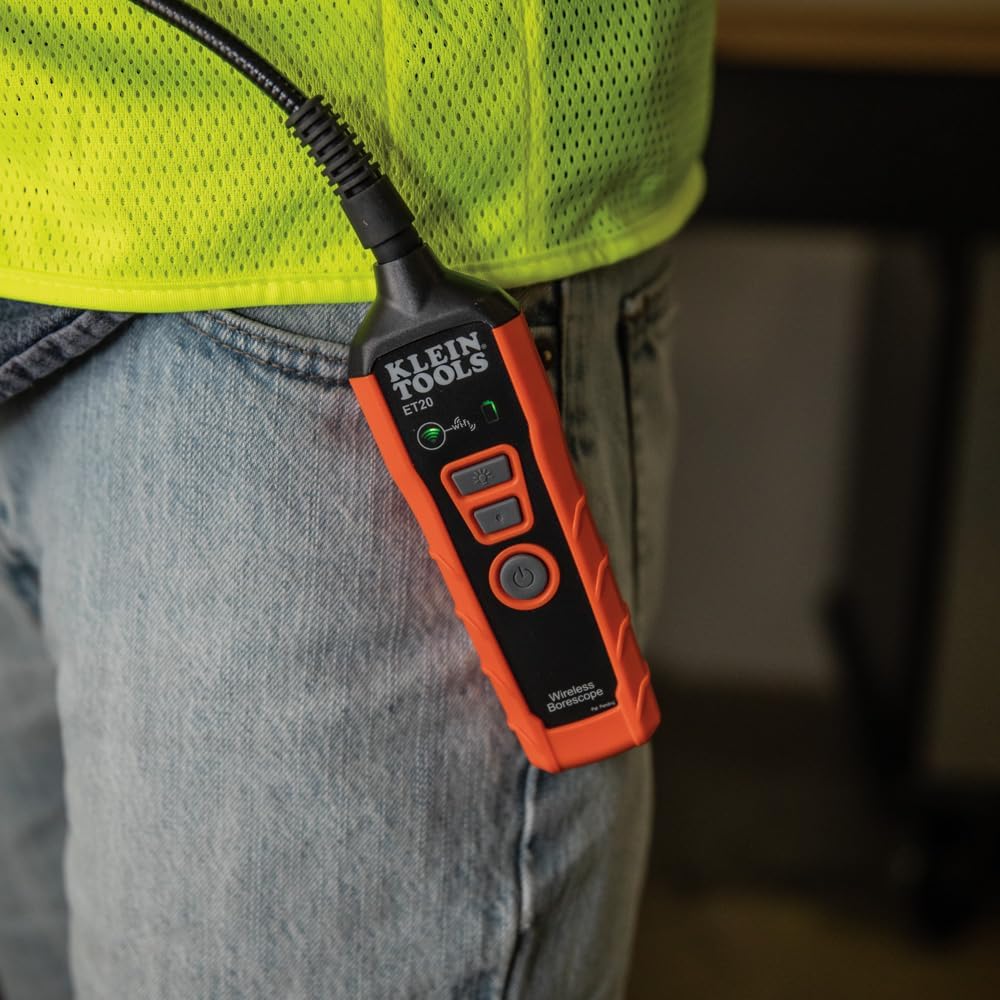
Image: The borescope unit with visible Wi-Fi and battery status indicators.
4. סעטאַפּ אינסטרוקציעס
- Charge the Borescope: Before first use, fully charge the borescope using the provided USB charging cable. Connect the micro-USB end to the borescope and the standard USB end to a compatible USB power source (e.g., computer, wall adapter). The battery status indicator will show charging progress.
- אראפקאפיע די אַפּ: Download the "Klein Tools Wi-Fi Borescope" app from your device's app store (available for iOS and Android).
- מאַכט אויף: Press and hold the power button on the borescope unit until the power indicator light illuminates.
- פאַרבינדן צו Wi-Fi: On your smartphone or tablet, go to Wi-Fi settings and connect to the Wi-Fi network broadcast by the borescope (e.g., "Klein_Borescope_XXXX"). No password is required.
- קאַטער די אַפּ: Open the Klein Tools Wi-Fi Borescope app. The live camera feed from the borescope should appear on your device screen.
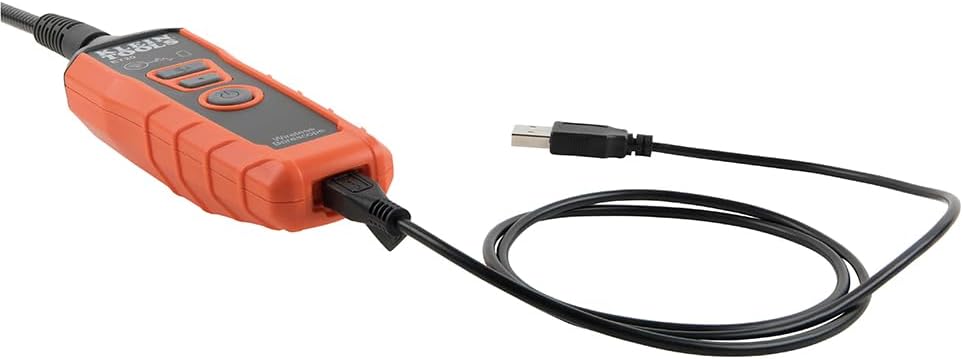
Image: The borescope unit connected to its USB charging cable.
5. אַפּערייטינג ינסטרוקטיאָנס
- סטרויערן געפירט לייץ: Use the dedicated LED light buttons on the borescope unit or the controls within the app to increase or decrease the brightness of the camera's LED lights. This helps illuminate dark inspection areas.
- Maneuver the Gooseneck: Carefully guide the armored gooseneck cable and camera head into the desired inspection area. The flexible yet rigid design allows for precise positioning.
- View לעבן פיטער: Observe the live video feed on your connected smartphone or tablet.
- כאַפּן בילדער / ווידיאס: Use the photo and video recording buttons within the app to capture still images or record video footage of your inspection. Captured media is saved directly to your device.
- היט און ייַנטיילן: Access saved images and videos through the app's gallery. From there, you can save them to your device's photo library or share them via email or messaging applications.
- מאַכט אַוועק: After use, press and hold the power button on the borescope unit to turn it off. Disconnect the Wi-Fi connection on your device.
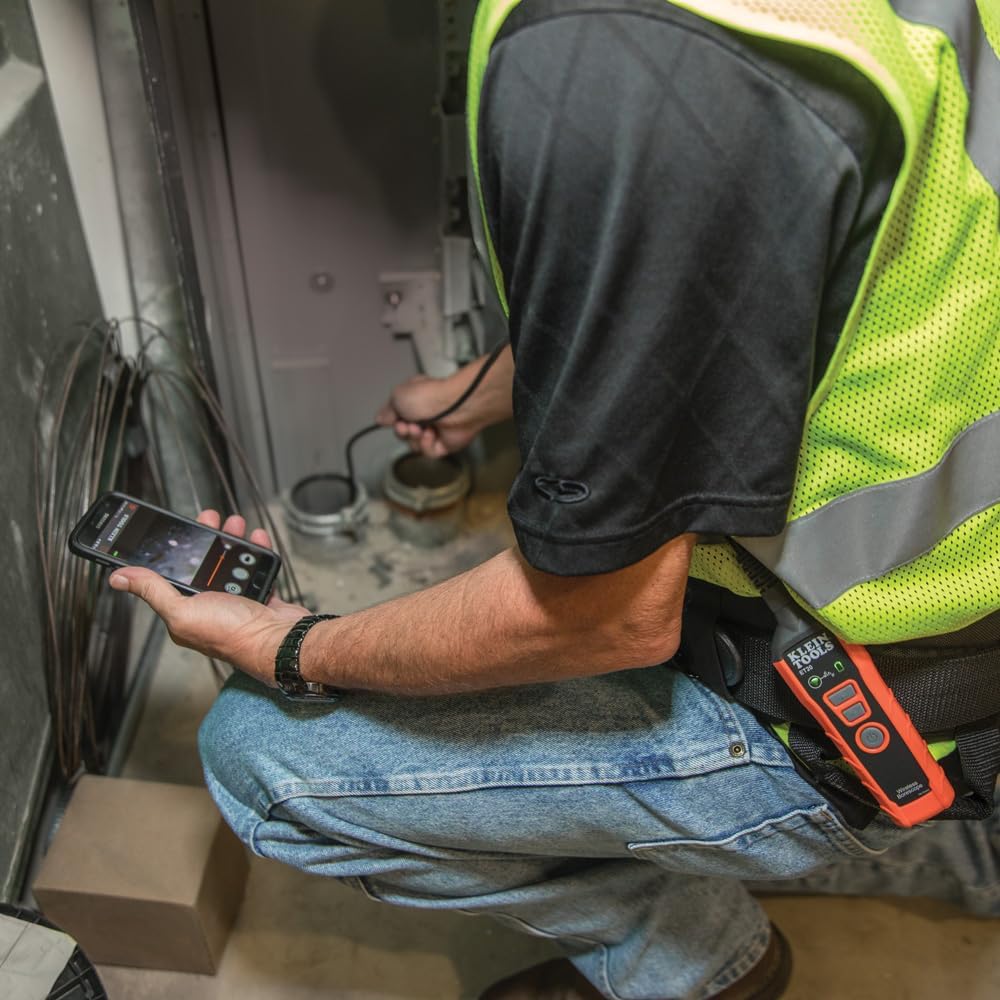
Image: User operating the borescope, viewing the live feed on a smartphone.
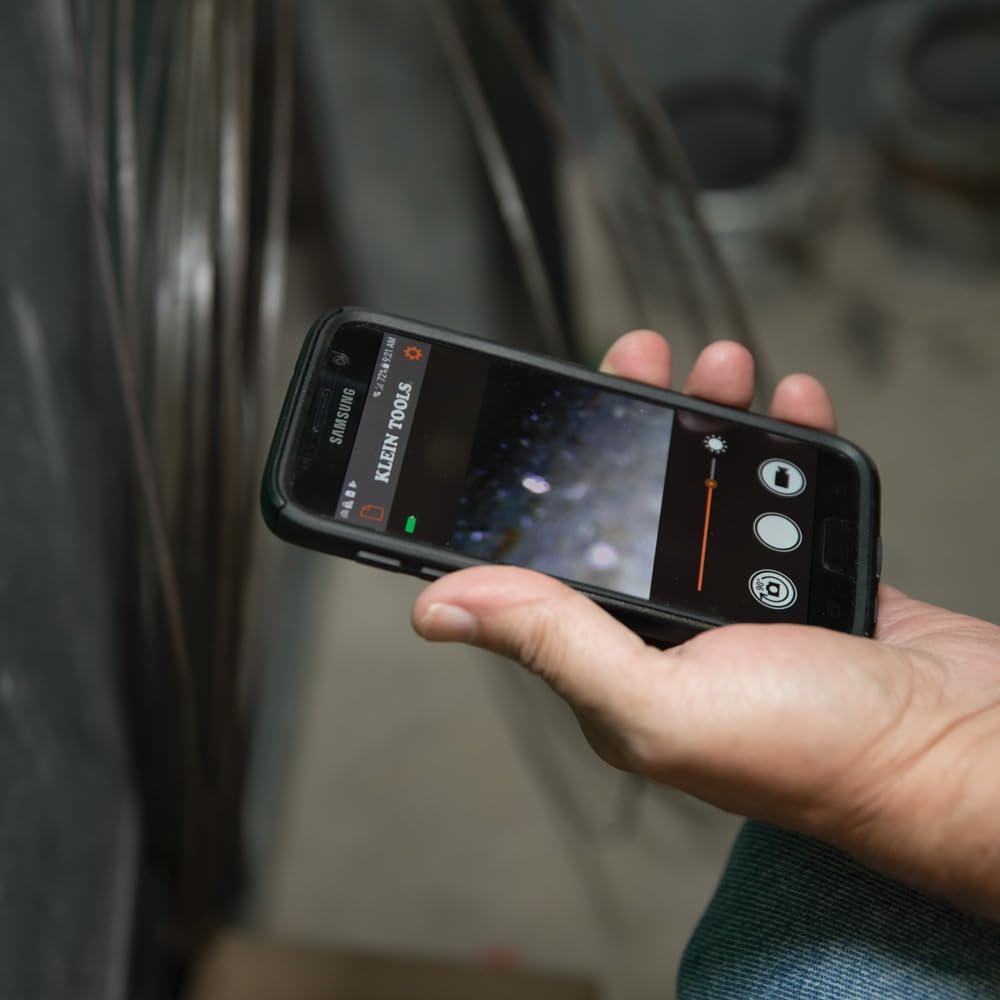
Image: The Klein Tools borescope app interface on a smartphone, showing the live camera view און קאָנטראָלס.
6. וישאַלט
- רייניקונג פון די קאַמעראַ לינז: Gently wipe the camera lens with a soft, lint-free cloth. For stubborn dirt, use a small amount of lens cleaning solution. Ensure the lens is dry before storage.
- Cleaning the Gooseneck: The gooseneck cable is waterproof. After use in dirty or wet environments, wipe it clean with a damp שטאָף. ויסמייַדן האַרב קעמיקאַלז.
- באַטערי זאָרגן: To prolong battery life, avoid fully discharging the battery frequently. Recharge the borescope regularly, especially if it will be stored for extended periods. Store in a cool, dry place.
- סטאָרידזש: Store the borescope and its accessories in the provided carrying case to protect them from damage and dust.
7. טראָובלעשאָאָטינג
- No Image on App:
- Ensure the borescope is powered on and the Wi-Fi indicator is active.
- Verify your smartphone/tablet is connected to the borescope's Wi-Fi network.
- Restart both the borescope and the app.
- Check if your phone's power-saving mode is interfering with the Wi-Fi connection.
- נעבעך בילד קוואַליטעט:
- Adjust the LED light brightness using the buttons on the unit or within the app.
- רייניקט די קאַמעראַ לענס אויב עס קוקט שמוציק.
- Ensure the camera is within its optimal focus range (macro focus range: 9 millimeters).
- Borescope Not Powering On:
- Charge the battery. The battery may be fully discharged.
- זייט זיכער אז דער מאַכט קנעפּל איז גענוג געדריקט און געהאלטן.
- App Freezes or Disconnects:
- זיכער מאַכן אַז אייער מיטל'ס אָפּערייטינג סיסטעם איז אַרויף צו דאַטע.
- נאָענט און ריאָופּאַן די אַפּ.
- קוקט נאָך אַפּ דערהייַנטיקונגען אין אייער מיטל'ס אַפּ סטאָר.
- Minimize other applications running in the background that might consume resources.
8. ספּעסאַפאַקיישאַנז
| שטריך | באַשרייַבונג |
|---|---|
| מאָדעל נאָמען | ET20 |
| סאָרט | קליין מכשירים |
| קאַנעקטיוויטי טעכנאָלאָגיע | ווי-פי |
| קאַמעראַ דיאַמעטער | 9 מם |
| גאָאָסענעקק לענג | 6 פֿיס (1.8 עם) |
| וואַסער קעגנשטעל מדרגה | וואָטערפּרוף |
| ווידעא קאַפּטורע רעסאָלוטיאָן | 640x480 |
| עפעקטיוו נאָך האַכלאָטע | 0.3 מפּ |
| באַטערי טיפּ | קריקאָנלאָדלעך ליטהיום-יאָן |
| באַטערי דורכשניטלעך לעבן | 5.5 שעה |
| קאַמפּאַטאַבאַל דעוויסעס | סמאַרטפאָנע, טאַבלעט |
| File פֿאָרמאַט | JPEG, MP4 |
| פּונקט וואָג | 567 גראַמז |
9. וואָראַנטי און שטיצן
פֿאַר דעטאַלירטע וואָראַנטי אינפֿאָרמאַציע און קונה שטיצע, ביטע זען די באַאַמטער קליין מכשירים וועבזייטל webזייטל אדער קאנטאקט זייער קאסטומער סערוויס גלייך. האלט אייער קויף קוויטל פאר גאראנטיע טענות.
פאַבריקאַנט: קליין מכשירים
UPC: 092644692314