
1. הקדמה
This manual provides detailed instructions for the installation, operation, and maintenance of your Time2 Oscar 2 Twin Pack Outdoor Security Cameras. The Oscar 2 cameras are designed for outdoor surveillance, offering 1080p Full HD video, night vision, motion and sound detection, and two-way audio communication. Please read this manual thoroughly before using the product to ensure proper setup and functionality.
2. וואָס איז אין דער קעסטל
ביים אויספּאַקן, ביטע זיכער מאַכן אַז אַלע די פאלגענדע זאכן זענען אַרייַנגערעכנט:
- 2 x Time2 Oscar WiFi Camera
- 2 x מאַכט אַדאַפּטער
- 2 x Wall Mounting Kit (screws and wall plugs)
- 1 x שנעל אָנהייב גייד

Image: The Time2 Oscar 2 camera shown with its retail packaging, indicating the contents of the box.
3. פּראָדוקט פֿעיִקייטן
The Time2 Oscar 2 cameras are equipped with advanced features for comprehensive outdoor security:
- 1080 פּ גאַנץ הד ווידעא: כאַפּט קלאָרע און דעטאַלירטע פֿוטערtagטאָג און נאַכט.
- העכערע נאַכט זעאונג: Automatic infrared night vision with IR cut for clear images in low light or darkness.
- 100° פעלד פון View: Provides a wide coverage area for monitoring your property.
- באַוועגונג און אַודיאָ דעטעקציע: Advanced sensors detect unusual movement or sounds, sending instant alerts.
- צוויי-וועג אַודיאָ: אן איינגעבויטער מיקראָפאָן און רעדנער ערמעגלעכן קאָמוניקאַציע אין רעאַל-צייט.
- לאקאלע און וואָלקן סטאָרידזש: Supports local storage via MicroSD card (up to 128GB, not included) and optional cloud storage via CLAN CLOUD subscription.
- וועטערפּראָאָף פּלאַן: IP65 rated for outdoor use, resistant to rain and dust.
- מאַינס פּאַוערד: Ensures continuous operation without battery recharging.
- אַקטיוויטעט זאָנעס: Customize detection areas to reduce false alerts.
- Alexa ינאַגריישאַן: Compatible with Amazon Alexa for voice control.
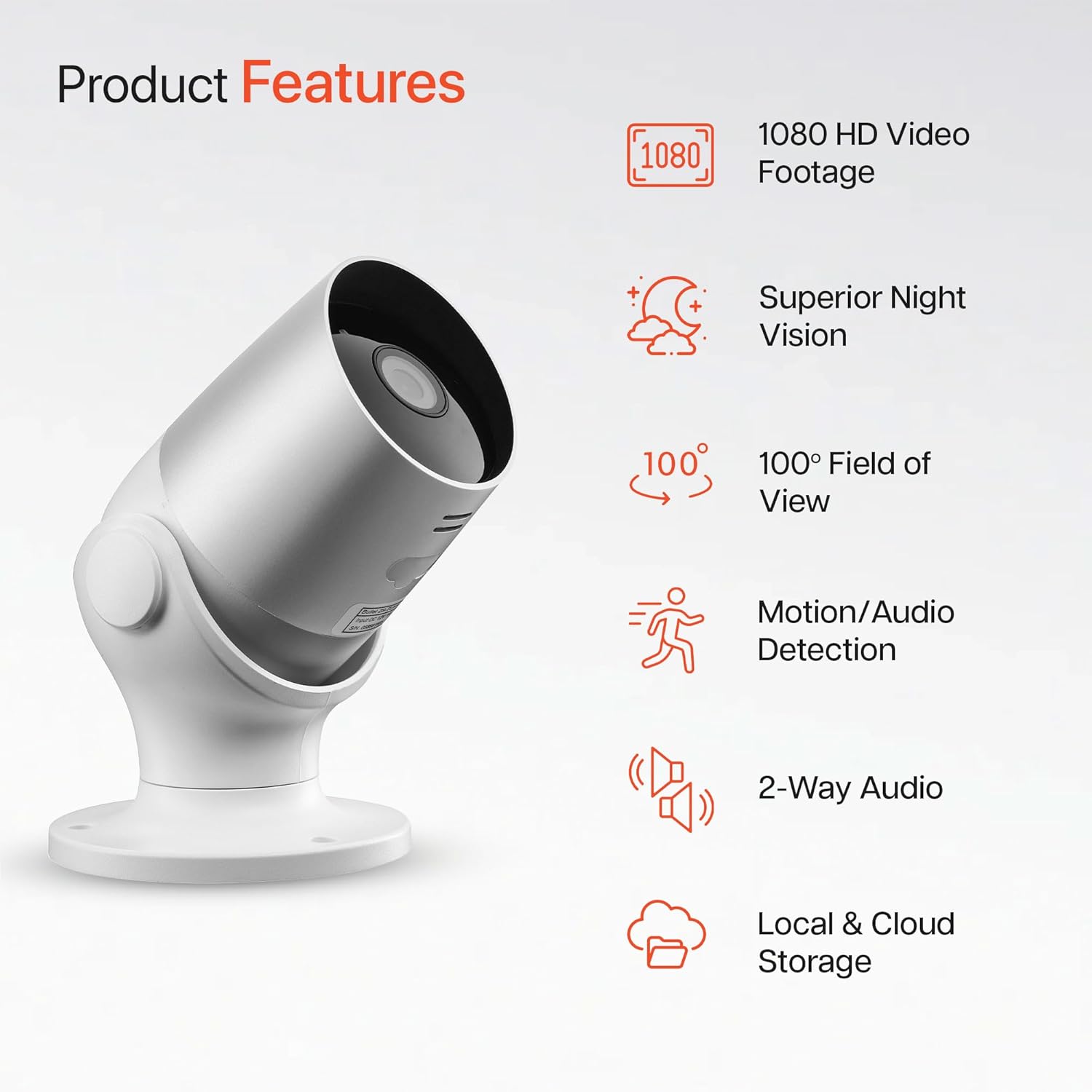
Image: An illustration highlighting the main features of the Oscar 2 camera, including 1080p HD video, night vision, 100° field of view, motion/audio detection, two-way audio, and storage options.
4. סעטאַפּ
4.1 אַפּ דאַונלאָודינג און אַקאַונט שאַפונג
- Download the "CLAN" app from your smartphone's app store (iOS or Android).
- עפֿנט די אַפּ און פֿאָלגט די אינסטרוקציעס אויף דעם עקראַן צו שאַפֿן אַ נײַעם חשבון אָדער לאָגט זיך אײַן אויב איר האָט שוין אײנס.
4.2 מיקראָסד קאַרטל אינסטאַלאַציע (אָפּציאָנאַל)
For local video storage, you can install a MicroSD card (up to 128GB, not included) into the camera.
- Locate the MicroSD card slot on the camera (refer to the Quick Start Guide for exact location).
- פֿאָרזיכטיק אַרײַנשטעלן די MicroSD קאַרטל אין דעם שפּאַלט ביז עס קליקט אַרײַן אין פּלאַץ.
- Ensure the camera is powered off before inserting or removing the MicroSD card.
4.3 Camera Installation and Power Connection
The Oscar 2 cameras are designed for wall mounting and require a mains power connection.
- קלייַבן אַ אָרט: אויסקלייבן אַן אָרט אינדרויסן וואָס גיט די געוואונטשענע viewing angle and is within reach of a power outlet. Consider the 100° field of view.
- אָנקלאַפּן די אַפּאַראַט: Use the provided wall mounting kit (screws and wall plugs) to securely attach the camera to a wall or suitable surface. The camera housing allows for rotation to adjust the lens angle.
- פאַרבינדן מאַכט: Plug the power adapter into the camera and then into a mains power outlet. The camera will power on automatically.
4.4 Pairing with the CLAN App
- Ensure your smartphone is connected to a 2.4GHz Wi-Fi network (5GHz networks are not supported).
- Open the CLAN app and tap the "+" icon to add a new device.
- Select "Oscar 2" from the list of devices.
- Follow the in-app instructions, which typically involve scanning a QR code displayed on your phone with the camera lens or listening for a sound prompt.
- Once paired, you can name your camera and begin configuring settings.
5. Operating Your Oscar 2 Camera
5.1 לעבן View און מאָניטאָרינג
From the CLAN app home screen, tap on your camera's name to access the live video feed. You can view multiple cameras simultaneously if you have more than one Oscar 2 device.

Image: A smartphone displaying the CLAN app interface, showing a live view from the Oscar 2 camera and various control options.
5.2 באַוועגונג און געזונט דעטעקציע
The Oscar 2 camera can detect movement and sound, sending instant alerts to your smartphone or tablet.
- געבן אַלערץ: Navigate to the camera settings in the CLAN app and enable motion and sound detection alerts.
- סטרויערן סענסיטיוויטי: You can adjust the sensitivity level of both motion and sound detection to minimize false alarms.
- שטעלן טעטיקייט זאָנעס: דעפינירן ספּעציפֿישע געביטן אין דער קאַמעראַ'ס פעלד פון view where you want motion detection to be active. This helps focus on critical areas and ignore irrelevant movements.
5.3 צוויי-וועג אַודיאָ
ניצט דעם איינגעבויטן מיקראָפאָן און רעדנער פֿאַר צוויי-וועג קאָמוניקאַציע.
- בשעת אין לעבן view, tap the microphone icon in the app to speak through the camera's speaker.
- צאַפּן אויף דעם רעדנער בילדל צו הערן אַודיאָ פֿון דער קאַמעראַ'ס מיקראָפֿאָן.
- This feature is useful for interacting with visitors or deterring intruders.
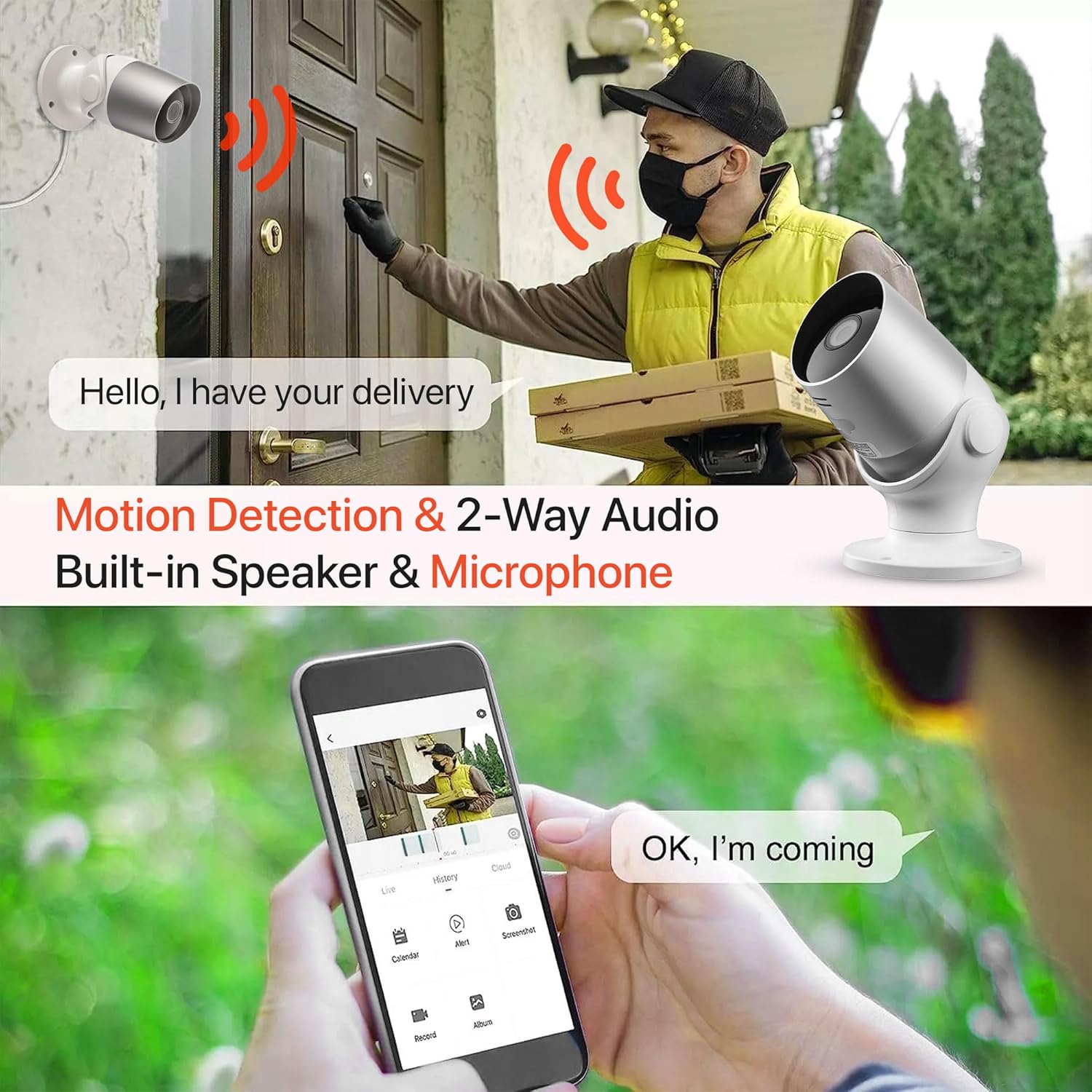
Image: An illustration demonstrating the two-way audio feature, showing a user communicating with a delivery person via the Oscar 2 camera and smartphone app.
5.4 רעקאָרדינג און פּלייבאַק
The Oscar 2 cameras offer flexible recording options:
- קעסיידערדיק רעקאָרדינג: If a MicroSD card is installed, the camera can record continuously for up to 21 days (with a 128GB card).
- באַוועגונג-אַקטיווייטיד רעקאָרדינג: The camera can be set to record only when motion or sound is detected. Recordings include 5 seconds of pre-event footage.
- Local Storage (MicroSD): אַקסעס רעקאָרדעד פאָאָtage directly from the MicroSD card via the CLAN app.
- Cloud Storage (CLAN CLOUD): Subscribe to CLAN CLOUD for secure off-site storage of your recordings, accessible from anywhere.
- פּלייבאַק: Use the playback feature in the CLAN app to review רעקאָרדירטע געשעענישן.
5.5 נאַכט זעאונג
The camera automatically switches to infrared night vision in low-light conditions, providing clear black and white images. The integrated IR cut filter ensures accurate color representation during the day.

Image: A visual representation of the camera's 24/7 monitoring capability, showing how the view changes from morning (color) to afternoon (color) to night (infrared night vision).
5.6 אַלעקסאַ אינטעגראַציע
The Oscar 2 cameras are compatible with Amazon Alexa. To enable this feature, link your CLAN account within the Alexa app. You can then use voice commands to view your camera feed on compatible Alexa-enabled devices.
6. וישאַלט
- רייניקונג: רייניקן די קאַמעראַ לינז פּעריִאָדיש מיט אַ ווייכן, דamp cloth to ensure optimal image clarity. Do not use harsh chemicals or abrasive materials.
- Firmware דערהייַנטיקונגען: Ensure your camera's firmware is up to date. The CLAN app will typically notify you of available updates. Follow the in-app instructions to perform updates, which can improve performance and add new features.
- מאַכט ציקל: If the camera experiences issues, try power cycling it by unplugging it from the power source for a few seconds and then plugging it back in.
7. טראָובלעשאָאָטינג
- אַפּאַראַט ניט קאַנעקטינג צו Wi-Fi:
- זיכער מאַכן אַז אייער Wi-Fi נעץ איז 2.4GHz. די קאַמעראַ שטיצט נישט 5GHz נעטוואָרקס.
- Check that the camera is within range of your Wi-Fi router.
- באַשטעטיקן אַז אייער Wi-Fi פּאַראָל איז ריכטיק אַרייַנגעגעבן אין דער אַפּ.
- ריסטאַרט דיין ראַוטער און די קאַמעראַ.
- Frequent Motion Detection Alerts:
- Adjust the motion detection sensitivity settings in the CLAN app to a lower level.
- Define specific activity zones to exclude areas with frequent irrelevant movement (e.g., trees swaying, busy roads).
- Environmental factors like heavy rain or snow can sometimes trigger alerts; consider adjusting sensitivity during adverse weather.
- נעבעך בילד קוואַליטעט:
- רייניקט די קאַמעראַ לענס צו באַזײַטיקן יעדן שמוץ אָדער פֿלעקן.
- זיכער מאַכן אַז עס זענען נישטאָ קיין שטערונגען אין דער קאַמעראַ'ס פֿעלד פֿון view.
- Check your internet connection speed; a slow connection can affect live stream quality.
- צוויי-וועג אַודיאָ ישוז:
- זייט זיכער אז אייער טעלעפאן'ס וואודיום איז ארויף און די אפליקאציע האט מיקראפאן פערמישנס.
- Check the camera's speaker and microphone settings in the app.
- מינימיזירן הינטערגרונט ראַש פֿאַר קלאָרער קאָמוניקאַציע.
- Recordings Not Saving:
- If using a MicroSD card, ensure it is correctly inserted and formatted within the app. Check if the card is full.
- If using cloud storage, verify your CLAN CLOUD subscription is active.
8. ספּעסאַפאַקיישאַנז
| שטריך | דעטאַל |
|---|---|
| מאָדעל נאָמען | אָסקאַר 2 |
| פּראָדוקט דימענשאַנז | 8.9 X 17.8 X 19.1 סענטימעטער |
| וואָג | 720 גראַמז |
| פאַבריקאַנט | צייט 2 |
| קאַנעקטיוויטי טעכנאָלאָגיע | ווירעלעסס (ווי-פי) |
| ספּעציעלע שטריך | Motion and Sound Alerts |
| דרינענדיק / דרויסנדיק נוצן | דרויסנדיק |
| קאַמפּאַטאַבאַל דעוויסעס | קאָמפּיוטער, סמאַרטפאָנע, טאַבלעט |
| מאַכט מקור | Electric Cable (Mains Powered) |
| קאָנטראָללער טיפּ | אַמאַזאָן אַלעקסאַ |
| מאַונטינג טיפּ | וואנט בארג |
| קאָליר | ווייַס |
| פאָרם פאַקטאָר | קויל |
| וואַסער קעגנשטעל מדרגה | וואָטערפּרוף (IP65) |
| Voltage | 12 וואלטס |
| וואָסtage | 5 וואטס |
| ווידעא קאַפּטורע פֿאָרמאַט | mp4 |
| עפעקטיוו ווידעא האַכלאָטע | 1080 Pixels (1080p) |
| Viewינג אַנגלע | 100 דיגריז |
| נומער פון זאכן | 2 (צווילינג פּאַק) |
| UPC | 045912296356 |
9. וואָראַנטי און שטיצן
9.1 וואָראַנטי אינפֿאָרמאַציע
Your Time2 Oscar 2 cameras come with a manufacturer's warranty. Please refer to the warranty card included in your product packaging or visit the official Time2 webזייטל פֿאַר דעטאַלירטע וואָראַנטי טערמינען און באדינגונגען.
9.2 קונה שטיצן
If you encounter any issues or have questions not covered in this manual, please contact Time2 customer support. Contact details can typically be found on the Time2 website or in the Quick Start Guide provided with your product.
For the latest information, FAQs, and support resources, please visit the official Time2 webפּלאַץ.