
הקדמה
This manual provides instructions for the Calvas USARMT LTV-914 Universal Remote Control, designed for use with various LG TV models, including AKB73715634, AKB73715679, and 3D Smart TV LN577S. This remote operates via infrared (IR) technology and is intended as a direct replacement, requiring no programming for most compatible LG televisions.
פּעקל אינהאַלט
- 1 x USARMT LTV-914 Universal Remote Control
ספּעסאַפאַקיישאַנז
- מאָדעל נומער: LTV-914
- סאָרט: ליסע ספּאַץ
- טיפּ: טעלעוויזיע רימאָוט קאָנטראָל
- קאָמוניקאַציע: ינפרערעד (IR)
- אָפטקייַט: 433 מהז
- טשאַנאַלז: 1
- מאַכט מקור: 2 x AAA אַלקאַליין באַטעריעס (נישט אַרייַנגערעכנט)
- מאַטעריאַל: ABS
- קאַמפּאַטאַבאַל דעוויסעס: LG Televisions (e.g., AKB73715634, AKB73715679, 3D Smart TV LN577S)
- ספּעציעלע שטריך: וניווערסאַל קאַמפּאַטאַבילאַטי
סעטאַפּ
ינסטאָלינג באַטעריז
- געפֿינען די באַטאַרייע אָפּטייל אויף די צוריק פון די ווייַט קאָנטראָל.
- רוקט דעם דעקל פונעם באַטעריע־אָפּטייל אַראָפּ אָדער דריק דעם לאַטש און הייבט אויף צו עפֿענען.
- אַרײַנשטעלן צוויי (2) AAA אַלקאַליין באַטעריעס, און זיכער מאַכן אַז די פּאָזיטיוו (+) און נעגאַטיוו (-) טערמינאַלן זענען ריכטיק אויסגעשטעלט מיט די מאַרקירונגען אינעווייניק אין דעם אָפּטייל.
- לייגט צוריק דעם דעקל פונעם באַטעריע־אָפּטייל דורך עס צוריקצורוקן אין פּלאַץ ביז עס קליקט זיכער.

Image: Back of the remote control with the battery compartment open, illustrating battery insertion.
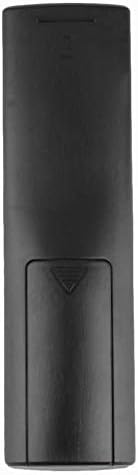
בילד: הינטערשטע view of the remote control with the battery cover closed.
אַפּערייטינג ינסטראַקשאַנז
ערשט נוצן
The Calvas USARMT LTV-914 remote control is designed to work directly with most compatible LG TV models without requiring any programming. Simply insert the batteries and point the remote towards your television.
Direct Use and Basic Functions
Most functions, such as power on/off, volume control, channel selection, and navigation, should operate immediately upon pointing the remote at your LG TV.

בילד: פראָנט view of the remote control, displaying the button layout.
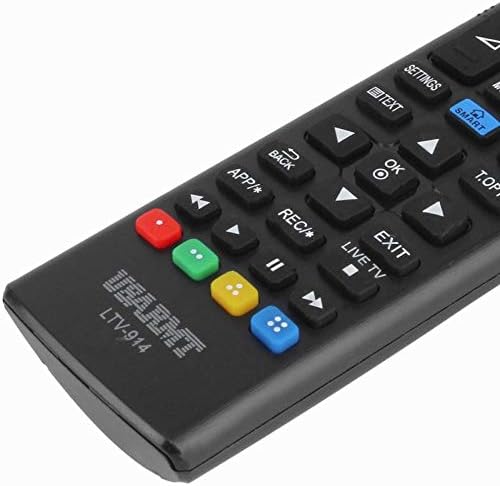
Image: Close-up of the remote's buttons, showing details of the control interface.
Factory Reset / Reconfiguration (If direct use fails)
In rare cases, if the remote does not operate your TV directly, you may need to perform a factory reset or attempt a reconfiguration.
- To reset to factory settings: Press and hold the מאַכט button and the number 0 קנעפּל סיימאַלטייניאַסלי פֿאַר אַ ביסל סעקונדעס.
- To attempt re-pairing (if applicable, though typically not required for this universal remote): Press and hold the מאַכט button and the number 1 קנעפּל סיימאַלטייניאַסלי פֿאַר אַ ביסל סעקונדעס.
After performing either of these steps, release the buttons and test the remote's functionality with your TV.
טראָובלעשאָאָטינג
- ווייַט ניט ריספּאַנדינג:
- קאָנטראָלירט צי די באַטעריעס זענען ריכטיק אַרײַנגעשטעלט מיט דער ריכטיקער פּאָלאַריטעט.
- פאַרבייטן אַלטע אָדער אויסגעשעפּט באַטעריעס מיט נייַע AAA אַלקאַליין באַטעריעס.
- זיכער מאַכן אַז עס זענען נישטאָ קיין שטערונגען צווישן דער ווײַטקאָנטראָל און דעם טעלעוויזאָרס IR ופנעמער.
- זייט זיכער אז איר זענט אין דער עפעקטיווער ראַנגע פון דעם טעלעוויזיע'ס IR ריסיווער.
- עטלעכע פונקציעס ארבעטן נישט:
- While this is a universal remote, some advanced or specific smart TV functions might not be fully supported on all LG models.
- Try the factory reset/reconfiguration steps mentioned in the "Operating Instructions" section.
- Remote LED indicator not lighting up:
- This usually indicates dead batteries or incorrect battery insertion. Replace batteries.
וישאַלט
- Keep the remote control dry. Avoid exposure to liquids.
- לאָזט נישט אַראָפּ און שטעלט נישט אויס דעם ווײַטקאָנטראָל צו שטאַרקע קלאַפּן.
- Clean the remote with a soft, dry cloth. Do not use abrasive cleaners or solvents.
- אויב דער ווײַטקאָנטראָל וועט נישט ווערן גענוצט פֿאַר אַ לענגערע צײַט, נעמט אַרויס די באַטעריעס כּדי צו פֿאַרמײַדן ליקאַדזש.
וואָראַנטי און שטיצן
Specific warranty information for this product is not provided in the available data. For support or warranty inquiries, please contact your retailer or the manufacturer, Calvas.