
1. הקדמה
The myTouchSmart In-Wall Push-Button Countdown Timer Switch (Model 40953) is designed to simplify your routine by providing convenient automation for indoor or outdoor lighting and various appliances. This timer replaces any standard single-pole light switch and offers preset countdown times to automatically turn off connected devices. It is compatible with LED, CFL, incandescent, and halogen bulbs.

The product packaging displays the in-wall digital countdown timer switch, highlighting its key features such as preset countdown times and compatibility with various bulb types.
2. זיכערקייַט אינפֿאָרמאַציע
Before beginning installation, read all instructions carefully. Improper installation can result in electrical shock or fire. Always consult a qualified electrician if you are unsure about any part of the installation process.
- קער אַוועק מאַכט at the circuit breaker or fuse box before wiring.
- דער מיטל איז בדעה פֿאַר ינסטאַלירונג אין לויט מיט די נאַשאַנאַל עלעקטריק קאָוד און היגע רעגיאַליישאַנז.
- ניצן בלויז קופּער דראָט.
- NEUTRAL WIRE REQUIRED פֿאַר אָפּעראַציע.
3. ינסטאַלירונג
3.1 מכשירים פארלאנגט
- שרויפנ - ציער (פיליפּס און פלאַטהעאַד)
- דראָט סטריפּערז
- עלעקטריקאַל טייפּ
- Voltage טעסטער (רעקאָמענדירט)
3.2 וויירינג אינסטרוקציעס
- קער אַוועק מאַכט to the switch location at the circuit breaker or fuse box. Verify power is off using a voltagE tester.
- אַראָפּנעמען די עקזיסטירנדיקע וואַנט פּלאַטע און באַשטימען פֿון דער וואַנט קעסטל.
- Carefully disconnect the wires from the old switch. Identify and label the LINE (hot), LOAD, NEUTRAL, and GROUND wires. The timer requires a neutral wire for proper operation.
- Connect the wires to the myTouchSmart timer using the screw terminals:
- פאַרבינדן די LINE (hot) wire to the terminal labeled 'LINE'.
- פאַרבינדן די LOAD wire (to the light/appliance) to the terminal labeled 'LOAD'.
- פאַרבינדן די נייטראַל wire (typically white) to the terminal labeled 'NEUTRAL'.
- פאַרבינדן די ערד wire (typically bare copper or green) to the terminal labeled 'GROUND'.
- ענשור אַז אַלע דראָט קאַנעקשאַנז זענען זיכער.
- Carefully push the wired timer into the wall box.
- Mount the timer to the wall box using the provided screws.
- Attach the desired color faceplate (White or Light Almond included, wallplate not included).
- ומקערן מאַכט אין די קרייַז צוימען.

די הינטן view of the timer, displaying the screw terminals for Line, Load, Neutral, and Ground connections, essential for proper installation.

א זייטיקער פּראָfile of the timer, showing its depth and how it fits into a standard electrical wall box, with wiring connections visible.
4. אַפּערייטינג ינסטרוקטיאָנס
The myTouchSmart timer features an ON/OFF door panel that conceals preset buttons and LEDs when closed. Opening the door provides access to all countdown options.
4.1 Activating a Countdown
- Open the front door panel to reveal the preset buttons.
- Press the desired countdown button: 5 Min, 10 Min, 30 Min, 60 Min, 2 Hour, or 4 שעה.
- A blue LED indicator light next to the selected button will illuminate, confirming the countdown is active. The connected device will turn on and remain on for the selected duration, then automatically turn off.
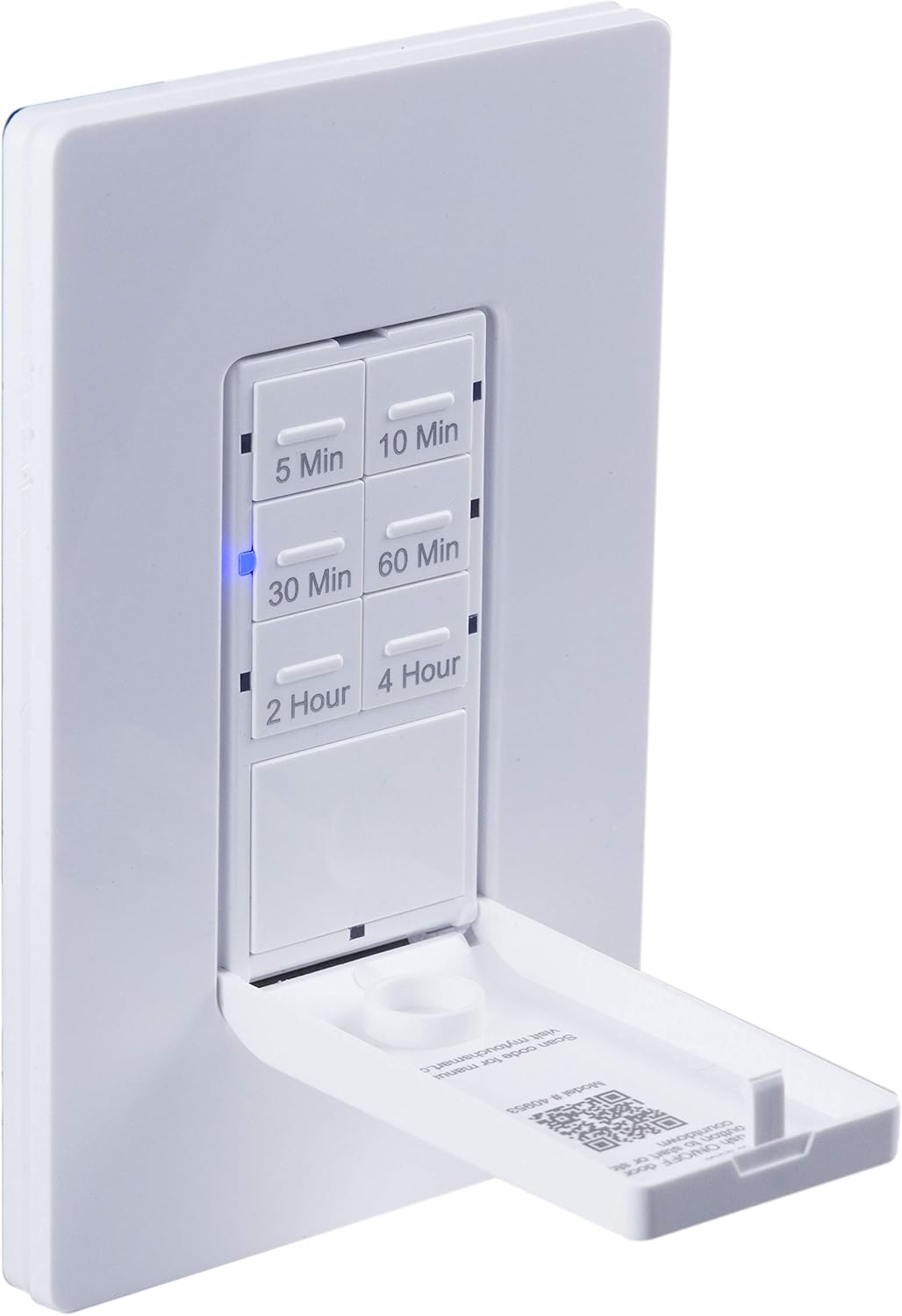
אַ נאָענט-אַרויף view of the timer with its front door panel open, exposing the six preset countdown buttons (5, 10, 30, 60 minutes, 2, and 4 hours) and the manual ON/OFF button.

The in-wall timer with its door open, showing the preset buttons and a blue LED illuminated next to the '30 Min' button, indicating an active countdown.

A hand pressing one of the preset countdown buttons on the timer, demonstrating user interaction.
4.2 מאַנועלע אויף/אויס איבערשרייבונג
- To manually turn the connected device ON or OFF at any time, press the large ON/OFF button located at the bottom of the timer (this button is also the door panel when closed).
- Pressing this button will override any active countdown. If no countdown is active, it functions as a standard ON/OFF switch.
4.3 אַפּפּליקאַטיאָנס
This timer is suitable for a variety of applications, including:
- דרינענדיק און דרויסנדיק לייטינג
- ויסמאַטערן פאַנס
- כיטערז
- Other compatible appliances

An image illustrating various applications for the timer, including controlling indoor/outdoor lights, ceiling fans, and exhaust fans.
5. וישאַלט
The myTouchSmart timer requires minimal maintenance. Follow these guidelines:
- רייניקונג: Disconnect power at the circuit breaker before cleaning. Wipe the surface with a soft, damp שטאָף. דו זאלסט נישט נוצן האַרב קעמיקאַלז אָדער אַברייסיוו קלינערז.
- דורכקוק: Periodically check for any loose connections or damage to the switch. If any damage is observed, discontinue use and consult a qualified electrician.
6. טראָובלעשאָאָטינג
If you experience issues with your myTouchSmart timer, refer to the following common problems and solutions:
| פּראָבלעם | מעגלעך סיבה | לייזונג |
|---|---|---|
| דער טייַמער טוט זיך נישט אָן/אויסלעשן. | No power to the switch; Incorrect wiring (Line/Load reversed); Loose connections. | Check circuit breaker. Verify wiring connections (Line to Line, Load to Load, Neutral, Ground). Ensure all wires are securely fastened. |
| Countdown does not activate. | Button not fully pressed; Faulty unit. | Ensure the desired countdown button is pressed firmly until the blue LED illuminates. If issue persists, contact customer support. |
| LED אינדיקאַטאָרן אַרבעטן נישט. | No power; Unit malfunction. | Check power supply. If the timer functions but LEDs do not, contact customer support. |
| ינטערמיטאַנט אָפּעראַציע. | Loose wiring; Overload. | Check all wiring connections for tightness. Ensure the connected load does not exceed the timer's electrical ratings. |
אויב די פראבלעם-לייזונג לייזט נישט אויס דעם פראבלעם, ביטע קאנטאקטירט קאסטומער שטיצע.
7. ספּעסאַפאַקיישאַנז
| שטריך | באַשרייַבונג |
|---|---|
| מאָדעל נומער | 40953 |
| אָפּעראַציע מאָדע | Automatically, Off, Push Button |
| קראַנט רייטינג | 15 Amps |
| אַפּערייטינג וואָלtage | 120 וואַק, 60 הז |
| רעסיסטיווע מאַסע | 15 א |
| טונגסטן לאָוד | 1200 וו |
| מאָטאָר רייטינג | קסנומקס / קסנומקס הפּ |
| קאַמפּאַטאַבאַל באַלבז | געפירט, קפל, ינקאַנדעסאַנט, האַלאָגען |
| מאַונטינג טיפּ | וואנט בארג |
| דימענסיעס (L X W X H) | 2.75 X 4.85 X 6.85 אינטשעס |
| פּונקט וואָג | 5.9 אונסעס |
| נייטראַל ווירע | פארלאנגט |
| אַרייַנגערעכנט קאַמפּאָונאַנץ | In-Wall Timer, White/Light Almond Door Panels |
8. וואָראַנטי און שטיצן
פֿאַר וואָראַנטי אינפֿאָרמאַציע און טעכנישע שטיצע, ביטע זען די פאַבריקאַנט'ס באַאַמטער webזייטל אדער קאנטאקט זייער קאסטומער סערוויס דעפארטמענט. האלט אייער קויף קוויטל אלס באווייז פון קויפן.
פאַבריקאַנט: myTouchSmart
UPC: 030878409537
Webפּלאַץ: www.mytouchsmart.com (ביטע טשעק די אפיציעלע website for the most current support information.)