
1. הקדמה
The TP-Link Archer T2U Plus is an AC600 High Gain Wireless Dual Band USB Adapter designed to provide high-speed Wi-Fi connectivity for desktop PCs and laptops. It supports both 2.4 GHz and 5 GHz bands, offering flexible connectivity options and enhanced range with its 5dBi high-gain antenna. This manual provides instructions for setting up, operating, and maintaining your adapter.

Image: The TP-Link Archer T2U Plus AC600 High Gain Wireless Dual Band USB Adapter.
2. פּעקל אינהאַלט
באַשטעטיקן אַז דיין פּעקל כּולל די פאלגענדע זאכן:
- AC600 High Gain Wireless Dual Band USB Adapter (Archer T2U Plus)
- שנעל ינסטאַללאַטיאָן גייד
- רעסורס סי-די (פֿאַר דרייווערס און נוצן)

Image: The retail packaging for the Archer T2U Plus, showing the adapter and its key features.
3. סיסטעם רעקווירעמענץ
Before installation, ensure your system meets the following requirements:
- An available USB port (USB 2.0 or higher recommended).
- Operating System: Windows 11/10/8.1/8/7/XP or Mac OS 10.15 and earlier.
- CD-ROM drive (for driver installation from Resource CD) or internet access (for driver download).

Image: Icons representing compatible operating systems: Windows 10, Windows 8.1, Windows 8, Windows 7, Windows XP, and Mac OS.
4. סעטאַפּ און דרייווער אינסטאַלאַציע
4.1 ייַזנוואַרג ינסטאַלירונג
- אַרייַנלייגן די אַדאַפּטער: Plug the Archer T2U Plus USB adapter into an available USB port on your computer. Ensure it is securely seated.
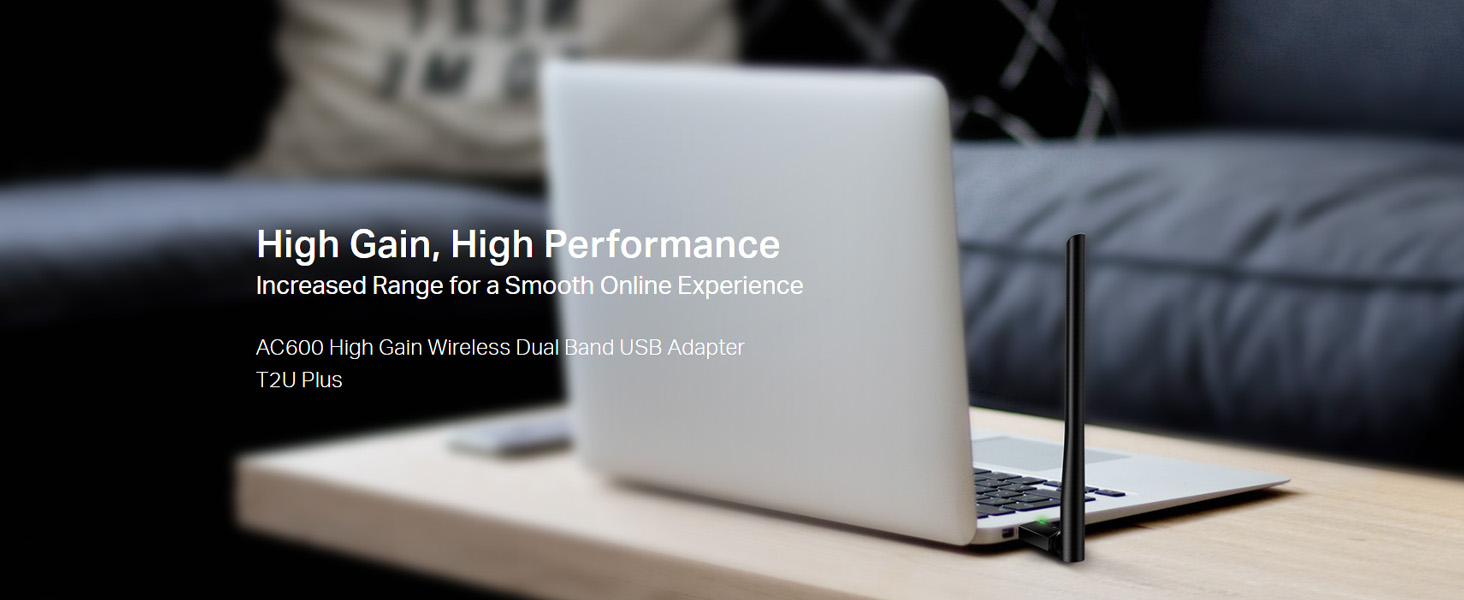
Image: The Archer T2U Plus adapter connected to a laptop's USB port, demonstrating its compact form factor.
4.2 דרייווער ינסטאַלירונג
The adapter requires a driver to function correctly. You can install it using the provided Resource CD or by downloading it from the TP-Link webפּלאַץ.
Option A: Using the Resource CD
- Insert the Resource CD into your computer's CD-ROM drive.
- Follow the on-screen instructions to run the setup wizard.
- Select the Archer T2U Plus model and proceed with the driver installation.
- ריסטאַרט דיין קאָמפּיוטער אויב געבעטן.
Option B: Downloading Drivers Online
- באַזוכט די אָפֿיציעלע TP-Link שטיצע webפּלאַץ (www.tp-link.com/support/download/).
- זוכן פֿאַר "Archer T2U Plus" and download the latest driver compatible with your operating system.
- עקסטראַקט די דאַונלאָודיד file (if compressed) and run the setup executable.
- Follow the installation wizard and restart your computer if required.
5. אַפּערייטינג ינסטרוקטיאָנס
5.1 קאַנעקטינג צו אַ Wi-Fi נעץ
- After successful driver installation, the adapter will be detected by your operating system.
- Click the Wi-Fi icon in your system tray (Windows) or menu bar (Mac OS).
- Select your desired Wi-Fi network (SSID) from the list of available networks.
- Enter the network password (security key) if prompted and click פאַרבינדן.
- The adapter will establish a connection to the Wi-Fi network.
5.2 Dual Band Functionality
The Archer T2U Plus supports both 2.4 GHz and 5 GHz Wi-Fi bands. The 5 GHz band offers faster speeds and less interference, ideal for streaming and gaming, while the 2.4 GHz band provides wider coverage.
- 2.4 גיגאהערץ באנד: Up to 200 Mbps data rate, suitable for general web בראַוזינג און בליצפּאָסט.
- 5 גיגאהערץ באנד: Up to 433 Mbps data rate, ideal for HD video streaming and online gaming.
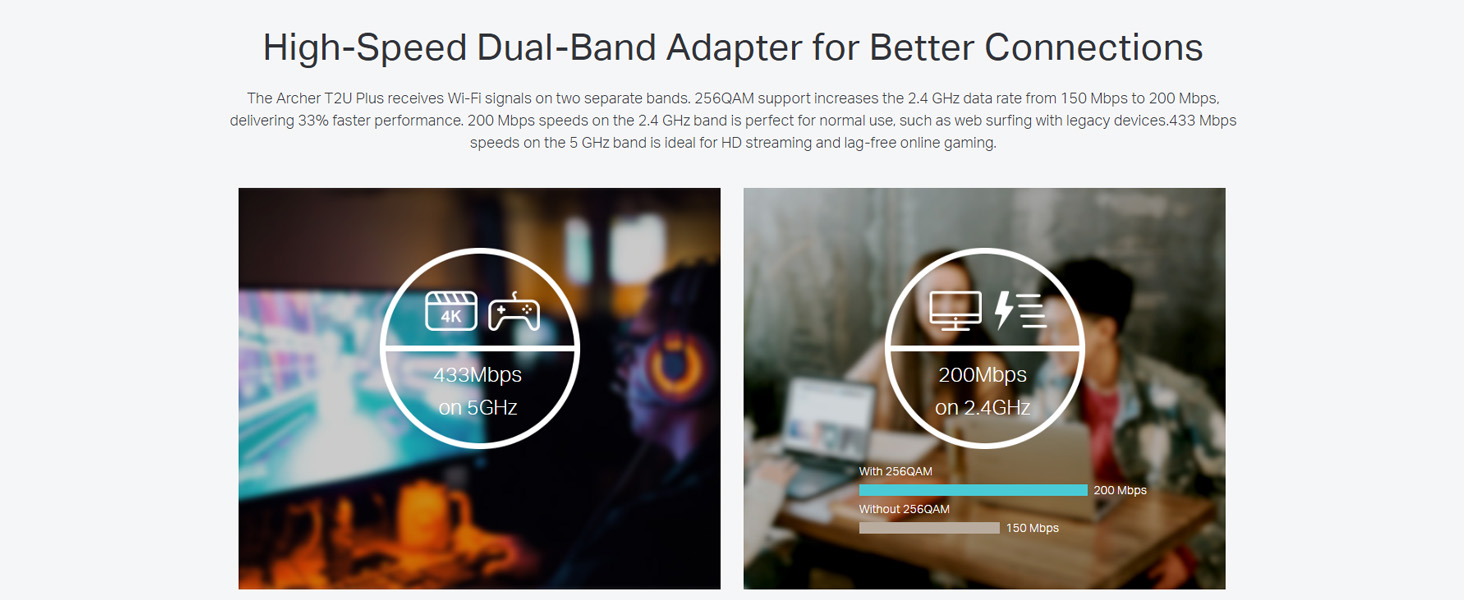
Image: A visual representation comparing the data rates and typical uses for the 2.4 GHz (200 Mbps) and 5 GHz (433 Mbps) bands.
5.3 אַנטענע אַדזשאַסטמענט
The adapter features an adjustable, multi-directional 5dBi high-gain antenna to optimize signal reception and transmission.
- Rotate and adjust the antenna in various directions to find the optimal position for signal strength and performance in your environment.
- Experiment with different angles to achieve the best possible Wi-Fi range and stability.

Image: The Archer T2U Plus adapter illustrating its adjustable antenna, capable of rotating up to 180 degrees and tilting 90 degrees for optimal signal.
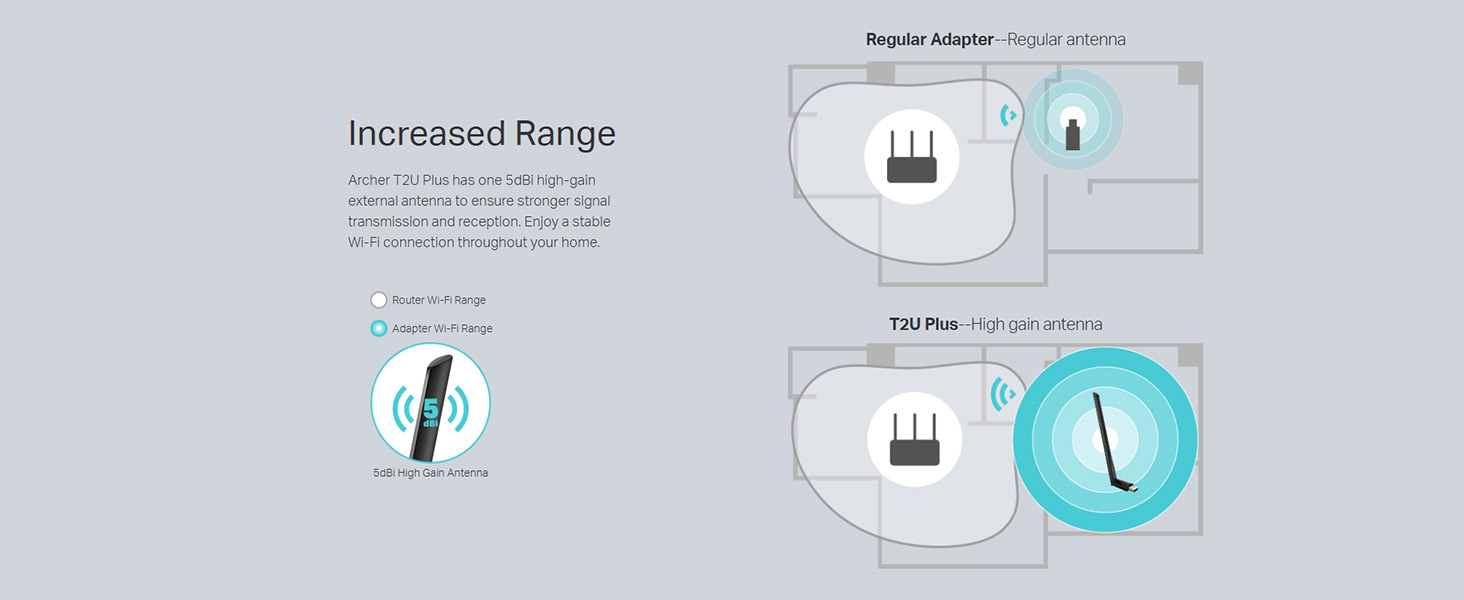
Image: A diagram comparing the Wi-Fi coverage area of a regular adapter with a standard antenna versus the extended range provided by the Archer T2U Plus's high-gain antenna.
6. וישאַלט
6.1 דרייווער דערהייַנטיקונגען
Regularly check the TP-Link support website for updated drivers. Keeping your drivers current ensures optimal performance, compatibility, and security.
6.2 רייניקונג
To maintain the adapter's performance, keep it clean and free from dust. Use a soft, dry cloth to wipe the device. Avoid using liquid cleaners or solvents.
7. טראָובלעשאָאָטינג
If you encounter issues with your Archer T2U Plus adapter, refer to the following common troubleshooting steps:
- קיין Wi-Fi פֿאַרבינדונג:
- זיכער מאַכן אַז דער אַדאַפּטער איז זיכער אַרייַנגעשטעקט אין אַ USB פּאָרט.
- איבערצייגט אז די דרייווערס זענען ריכטיג אינסטאלירט. אינסטאלירט ווידער אויב נויטיג.
- קוק צי אייער ראַוטער איז אנגעצונדן און בראָדקאַסט אַ Wi-Fi סיגנאַל.
- פּרוּווט קאַנעקטינג צו אַ אַנדערש וסב פּאָרט.
- לאַנגזאַמע Wi-Fi גיכקייט:
- Ensure you are connected to the 5 GHz band if your router supports it, for faster speeds.
- Adjust the antenna position for better signal reception.
- רעדוצירן אריינמישונג דורך אוועקרוקן דעם אַדאַפּטער פון אַנדערע עלעקטראָנישע דעוויסעס.
- דערהייַנטיקט די דרייווערס פון דיין אַדאַפּטער צו די לעצטע ווערסיע.
- אַדאַפּטער נישט דעטעקטירט:
- Try plugging the adapter into another USB port.
- ריסטאַרט דיין קאָמפּיוטער.
- אינסטאַלירן מאַנועל די דרייווערס פֿון די רעסורס סי-די אָדער טי-פּי-לינק webפּלאַץ.
8. ספּעסאַפאַקיישאַנז
| סאָרט | טפּ-לינק |
| מאָדעל | Archer T2U Plus |
| ייַזנוואַרג צובינד | וסב, וסב 2.0 |
| דאַטאַ אַריבערפירן קורס | 600 Megabits Per Second (200 Mbps on 2.4 GHz, 433 Mbps on 5 GHz) |
| אַנטענע טיפּ | 5dBi High-Gain External Antenna |
| קאַמפּאַטאַבאַל אַפּערייטינג סיסטעמס | Windows 11/10/8.1/8/7/XP, Mac OS 10.15 and earlier |
| פּראָדוקט דימענשאַנז (L x W x H) | 5.8 ל רענטגענ 1.8 וו רענטגענ 17.3 ה סענטימעטער |
| פּונקט וואָג | 12 גראַמז |
| קאָליר | שוואַרץ |
9. וואָראַנטי און שטיצן
9.1 וואָראַנטי אינפֿאָרמאַציע
דער פּראָדוקט קומט מיט אַ 3 יאָר וואָראַנטי פֿון דעם קויפֿדאַטום. ביטע באַהאַלטן אייער קויפֿבאַווײַז פֿאַר וואָראַנטי־פֿאָדערונגען. די וואָראַנטי באַדעקט פֿאַבריקאַציע־דעפֿעקטן און מאַלפאַנגקשאַנען אונטער נאָרמאַלע באַניץ־באַדינגונגען.
9.2 טעכניש שטיצן
For technical assistance, driver downloads, or further inquiries, please contact TP-Link support:
- אָפּצאָל-פריי שטיצן: 1800-209-4168
- E- בריוו שטיצן: support.in@tp-link.com
- Webפּלאַץ: www.tp-link.com/in/support/