
1. הקדמה
This manual provides comprehensive instructions for the Huawei P Smart Plus 2019 smartphone. It covers essential information regarding product features, setup, operation, maintenance, and troubleshooting to ensure optimal use of your device. Please read this manual thoroughly before using your smartphone.
2. פּראָדוקט איבערview
Familiarize yourself with the physical components of your Huawei P Smart Plus 2019 smartphone.
פיגורע 2.1: דערציען view of the Huawei P Smart Plus 2019 smartphone, showing the triple camera module, fingerprint sensor, and HUAWEI branding.
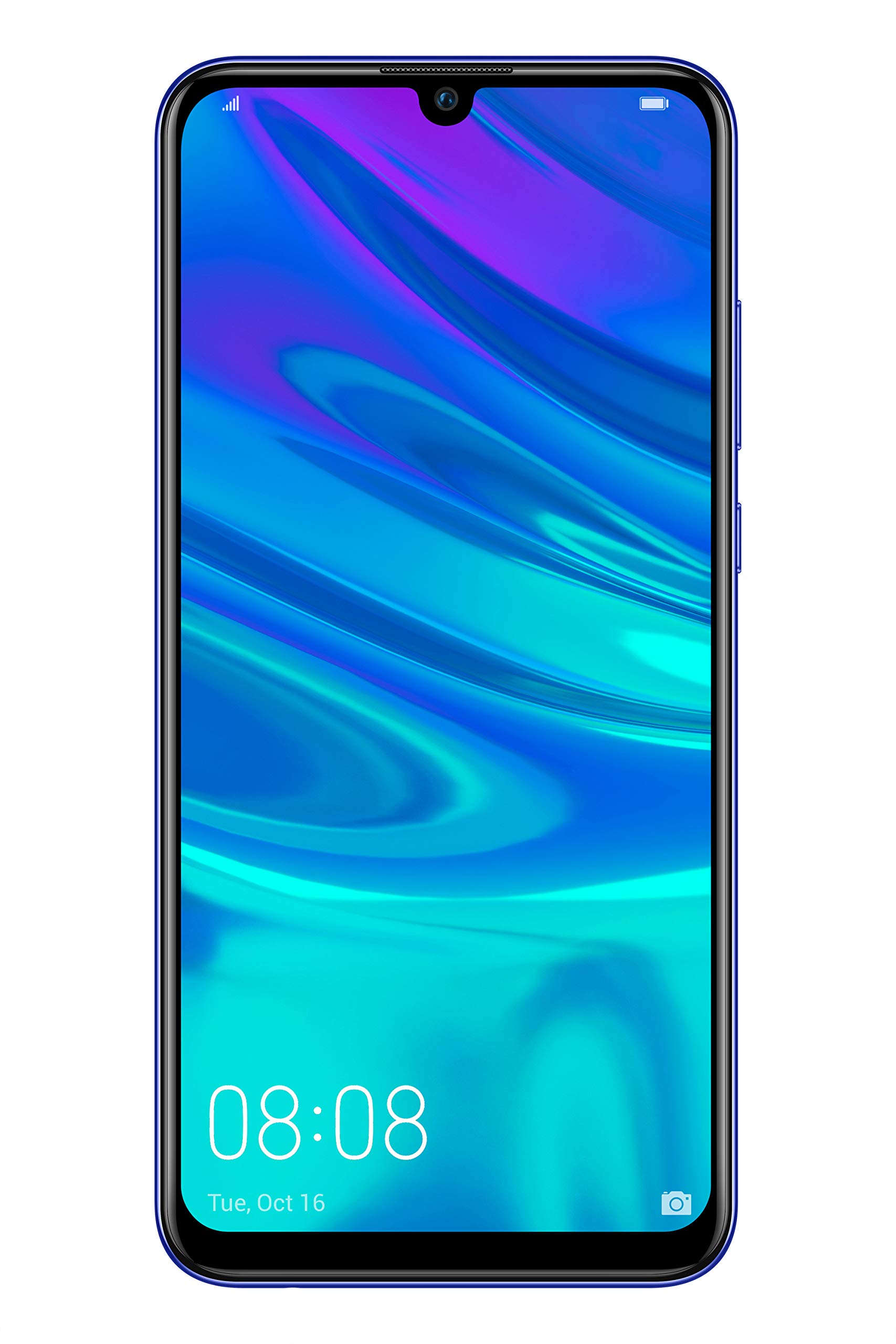
פיגורע 2.2: פראָנט view of the Huawei P Smart Plus 2019 smartphone, displaying the 6.21-inch screen with a small notch for the front camera.

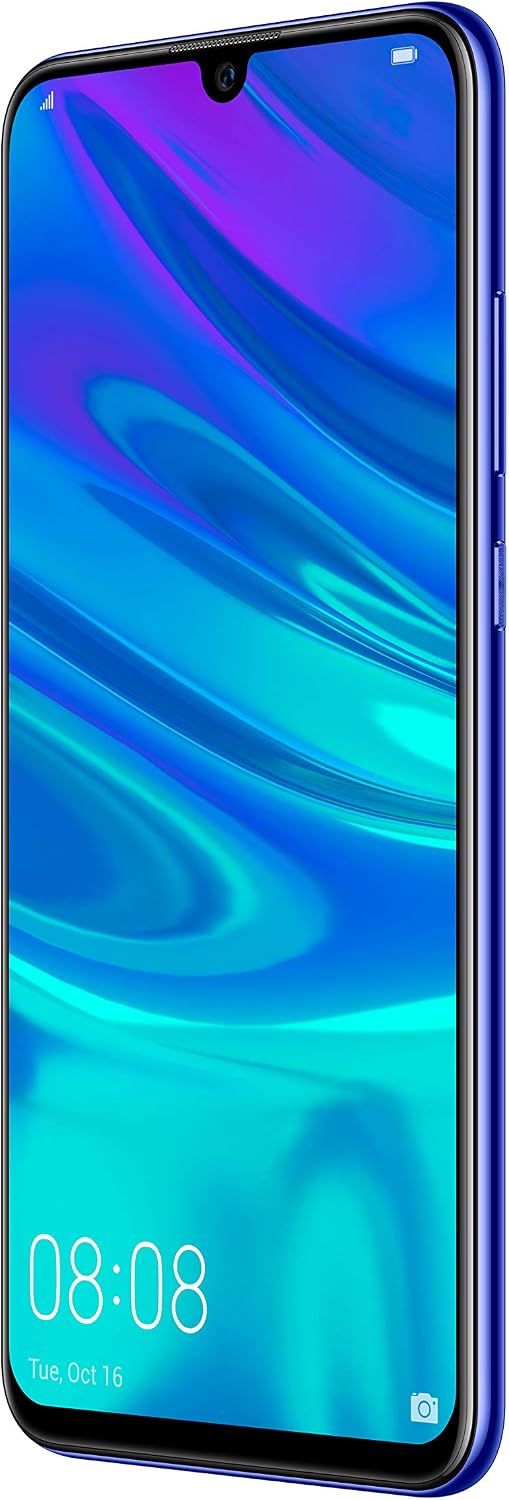
פיגורע 2.3: זייַט view of the Huawei P Smart Plus 2019 smartphone, highlighting the power and volume buttons.
שליסל קאַמפּאָונאַנץ:
- ווייַז: 6.21-inch FHD+ LCD screen.
- פראָנט אַפּאַראַט: Located in the display notch.
- דערציען קאַמעראַס: Triple camera module on the back.
- פינגערפּרינט סענסאָר: Circular sensor on the rear panel.
- מאַכט קנעפּל: אויף דער רעכטער זייט פון דעם אַפּאַראַט.
- באַנד קנעפּלעך: Above the power button on the right side.
- סים/מיקראָסד קאַרטל שפּאַלט: Typically on the left side or top edge.
- טשאַרדזשינג פּאָרט: USB Type-C, usually at the bottom.
- רעדנער / מיקראָפאָן: ליגן אין די דנאָ.
3. סעטאַפּ
3.1 אריינשטעלן סים און מיקראָסד קאַרטלעך
- געפינט די סים קארטל טאַץ אויף דער זייט פון אייער דעווייס.
- שטעקט אריין דעם סים ארויסווארף געצייג אין דעם קליינעם לאך לעבן דעם טרעי צו עס עפענען.
- Place your Nano-SIM card(s) and/or microSD card into the tray, ensuring correct orientation as indicated on the tray. This device supports Dual SIM functionality and expandable storage up to 512GB.
- פֿאָרזיכטיק שטופּ צוריק דעם טאַץ אין דעם שפּאַלט ביז עס איז גלייך מיטן אַפּאַראַט.
3.2 ערשטע איינשטראָם און אויפלאָדן
- To power on, press and hold the Power button until the HUAWEI logo appears.
- פֿאָלגט די אינסטרוקציעס אויף דעם עקראַן צו פֿאַרענדיקן די ערשטע סעטאַפּ, אַרייַנגערעכנט שפּראַך אויסוואַל, Wi-Fi פֿאַרבינדונג און Google חשבון סעטאַפּ.
- Before first use, it is recommended to fully charge the device. Connect the provided USB Type-C cable to the phone's charging port and the other end to a power adapter.
4. אַפּערייטינג ינסטרוקטיאָנס
4.1 יקערדיק פאַנגקשאַנז
- Power On/Off/Restart: Press and hold the Power button. Select the desired option from the menu.
- סקרין שלאָס / ופשליסן: Press the Power button to lock/unlock the screen. Use Face Recognition or the Fingerprint Sensor for secure unlocking.
- Calls and Messages: Use the Phone and Messaging applications for communication.
- נעץ קאַנעקטיוויטי: Access Wi-Fi settings from the Quick Settings panel or Settings app. Enable mobile data for internet access via your SIM card.
4.2 קאַמעראַ באַניץ
The Huawei P Smart Plus 2019 features a versatile camera system.
- דערציען אַפּאַראַט: The triple camera setup includes a 24MP main sensor, a 16MP ultra-wide sensor, and a 2MP bokeh sensor. Open the Camera app and select modes like Automatic, Portrait, or Sport.
- פראָנט אַפּאַראַט: An 8MP front camera is available for selfies and video calls. Switch to the front camera within the Camera app.
- קינסטלעכע אינטעליגענץ פֿעיִקייטן: The camera utilizes AI to optimize scene recognition and enhance photo quality.
4.3 סטאָרידזש און זכּרון
Your device comes with 64GB of internal storage, which can be expanded up to 512GB using a microSD card. It has 3GB of RAM for smooth multitasking.
4.4 באַטערי מאַנאַגעמענט
The device is equipped with a 3400 mAh Lithium-Polymer battery. To optimize battery life, manage background apps, adjust screen brightness, and utilize power-saving modes available in the Settings app.
4.5 אַפּערייטינג סיסטעם
The smartphone runs on Android 9 (Pie) with Huawei's EMUI 9 interface, offering a range of features and customization options.
5. וישאַלט
5.1 רייניקן דיין דעווייס
Use a soft, lint-free cloth to gently wipe the screen and body of your phone. Avoid using harsh chemicals or abrasive materials, which can damage the device's finish or screen coating.
5.2 ווייכווארג דערהייַנטיקונגען
Regularly check for and install software updates to ensure your device has the latest features, security patches, and performance improvements. You can usually find this option in Settings > System > Software update.
5.3 באַטערי קער
To prolong battery lifespan, avoid extreme temperatures. Do not leave the phone fully charged or fully discharged for extended periods. Use only approved chargers and cables.
5.4 דאַטאַ באַקקופּ
Regularly back up your important data (photos, contacts, documents) to a cloud service or a computer to prevent data loss.
6. טראָובלעשאָאָטינג
This section addresses common issues you might encounter with your Huawei P Smart Plus 2019.
6.1 אַפּאַראַט טוט זיך נישט אָן
- זיכער מאַכן אַז די באַטאַרייע איז אויפגעלאָדן. פֿאַרבינדט דעם טשאַרדזשער און וואַרט אַ פּאָר מינוט איידער איר פּרוּווט עס אָנצוצינדן.
- דריק און האלט דעם פּאַוער קנעפּל פֿאַר לפּחות 10-15 סעקונדעס צו צווינגען אַ ריסטאַרט.
6.2 שלעכטע באַטאַרייע לעבן
- שליסט נישט גענוצטע אַפּליקאַציעס וואָס לויפן אין הינטערגרונט.
- רעדוצירן דעם ברייטקייט פון דעם עקראַן און שטעלן אַ קירצערע טיימאַוט פון דעם עקראַן.
- דיאַקטיווירן Wi-Fi, בלועטוט, און GPS ווען נישט אין באַנוץ.
- טשעק באַטאַרייע באַניץ אין סעטטינגס צו ידענטיפיצירן מאַכט-הונגעריקע אַפּפּס.
6.3 Network Issues (No Signal/Wi-Fi Disconnection)
- ריסטאַרט דיין מיטל.
- Ensure your SIM card is correctly inserted and your mobile data plan is active.
- For Wi-Fi, try restarting your router. Forget the network on your phone and reconnect.
6.4 אַפּפּס קראַכן אָדער פרירן
- קראַפט פאַרמאַכן די אַפּ און ריאָופּאַן עס.
- Clear the app's cache and data in Settings > Apps.
- זיכער מאַכן אַז די אַפּ איז דערהייַנטיקט צו איר לעצטער ווערסיע.
- אויב די פראבלעם בלייבט, באַטראַכט צו דעינסטאַלירן און ריאינסטאַלירן די אַפּ.
6.5 פאַבריק ריסעט (לעצטע ריזאָרט)
If other troubleshooting steps fail, a factory reset may resolve persistent issues. ווארענונג: This will erase all data on your device. Back up your data before proceeding. Go to Settings > System > Reset > Factory data reset.
7. ספּעסאַפאַקיישאַנז
| שטריך | דעטאַל |
|---|---|
| מאָדעל נומער | POT-LX1T, 51093RVX |
| ווייַז | 6.21 inches, LCD, FHD+ (2340 x 1080 pixels), 415 PPI |
| פּראַסעסער | Kirin 710 Octa-core (4 x 2.2 GHz, 4 x 1.7 GHz) |
| באַראַן | 3 גיגאבייט |
| אינערלעכער סטאָרידזש | 64 גיגאבייט |
| יקספּאַנדאַבאַל סטאָרידזש | מיקראָסד אַרויף צו 512 גיגאבייט |
| דערציען אַפּאַראַט | Triple: 24 MP (main) + 16 MP (ultra-wide) + 2 MP (bokeh) |
| פראָנט אַפּאַראַט | 8 מפּ |
| באַטערי | 3400 מאַה ליטהיום-פּאַלימער |
| אָפּערייטינג סיסטעם | Android 9 (Pie) with EMUI 9 |
| סים קאָרט טיפּ | Nano-SIM (Dual SIM support) |
| קאַנעקטיוויטי | LTE, GSM, Wi-Fi, Bluetooth, USB Type-C |
| ביאָמעטריק זיכערהייט | Fingerprint Sensor, Face Recognition |
| דימענשאַנז | 8 X 155 X 73 מם |
| וואָג | 160 גראַמז |
| דורכשניטלעך באַטאַרייע לעבן | 25 שעה |
8. זיכערקייַט אינפֿאָרמאַציע
ביטע האַלטן די פאלגענדע זיכערהייט גיידליינז צו פאַרמייַדן שאָדן אָדער שעדיקן צו דיין מיטל:
- שטעלט נישט אויס דעם אפאראט צו עקסטרעמע טעמפעראטורן, דירעקטע זונשייַן, אדער פייכטקייט.
- ניצט נאָר באַשטעטיקטע טשאַרדזשערס און אַקסעסאָריעס.
- פֿאַרמײַדט צו לאָזן פֿאַלן אָדער אויסשטעלן דאָס אַפּאַראַט צו שווערע קלאַפּן.
- פּרוּווט נישט צו צענעמען אָדער פאַרריכטן דעם אַפּאַראַט אַליין. ווענדט זיך צו באַרעכטיקטע סערוויס פּערסאָנעל.
- האַלט דעם אַפּאַראַט אַוועק פון מעדיצינישע דעוויסעס צו ויסמיידן ינטערפיראַנס.
- אַוועקוואַרפן דאָס אַפּאַראַט און זײַן באַטאַרייע פֿאַראַנטוואָרטלעך לויט די לאָקאַלע רעגולאַציעס.
9. וואָראַנטי און שטיצן
Your Huawei P Smart Plus 2019 smartphone is covered by a limited warranty. For detailed warranty terms and conditions, please refer to the warranty card included in the product packaging or visit the official HUAWEI webפּלאַץ.
For technical support, service, or further assistance, please contact HUAWEI customer service or visit an authorized service center. Contact information can typically be found on the official HUAWEI support webפּלאַץ.