
Sceptre C248B-144RN
Sceptre 24-Inch C248B-144RN Curved Gaming Monitor Instruction Manual
Model: C248B-144RN
1. פּראָדוקט איבערview
The Sceptre C248B-144RN is a 24-inch Full HD curved monitor designed for gaming. It features a 165Hz refresh rate and supports AMD FreeSync for smooth visuals. This monitor includes DisplayPort, HDMI, and Audio Out Jack connectivity. Its curved display offers an immersive viewing experience, and it incorporates features like Anti-Flicker and specialized game modes (FPS/RTS).
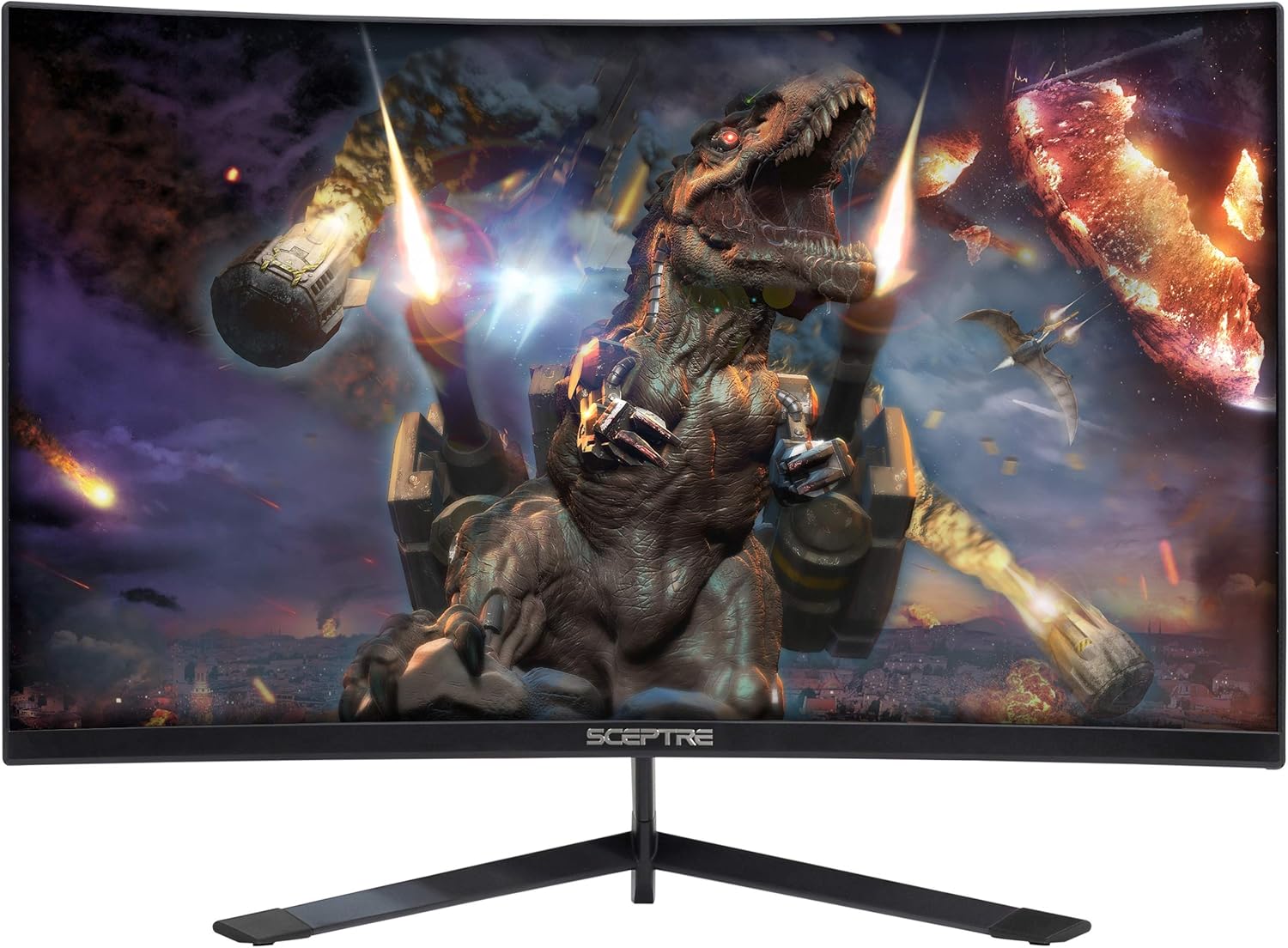
פיגורע 1: פראָנט view of the Sceptre C248B-144RN Curved Gaming Monitor.
2. סעטאַפּ אינסטרוקציעס
2.1. מאָניטאָר פֿאַרזאַמלונג
Carefully remove the monitor and its components from the packaging. Follow these steps to assemble the stand:
- באַפעסטיקט דעם שטאַנד האַלדז צום מאָניטאָר פּאַנעל.
- באַפֿעסטיקן דעם שטאַנד באַזע צום שטאַנד האַלדז מיט די צוגעשטעלטע שרויפֿן.
- שטעלט דעם צוזאַמענגעשטעלטן מאָניטאָר אויף אַ סטאַבילער, גלאַטער ייבערפלאַך.

Figure 2: Sceptre C248B-144RN monitor with its stand assembled.
2.2. זיך פֿאַרבינדן צו אַ מיטל
The monitor supports DisplayPort and HDMI connections. Ensure your device is powered off before connecting cables.
- DisplayPort: Connect one end of a DisplayPort cable to your computer's graphics card and the other end to the DisplayPort input on the monitor.
- הדמי: Connect one end of an HDMI cable to your computer's graphics card or other HDMI-enabled device and the other end to an HDMI input on the monitor. The monitor has 1 HDMI 2.0 port (up to 165Hz) and 2 HDMI 1.4 ports (up to 144Hz).
- אַודיאָ אָוט: For external audio, connect speakers or headphones to the Audio Out Jack.

פיגורע 3: דערציען view of the monitor displaying the various input ports including DisplayPort and HDMI.
2.3. מאַכט קאַנעקשאַן
Connect the power adapter to the monitor's DC IN port, then plug the power cable into a wall outlet.
2.4. VESA Wall Mount (Optional)
The monitor is VESA compatible, allowing for wall mounting. Ensure you use a VESA-compliant mount and follow its instructions for safe installation. The VESA pattern allows for flexible placement.
3. אַפּערייטינג ינסטרוקטיאָנס
3.1. מאַכט אויף / אויסגעלאשן
Press the power button located on the monitor to turn it on or off. The power indicator light will change color to indicate its status (e.g., blue for on, red for standby).
3.2. אויף-סקרין ווייַז (אָסד) מעניו
Use the buttons on the back or bottom of the monitor to navigate the OSD menu. The OSD allows you to adjust various settings:
- בילד סעטטינגס: Adjust brightness, contrast, sharpness, and other visual parameters.
- קאָליר סעטטינגס: מאָדיפֿיצירן קאָליר טעמפּעראַטור, גאַמאַ, און יחידישע RGB ווערטן.
- סיסטעם סעטטינגס: Access options like FreeSync, Overdrive, Sleep Mode, Language, OSD Position, OSD Timer, Volume, and Reset.

פיגורע 4: זייַט view of the monitor highlighting the location of the OSD control buttons.
3.3. גיימינג פֿעיִטשערז
- AMD FreeSync: This technology synchronizes the monitor's refresh rate with your GPU's frame rate to eliminate screen tearing and stuttering. Enable FreeSync in the OSD menu and ensure it's enabled in your graphics card settings.

Figure 5: Visual comparison demonstrating the effect of AMD FreeSync on screen tearing.
- FPS/RTS Game Modes: The monitor includes pre-set display settings optimized for First Person Shooter (FPS) and Real-Time Strategy (RTS) games. These modes enhance visibility and response for specific game genres.
- אַנטי-פליקער: This feature reduces screen flickering, providing a more comfortable viewing experience and reducing eye strain during extended use.

Figure 6: Illustration of the Anti-Flicker technology reducing visual artifacts.
- בלוי ליכט פילטער: Reduces blue light emissions to minimize eye strain, especially during nighttime use.

Figure 7: Demonstration of the Blue Light Filter feature for reduced eye strain.
3.4. Curved Display
דער 1500R קערווד סקרין גיט אַן איממערסיוו viewing experience, wrapping images around your field of vision for enhanced depth and engagement.

פיגור 8: פון אויבן אַראָפּ view illustrating the 1500R curvature of the monitor.
3.5. אפיציעלע פּראָדוקט ווידעאָ
ווידעא 1: אן אפיציעלער פראדוקט איבערview video for the Sceptre 24-inch Curved Gaming LED Monitor, showcasinג זייַנע פֿעיִקייטן און פּלאַן.
4. וישאַלט
כדי צו זיכער מאַכן די לאַנגלעבעניש און אָפּטימאַלע פאָרשטעלונג פון דיין מאָניטאָר, נאָכפאָלגן די וישאַלט גיידליינז:
- רייניקונג די פאַרשטעלן: ווישט אָפּ דעם עקראַן מיט אַ ווייכן, לינט-פֿרײַעם שטאָף. פֿאַר שווערע פֿלעקן, ווישט לײַכט.ampווישט דעם שטאָף מיט וואַסער אָדער אַ רייניקונג לייזונג ספּעציפֿיש פֿאַרן עקראַן. פֿאַרמייַדט שטרענגע כעמיקאַלן אָדער אַברייסיוו מאַטעריאַלן.
- רייניקונג פון די Casing: ניצט אַ ווייכע, טרוקענע שטאָף צו רייניקן דעם מאָניטאָרasing.
- ווענטילאַטיאָן: זיכערט זיך אז די מאָניטאָר'ס ווענטילאַציע עפענונגען זענען נישט פארשטאפט צו פארמיידן איבערהיצונג.
- סטאָרידזש: ווען נישט אין באַנוץ פֿאַר לענגערע פּעריאָדן, זאָל מען האַלטן דעם מאָניטאָר אין אַ קיל, טרוקן אָרט, בעסער אין זיין אָריגינעלער פּאַקאַדזשינג.
5. טראָובלעשאָאָטינג
If you encounter issues with your Sceptre C248B-144RN monitor, refer to the following common problems and solutions:
| פּראָבלעם | מעגלעך סיבה | לייזונג |
|---|---|---|
| קיין בילד אויף פאַרשטעלן | Power cable disconnected, video cable loose, incorrect input source. | Check power connections. Ensure video cables (DisplayPort/HDMI) are securely connected. Select the correct input source via the OSD menu. |
| בילד איז פארשוואומען אדער פארדרייט | Incorrect resolution, faulty video cable, graphics driver issue. | Set the display resolution to 1920x1080. Try a different video cable. Update your graphics card drivers. |
| סקרין פליקער | Refresh rate mismatch, FreeSync not enabled, external interference. | Ensure refresh rate is set to 165Hz (or 144Hz for HDMI 1.4). Verify FreeSync is enabled in OSD and GPU settings. Check for nearby electronic devices causing interference. |
| קיין אַודיאָ | Volume muted, incorrect audio output selected, faulty audio cable. | Check monitor volume in OSD. Ensure correct audio output is selected on your computer. Verify external speakers/headphones are connected correctly. |
| Vertical or horizontal lines on screen | Faulty video cable, graphics card issue, panel defect. | Try a different video cable. Test the monitor with another device. If the problem persists, contact customer support. |
5.1. עקסamples of Display Issues (User-Submitted Videos)
The following videos, submitted by users, illustrate common display problems. These are examples of issues and not official troubleshooting guides.
Video 2: This user-submitted video shows a monitor with a damaged screen, potentially due to physical impact.
Video 3: This user-submitted video demonstrates a monitor displaying a red line across the screen, which could indicate a panel defect or a faulty connection.
Video 4: This user-submitted video shows a monitor with a black screen despite being powered on, potentially indicating a signal input problem or internal display issue.
6. פּראָדוקט ספּעסאַפאַקיישאַנז
| שטריך | דעטאַל |
|---|---|
| סאָרט | סצעפּטער |
| מאָדעל נומער | C248B-144RN |
| פאַרשטעלן גרייס | 24 אינטשעס |
| האַכלאָטע | FHD 1080p (1920 x 1080 פּיקסעלס) |
| דערפרישן קורס | 165 הז |
| ענטפער צייט | 3 מיליסעקאַנדז |
| אַספּעקט פאַרהעלטעניש | 16:9 |
| קערוואַטשער | 1500ר |
| ווייַז טיפּ | געפירט |
| קאַנטראַסט פאַרהעלטעניש | 1,000,000:1 |
| ברייטנאַס | 250 סי / מ² |
| Viewינג אַנגלע | 178 דיגריז |
| קאַנעקטיוויטי | 1x DisplayPort, 1x HDMI 2.0, 2x HDMI 1.4, Audio Out Jack |
| אַדאַפּטיוו סינק | AMD FreeSync |
| מאַונטינג טיפּ | VESA Wall Mountable |
| נאָך פֿעיִקייטן | Blue Light Filter, Built-In Speakers, Curved, Flicker-Free, Frameless, Tilt Adjustment |
| Item Dimensions (WxHxD) | 21.61" x 16.06" x 6.55" (מיט שטאַנד) |
| פּונקט וואָג | 6.3 פונט |
| מאַכט קאַנסאַמשאַן | 30 וואטס |
7. וואָראַנטי אינפֿאָרמאַציע
The Sceptre C248B-144RN monitor comes with a limited 1-year warranty. This warranty covers manufacturing defects and malfunctions under normal use. Please retain your proof of purchase for warranty claims. For full details on warranty terms and conditions, refer to the official Sceptre webפּלאַץ אָדער קאָנטאַקט קונה שטיצן.
8. קונה שטיצן
For technical assistance, troubleshooting beyond this manual, or warranty inquiries, please contact Sceptre customer support:
- Webפּלאַץ: Visit the official Sceptre webזייטל פֿאַר אָפֿט געשטעלטע פֿראַגעס, דרייווער דאַונלאָודז, און שטיצע רעסורסן.
- קאָנטאַקט אינפֿאָרמאַציע: Refer to the contact section on the Sceptre webזייטל פֿאַר טעלעפאָן נומערן אָדער בליצפּאָסט שטיצע.
When contacting support, please have your monitor model number (C248B-144RN) and serial number ready.
Ask a question about this manual
Ask about setup, troubleshooting, compatibility, parts, safety, or missing instructions. Manuals+ will review the question and use this page’s manual context to help answer it.