
1. הקדמה
א דאנק פארן קויפןasing the DACOM GF7 TWS V4.2 Bluetooth Earbuds. This manual provides detailed instructions on how to set up, operate, and maintain your earbuds to ensure optimal performance and longevity. Please read this manual thoroughly before using the product and retain it for future reference.
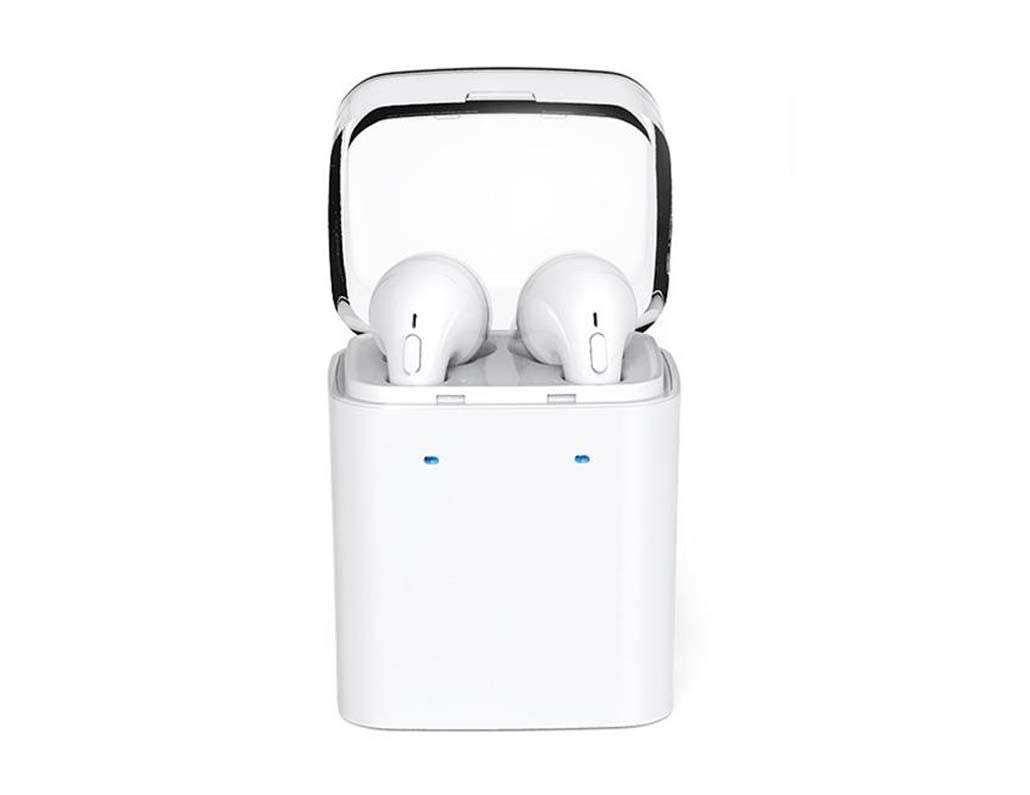
Image 1.1: DACOM GF7 TWS V4.2 Bluetooth Earbuds in their charging case.
2. פּעקל אינהאַלט
ביטע קאָנטראָלירט די אינהאַלט פון דער פּאַקעט ווען איר נעמט עס אויס. אויב עס פעלט עפּעס אָדער עס זענען צעבראָכן, קאָנטאַקטירט אייער הענדלער.
- DACOM GF7 TWS V4.2 Bluetooth Earbuds (Left and Right)
- פּאָרטאַטיוו טשאַרדזשינג קאַסע
- וסב טשאַרדזשינג קאַבלע
- אויער קישן (פאַרשידענע גרייסן)
- באַניצער מאַנואַל (דעם דאָקומענט)
3. פּראָדוקט איבערview
Familiarize yourself with the components of your DACOM GF7 TWS V4.2 Earbuds and charging case.

Image 3.1: Detailed diagram showing the Multifunction Button (MFB), Indicator Light, Microphone (Mic), Air Gate, DC5V Charge Jack Cover, Headphone Charging Indicator Light, USB Charging Input Port, and the Charging Indicator Light of the bottom on the DACOM GF7 TWS V4.2 Earbuds and Charging Case.
- מולטיפונקציאָנעל קנעפּל (MFB): Used for power, playback, call management, and voice assistant activation.
- ינדיקאַטאָר ליכט: Displays pairing status, charging status, and power status.
- מיק: Built-in microphone for calls and voice commands.
- לופט טויער: Acoustic vent for sound performance.
- DC5V Charge Jack Cover: Protects the charging port on the earbuds.
- Headphone Charging Indicator Light: Shows charging status of individual earbuds within the case.
- USB Charging Input Port: For charging the portable charging case.
- Charging Indicator Light of the bottom: ווײַזט דעם טשאַרדזשינג סטאַטוס פֿון דעם קעיס.
4. סעטאַפּ
4.1. אויפלאָדן די אויערקנעפּלעך און אויפלאָדן קעסטל
- טשאַרדזשינג די קאַסטן: Connect the USB charging cable to the USB Charging Input Port on the charging case and the other end to a 5V USB power adapter (not included). The Charging Indicator Light at the bottom of the case will illuminate to indicate charging. Once fully charged, the indicator light may change color or turn off.
- טשאַרדזשינג די עאַרבודז: Place the earbuds into their respective slots in the charging case. Ensure the earbuds are properly seated. The Headphone Charging Indicator Light on the case will show the charging status of the earbuds. The earbuds' indicator lights will also show charging status (e.g., red while charging, off when fully charged).
- For first-time use, fully charge both the earbuds and the charging case.
4.2. בלועטאָאָטה פּערינג
- מאַכט אויף: Take both earbuds out of the charging case. They will automatically power on and attempt to pair with each other. You will hear an audible prompt indicating they are connected to each other.
- פּערינג מאָדע: Once the earbuds are paired with each other, one earbud's indicator light will flash red and blue alternately, indicating it is in pairing mode and ready to connect to your device.
- פאַרבינדן צו מיטל: On your smartphone or Bluetooth-enabled device, go to the Bluetooth settings and search for available devices. Select "DACOM GF7 TWS" (or similar name) from the list.
- מצליח קשר: Once connected, the earbud's indicator light will stop flashing, and you will hear a confirmation sound.
- אָטאַמאַטיק ריקאַנעקשאַן: נאך דער ערשטער פארבינדונג, וועלן די אויערקנעפלעך זיך אויטאמאטיש פארבינדן צום לעצטן פארבינדענעם אפאראט ווען מען נעמט זיי ארויס פון די טשאַרדזשינג קעיס, אויב בלועטוט איז ענייבאַלד אויף אייער אפאראט.
5. אַפּערייטינג ינסטרוקטיאָנס
The DACOM GF7 TWS V4.2 Earbuds feature a Multifunction Button (MFB) for various controls.
5.1. מאַכט אויף / אויסגעלאשן
- מאַכט אויף: Take the earbuds out of the charging case. They will power on automatically. Alternatively, press and hold the MFB on both earbuds for approximately 3 seconds until you hear a power-on prompt.
- מאַכט אַוועק: Place the earbuds back into the charging case. They will power off automatically. Alternatively, press and hold the MFB on both earbuds for approximately 5 seconds until you hear a power-off prompt.
5.2. מוזיק פּלייבאַק
- שפּיל / פּויזע: Single press the MFB on either earbud.
- ווייַטער שפּור: Double press the MFB on the right earbud.
- פֿריִערדיקע שפּור: Double press the MFB on the left earbud.
5.3. רופן מאַנאַגעמענט
- ענטפֿערן / סוף רופן: Single press the MFB on either earbud.
- אָפּוואַרפן רופן: Press and hold the MFB on either earbud for approximately 2 seconds.
5.4. קול אַססיסטאַנט
- אַקטאַווייט קול אַססיסטאַנט: Triple press the MFB on either earbud to activate your device's voice assistant (e.g., Siri, Google Assistant).
5.5. ראַש קאַנסאַליישאַן
- The DACOM GF7 TWS V4.2 features active noise cancellation. Specific activation methods may vary. Refer to the product's quick start guide or manufacturer's website for precise instructions if not detailed here. Typically, a long press or specific tap sequence on an MFB or dedicated button activates/deactivates ANC.
6. וישאַלט
געהעריקע אויפהאלטונג גאראנטירט די לאנגעוויטי און פאָרשטעלונג פון אייערע אויערן-קנעפּלעך.
- רייניקונג: רייניקט רעגולער די אויערקנעפּלעך און די טשאַרדזשינג קעסטל מיט אַ ווייכן, טרוקענעם, לינט-פֿרייע שטאָף. ניצט נישט קיין שאַרפע כעמיקאַלן אדער אַברייסיוו מאַטעריאַלן.
- אויער עצות: Remove and clean the ear tips periodically with a damp שטאָף און מילד זייף, דערנאָך שווענקען און טרוקן גוט איידער איר צוריק צוטשעפּען.
- סטאָרידזש: ווען נישט אין באַנוץ, לייגט די אויערקנעפּלעך אין זייער טשאַרדזשינג קעסטל צו באַשיצן זיי פון שטויב און שעדיקן.
- ויסמיידן נעץ: Keep the earbuds and charging case away from water, excessive humidity, and extreme temperatures.
7. טראָובלעשאָאָטינג
אויב איר טרעפט פּראָבלעמען מיט אייערע אויערקנעפּלעך, זעט די פאלגענדע געוויינטלעכע פּראָבלעמען און לייזונגען.
| פּראָבלעם | לייזונג |
|---|---|
| די אויערקנעפּלעך פּאַסן נישט איינס מיטן אַנדערן. |
|
| אויערקנעפּלעך פאַרבינדן זיך נישט צום דעווייס. |
|
| קיין קול פון די אויערקנעפלעך. |
|
| Charging case or earbuds not charging. |
|
8. ספּעסאַפאַקיישאַנז
| סאָרט נאָמען | DACOM |
| מאָדעל נאָמען | GF7 TWS |
| מאָדעל נומער | 7 טווס |
| קאָליר | ווייַס |
| כעדפאָונז פאָרעם פאַקטאָר | אין אויער |
| ראַש קאָנטראָל | אַקטיוו ראַש קאַנסאַליישאַן |
| קאַנעקטיוויטי טעכנאָלאָגיע | ווירעלעסס (בלועטאָאָטה) |
| ווירעלעסס קאָמוניקאַציע טעכנאָלאָגיע | Bluetooth V4.2 (inferred from title) |
| אַרייַנגערעכנט קאַמפּאָונאַנץ | אויער קושאַנז |
| ספּעציעלע פֿעיִקייטן | ראַש קאַנסאַליישאַן, מיקראָפאָן אַרייַנגערעכנט |
| קאָנטראָל מעטאָד | ריר |
| קאַמפּאַטאַבאַל דעוויסעס | אַלע דעוויסעס |
| מאַטעריאַל | PU Metal Eraser (likely referring to ear tip material or casing finish) |
9. זיכערקייַט אינפֿאָרמאַציע
ביטע ליינט און פאלגט די זיכערהייט גיידליינז צו פאַרמייַדן שאָדן אָדער שעדיקן צו דיין מיטל.
- נעמט נישט אויס, פאררעכט, אדער מאדיפיצירט נישט דאס פראדוקט. דאס קען פאראורזאכן פייער, עלעקטרישע שאק, אדער גאנצע שאדן צום פראדוקט.
- Keep the product away from extreme temperatures (hot or cold), direct sunlight, and sources of heat.
- ויסמיידן יקספּאָוזינג די פּראָדוקט צו וואַסער אָדער אנדערע ליקווידס.
- ניצט נישט דעם פּראָדוקט אויף הויכן קול פֿאַר לענגערע צייטן כּדי צו פֿאַרמייַדן שאָדן צו הערן.
- ניצן בלויז די צוגעשטעלט אָדער רעקאַמענדיד טשאַרדזשינג קייבאַלז און אַדאַפּטערז.
- האַלטן אַוועק פון קינדער און חיות. קליינע טיילן קענען זיין אַ דערשטיקונגס געפאַר.
- Be aware of your surroundings when using the earbuds, especially in traffic or other potentially dangerous situations.
10. וואָראַנטי און שטיצן
DACOM products are designed and manufactured to the highest quality standards. For detailed warranty information, please refer to the warranty card included with your purchase or visit the official DACOM webפּלאַץ.
For technical support, troubleshooting assistance, or to inquire about replacement parts, please contact DACOM customer service through their official webזייטל אדער די קאָנטאַקט אינפֿאָרמאַציע וואָס איז צוגעשטעלט אין אייער פּראָדוקט פּאַקאַדזשינג.
- אָנליין שטיצן: Visit the official DACOM webזייטל פֿאַר אָפֿט געשטעלטע פֿראַגעס, שטיצע אַרטיקלען, און קאָנטאַקט פֿאָרמען.
- E- בריוו שטיצן: Refer to your product packaging for customer service email addresses.