
1. הקדמה
The Ewent EW1570 is a versatile 4-in-1 universal programmable remote control designed to consolidate the control of up to four different audio/video devices into a single unit. This remote is compatible with a wide range of equipment, including televisions, DTT/SAT/STB receivers, DVD/Blu-ray players, projectors, soundbars, media hard drives, and Hi-Fi systems. Its key feature is PC-based programming, which allows for precise customization and ensures compatibility with various brands and models.
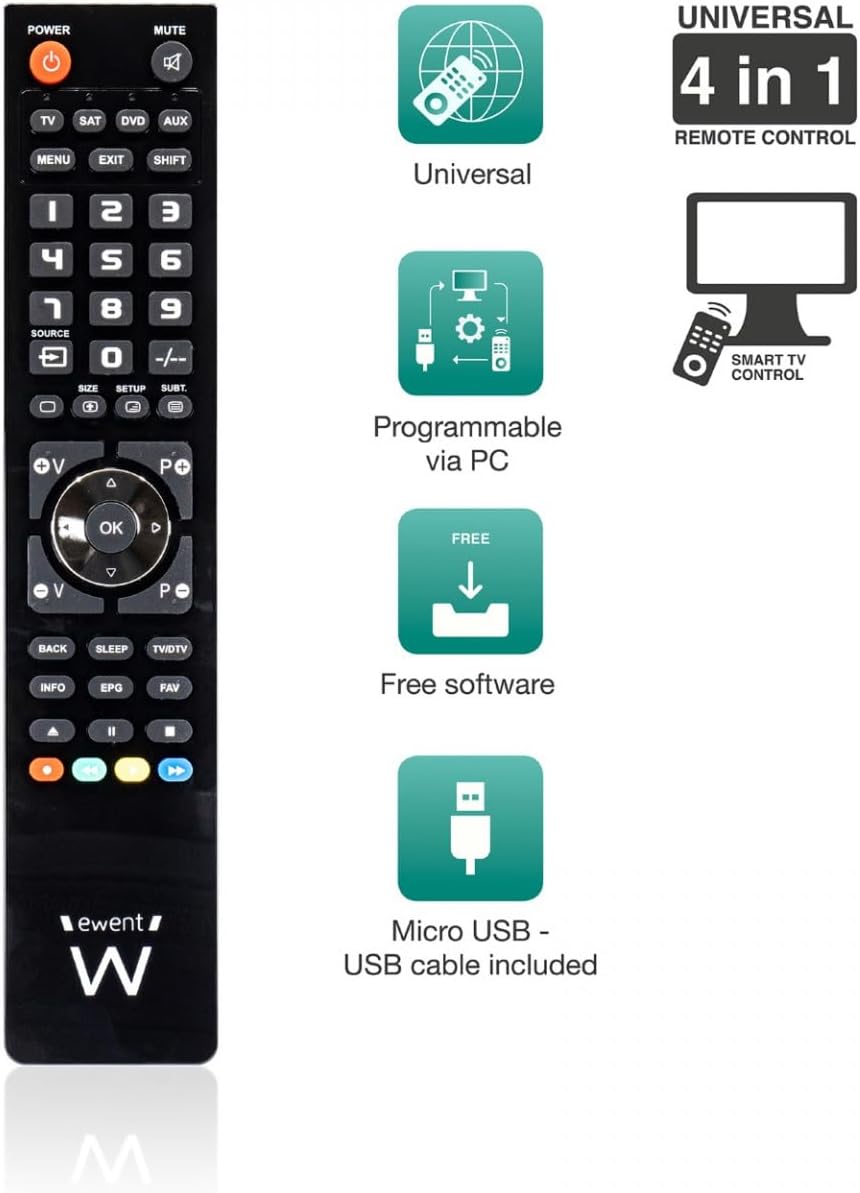
An image displaying the Ewent EW1570 remote control alongside icons representing its key features: universal compatibility, PC programmability, free software, and inclusion of a micro USB cable.
2. פּראָדוקט איבערview
The Ewent EW1570 remote control features a standard layout with clearly labeled buttons for easy navigation and control. It is designed for comfortable handling and intuitive operation. The remote includes dedicated buttons for device selection (TV, SAT, DVD, AUX), a numeric keypad, channel and volume controls, and navigation buttons. A micro USB port is located on the remote for PC connection during the programming process.

פראָנט view of the Ewent EW1570 remote control, showing its buttons and layout.
3. אויפשטעלן און פּראָגראַמירן
The Ewent EW1570 remote control is programmed via a Windows PC. This method ensures comprehensive compatibility and allows for detailed customization of functions.
3.1. רעקווירעמענץ
- A computer running a Windows operating system.
- The included micro USB to USB cable.
- Internet access to download the programming software.
3.2. פּראָגראַמירן טריט
- אראפקאפיע ווייכווארג: Visit the official Ewent website to download the latest programming software for the EW1570. Ensure you download the correct version for your Windows operating system.
- ינסטאַלירן ווייכווארג: Follow the on-screen instructions to install the programming software on your PC.
- פֿאַרבינדן ווײַטקאָנטראָל: Connect the Ewent EW1570 remote control to your PC using the provided micro USB cable. The remote should be recognized by the software.
- Select Devices: Within the software, select the type and brand of the devices you wish to control (e.g., TV, Satellite Receiver, DVD Player). The software provides a comprehensive database of codes.
- Customize Functions (Optional): The software allows for individual key assignment, enabling you to map specific functions from your original remote controls to the EW1570 buttons.
- Upload Configuration: Once you have selected and customized your device settings, upload the configuration to the remote control via the software.
- טעסט רימאָוט: Disconnect the remote from the PC and test its functionality with your devices.
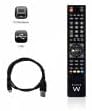
The Ewent EW1570 remote control shown alongside its micro USB cable, essential for PC programming.
4. אָפּעראַציע
After successful programming, operating the Ewent EW1570 is straightforward.
4.1. Selecting a Device
To control a specific device, press one of the dedicated device selection buttons at the top of the remote:
- טעלעוויזיע: For your television.
- SAT: For satellite or cable receivers.
- DVD: For DVD or Blu-ray players.
- AUX: For auxiliary devices such as soundbars, media boxes, or Hi-Fi systems.
Once a device button is pressed, the remote will operate that specific device until another device button is selected.
4.2. יקערדיק פאַנגקשאַנז
The remote provides standard control functions:
- מאַכט: טוט אן אדער אויסלעשן דעם אויסגעקליבענעם אפאראט.
- שטיל: מוטשעט די אַודיאָ.
- באַנד (+/-): אַדזשאַסץ די באַנד.
- קאַנאַל (+/-): ענדערונגען טשאַנאַלז.
- נומעריק קיפּאַד (0-9): For direct channel input or other numeric functions.
- Navigation (Up/Down/Left/Right, OK): פֿאַר מעניו נאַוויגאַציע.
- MENU, EXIT, INFO, EPG: Access device-specific menus and information.
5. וישאַלט
5.1. באַטערי פאַרבייַט
The Ewent EW1570 requires two 1.5V AAA/LR03 batteries (not included). To replace them:
- עפענען די באַטאַרייע אָפּטייל דעקן אויף די צוריק פון די ווייַט.
- אַראָפּנעמען די אַלט באַטעריז.
- Insert two new AAA/LR03 batteries, ensuring correct polarity (+/-).
- נאָענט די דעקן פון די באַטאַרייע אָפּטייל.
The remote's permanent memory ensures that all programmed codes are retained even when batteries are removed or replaced.
5.2. רייניקונג
To clean the remote control, use a soft, dry cloth. Avoid using abrasive cleaners, solvents, or wet cloths, as these can damage the remote's surface or internal components.
6. טראָובלעשאָאָטינג
- ווייַט ניט ריספּאַנדינג:
- קאָנטראָלירט צי די באַטעריעס זענען ריכטיק אַרײַנגעלייגט און האָבן גענוג אָפּצאָל. טוישט זיי אויס אויב נייטיק.
- Ensure you have selected the correct device mode (TV, SAT, DVD, AUX) for the device you are trying to control.
- Verify that the remote is pointed directly at the device's infrared receiver.
- Device not responding to specific functions:
- The programming for that specific function might be incorrect or missing. Re-program the remote using the PC software, paying close attention to key assignments.
- Ensure the device you are trying to control is fully compatible with the selected code.
- Difficulty finding programming software:
- Always refer to the official Ewent website for the most up-to-date programming software and drivers. זוכן פֿאַר 'EW1570 software' on their support page.
- Remote loses settings:
- The EW1570 features permanent memory, so settings should not be lost during battery changes. If settings are lost, re-program the remote. If the issue persists, contact Ewent support.
7. ספּעסאַפאַקיישאַנז
| שטריך | דעטאַל |
|---|---|
| מאָדעל נומער | עוו 1570 |
| סאָרט | Ewent |
| טיפּ | 4-in-1 Universal Programmable Remote Control |
| קאַמפּאַטאַבאַל דעוויסעס | TV, DTT (DVB-T), SAT (DVB-S), STB, DVD, VCR, Blu-ray, Projectors, Soundbar, Media Hard Drive, Hi-Fi |
| מאַקסימום געשטיצטע דעוויסעס | 4 |
| פּראָגראַממינג מעטאָד | Via Windows PC (Micro USB cable included) |
| מאַכט מקור | 2 x 1.5V AAA/LR03 באַטעריעס (נישט אַרייַנגערעכנט) |
| זכּרון | Permanent (retains settings during battery replacement) |
| קאַנעקטיוויטי | USB (for programming) |
| מאַקסימום קייט | 10 מעטער |
| דימענשאַנז | 23.5 X 5.1 X 1.5 סענטימעטער |
| וואָג | 102 ג |
| ספּעציעלע שטריך | באַקלייט |
8. וואָראַנטי און שטיצן
8.1. Spare Parts Availability
Spare parts for the Ewent EW1570 are available for a period of 2 years from the date of purchase.
8.2. ווייכווארג דערהייַנטיקונגען
The programming software for the EW1570 is regularly updated, with free daily updates available to ensure compatibility with new devices and to improve functionality.
8.3. קונה שטיצן
For further assistance, technical support, or warranty claims, please visit the official Ewent website or contact their customer service department. Ensure you have your product model number (EW1570) and proof of purchase available when seeking support.