
1. פּראָדוקט איבערview
The Itek SIISBE 3.0 is a gaming middle tower PC case designed to combine high-level features with a modern aesthetic. It features a fully perforated front panel for optimal airflow and a tempered glass side panel with a convenient hinged closure, allowing for easy access and showcasing your internal components.
The case comes equipped with three 12 cm ARGB fans: two located at the front and one at the rear. These fans can be controlled via a dedicated button on the front panel or through your motherboard's ARGB software, providing customizable lighting effects and efficient cooling.
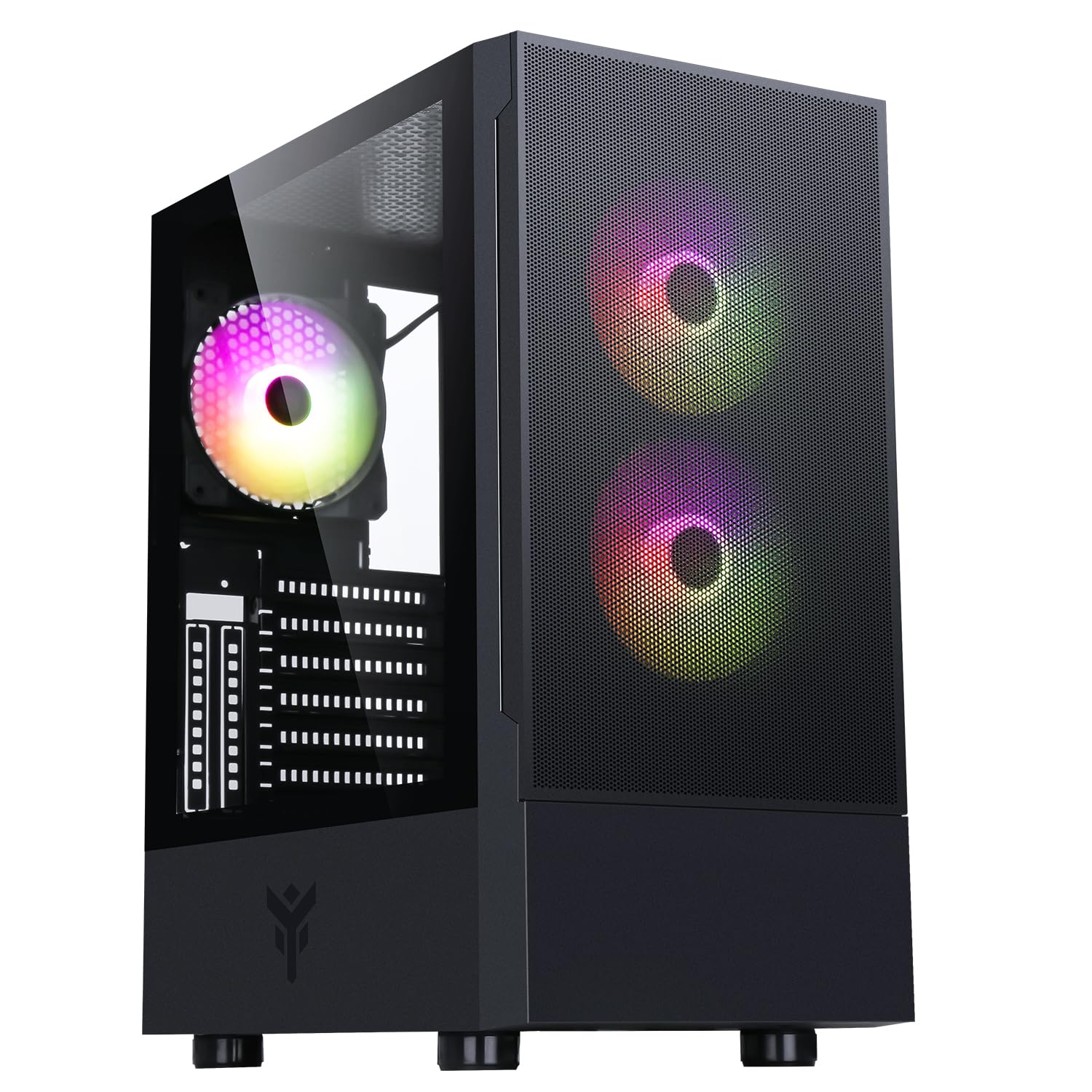
פיגור 1: פראָנט-זייט view of the Itek SIISBE 3.0 Gaming PC Case, showcasing the perforated front panel and tempered glass side panel.
The SIISBE 3.0 supports a wide range of hardware, including ATX, Micro-ATX, and Mini-ITX motherboards. It accommodates graphics cards up to 315 mm in length, CPU coolers up to 160 mm in height, and liquid cooling radiators up to 280 mm. The case also offers 28 mm of space for efficient cable management, ensuring a clean and organized build.
2. סעטאַפּ און ייַנמאָנטירונג
2.1 צוגרייטן דעם פאַל
- אויספּאַקן דעם קעסטל און אַראָפּנעמען אַלע פּאַקאַדזשינג מאַטעריאַלן.
- Open the tempered glass side panel by gently pulling it open from the hinge.
- Locate the accessory box inside the case, which contains screws and other mounting hardware.
2.2 מאָטהערבאָאַרד ינסטאַללאַטיאָן
- Install the necessary standoffs for your motherboard form factor (ATX, Micro-ATX, or Mini-ITX) onto the motherboard tray.
- לייגט פֿאָרזיכטיק אייער מאַדערבאָרד אויף די סטאַנדאָפס, און גלייכט אויס די שרויף לעכער.
- באַפֿעסטיקן די מאַדערבאָרד מיט די צוגעשטעלטע שרויפֿן.

פיגורע 2: אינערלעכער view of the Itek SIISBE 3.0, highlighting the motherboard mounting area and cable routing options.
2.3 מאַכט סופּפּלי יוניט (פּסו) ינסטאַלירונג
- Mount the PSU in the dedicated bottom compartment of the case.
- באַפֿעסטיקן די PSU מיט שרויפֿן פֿון דער הינטערשטער זײַט פֿון דער קעיס.
2.4 סטאָרידזש דרייוו אינסטאַלאַציע
- Install 2.5-inch SSDs or 3.5-inch HDDs into the designated internal bays. Refer to the case's internal layout for specific mounting points.
- Secure drives with the appropriate screws.

פיגור 3: הינטערשטע אינערלעכע view of the Itek SIISBE 3.0, showing the motherboard tray, SSD mounting points, and ample space for cable management.
2.5 גראַפיקס קאַרטל און יקספּאַנשאַן קאַרטל ינסטאַלירונג
- אַראָפּנעמען די נייטיקע יקספּאַנשאַן סלאָט דעקל פון די הינטערשטע טייל פון די קעסטל.
- שטעל אַרײַן אײַער גראַפיקס קאַרטל אָדער אַנדערע יקספּאַנשאַן קאַרדס אין די PCIe סלאָץ אויף אײַער מוטערבאָרד.
- Secure the cards with screws. The case supports graphics cards up to 315 mm in length.
2.6 קיל סיסטעם אינסטאַלאַציע
- The case includes three 12 cm ARGB fans (two front, one rear). Connect their power and ARGB cables to the motherboard or the integrated fan controller.
- For additional cooling, install extra fans or a liquid cooling radiator (up to 280 mm) in the designated mounting points.
- Install your CPU cooler. The case supports CPU coolers up to 160 mm in height.
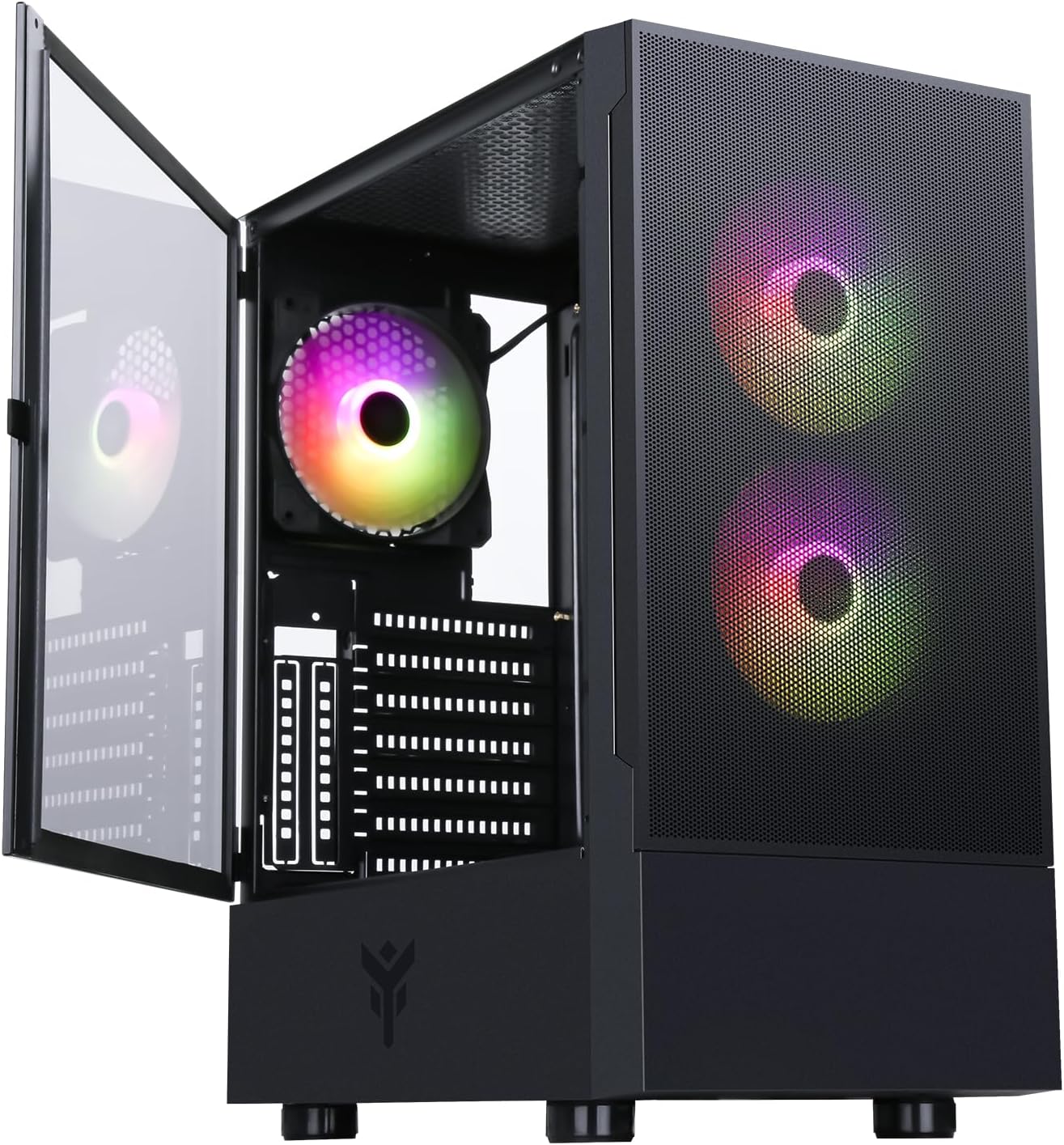
Figure 4: The Itek SIISBE 3.0 with its hinged tempered glass panel open, revealing the pre-installed ARGB fans and internal layout.
2.7 קאַבלע מאַנאַגעמענט
- Utilize the 28 mm cable management space behind the motherboard tray to route and organize all power and data cables.
- Use cable ties (not included) to secure cables and maintain optimal airflow.
3. אַפּערייטינג ינסטרוקטיאָנס
3.1 מאַכט אויף
- Ensure all components are correctly installed and connected.
- Connect the power cable to your PSU and a wall outlet.
- Press the power button located on the top I/O panel of the case to start your system.
3.2 ARGB פען קאָנטראָל
- The pre-installed ARGB fans can be controlled via the dedicated LED control button on the front panel. Press the button to cycle through various lighting modes and colors.
- Alternatively, if the fans are connected to an ARGB header on your motherboard, you can use the motherboard's proprietary software (e.g., ASUS Aura Sync, MSI Mystic Light, Gigabyte RGB Fusion) to synchronize and customize the lighting effects.
3.3 פראָנט I/O פּאָרץ
- The front I/O panel includes USB 3.0 and USB 2.0 ports for connecting peripherals and external storage devices.
- Audio jacks are also available for headphones and microphones.
4. וישאַלט
4.1 שטויב פילטער רייניקונג
- The SIISBE 3.0 case is equipped with dust filters to prevent dust buildup inside. Regularly check and clean these filters.
- Gently remove the dust filters (typically located on the top, front, and/or bottom) and clean them with compressed air or by rinsing them with water. Ensure they are completely dry before re-installing.
4.2 אַלגעמיינע רייניקונג
- ניצן אַ ווייך, דamp cloth to wipe down the exterior surfaces of the case, including the tempered glass panel. Avoid abrasive cleaners.
- For internal cleaning, use compressed air to remove dust from fans, heatsinks, and other components. Ensure the system is powered off and unplugged before cleaning.
5. טראָובלעשאָאָטינג
This section provides general troubleshooting tips for common issues. For more specific problems, consult the manuals for your individual PC components (motherboard, PSU, GPU, etc.) or contact Itek support.
5.1 System Does Not Power On
- קוק די מאַכט קאַנעקשאַנז: Ensure the PSU is properly connected to the wall outlet and the power switch on the PSU is in the 'ON' position. Verify all internal power cables (24-pin ATX, 8-pin CPU, PCIe, SATA) are securely connected to the motherboard and components.
- פראָנט פּאַנעל קאַנעקטערז: באַשטעטיקן אַז דער פראָנט פּאַנעל מאַכט סוויטש קאַבל איז ריכטיק פארבונדן צו דער מאַדערבאָרד ס פראָנט פּאַנעל כעאַדער.
5.2 Fans Not Spinning / ARGB Not Working
- פען קאַנעקשאַנז: Verify that the fan power cables are securely connected to the motherboard fan headers or the integrated fan controller.
- ARGB פֿאַרבינדונגען: Ensure ARGB cables are correctly connected to the motherboard's ARGB header or the case's ARGB controller.
- Software/Button Control: If using the case's LED button, try pressing it to cycle modes. If using motherboard software, ensure it is installed and configured correctly.
5.3 איבערהייצונג פראבלעמען
- לופט לויפן: Ensure fans are installed in the correct orientation for optimal airflow (front fans typically intake, rear/top fans exhaust).
- שטויב אַנטוויקלונג: רייניקט שטויב פילטערס און אינעווייניקסטע קאָמפּאָנענטן ווי באַשריבן אין דער וישאַלט סעקציע.
- קאַבלע פאַרוואַלטונג: Improve cable routing to reduce obstructions to airflow.
6. ספּעסאַפאַקיישאַנז
| שטריך | באַשרייַבונג |
|---|---|
| פאַבריקאַנט | ITEK |
| נומער מאָדעל נומער | ITGCASIB30 |
| סאָרט | יטעק |
| מאָטהערבאָאַרד קאַמפּאַטאַבילאַטי | אַטקס, מיקראָ-אַטקס, מיני-יטקס |
| טיפּ פון קאַסטן | מיטל טאַוער |
| רעקאָמענדירטע פּראָדוקט ניצט | גיימינג, פּראָפעסיאָנעל |
| קאָליר | שוואַרץ |
| מאַטעריאַל | טעמפּערד גלאז |
| מאַכט צושטעלן מאַונטינג טיפּ | דנאָ בארג |
| קאָאָלינג אופֿן | לופט |
| מאָדעל נאָמען | Case SIISBE 3.0 |
| פאָכער גרייס | 120 מילאַמיטערז |
| Total Expansion Slots | 7 |
| Total USB 2.0 Ports | 2 |
| Total USB 3.0 Ports | 1 |
| גאַנץ וסב פּאָרץ | 4 |
| פּראָדוקט פֿעיִקייטן | LED Control Button, Dust Filter, Integrated Fan |
| מאַקסימום קפּו קולער הייך | 160 מילאַמיטערז |
| Number of Internal Bays | 7 |
| קאַמפּאַטאַבאַל דעוויסעס | ATX Motherboards, Full-size Graphics Cards, Standard Cooling Solutions |
| נומער פון פאַנס | 3 |
| ליכט קאָליר | RGB |
| נומער דימענשאַנז (ד רענטגענ וו רענטגענ ה) | 37.6 ד רענטגענ 37.6 וו רענטגענ 44.6 ה סענטימעטער |
7. וואָראַנטי אינפֿאָרמאַציע
Specific warranty details for the Itek SIISBE 3.0 PC Case may vary by region and retailer. Please refer to the warranty card included with your product or visit the official Itek webזייטל פֿאַר די מערסט פּינקטלעכע און אַרויף-צו-דאַטע וואָראַנטי אינפֿאָרמאַציע.
האַלט אייער קויף-באַווייַז (קװיטונג אָדער רעכענונג) ווײַל עס וועט זײַן נויטיק פֿאַר יעדע גאַראַנטיע-פֿאָדערונג.
8. קונה שטיצן
For technical assistance, product inquiries, or support regarding your Itek SIISBE 3.0 PC Case, please contact Itek customer support through their official channels.
- באַאַמטער Webפּלאַץ: Visit the Itek official webזייטל פֿאַר שטיצע רעסורסן, אָפֿט געשטעלטע פֿראַגעס, און קאָנטאַקט אינפֿאָרמאַציע.
- E- בריוו שטיצן: Look for a support email address on the Itek webפּלאַץ.
- טעלעפאָן שטיצן: Check the Itek website for regional phone support numbers.
When contacting support, please have your product model (SIISBE 3.0) and item model number (ITGCASIB30) ready to help expedite the process.


