
1. הקדמה
This manual provides detailed instructions for the installation, operation, and maintenance of your TooQ TQE-2528B 2.5-inch SATA USB 3.1 Gen1 HDD Enclosure. This device allows you to convert a 2.5-inch SATA I/II/III hard disk drive or solid-state drive into an external storage solution, connecting via USB 3.1 Gen1 for high-speed data transfer.
2. פּעקל אינהאַלט
ביטע באַשטעטיקן אַז אַלע זאכן זענען פאַראַן אין דעם פּעקל:
- TooQ TQE-2528B 2.5-inch SATA USB 3.1 Gen1 HDD Enclosure
- USB 3.0 Type-A to Micro-B Cable
- באַניצער מאַנואַל (דעם דאָקומענט)

Image 2.1: The TooQ TQE-2528B enclosure shown with its included USB 3.0 cable.
3. פּראָדוקט איבערview
The TooQ TQE-2528B is designed for ease of use and portability. Key features include:
- Compatible with 2.5-inch SATA I/II/III HDDs and SSDs up to 9.5mm height.
- USB 3.1 Gen1 (USB 3.0) interface for data transfer speeds up to 5.0 Gbps.
- Tool-free installation for quick setup.
- LED indicator for connection status and data access.
- Powered directly via USB port.
3.1. קאָמפּאָנענט לעגיטימאַציע
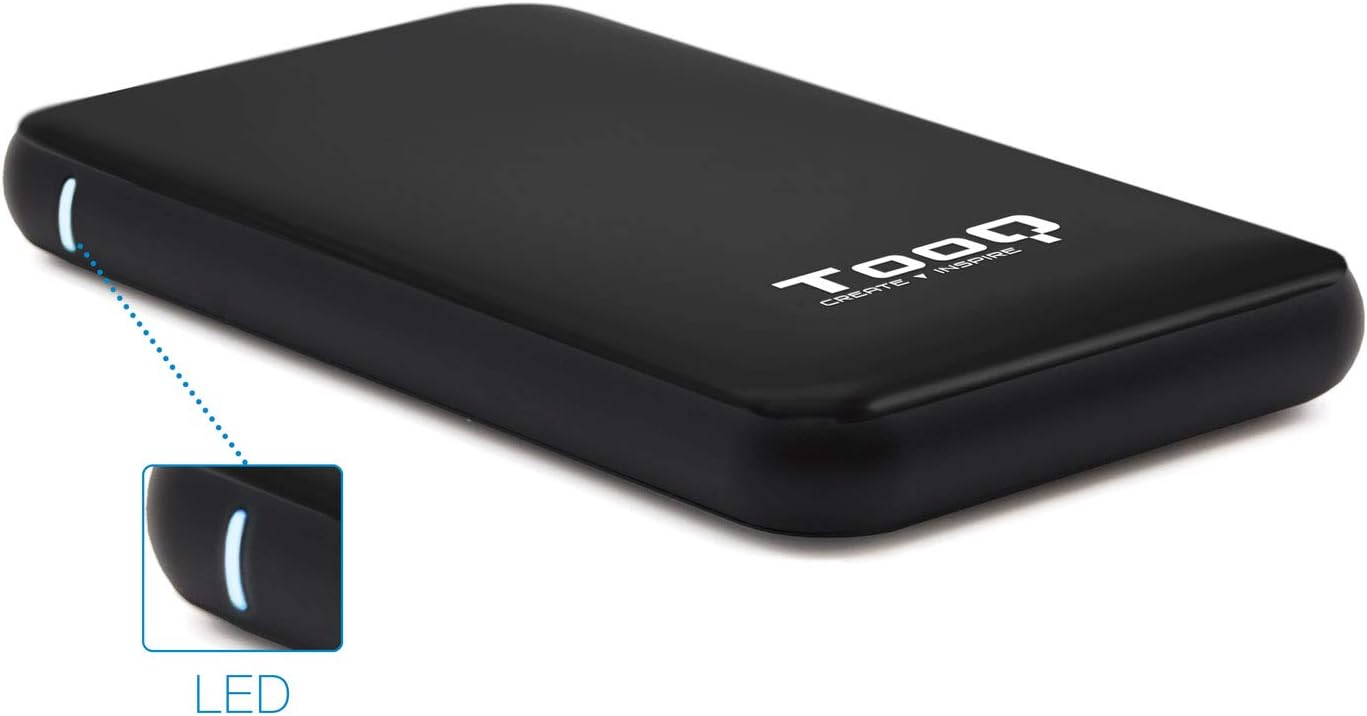
Image 3.1: The enclosure features an LED indicator on the side, which illuminates to show power and data activity.

Image 3.2: The rear of the enclosure includes a power button and a Micro-USB port for connection.
4. Setup: Hard Drive Installation
Follow these steps to install a 2.5-inch SATA HDD or SSD into the enclosure:
- עפֿנט דעם קעסטל: Gently slide the top cover of the enclosure to open it. The design allows for tool-free access.
- פאַרבינדן די דרייוו: Align your 2.5-inch SATA HDD/SSD with the SATA connector inside the enclosure. Carefully push the drive into the connector until it is firmly seated. Ensure the drive is flush with the internal tray.
- פֿאַרמאַכן דעם קעסטל: Slide the top cover back into place until it clicks securely.
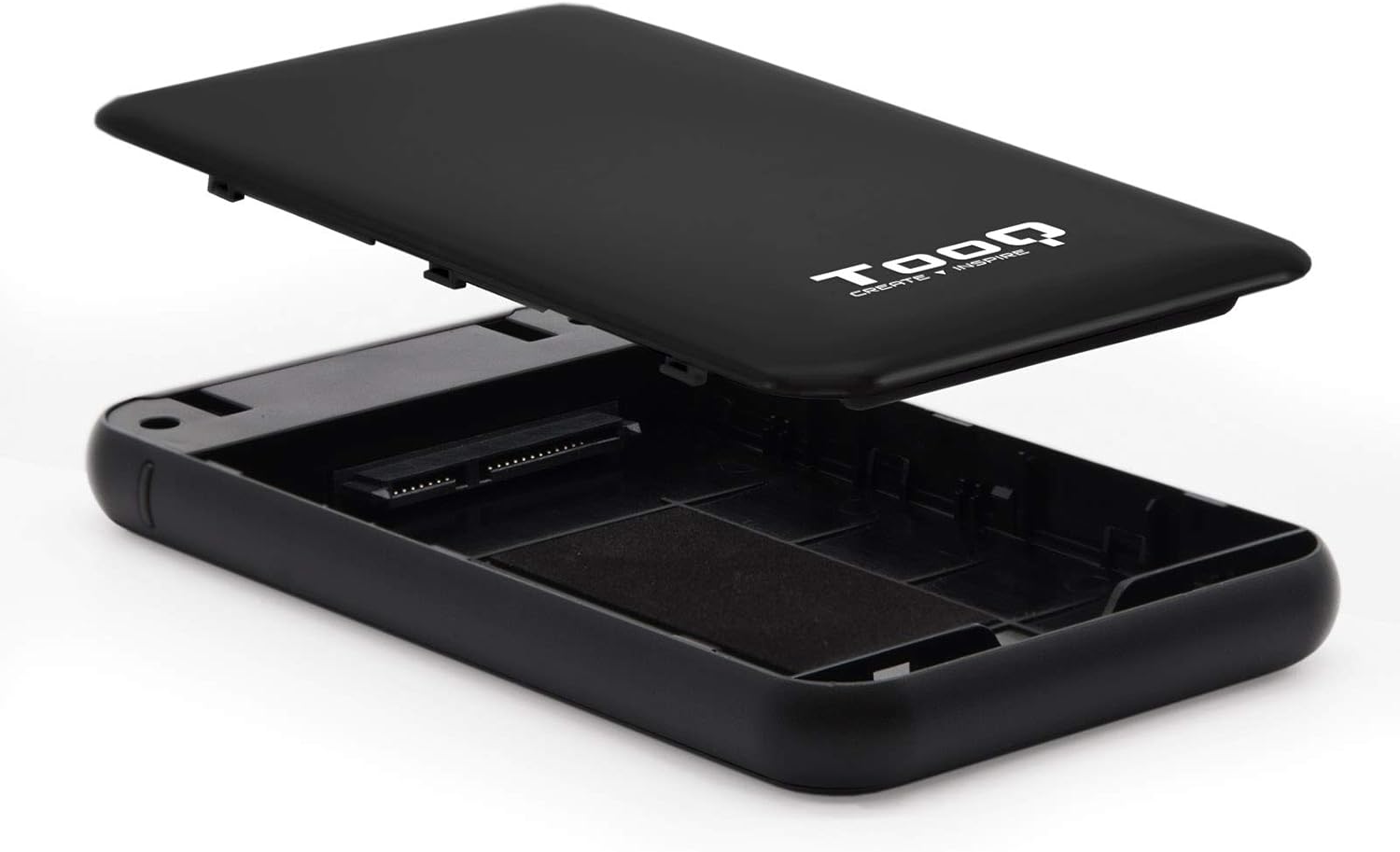
Image 4.1: The enclosure opened, revealing the internal SATA data and power connector for a 2.5-inch drive.
5. אַפּערייטינג ינסטרוקטיאָנס
After installing your hard drive, connect the enclosure to your computer:
- פאַרבינדן וסב קאַבלע: Plug the Micro-B end of the included USB 3.0 cable into the enclosure's Micro-USB port.
- פאַרבינדן צו קאָמפּיוטער: Plug the Type-A end of the USB cable into an available USB port on your computer. For optimal performance, use a USB 3.0 or USB 3.1 Gen1 port.
- מאַכט אויף: If the enclosure has a power button (refer to Image 3.2), press it to turn on the device. The LED indicator (Image 3.1) will illuminate, indicating power and connection status.
- צוטריט צום דרייוו: Your operating system should automatically detect the new storage device.
- New Drives: If you are using a brand new hard drive, it may need to be initialized and formatted before use. Refer to your operating system's disk management tools for this process.
- Existing Drives: If the drive contains data, it should appear as a removable drive in 'My Computer' (Windows) or on the desktop (macOS).

Image 5.1: The TooQ TQE-2528B enclosure connected to a laptop, demonstrating a typical usage scenario.
6. וישאַלט
To ensure the longevity and optimal performance of your enclosure:
- האַלט דעם קעסטל ריין און פריי פון שטויב. ניצט אַ ווייכן, טרוקענעם שטאָף פֿאַר רייניקונג.
- ויסמיידן יקספּאָוזינג די מיטל צו עקסטרעם טעמפּעראַטורעס, הומידיטי אָדער דירעקט זונשייַן.
- Do not drop or subject the enclosure to strong impacts.
- שטענדיק זיכער ארויסשטויסן דעם דרייוו פון אייער אפערירן סיסטעם איידער איר דיסקענעקט דעם USB קאבל כדי צו פארמיידן דאטן פארדארבן.
7. טראָובלעשאָאָטינג
If you encounter issues with your TooQ TQE-2528B enclosure, refer to the following common solutions:
- דרייוו נישט דעטעקטירט:
- Ensure the USB cable is securely connected to both the enclosure and the computer.
- פּרוּווט קאַנעקטינג צו אַ אַנדערש וסב פּאָרט אויף דיין קאָמפּיוטער.
- Verify that the hard drive is correctly seated within the enclosure's SATA connector.
- Check your computer's Disk Management (Windows) or Disk Utility (macOS) to see if the drive is recognized but uninitialized or unformatted.
- Test the enclosure with a different 2.5-inch SATA drive, if available, to rule out a drive issue.
- לאַנגזאַמע דאַטן טראַנספער:
- Ensure you are connected to a USB 3.0 or USB 3.1 Gen1 port on your computer. Connecting to a USB 2.0 port will result in slower speeds.
- באַשטעטיקן אַז אייער אָפּערייטינג סיסטעם און דרייווערס זענען אַרויף צו דאַטע.
- Enclosure Does Not Power On:
- Ensure the USB cable is properly connected and providing power. The enclosure is bus-powered.
- פּרוּווט אַ אַנדערש וסב פּאָרט אויף דיין קאָמפּיוטער.
8. ספּעסאַפאַקיישאַנז
| מאָדעל נומער | TQE-2528B |
| קאָמפּאַטיבלע דרייווס | 2.5-inch SATA I/II/III HDD/SSD (up to 9.5mm height) |
| צובינד | USB 3.1 Gen1 (USB 3.0) |
| דאַטאַ אַריבערפירן קורס | אַרויף צו 5.0 גבפּס |
| מאַכט צושטעלן | USB Bus-powered (5 Volts) |
| מאַטעריאַל | אַבס פּלאַסטיק |
| דימענסיעס (L X W X H) | 13.5 ס״מ x 8 ס״מ x 1.6 ס״מ (אומגעפער 5.3 x 3.1 x 0.6 אינטשעס) |
| וואָג | 50 ג (אומגעפער 0.11 פונט) |
| אַפּערייטינג סיסטעם קאַמפּאַטאַבילאַטי | Universal (Windows, macOS, Linux) |

Image 8.1: Technical drawing illustrating the dimensions of the TooQ TQE-2528B enclosure.
9. וואָראַנטי און שטיצן
TooQ products are designed for reliability and performance. This product comes with a standard manufacturer's warranty. For specific warranty terms and conditions, please refer to the warranty card included with your product or visit the official TooQ webפּלאַץ.
For technical support, frequently asked questions, or to download the latest drivers (if applicable), please visit the official TooQ support webזייטל אדער קאנטאקטירן זייער קאסטומער סערוויס דעפארטמענט. קאנטאקט אינפארמאציע קען געווענליך געפונען ווערן אויף דער פראדוקט פארפאקונג אדער די אפיציעלע webפּלאַץ.
פאַבריקאַנט: TOOQ
Global Trade Item Number (GTIN): 08433281008304