
פּראָדוקט איבערview
The Fractal Design Define R6 USB-C TG is a mid-tower PC case designed for quiet operation and flexible component support. It features a full-size tempered glass side panel and sound-dampened steel panels. The case includes a USB 3.1 Gen 2 Type-C port on the front I/O for high-speed connectivity. Its interior is designed for extensive component compatibility, including multiple storage drives, various cooling configurations, and efficient cable management.

בילד: פון אויבן אַראָפּ view of the Fractal Design Define R6 USB-C TG case, highlighting the front panel I/O ports including USB-C, USB 3.0, and audio jacks.
סעטאַפּ און ינסטאַלירונג
צוגרייטן דעם פאַל
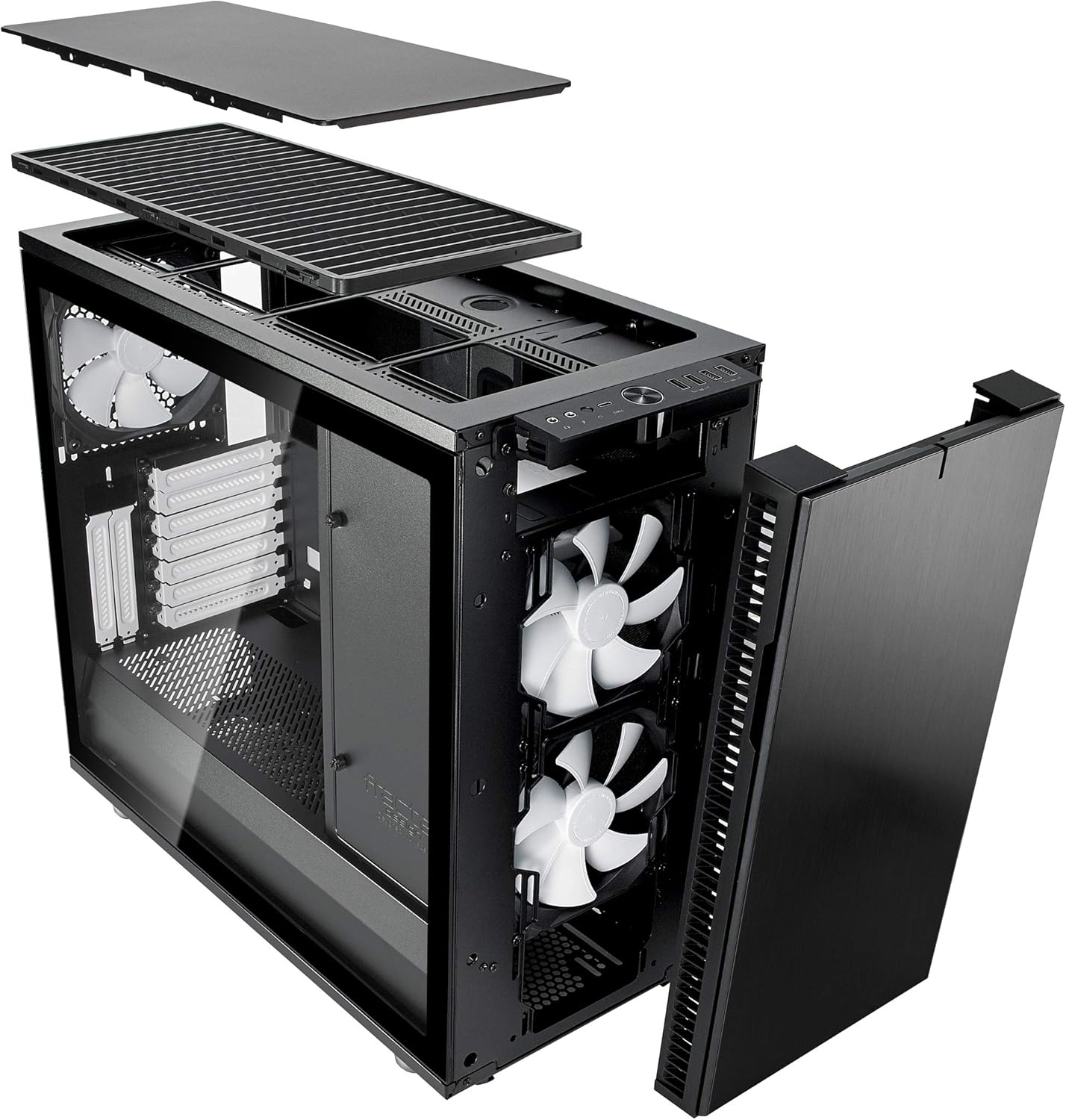
Before installing components, remove the side panels. The tempered glass side panel is secured with a push-to-lock latching mechanism. The opposite steel side panel also detaches for access to the cable management area. The top panel features ModuVent technology, allowing it to be removed for enhanced airflow or radiator installation.

בילד: עקספּלאָדירט view illustrating the modular design of the Define R6, with the top panel, front panel, and side panels detached, revealing the internal structure and component bays.
מאָטהערבאָאַרד ינסטאַלירונג
The Define R6 supports ATX motherboards. Install the necessary standoffs into the motherboard tray according to your motherboard's form factor. Secure the motherboard using screws.
פאָר ינסטאַללאַטיאָן
The case supports up to six 3.5"/2.5" drives and two dedicated 2.5" drives. Utilize the provided drive trays and mounting points for secure installation. Drives can be configured in various positions within the case.

בילד: אינערלעך view of the Define R6, showcasing the spacious interior, motherboard tray, and multiple drive bay locations for storage devices.
קאָאָלינג סיסטעם סעטאַפּ
The Define R6 offers nine fan positions and supports radiators up to 420mm. The ModuVent technology allows the top panel to be converted from a sound-dampened cover to a filtered, high-airflow ventilation setup for optimal cooling performance. Install fans or radiators in the designated mounts.
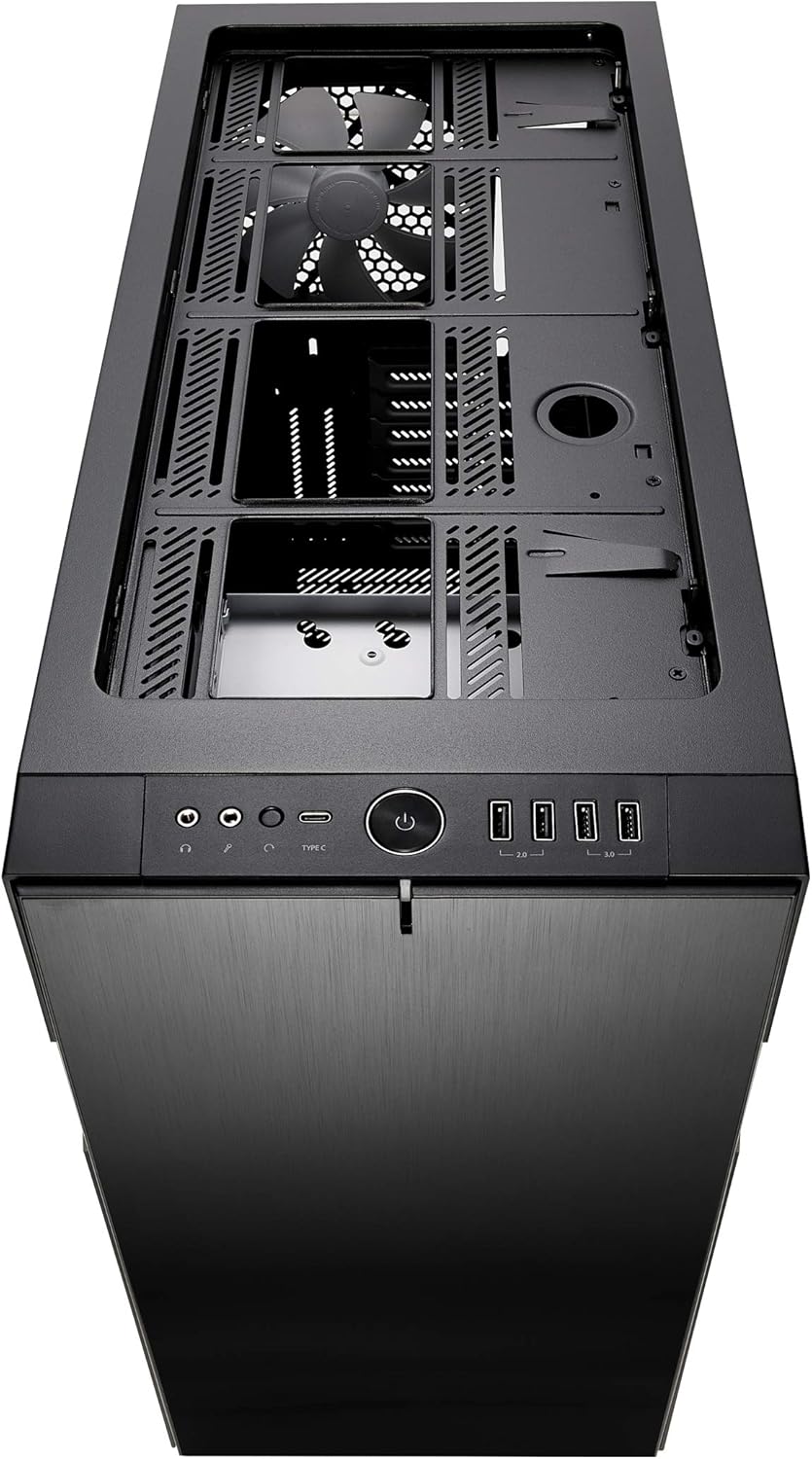
בילד: אויבן view of the Define R6 with the ModuVent panel removed, exposing the fan and radiator mounting points for custom cooling solutions.
קאַבלע מאַנאַגעמענט
The case provides 23mm of cable routing space behind the motherboard tray. Utilize the integrated cable channels and tie-down points to organize cables, ensuring clean aesthetics and unobstructed airflow.
בילד: אינערלעך view of the Define R6 from an angle, highlighting the ample space and grommets available for effective cable management behind the motherboard tray.
אָפּעראַציע
פראָנט פּאַנעל קאָנעקטיוויטי
The front I/O panel includes a USB 3.1 Gen 2 Type-C port, two USB 3.0 ports, and two USB 2.0 ports, along with audio input/output jacks. Connect compatible devices to these ports for data transfer and audio functionality.

בילד: פראָנט view of the Define R6, clearly showing the accessible front panel with its power button, USB-C, USB 3.0, USB 2.0, and audio ports.
Airflow and Noise Management
The case is optimized for silence with high-density industrial dampening on the side, top, and front panels. Ensure proper fan configuration and cable routing to maintain optimal airflow while minimizing noise levels. The reversible front door can be adjusted for user preference.
וישאַלט
שטויב פילטער רייניקונג
Regularly clean the dust filters located at the front, top (if ModuVent is open), and bottom of the case to prevent dust buildup and maintain optimal airflow. Filters can typically be slid out for easy cleaning with water or a soft brush.
עקסטעריאָר רייניקונג
Clean the tempered glass side panel with a microfiber cloth and a mild glass cleaner. For the steel panels, use a soft, damp cloth. Avoid abrasive cleaners that may scratch surfaces.
טראָובלעשאָאָטינג
פּראָסט ישוז
- שלעכטער לופטפלוס: Ensure all dust filters are clean and fans are oriented correctly for intake and exhaust. Verify no cables are obstructing airflow paths.
- יבעריק ראַש: Check that all fans are securely mounted and free from obstructions. Ensure sound-dampening panels are properly seated. Verify component vibration is minimized.
- קאָמפּאָנענט פּאַסיק פּראָבלעמען: Refer to the specifications for maximum GPU length, CPU cooler height, and PSU depth. Ensure components are installed according to the manual.
- פראָנט פּאַנעל I/O אַרבעט נישט: Verify all front panel cables (USB, audio) are correctly connected to the motherboard headers.
טעכניש ספּעסאַפאַקיישאַנז
| שטריך | דעטאַל |
|---|---|
| מאָדעל נאָמען | Define R6 Tempered Glass USB-C |
| טיפּ פון קאַסטן | מיד טאַוער |
| מאָטהערבאָאַרד קאַמפּאַטאַבילאַטי | אַטקס |
| דימענשאַנז (LxWxH) | 18.31 X 9.15 X 21.38 אינטשעס |
| פּונקט וואָג | 27.3 פונט (12.4 קילאָגראַמס) |
| מאַטעריאַל | געהאַרצטע גלאָז, שטאָל |
| קאָאָלינג אופֿן | לופט |
| מאַקסימום גפּו לענג | 440 מם |
| מאַקסימום קפּו קולער הייך | 185 מם |
| Max PSU Depth | 300 מם |
| קאַבלע רוטינג פּלאַץ | 23 מם |
| USB 3.1 Gen 2 Type-C Ports | 1 |
| וסב 3.0 פּאָרץ | 2 |
| וסב 2.0 פּאָרץ | 2 |
| Drive Bays (3.5"/2.5") | 6 |
| Drive Bays (2.5" dedicated) | 2 |
וואָראַנטי און שטיצן
This product is covered by a manufacturer's warranty. For specific warranty terms and conditions, please refer to the documentation included with your purchase or visit the official Fractal Design website. For technical support, product registration, or to download the latest drivers and manuals, please visit the Fractal Design support portal.
Official Fractal Design Webפּלאַץ: www.fractal-design.com