
Zerone H980
Zerone Mini Portable LED Projector User Manual
מאָדעל: H980
הקדמה
א דאנק פארן קויפןasing the Zerone Mini Portable LED Projector. This compact and versatile projector is designed to provide an immersive home theater experience, allowing you to enjoy movies, videos, and games in a dark environment, whether at home or outdoors. With its multiple input interfaces and long-life LED light source, it offers a convenient and environmentally friendly solution for your entertainment needs.
This manual provides essential information on setting up, operating, and maintaining your projector to ensure optimal performance and longevity. Please read it thoroughly before use and keep it for future reference.
פּעקל אינהאַלט
ביים עפענען דעם פעקל, ביטע זיכער מאכן אז אלע זאכן וואס זענען אויסגערעכנט אונטן זענען דא און אין גוטן צושטאנד:
- 1 x Zerone Mini Portable LED Projector
- 1 x ווײַטקאָנטראָל (batteries not included)
- 1 x מאַכט אַדאַפּטער (יו. עס. צאַפּן)
- קסנומקס רענטגענ אַוו קאַבלע
- 1 x באַניצער מאַנואַל (דאָס דאָקומענט)

Figure 1: Zerone Mini Portable LED Projector and its accessories. The image shows the compact white and yellow projector, a black remote control, a black power adapter with a US plug, and a black AV cable with red, white, and yellow connectors.
פּראָדוקט איבערview
The Zerone Mini Portable LED Projector is designed for ease of use and portability. It features a compact form factor, making it suitable for various environments. Below is an overview פון אירע שליסל קאָמפּאָנענטן און פֿעיִקייטן.

פיגור 2: פון אויבן אַראָפּ view of the projector's input and control panel. Visible ports include MicroSD, AV, and a 3.5mm earphone port. Control buttons are also visible on the top surface.
שליסל פֿעיִקייטן:
- 1500lm High Brightness: ברענגט קלאָרע און לעבעדיקע בילדער.
- געבוירן רעזאלוציע: 320 x 240P, supporting up to 1080P HD input.
- Long-Life LED Light Source: 30,000 hours of operation, environmentally friendly.
- Multiple Input Interfaces: HDMI, USB, AV, VGA, Micro Secure Digital, 3.5mm Earphone Port.
- פּאָרטאַטיוו פּלאַן: Small and lightweight for easy transport.

Figure 3: Connectivity options for the projector. This diagram illustrates how various devices such as laptops, desktop PCs, U disks/TF cards, DVD/VCD players, game consoles, TV boxes, and HDMI players can connect to the projector via its HDMI, AV, USB, VGA, and Micro SD inputs.
סעטאַפּ
1. מאַכט קאַנעקשאַן:
- Connect the provided power adapter to the "DC IN" port on the projector.
- צאַפּן די מאַכט אַדאַפּטער אין אַ נאָרמאַל עלעקטריקאַל ווענטיל.
- די מאַכט אינדיקאַטאָר ליכט אויף דעם פּראָיעקטאָר וועט זיך אָנצינדן.
2. Positioning the Projector:
Place the projector on a stable, flat surface. Ensure there is adequate ventilation around the unit to prevent overheating. The ideal projection distance ranges from 1.0 to 2.8 meters (approximately 3.3 to 9.2 feet) to achieve a screen size of 24 to 60 inches.
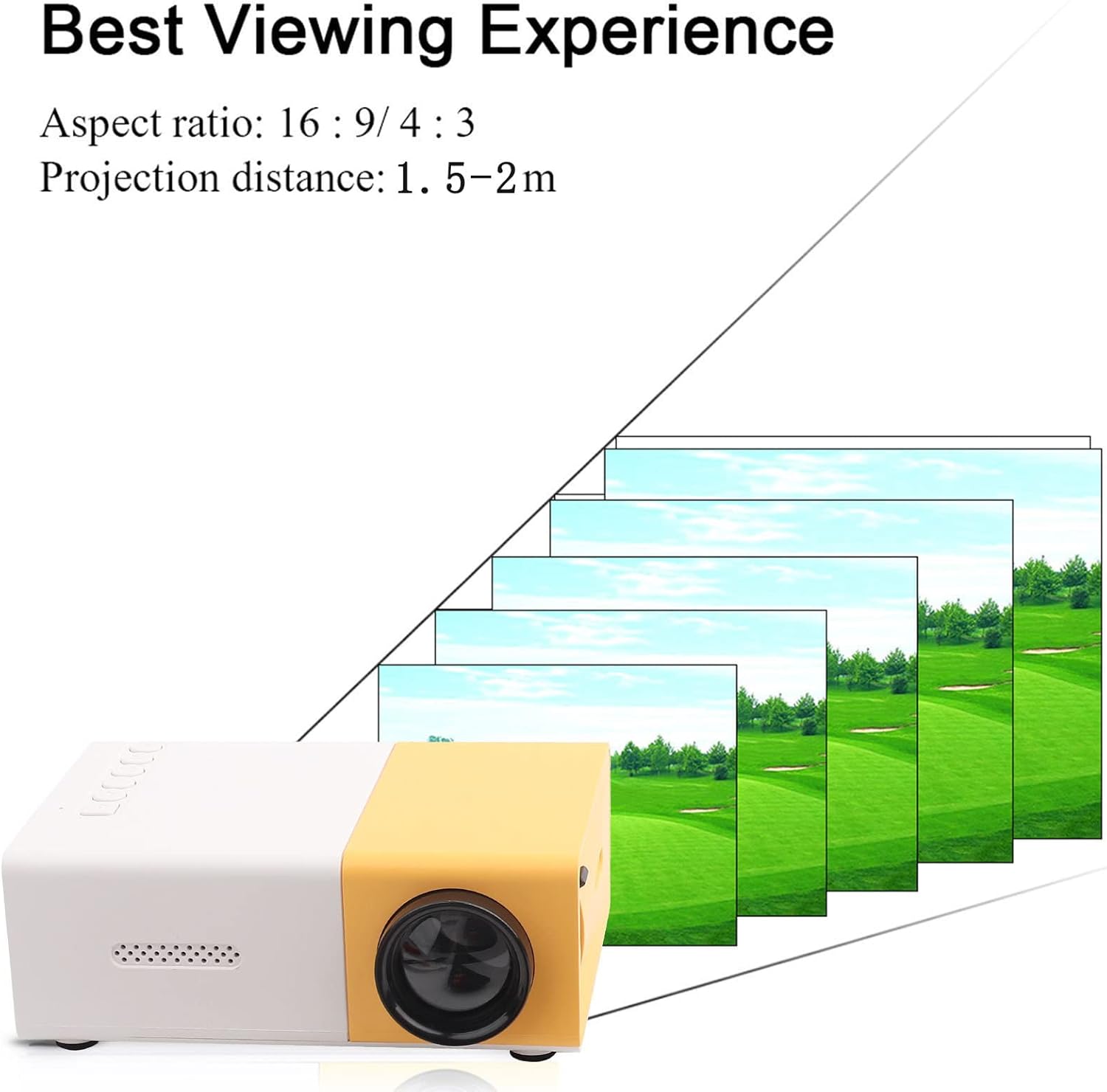
פיגורע 4: בעסטער Viewing Experience. This image shows the projector projecting onto a screen, with text indicating an aspect ratio of 16:9/4:3 and a projection distance of 1.0-2.8m. It visually represents how the image size changes with distance.
3. Connecting Input Devices:
Connect your desired media device (e.g., laptop, TV box, game console, USB drive) to the appropriate port on the projector:
- הדמי: פֿאַר הויך-דעפֿיניציע ווידעא און אַודיאָ.
- וסב: פֿאַר פּלייינג מידיאַ files גלייַך פֿון אַ וסב בליץ פאָר.
- פון: For connecting devices using the included AV cable (e.g., older DVD players).
- ווגאַ: פֿאַר פֿאַרבינדן קאָמפּיוטערס.
- Micro Secure Digital (MicroSD): פֿאַר פּלייינג מידיאַ files directly from a MicroSD card.
- 3.5mm Earphone Port: פֿאַר פֿאַרבינדן עקסטערנע כעדפאָונז אָדער רעדנערס.
אַפּערייטינג ינסטראַקשאַנז
1. מאַכט אויף / אַוועק:
דריק דעם מאַכט קנעפּל אויף דעם פּראָיעקטאָר אָדער די ווײַט קאָנטראָל צו דרייען דעם אַפּאַראַט אָן אָדער אויס.
2. Focusing the Image:
The projector features manual focusing. Rotate the focus ring on the lens until the projected image appears clear and sharp on the screen.
3. סעלעקטינג אַרייַנשרייַב מקור:
Use the "Source" button on the projector or remote control to cycle through the available input sources (HDMI, USB, AV, VGA, MicroSD) until your connected device's content is displayed.
4. Adjusting Aspect Ratio:
The projector supports aspect ratios of 16:9 and 4:3. You can adjust this setting via the projector's menu or remote control to best suit your content.
5. מעדיע פּלייבאַק:
When playing media from USB or MicroSD, navigate through files using the remote control's directional buttons and "OK" button. The projector supports a wide range of formats:
- אַודיאָ Files: MP3, WMA, OGG, AAG, FLAC, APE, WAV
- בילד Files: דזשפּעג, במפּ, פּנג
- ווידעא Files: Supports Full Format Files
- טעקסט Files: טקסט
וישאַלט
1. רייניקונג די לענס:
ניצט אַ ווייכע, לינט-פֿרייע שטאָף ספּעציעל דיזיינד פֿאַר אָפּטישע לענסעס צו פֿאָרזיכטיק ווישן די פּראָיעקטאָר לענס. פֿאַרמייַדט ניצן אַברייסיוו רייניגער אָדער איבערגעטריבענע קראַפֿט, ווײַל דאָס קען קראַצן די לענס.
2. Cleaning the Projector Body:
ווישט אָפּ די אויסערלעכע זייט פון פּראָיעקטאָר מיט אַ ווייכן, טרוקענעם שטאָף. ניצט נישט קיין פליסיקע רייניגער אָדער סאָלווענטן.
3. ווענטילאַטיאָן:
Ensure that the ventilation vents on the projector are not blocked. Proper airflow is crucial to prevent overheating and maintain the lifespan of the LED light source.
4. סטאָרידזש:
When not in use for extended periods, store the projector in a cool, dry place, away from direct sunlight and excessive dust. It is recommended to use the original packaging or a protective case.
טראָובלעשאָאָטינג
| פּראָבלעם | מעגלעך סיבה | לייזונג |
|---|---|---|
| קיין בילד נישט פּראָיעקטירט. |
|
|
| דאָס בילד איז פֿאַרשוואָמען. |
|
|
| קיין געזונט. |
|
|
| Projector overheats or shuts down. |
|
|
ספּעסאַפאַקיישאַנז
| שטריך | דעטאַל |
|---|---|
| ליכט מקור | LED, 30,000 hours lifespan |
| געבוירן האַכלאָטע | 320 רענטגענ 240 פּ |
| ברייטנאַס | 1500לם |
| קאַנטראַסט פאַרהעלטעניש | 800:1 |
| פאָקוסינג מאָדע | מאַנואַל פאָוקיסינג |
| ווייַזאַבלע קאָלאָרס | 1.67 ם |
| אַספּעקט פאַרהעלטעניש | 16:9 / 4:3 |
| פּרויעקציע דיסטאַנסע | 1.0 - 2.8 חדשים |
| פּרויעקציע סקרין גרייס | 24 - 60 אינטשעס |
| אַרייַנשרייַב מאַכט | DC12V-2A |
| דימענשאַנז | Approx. 127 x 81.5 x 48.5mm (5 x 3.2 x 1.9in) |
| וואָג | Approx. 500g (1.1 pounds) |
| ינטערפייסיז | 1 x HDMI, 1 x USB, 1 x AV, 1 x VGA, 1 x Micro Secure Digital, 1 x 3.5mm Earphone Port |
וואָראַנטי און שטיצן
פֿאַר וואָראַנטי אינפֿאָרמאַציע און טעכנישע שטיצע, ביטע זען די קויף דאָקומענטאַציע אָדער קאָנטאַקט דיין הענדלער. האַלטן דיין קויף באַווייַז פֿאַר קיין וואָראַנטי קליימז.
For further assistance, you may also visit the official Zerone store on Amazon: Zerone Store.
Ask a question about this manual
Ask about setup, troubleshooting, compatibility, parts, safety, or missing instructions. Manuals+ will review the question and use this page’s manual context to help answer it.