
הקדמה
Thank you for choosing the Peski Wired Dynamic Karaoke Microphone. This manual provides essential information for the proper setup, operation, and maintenance of your microphone. Please read these instructions carefully before use to ensure optimal performance and longevity of your device.
פּעקל אינהאַלט
ביטע באַשטעטיקן אַז אַלע זאכן וואָס זענען ליסטעד אונטן זענען אַרייַנגערעכנט אין דיין פּעקל:
- Peski Wired Dynamic Microphone
- 13ft (4m) XLR to 1/4" Audio Cable
- Mic Windscreen (Foam)
- Protective Holder
- באַניצער מאַנואַל (דעם דאָקומענט)

פיגור 1: פּאַקעט אינהאַלט. This image displays all components included in the Peski Wired Dynamic Karaoke Microphone package, including the microphone, cable, windscreen, holder, and the product box.
פּראָדוקט איבערview
The Peski Wired Dynamic Karaoke Microphone is designed for clear vocal sound reproduction. It features a durable full-metal body and a cardioid pickup pattern to effectively reduce background noise. The microphone comes with a 13ft (4m) XLR to 1/4" audio cable, providing ampדי לענג פֿאַר פאַרשידן אַפּלאַקיישאַנז.
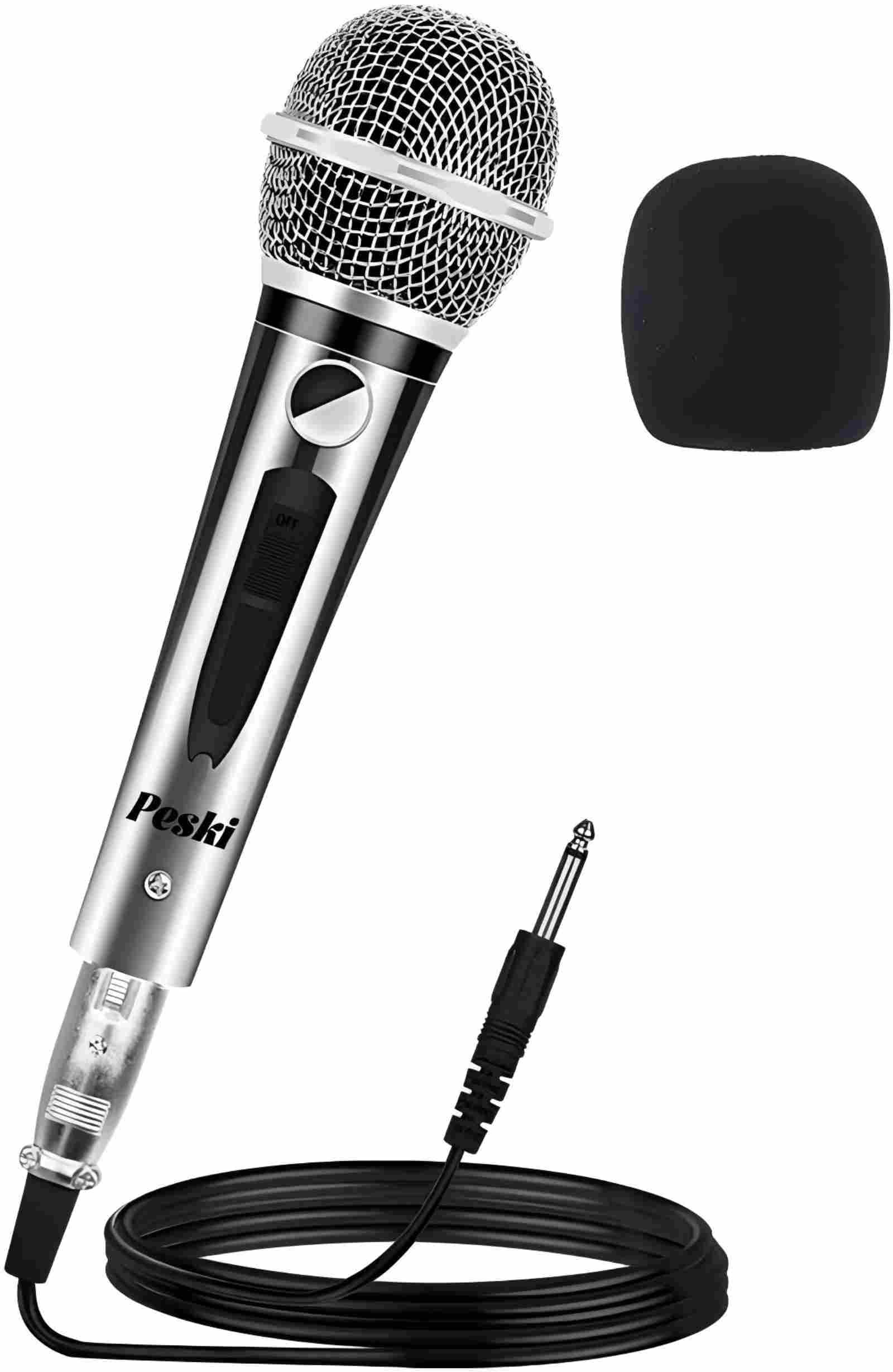
Figure 2: Peski Wired Dynamic Karaoke Microphone. This image shows the microphone and its included cable, demonstrating its robust design and connectivity.
סעטאַפּ
- פאַרבינדן די קאַבלע: Insert the 3-pin XLR connector of the provided 13ft (4m) cable into the microphone's XLR port. Ensure a secure connection.
- פאַרבינדן צו אַודיאָ מיטל: Plug the 1/4" (6.35mm) jack of the cable into the microphone input port of your compatible audio device (e.g., karaoke machine, speaker, amplifier, mixer, home theater system).
- מאַכט אויף: Ensure your audio device is powered on and its volume is set to a low level before speaking into the microphone.

Figure 3: Classic Cable Set Connection. This diagram illustrates how to connect the XLR cable to the microphone and the 1/4" jack to your audio equipment.

Figure 4: Wide Compatibility. This image demonstrates the microphone's compatibility with a range of audio equipment, including amplifiers, speakers, and home theater systems.
אַפּערייטינג ינסטראַקשאַנז
- מאַכט סוויטש: Locate the ON/OFF switch on the microphone body. Slide the switch to the "ON" position to activate the microphone. Slide it to "OFF" when not in use.
- מיקראָפאָן אָרט: Hold the microphone approximately 2-6 inches (5-15 cm) from your mouth for optimal sound capture. Due to its cardioid pickup pattern, the microphone is most sensitive to sounds directly in front of it, reducing pickup from the sides and rear.
- סטרויערן באַנד: Gradually increase the volume on your connected audio device until the desired sound level is achieved. Avoid setting the volume too high to prevent feedback or distortion.

Figure 5: Comfortable Switch Button. This image highlights the ON/OFF switch on the microphone handle, along with its general dimensions.

Figure 6: Cardioid Dynamic Microphone. This diagram visually represents the cardioid pickup pattern, indicating how the microphone effectively rejects sounds from other directions.
וישאַלט
- רייניקונג: Use a soft, dry cloth to wipe the microphone body. For the mesh grille, gently clean with a slightly damp cloth if necessary, ensuring no moisture enters the microphone. Do not use harsh chemicals or abrasive cleaners.
- ווינדסקרין זאָרגן: The foam windscreen can be gently hand-washed with mild soap and water, then air-dried completely before reattaching.
- סטאָרידזש: Store the microphone in a dry, cool place, away from direct sunlight and extreme temperatures. Disconnect the cable and coil it neatly to prevent damage.
טראָובלעשאָאָטינג
| פּראָבלעם | מעגלעך סיבה | לייזונג |
|---|---|---|
| קיין געזונט רעזולטאַט | Microphone switch is OFF קאַבלע איז נישט רעכט פארבונדן Audio device volume too low Incorrect input selected on audio device | Slide microphone switch to ON Ensure cable is securely connected at both ends Increase volume on audio device Select the correct microphone input on your audio device |
| שלעכטע קלאַנג קוואַליטעט / דיסטאָרשאַן | באַנד אויך הויך Microphone too close to sound source דאַמידזשד קאַבלע | Reduce volume on audio device Maintain optimal distance (2-6 inches) Try a different XLR to 1/4" cable |
| Feedback (high-pitched squeal) | מיקראָפאָן צו נאָענט צום רעדנער באַנד אויך הויך | Move microphone further from speakers Reduce volume on audio device |
ספּעסאַפאַקיישאַנז
- מאָדעל נומער: 8541752112
- סאָרט: פּעסקי
- קאַנעקטיוויטי טעכנאָלאָגיע: XLR (Wired)
- קאַנעקטער טיפּ: 1/4" (6.35mm) Jack
- פּאָליאַר מוסטער: ונידירעקטיאָנאַל (קאַרדיאָיד)
- מיקראָפאָן פאָרם פאַקטאָר: כאַנדכעלד מיקראָפאָן סיסטעם
- מאַטעריאַל: Metal body, Foam windscreen
- סיגנאַל-צו-ראַש פאַרהעלטעניש: 70 דב
- נומער וואָג: 1.21 פונט (אומגעפער 0.55 ק"ג)
- קאַבלע לענג: 13 פֿיס (4 מעטער)
- קאַמפּאַטאַבאַל דעוויסעס: Amplifier, Home Theater, Karaoke Machine, Speaker
- מאַכט מקור: Corded Electric (via connected device)
וואָראַנטי און שטיצן
For warranty information or technical support, please contact Peski customer service through the retailer where the product was purchased or visit the official Peski webזייטל. ביטע באַהאַלטן אייער קויפן באַווייַז פֿאַר קיין וואָראַנטי קליימז.