
1. הקדמה
The Zerone K-1028E is a universal remote control designed for use with a wide range of air conditioning units. This remote offers comprehensive functionality, including temperature adjustment, mode selection, fan speed control, and timer settings, providing a convenient replacement for lost or damaged original air conditioner remotes. Its compact design and clear LCD screen ensure ease of use.
2. זיכערקייַט אינפֿאָרמאַציע
- צי ניט מישן אַלט און נייַ באַטעריז.
- דו זאלסט נישט מישן אַלקאַליין, נאָרמאַל (טשאַד-צינק), אָדער קריקאָנלאָדלעך (ניקעל-קאַדמיום) באַטעריז.
- אַרויסנעמען די באַטעריעס אויב די ווײַטקאָנטראָל וועט נישט ווערן גענוצט פֿאַר אַ לענגערע צײַט כּדי צו פֿאַרמײַדן ליקאַדזש.
- Keep the remote control away from direct sunlight, heat sources, and moisture.
- פֿאַרמײַדט צו לאָזן פאַלן אָדער אויסשטעלן די ווײַטקאָנטראָל צו שטאַרקע קלאַפּן.
3. פּראָדוקט איבערview
The K-1028E remote control features an ergonomic design with clearly labeled buttons and a large LCD display for easy readability. It includes essential functions such as power, mode, temperature control, fan speed, and a dedicated light button.

This image displays the front of the Zerone K-1028E universal air conditioner remote control, highlighting its compact size with approximate dimensions of 13.3 cm in length, 5 cm in width, and 2.3 cm in thickness. The LCD screen and primary control buttons are visible.

A hand is shown holding the remote control, with the LCD screen clearly visible. The display shows a temperature setting of 26°C, along with icons indicating various modes and functions, demonstrating the remote in active use.
4. סעטאַפּ
4.1 באַטאַרייע ייַנמאָנטירונג
- עפענען די באַטאַרייע אָפּטייל דעקן אויף די צוריק פון די ווייַט קאָנטראָל.
- אַרײַנשטעלן צוויי AAA באַטעריעס, און זיכער מאַכן אַז די פּאָלאַריטעט איז ריכטיק (+ און -).
- פאַרמאַכן די באַטאַרייע אָפּטייל דעקן סיקיורלי.
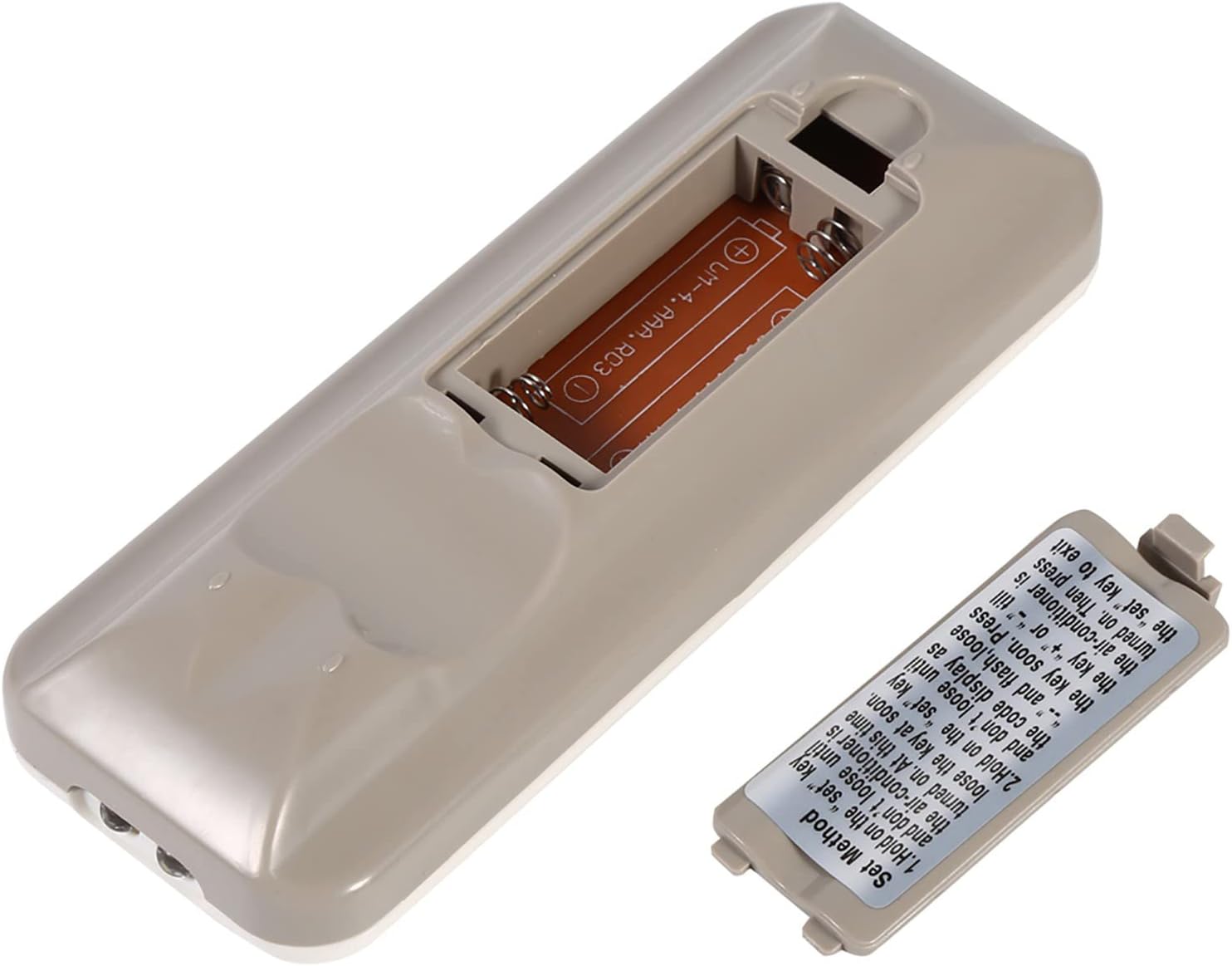
The back of the remote control is shown with the battery compartment cover removed, revealing the slot for two AAA batteries. This illustrates where to insert or replace the power source.
4.2 Programming the Remote (Automatic Search Method)
This method allows the remote to automatically search for the correct code for your air conditioner.
- Ensure your air conditioner unit is powered off.
- דריקן און האַלטן די שטעלן button on the remote control. Continue holding until your air conditioner unit turns on. Once the air conditioner turns on, immediately release the שטעלן קנעפּל.
- Alternatively, if the above step does not work, press and hold the שטעלן button until the code display on the remote's LCD screen shows "--" and begins to flash. Release the שטעלן קנעפּל.
- While the code is flashing, press the + or - buttons repeatedly until your air conditioner unit turns on.
- Once the air conditioner turns on, press the שטעלן button again to confirm the code and exit the programming mode.
- Test all functions of the remote control to ensure proper operation. If some functions do not work, repeat the programming process to find a more compatible code.

דאָס בילד גיט אַ דעטאַלירטע view of the 'Set Method' instructions sticker located on the back of the remote control. It outlines the steps for automatically programming the remote to an air conditioner unit.
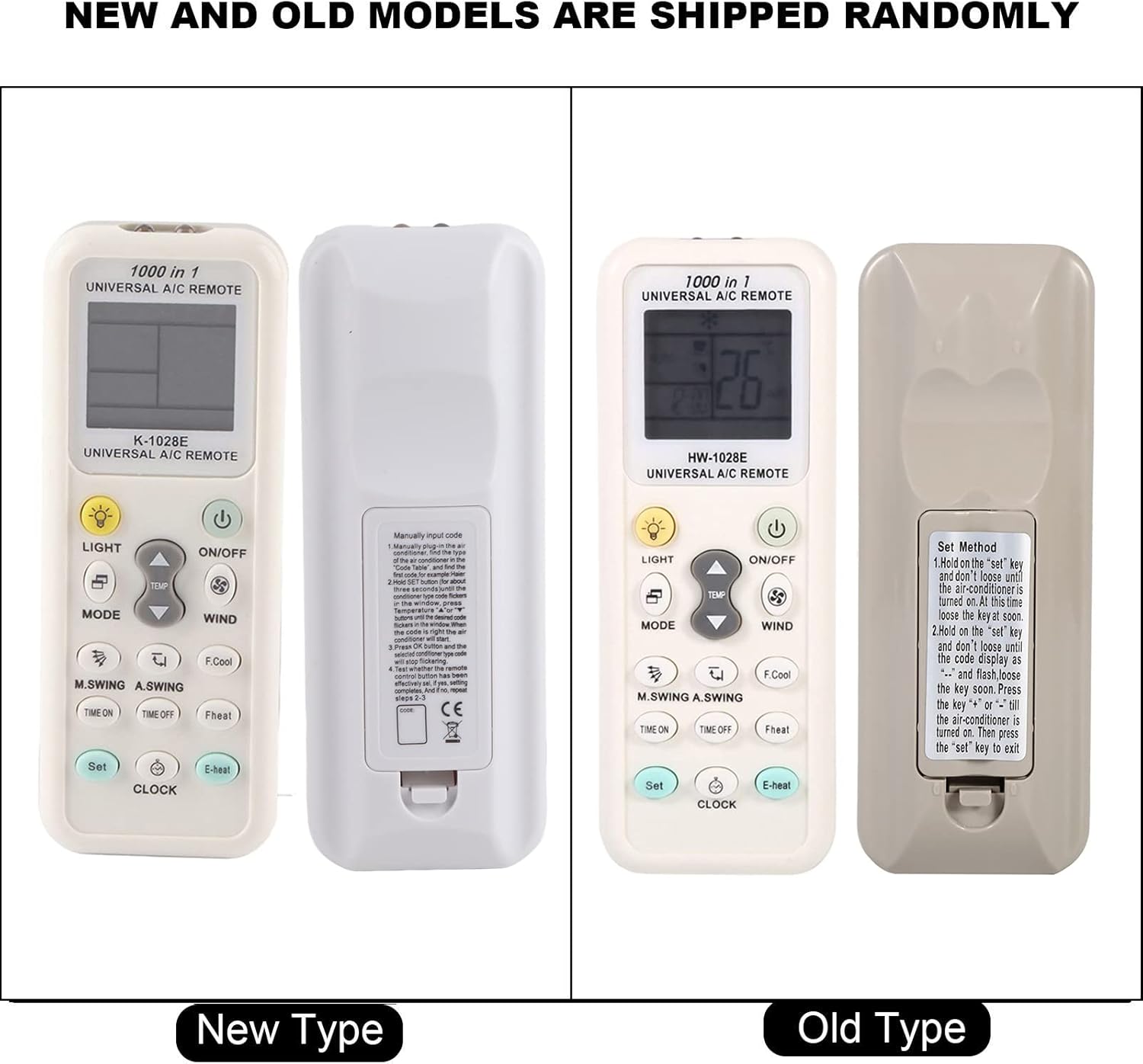
This image compares two versions of the K-1028E remote control, labeled 'New Type' and 'Old Type'. It illustrates slight variations in button arrangement and the instruction sticker on the back panel, indicating potential minor design updates over time. The programming method remains consistent.
5. אַפּערייטינג ינסטרוקטיאָנס
- ON/OFF קנעפּל: דריק אויף צו אנצינדן אדער אויסלעשן דעם לופטקילונג אַפּאַראַט.
- מאָדע קנעפּל: Press to cycle through available operating modes: Auto, Cool, Dry, Fan, Heat.
- טעמפּ ▲/▼ קנעפּלעך: Press to increase or decrease the desired temperature setting.
- WIND (Fan Speed) Button: Press to adjust the fan speed (e.g., Auto, Low, Medium, High).
- M.SWING/A.SWING Button: Controls the horizontal or vertical swing of the air conditioner's louvers.
- TIME ON/TIME OFF Buttons: Used to set a timer for the air conditioner to turn on or off automatically.
- LIGHT קנעפּל: Activates or deactivates the backlight on the remote's LCD screen or the air conditioner's display light (if supported).
- SET קנעפּל: Used for programming the remote and confirming settings.
- זייגער קנעפּל: געניצט צו שטעלן די איצטיקע צייט אויף דער ווײַטקאָנטראָל'ס דיספּלעי.
6. וישאַלט
- Clean the remote control regularly with a soft, dry cloth. Do not use liquid cleaners or abrasive materials.
- If the remote control is not responding or the display is dim, replace the batteries.
- האַלט די ווײַטקאָנטראָלירטע מיטל אין אַ קיל, טרוקן אָרט ווען עס ווערט נישט גענוצט פֿאַר לענגערע פּעריאָדן.
7. טראָובלעשאָאָטינג
- ווייַט ניט ארבעטן: Ensure batteries are inserted correctly and are not depleted. Reprogram the remote using the automatic search method. Ensure there are no obstructions between the remote and the air conditioner's receiver.
- לימיטירטע פונקציאָנאַליטעט: If some functions do not work after programming, it may indicate that the selected code is not fully compatible. Try repeating the automatic search method to find an alternative, more compatible code.
- אַרויסווייַז פּראָבלעמען: If the LCD display is dim or incomplete, replace the batteries.
8. ספּעסאַפאַקיישאַנז
| סאָרט | נול |
| מאָדעל נומער | ק -1028 ע |
| פּונקט וואָג | 0.704 אונסעס (בעערעך 20 גראַמז) |
| קאַמפּאַטאַבאַל דעוויסעס | לופטקילונג |
| מאַקס נומער פון שטיצט דעוויסעס | 1 (Universal for many AC brands) |
| ספּעציעלע שטריך | וניווערסאַל קאַמפּאַטאַבילאַטי |
9. וואָראַנטי און שטיצן
For warranty information or technical support, please refer to the documentation provided with your purchase or contact the retailer. Keep your purchase receipt as proof of purchase.