
1. הקדמה
Thank you for choosing the SportPlus SP-TM-1006 Compact Treadmill. This manual provides essential information for the safe assembly, operation, and maintenance of your new fitness equipment. Please read all instructions carefully before use and retain this manual for future reference.
The SportPlus SP-TM-1006 is designed for home use, offering a compact solution for walking and light jogging, suitable for various environments including home offices and under standing desks.
2. זיכערקייַט אינסטרוקציעס
To reduce the risk of serious injury, read the following important safety instructions before using the treadmill:
- שטעלט שטענדיק דעם טרעדמיל אויף א פלאַכער, סטאַבילער ייבערפלאַך.
- זיכערט זיך אז עס איז דא גענוג קלארע פלאץ ארום דעם טרעדמיל (מינדעסטנס 2 מעטער הינטערן און 0.6 מעטער אויף יעדער זייט).
- האַלטן קינדער און פּעץ אַוועק פון די טרעדמיל בעשאַס אָפּעראַציע.
- Do not use the treadmill if you weigh more than 120 kg (264 lbs).
- טראָגט פּאַסיקע אַטלעטישע שיך און קליידער.
- אויב איר דערפאַרט ווייטיק, שווינדל, אָדער קורץ אָטעם, הערט אויף צו טאָן געניטונגען גלייך.
- נעמט ארויס דעם טרעדמיל פון דער עלעקטרישער אַוטלעט ווען עס איז נישט אין באַנוץ אָדער איידער רייניקונג/וישאַלט.
- דו זאלסט נישט אַרבעטן די טרעדמיל אויב די מאַכט שנור אָדער צאַפּן איז דאַמידזשד.
- This treadmill is not compatible with external applications.
3. פּעקל אינהאַלט
באַשטעטיקן אַז אַלע קאָמפּאָנענטן זענען פאַראַן אין דער פּאַקעט:
- SportPlus SP-TM-1006 Walking Pad
- ווייַט קאָנטראָל
- Power Supply Cable (European and UK plugs may be included)
- Silicone Oil for Lubrication
- ינסטראַקשאַנז מאַנואַל
4. סעטאַפּ
The SportPlus SP-TM-1006 treadmill requires minimal setup. It arrives largely pre-assembled.
- אויספּאַקן: פֿאָרזיכטיק אַרויסנעמען די טרעדמיל פֿון זײַן פּאַקאַדזשינג.
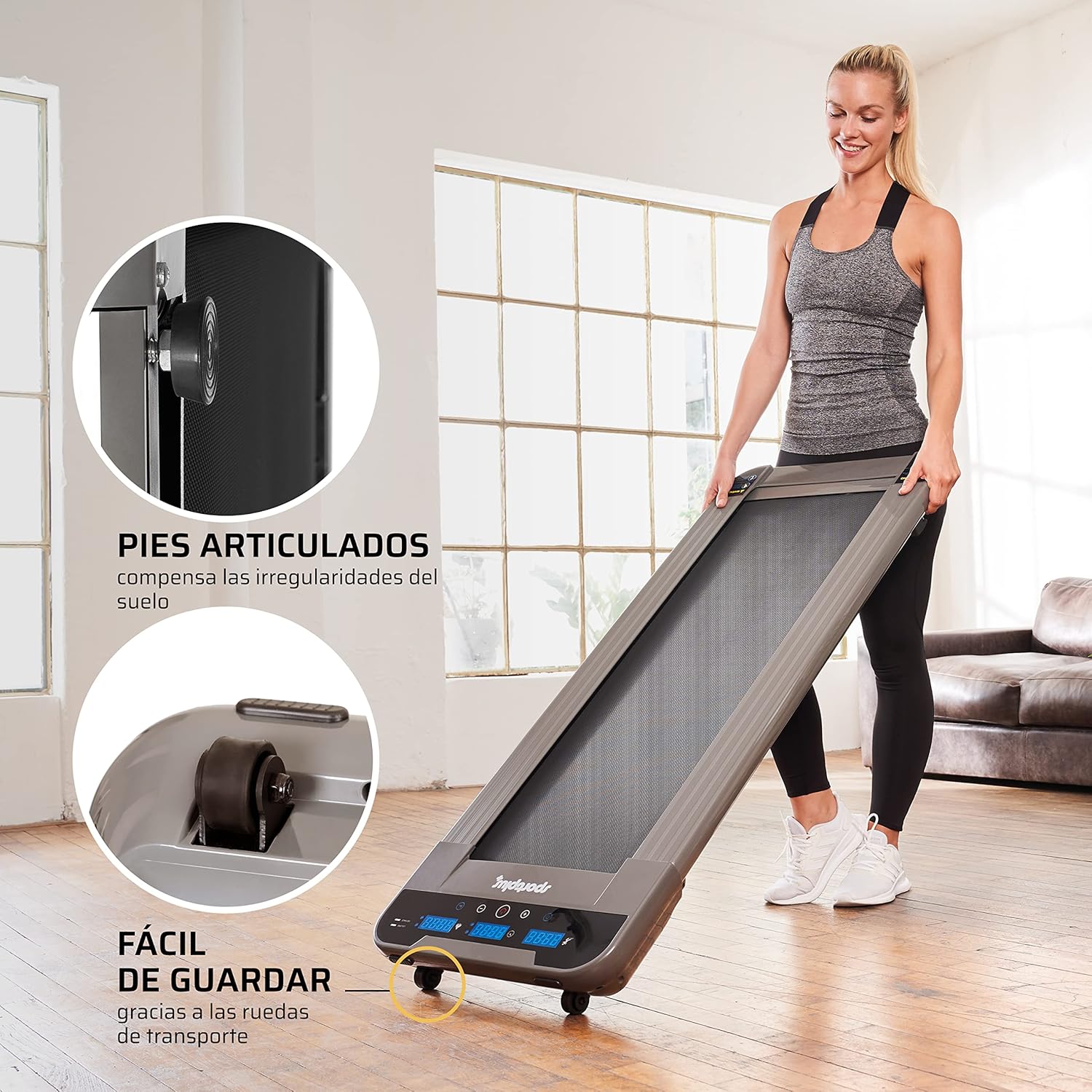
- אָרט: שטעלט דעם טרעדמיל אויף א פעסטער, גלייכער ייבערפלאַך. זאָרגט אַז עס איז גענוג פּלאַץ אַרום דעם אַפּאַראַט פֿאַר זיכערן אָפּעראַציע.
- מאַכט קשר: Connect the power cable to the treadmill and then to a suitable electrical outlet.
- ווייַט קאָנטראָל: Insert the provided battery into the remote control.

5. אַפּערייטינג ינסטרוקטיאָנס
5.1 יקערדיק אָפּעראַציע
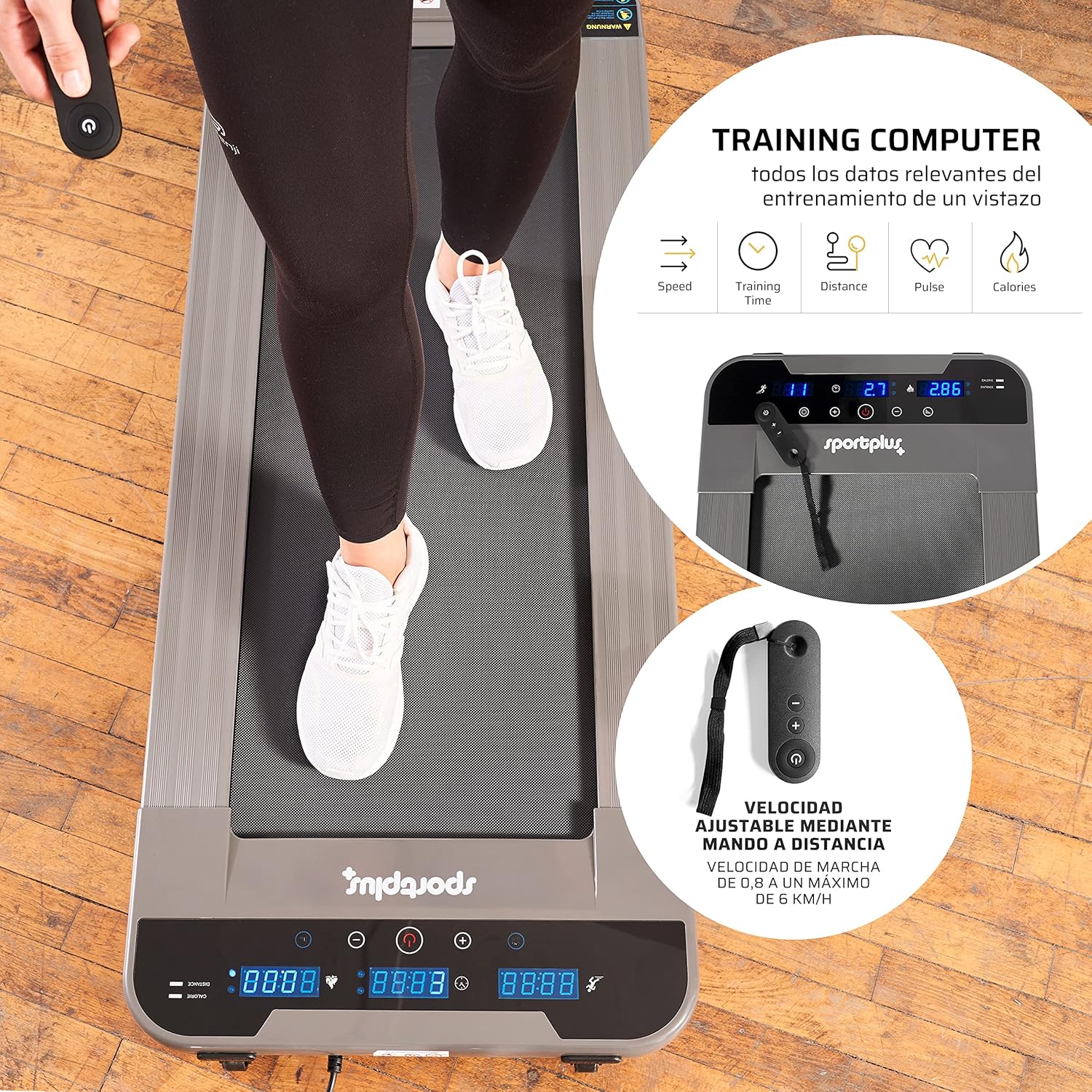
The treadmill is operated using the included remote control.
- מאַכט אויף: Press the power button on the remote control to turn on the treadmill. The LED display will illuminate.
- אָנהייב / האַלטן: Press the 'Start' button on the remote to begin the walking belt movement. Press 'Stop' to halt the belt.
- גיכקייט אַדזשאַסטמאַנט: Use the '+' and '-' buttons on the remote control to adjust the speed. The speed can be adjusted in increments of 0.1 km/h, ranging from 0.8 km/h to a maximum of 6 km/h.
- מאַכט אַוועק: Press and hold the power button on the remote control to turn off the treadmill.
5.2 ווייַז פאַנגקשאַנז
The illuminated LED display provides real-time workout data:
- צייט: די געדויער פון אייער טרענירונג.
- גיכקייַט: Current walking speed in km/h.
- דיסטאַנסע: גאַנץ דיסטאַנץ באדעקט בעת די טריינינג.
- קאַלאָריעס: עסטימאַטעד קאַלאָריעס פארברענט.
- סטעפּס: צאָל טריט גענומען.
5.3 באַניץ מאָדעס
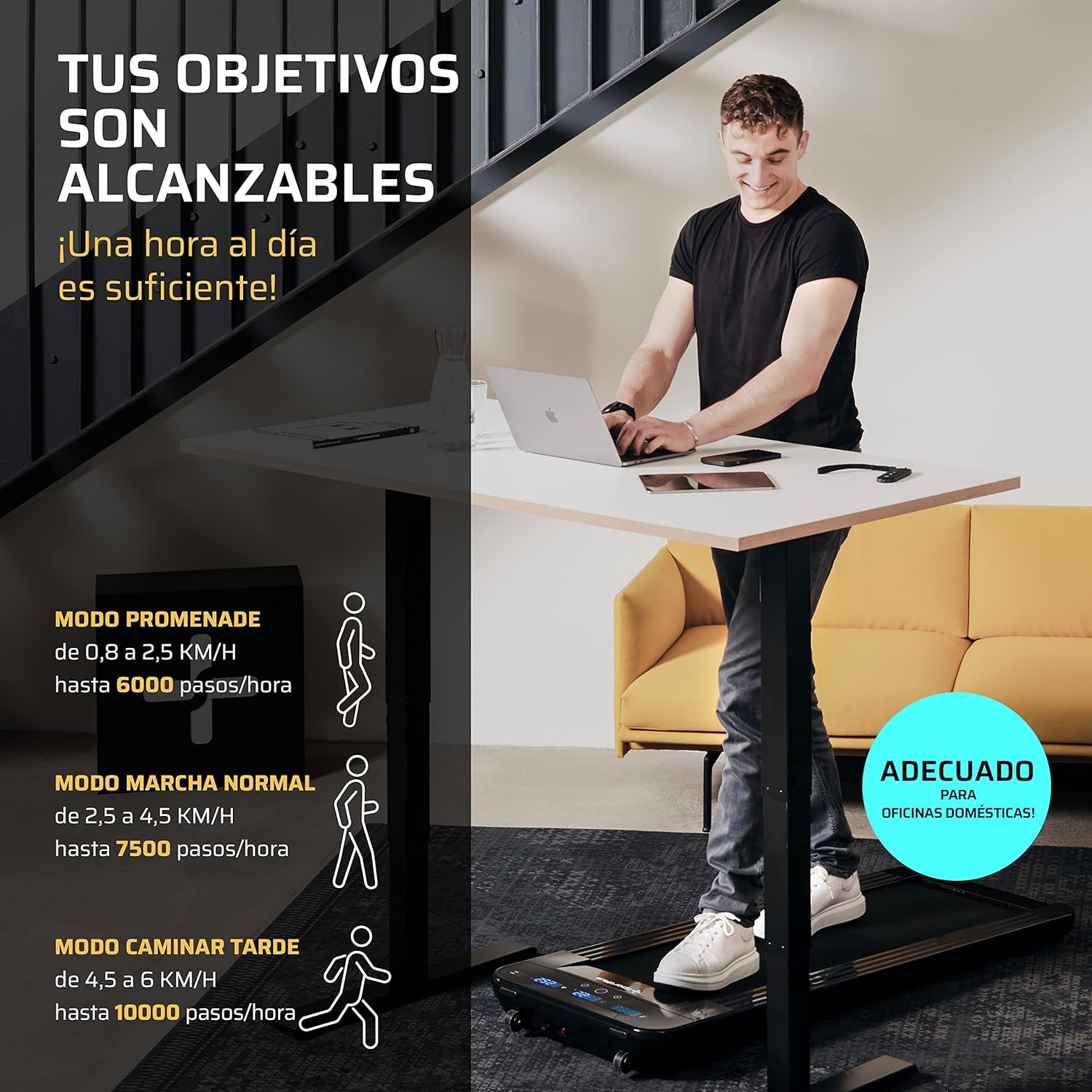
The treadmill supports various walking modes to suit your activity level:
- Promenade Mode: 0.8 to 2.5 km/h (up to 6000 steps/hour) - Ideal for light activity.
- Normal Walk Mode: 2.5 to 4.5 km/h (up to 7500 steps/hour) - Suitable for a brisk walk.
- Late Walk Mode: 4.5 to 6 km/h (up to 10000 steps/hour) - For faster walking or light jogging.
6. וישאַלט
רעגולערע אויפהאלטונג גאראנטירט די לאנגעוויטי און אפטימאלע פערפארמאנס פון אייער טרעדמיל.
6.1 לובריקיישאַן
The walking belt requires periodic lubrication with the provided silicone oil to reduce friction and wear.
- קער אַוועק און אָפּשטויסן די טרעדמיל.
- Lift the edge of the walking belt and apply a small amount of silicone oil directly onto the running deck, underneath the belt.
- Repeat on both sides of the belt.
- Plug in the treadmill and run it at a low speed (e.g., 1 km/h) for a few minutes to distribute the lubricant evenly.
- Frequency of lubrication depends on usage; generally, every 30-50 hours of use.
6.2 רייניקונג
Clean the treadmill regularly to prevent dust and debris buildup.
- Turn off and unplug the treadmill before cleaning.
- ווישן די סערפאַסיז מיט אַדamp שטאָף. דו זאלסט נישט נוצן אַברייסיוו קלינערז אָדער סאָלוואַנץ.
- Vacuum underneath the treadmill periodically to remove dust and lint.
6.3 גאַרטל אַדזשאַסטמאַנט
If the walking belt becomes off-center or slips, it may require adjustment. Refer to the detailed instructions in the full manual for specific steps, which typically involve using an Allen key to adjust tension bolts at the rear of the treadmill.
7. טראָובלעשאָאָטינג
די סעקציע באהאנדלט אלגעמיינע פראבלעמען וואס איר קענט באגעגענען מיט אייער טרעדמיל.
| פּראָבלעם | מעגלעך סיבה | לייזונג |
|---|---|---|
| טרעדמיל גייט נישט אן. | Power cable not connected, power outlet issue, main power switch off. | Check power cable connection. Ensure the power outlet is functional. |
| ווייַט קאָנטראָל נישט ארבעטן. | Battery depleted, remote out of range, sensor obstruction. | Replace remote control battery. Ensure remote is pointed towards the treadmill's sensor (typically at the front display). Maintain close proximity (within 30 cm). |
| Walking belt slips or is off-center. | Belt tension too loose, belt alignment issue. | Adjust belt tension and alignment according to the detailed instructions in the full manual. |
| ומגעוויינטלעך ראַש בעשאַס אָפּעראַציע. | Lack of lubrication, loose components, foreign object. | Lubricate the walking belt. Check for and tighten any loose screws. Inspect for foreign objects. If the noise persists, contact customer support. |
8. ספּעסאַפאַקיישאַנז
| שטריך | באַשרייַבונג |
|---|---|
| מאָדעל נומער | SP-TM-1006 |
| דימענסיעס (L X W X H) | 134 X 54 X 12 סענטימעטער (52.4 X 20.9 X 3.9 אינטשעס) |
| לויף־איבערפלאַך (L x B) | 101 X 36 סענטימעטער |
| פּראָדוקט וואָג | 25 קג (55 לבס) |
| מאַקסימום באַניצער וואָג | 120 קג (264 לבס) |
| מאַטעריאַל | שטאָל אַללוי |
| מאַקסימום גיכקייַט | 6 קילאמעטער/ה |
| ספּעציעלע פֿעיִקייטן | Electric with cable, LED indicator, Remote Control |
| רעקאַמענדיד נוצן | Walking, light jogging |
| ציל וילעם | דערוואַקסן |

9. וואָראַנטי און שטיצן
SportPlus has been producing high-quality sports equipment for 20 years. We are committed to providing durable products and excellent customer service.
If you have any questions or require assistance, our customer service department in Hamburg will be happy to help. We maintain a stock of spare and wear parts to ensure the long-term usability and sustainability of your equipment.
For support, please visit the official SportPlus webפּלאַץ אָדער קאָנטאַקט דיין זיצער.
קאָנטאַקט אינפֿאָרמאַציע:
- Webפּלאַץ: www.sportplus.de (עקסample, please refer to your product documentation for exact contact details)
- בליצפּאָסט: service@sportplus.org