
הקדמה
The Laney MINI-SUPERG is a compact, battery-powered guitar amplifier designed for portability and versatile use. It features a clean and drive channel, essential tone controls, and a unique Laney Smartphone Insert (LSI) for integrating with guitar tone-generating applications. This manual provides detailed instructions for the proper setup, operation, and maintenance of your MINI-SUPERG ampליפער.
וויכטיק סאַפעטי אינפֿאָרמאַציע
- Read these instructions thoroughly before operating the unit.
- האַלטן די ינסטראַקשאַנז פֿאַר צוקונפֿט רעפֿערענץ.
- היט אַלע וואָרנינגז און נאָכגיין אַלע ינסטראַקשאַנז.
- דו זאלסט נישט נוצן דעם אַפּאַראַט לעבן וואַסער.
- ריין בלויז מיט אַ טרוקן שטאָף.
- בלאָקירט נישט קיין ווענטילאַציע עפענונגען. אינסטאַלירט לויט די אינסטרוקציעס פונעם פאַבריקאַנט.
- דו זאלסט נישט ינסטאַלירן לעבן קיין היץ קוואלן אַזאַ ווי ראַדיאַטאָרס, היץ רעדזשיסטערז, סטאָוווז אָדער אנדערע אַפּאַראַט (אַרייַנגערעכנט ampליפיערס) וואָס פּראָדוצירן היץ.
- נאָר נוצן אַטאַטשמאַנץ / אַקסעסעריז ספּעסיפיעד דורך דער פאַבריקאַנט.
- קאָנטאַקט אַלע קוואַלאַפייד סערוויס פּערסאַנעל. סערוויסינג איז פארלאנגט אויב די אַפּאַראַט איז דאַמידזשד אין קיין וועג.
- באַטערי זיכערקייַט: Use only the specified battery type (6 x AA). Ensure correct polarity when installing. Do not mix old and new batteries, or different types of batteries. Remove batteries if the unit is not used for extended periods.
פּעקל אינהאַלט
Please check the contents of your product packaging carefully. If any items are missing or damaged, contact your retailer immediately.
- Laney MINI-SUPERG Ampליפער
- באַניצער מאַנואַל
- LSI Cable (if included with your model)
קאָנטראָלס און פֿעיִקייטן
פראָנט פּאַנעל קאָנטראָלס
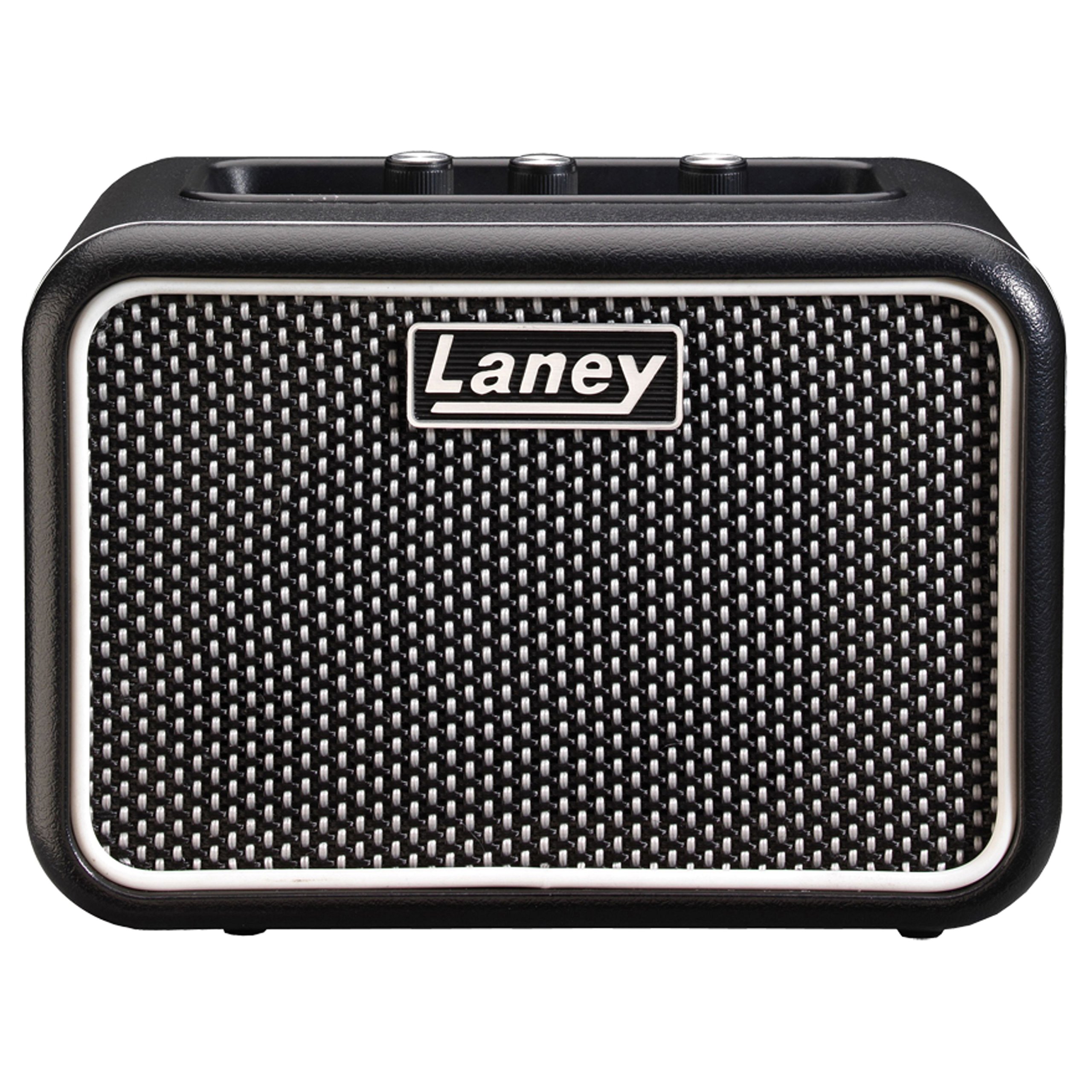
בילד: Front panel of the Laney MINI-SUPERG amplifier, showing the input jack, gain, tone, and volume knobs, drive switch, AUX IN, LSI port, power button, and headphone jack.
- איינגאבע: 1/4-inch jack for connecting your guitar.
- DRIVE סוויטש: Engages the overdrive channel for a distorted guitar tone.
- געווינען: Controls the amount of input signal and overdrive when the DRIVE switch is engaged.
- טאָן: אַדזשאַסטירט דעם אַלגעמיינעם טאָנאַלן כאַראַקטער, פֿון טונקעלער צו העלער.
- AUX IN: 3.5mm stereo input for connecting external audio sources like MP3 players or smartphones for backing tracks.
- LSI (Laney Smartphone Insert): 3.5mm TRRS jack for connecting your smartphone or tablet to use with tone-generating apps.
- באַנד: קאָנטראָלס די קוילעלדיק רעזולטאַט מדרגה פון די ampליפער.
- מאַכט: On/Off button for the amplifier. An indicator light will illuminate when on.
- HEADPHONE: 3.5mm stereo output for private practice. Connecting headphones mutes the internal speaker.
דערציען פּאַנעל פֿעיִקייטן

בילד: Rear panel of the Laney MINI-SUPERG amplifier, showing the battery compartment cover and product information label.
- באַטערי אָפּטייל: Houses 6 x AA batteries for portable power.
- Product Information Label: Contains model number, serial number, and compliance markings.
סעטאַפּ
1. באַטאַרייע ייַנמאָנטירונג
- פאַרזיכערן די ampליפיער איז פּאַוערד אַוועק.
- געפינט די באַטאַרייע אָפּטייל אויף דער הינטערשטער זייט פון דער אַפּאַראַט.
- רוקט דעם דעקל פונעם באַטעריע־אָפּטייל אַראָפּ צו עפֿענען.
- Insert 6 x AA batteries, observing the correct polarity (+/-) as indicated inside the compartment.
- לייג צוריק דעם דעקל פונעם באַטעריע־אָפּטייל, און זאָרג אַז עס קליקט זיכער אַרײַן.
2. פֿאַרבינדן דיין גיטאַר
- Connect one end of a standard 1/4-inch instrument cable to your guitar's output jack.
- Connect the other end of the instrument cable to the אַרייַנשרייַב jack on the front panel of the MINI-SUPERG.
3. Connecting an Auxiliary Audio Source
- Use a 3.5mm stereo audio cable.
- Connect one end to the headphone output or line output of your audio device (e.g., smartphone, MP3 player).
- פֿאַרבינדט דעם אַנדערן עק צום AUX IN jack on the front panel of the MINI-SUPERG.
4. Using the LSI (Laney Smartphone Insert)
- The LSI allows you to connect your smartphone or tablet to the amplifier for use with digital guitar tone apps.
- Use the supplied LSI cable (or a compatible 3.5mm TRRS cable).
- Connect one end of the LSI cable to the LSI jack on the MINI-SUPERG.
- Connect the other end to the headphone/microphone jack of your smartphone or tablet.
- Launch your preferred guitar tone app on your device. The app will process your guitar signal and send the output back to the MINI-SUPERG.
אָפּעראַציע
1. פּאָווערינג אויף / אויסגעלאשן
- דרוק די מאַכט קנעפּל צו ווענדן די amplifier on. The power indicator light will illuminate.
- דרוק די מאַכט קנעפּל ווידער צו ווענדן די amplifier off. The indicator light will extinguish.
2. אַדזשאַסטירן באַנד און טאָן
- אָנהייבן מיט די באַנד knob set to a low level.
- Play your guitar and slowly increase the באַנד צו אייער געוואונטשענעם הערן לעוועל.
- סטרויערן די טאָן knob to shape your sound. Turning it clockwise increases treble (brightness), and counter-clockwise increases bass (warmth).
3. Using the Drive Channel
- To engage the overdrive sound, press the פאָר switch. The indicator light next to the switch will illuminate.
- סטרויערן די געווינען knob to control the amount of distortion. Higher gain settings produce more aggressive overdrive.
- ניצן די טאָן און באַנד knobs to further refine your driven sound.
- To return to a clean sound, press the פאָר באַשטימען ווידער.
4. ניצן כעדפאָונז
- Plug standard 3.5mm stereo headphones into the כעדפאָון דזשאַק.
- The internal speaker will automatically mute, allowing for silent practice.
- סטרויערן די באַנד knob for your headphone listening level.
וישאַלט
- רייניקונג: ווישן די amplifier with a soft, dry cloth. Do not use abrasive cleaners, solvents, or waxes.
- באַטערי זאָרגן: Remove batteries if the unit will not be used for an extended period to prevent leakage. Dispose of used batteries responsibly according to local regulations.
- סטאָרידזש: קראָם די ampהאַלטן די ליפיער אין אַ קיל, טרוקן אָרט אַוועק פון דירעקט זונשייַן און עקסטרעמע טעמפּעראַטורן.
- טראנספארט: ביים טראַנספּאָרטירן, זאָרגט אַז די ampדער ליפיער איז זיכער פארפאקט צו פארמיידן פיזישע שאדן.
טראָובלעשאָאָטינג
| פּראָבלעם | מעגלעך סיבה | לייזונג |
|---|---|---|
| קיין קלאַנג פֿון רעדנער. |
|
|
| פארדרייט אדער שלעכטע קלאַנג קוואַליטעט. |
|
|
| LSI connection not working. |
|
|
ספּעסאַפאַקיישאַנז
| שטריך | דעטאַל |
|---|---|
| רעזולטאַט וואָסtage | 3 וואטס |
| רעדנער | 1 x 3-inch full range driver |
| טשאַנאַלז | Clean & Drive |
| קאָנטראָלס | Gain, Tone, Volume, Drive Switch |
| ינפּוץ | 1/4-inch Guitar Input, 3.5mm AUX IN, 3.5mm LSI |
| אַוטפּוץ | 3.5 מם כעדפאָון רעזולטאַט |
| מאַכט מקור | 6 רענטגענ אַאַ באַטעריז |
| דימענשאַנז (H X W X D) | 4.72 X 6.81 X 3.94 אינטשעס (12 X 17.3 X 10 סענטימעטער) |
| וואָג | בעערעך 1.83 פונט (0.83 קג) |
| מאַטעריאַל | ומבאַפלעקט שטאָל |
וואָראַנטי און שטיצן
For warranty information and technical support, please refer to the warranty card included with your product or visit the official Laney webזייטל. האַלט דיין קויפן באַווייַז פֿאַר קיין וואָראַנטי קליימז.