
1. הקדמה
This manual provides essential information for the safe and effective use of your Amcrest IP8M-2493EB Outdoor PoE Bullet Camera. Please read these instructions thoroughly before installation and operation to ensure optimal performance and to prevent damage to the device.
2. פּראָדוקט איבערview
2.1 שליסל פֿעיִקייטן
- 2MP IP PoE Bullet Camera
- 1920x1080p @30fps Video Resolution
- Nightvision up to 98 feet (30 meters)
- IP67 Weatherproof Rating for outdoor use
- Cloud Storage Capability
- Wall Mount Design
- 4K Video Capture Resolution (for recording)
- Motion Sensor Special Feature
2.2 פּעקל אינהאַלט
באַשטעטיקן אַז אַלע קאָמפּאָנענטן זענען פאַראַן אין דיין פּעקל:
- Amcrest IP8M-2493EB Outdoor PoE Bullet Camera
- מאָנטירונג האַרדווער (שרויף, אַנקערס)
- שנעל אָנהייב גייד (דעם מאַנואַל)
2.3 קאַמעראַ קאָמפּאָנענטן
Familiarize yourself with the camera's physical components:

פיגורע 1: פראָנט view of the Amcrest IP8M-2493EB Bullet Camera, showing the lens, IR LEDs, and housing.
3. סעטאַפּ
3.1 איידער איר אָנהייבן
Ensure you have the following items and conditions:
- A Power over Ethernet (PoE) switch or PoE injector (802.3af/at compliant)
- Cat5e or Cat6 Ethernet cable
- A stable internet connection (recommended for remote viewing and cloud features)
- A drill and screwdriver for mounting
3.2 גשמיות ינסטאַלירונג
- קלייַבן אַ מאַונטינג אָרט: Select a suitable wall location that provides the desired viewing angle and is within reach of your Ethernet cable.
- מארק בויער האָלעס: Use the provided mounting template (if included) or the camera base to mark the positions for drilling.
- בויער האָלעס: באָרט פּילאָט לעכער און אַרײַנשטעלן וואַנט אַנקערס אויב עס איז מאָנטירט אויף דרייוואָל אָדער ציגל.
- באַוואָרענען די אַפּאַראַט: באַפעסטיקט די קאַמעראַ באַזע צו דער וואַנט מיט די צוגעשטעלטע שרויפן.
- סטרויערן ווינקל: Loosen the adjustment screws on the camera body to position the camera for optimal coverage, then tighten them securely.
3.3 נעטוואָרק קאַנעקשאַן
Connect one end of the Ethernet cable to the camera's Ethernet port and the other end to a PoE port on your PoE switch or injector. The camera will power on automatically.
3.4 ערשט קאַנפיגיעריישאַן
For initial setup and configuration, download the Amcrest View Pro app on your mobile device or use the Amcrest web interface via a computer connected to the same network. Follow the on-screen instructions to discover and add your camera to your system.
4. אַפּערייטינג די קאַמעראַ
4.1 Accessing Live View
Access the live video feed through the Amcrest View Pro app or the web interface. This allows real-time monitoring of your surveillance area.
4.2 רעקאָרדינג און סטאָרידזש
The camera supports various recording options:
- לאקאלע סטאָרידזש: If equipped with a microSD card slot (card sold separately), recordings can be stored directly on the camera.
- נעץ ווידעא רעקאָרדער (NVR): Connect the camera to a compatible Amcrest NVR for continuous recording and extended storage.
- וואָלקן סטאָרידזש: Utilize Amcrest Cloud services for off-site storage of event-triggered recordings. Refer to the Amcrest website for subscription details.
4.3 באַוועגונג דעטעקשאַן
Configure motion detection settings via the camera's interface. You can define detection zones, sensitivity levels, and set up alerts (e.g., email notifications, push notifications to your phone) when motion is detected.
4.4 נאַכט זעאונג
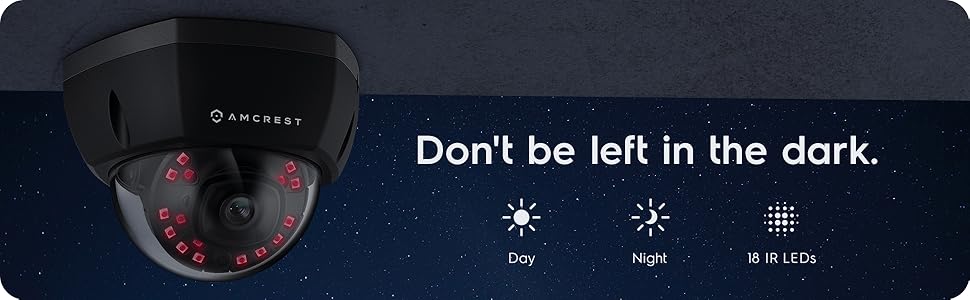
The camera features infrared (IR) LEDs for night vision, providing clear surveillance footage in low-light or no-light conditions up to 98 feet. The camera automatically switches between day and night modes.
פיגורע 2: עקסample of night vision capability, illustrating clear image capture in dark conditions.
5. וישאַלט
5.1 רייניקונג
רייניקן פּעריִאָדיש די קאַמעראַ אָביעקטיוו און די קעסטל מיט אַ ווייכן, דamp שטאָף. פֿאַרמײַדט ניצן שאַרפֿע כעמיקאַלן אָדער אַברייסיוו מאַטעריאַלן וואָס קענען קראַצן די לינז אָדער שעדיקן די ענדיקונג.
5.2 פירמוואַרע דערהייַנטיקונגען
Regularly check for and install firmware updates from the Amcrest webזייטל. פירמווער דערהייַנטיקונגען אַרייַננעמען אָפט פאָרשטעלונג פֿאַרבעסערונגען, נייַע פֿעיִקייטן און זיכערהייט פֿאַרבעסערונגען.
5.3 וועטער שוץ
The IP8M-2493EB camera has an IP67 weatherproof rating, meaning it is protected against dust ingress and can withstand immersion in water up to 1 meter for 30 minutes. While designed for outdoor use, ensure all cable connections are properly sealed to maintain water resistance.
6. טראָובלעשאָאָטינג
6.1 פּראָסט ישוז און סאַלושאַנז
- קיין מאַכט/קיין ווידעא: Ensure the Ethernet cable is securely connected to both the camera and a functioning PoE port. Check the PoE switch/injector for power.
- נעבעך בילד קוואַליטעט: Clean the camera lens. Check network bandwidth. Adjust resolution and compression settings in the camera interface. Ensure sufficient lighting for optimal image clarity.
- Night Vision Halo Effect: This can occur if the IR light reflects off nearby surfaces or the camera housing. Ensure there are no obstructions close to the lens.
6.2 Video Support
For visual guidance on resolving common issues, including potential IR reflection, please refer to the following video:
Video 1: This video from Amcrest Direct provides instructions on resolving IR reflection issues that can affect night vision clarity in Amcrest cameras.
7. ספּעסאַפאַקיישאַנז
| שטריך | באַשרייַבונג |
|---|---|
| מאָדעל נאָמען | IP8M-2493EB |
| דרינענדיק / דרויסנדיק באַניץ | דרויסנדיק |
| מאַכט מקור | AC/DC (via PoE) |
| קאַנעקטיוויטי פּראָטאָקאָל | עטהערנעט |
| מאַונטינג טיפּ | וואנט בארג |
| ווידעא קאַפּטורע רעסאָלוטיאָן | 4K |
| קאָליר | שוואַרץ |
| נומער פון זאכן | 1 |
| נומער פון טשאַנאַלז | 1 |
| ווירעלעסס קאָמוניקאַציע טעכנאָלאָגיע | POE (מאַכט איבער עטהערנעט) |
| פאָרם פאַקטאָר | קויל |
| נאַכט וויזשאַן ראַנגע | 98 פֿיס (30 מעטער) |
| ראַם קורס | 30 fps |
| נומער דימענשאַנז (L X W X H) | 6.1 X 6.1 X 5.4 אינטשעס |
| פּונקט וואָג | 1.3 פונט |
| באַטעריז פארלאנגט? | ניין |
| נידעריק ליכט טעכנאָלאָגיע | נאַכט קאָליר |
| אינטערנאַציאָנאַלע פּראַטעקשאַן שאַץ | IP67 |
| מאַקסימום Webקאַם בילד רעסאָלוטיאָן | 2 מפּ |
| קאָנטראָל מעטאָד | אַפּ |
| רעקאָממענדעד ניצט פֿאַר פּראָדוקט | דרויסנדיק זיכערהייַט |
| קאַנעקטיוויטי טעכנאָלאָגיע | ווייערד |
| ספּעציעלע שטריך | באַוועגונג סענסאָר |
8. וואָראַנטי און שטיצן
Amcrest products typically come with a limited warranty. For specific warranty terms, registration, and technical support, please visit the official Amcrest website or contact Amcrest customer service directly. Keep your purchase receipt for warranty claims.
Amcrest Support: https://amcrest.com/support