
1. הקדמה
This manual provides essential information for the safe and efficient operation of your SHARP HT-SB110 2.0 Soundbar. Please read it thoroughly before using the product and retain it for future reference. The HT-SB110 is designed to enhance your audio experience with powerful sound output and versatile connectivity options.
2. זיכערקייַט אינפֿאָרמאַציע
שטענדיק פֿאָלגן די גרונטלעכע זיכערהייט מיטלען ווען איר ניצט דעם פּראָדוקט צו רעדוצירן דעם ריזיקאָ פֿון פֿײַער, עלעקטרישן קלאַפּ און שאָדן.
- שטעלט נישט אויס דעם אפּאַראַט צו טריפֿענישן אָדער שפּריצן.
- דו זאלסט נישט שטעלן אַבדזשעקץ אָנגעפילט מיט ליקווידס, אַזאַ ווי וואַסעס, אויף דעם אַפּאַראַט.
- זיכער מאַכן אַז עס איז דאָ געהעריקע ווענטילאַציע. נישט פֿאַרשטאָפּן קיין ווענטילאַציע עפענונגען.
- דו זאלסט נישט ינסטאַלירן לעבן קיין היץ קוואלן אַזאַ ווי ראַדיאַטאָרס, היץ רעדזשיסטערז, סטאָוווז אָדער אנדערע אַפּאַראַט (אַרייַנגערעכנט ampליפיערס) וואָס פּראָדוצירן היץ.
- באַשיצן די מאַכט שנור פון גיין אויף אָדער פּינטשט, ספּעציעל אין די פּלאַגז, קאַנוויניאַנס רעסאַפּיז און די פונט ווו זיי אַרויסגיין פון די אַפּאַראַט.
- נאָר נוצן אַטאַטשמאַנץ / אַקסעסעריז ספּעסיפיעד דורך דער פאַבריקאַנט.
- אָפּשטויסן דעם אַפּאַראַט בעשאַס בליץ סטאָרמז אָדער ווען אַניוזד פֿאַר לאַנג פּיריאַדז.
3. וואָס איז אין דער קעסטל
Upon opening your SHARP HT-SB110 Soundbar package, please verify that all the following items are included:
- HT-SB110 סאַונדבאַר
- ווייַט קאָנטראָל
- UK & EU Power Lead
- וואנט בארג בראַקאַץ
- ינסטרוקטיאָן מאַנואַל (דעם דאָקומענט)
- שנעל אָנהייב גייד

Image: The Sharp HT-SB110 Soundbar, showcasinג זײַן גלאַטן דיזײַן און קאָמפּאַקטן פֿאָרעם פֿאַקטאָר.
4. סעטאַפּ
4.1 פּלייסמאַנט
The HT-SB110 Soundbar can be placed on a flat surface, such as a TV stand, or wall-mounted. Ensure it is positioned centrally below your television for optimal sound dispersion.

Image: The soundbar neatly positioned under a television, demonstrating a typical setup.
4.2 קאַנעקשאַנז
Connect the soundbar to your TV or other audio sources using the available ports. Ensure the soundbar is powered off before making any connections.
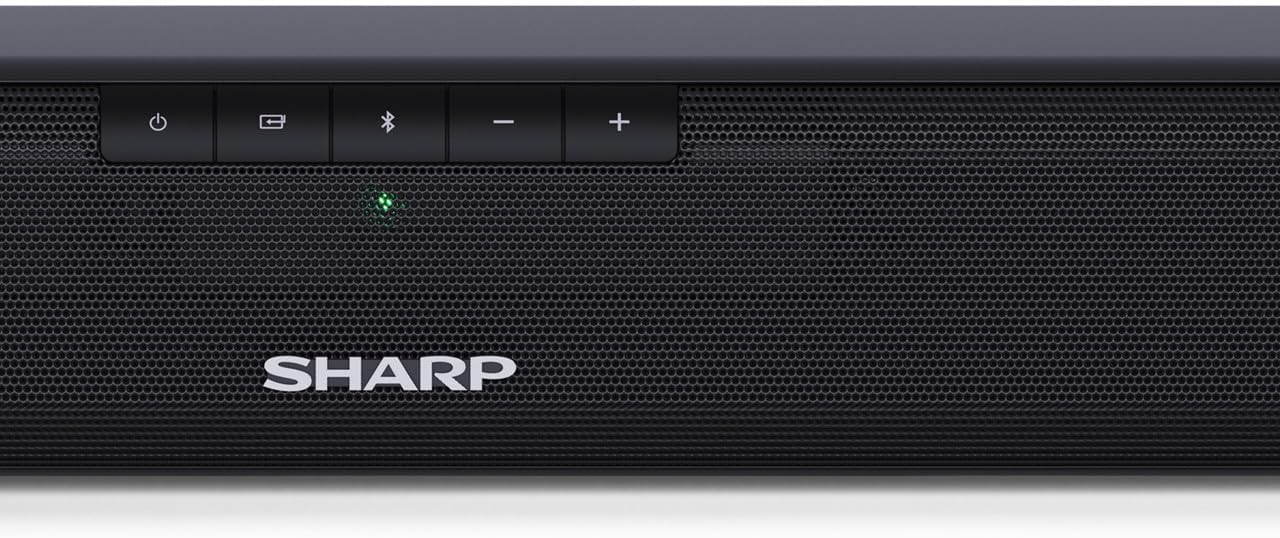
Image: The rear panel of the soundbar, highlighting the various input ports for connectivity.
- HDMI ARC/CEC: For the best audio quality and control, connect an HDMI cable from the soundbar's HDMI ARC port to your TV's HDMI ARC port. This allows your TV remote to control the soundbar's volume.
- Digital Optical-In: Connect an optical cable from your TV's optical output to the soundbar's OPTICAL input.
- Auxiliary (AUX): Use a 3.5mm audio cable to connect devices with an analog audio output to the soundbar's AUX input.
- מאַכט: Connect the provided power lead to the soundbar's AC input and then to a wall outlet.
4.3 Video Guide: A Closer Look
Video: This video provides a detailed look at the Sharp HT-SB110 Soundbar, including unboxing, identifying components, and initial setup steps.
5. אָפּערייטינג
5.1 יקערדיק קאָנטראָלס
The soundbar features intuitive controls on its top panel for easy access to essential functions.

בילד: א נאָענטע בילד view of the power, input, Bluetooth, and volume controls located on the top of the soundbar.
- מאַכט קנעפּל: דריק צו דרייען די סאַונדבאַר אָן אָדער אויס.
- אַרייַנשרייַב קנעפּל: Cycle through available input sources (HDMI ARC, Optical, AUX, Bluetooth).
- בלועטאָאָטה קנעפּל: דריקן צו אַרייַן בלועטאָאָטה פּערינג מאָדע.
- באַנד קנעפּלעך (+/-): אַדזשאַסטירן דעם הויפּט באַנד לעוועל.
5.2 רימאָוט קאָנטראָל
The included remote control provides full functionality for your soundbar, allowing you to control all settings from a distance.
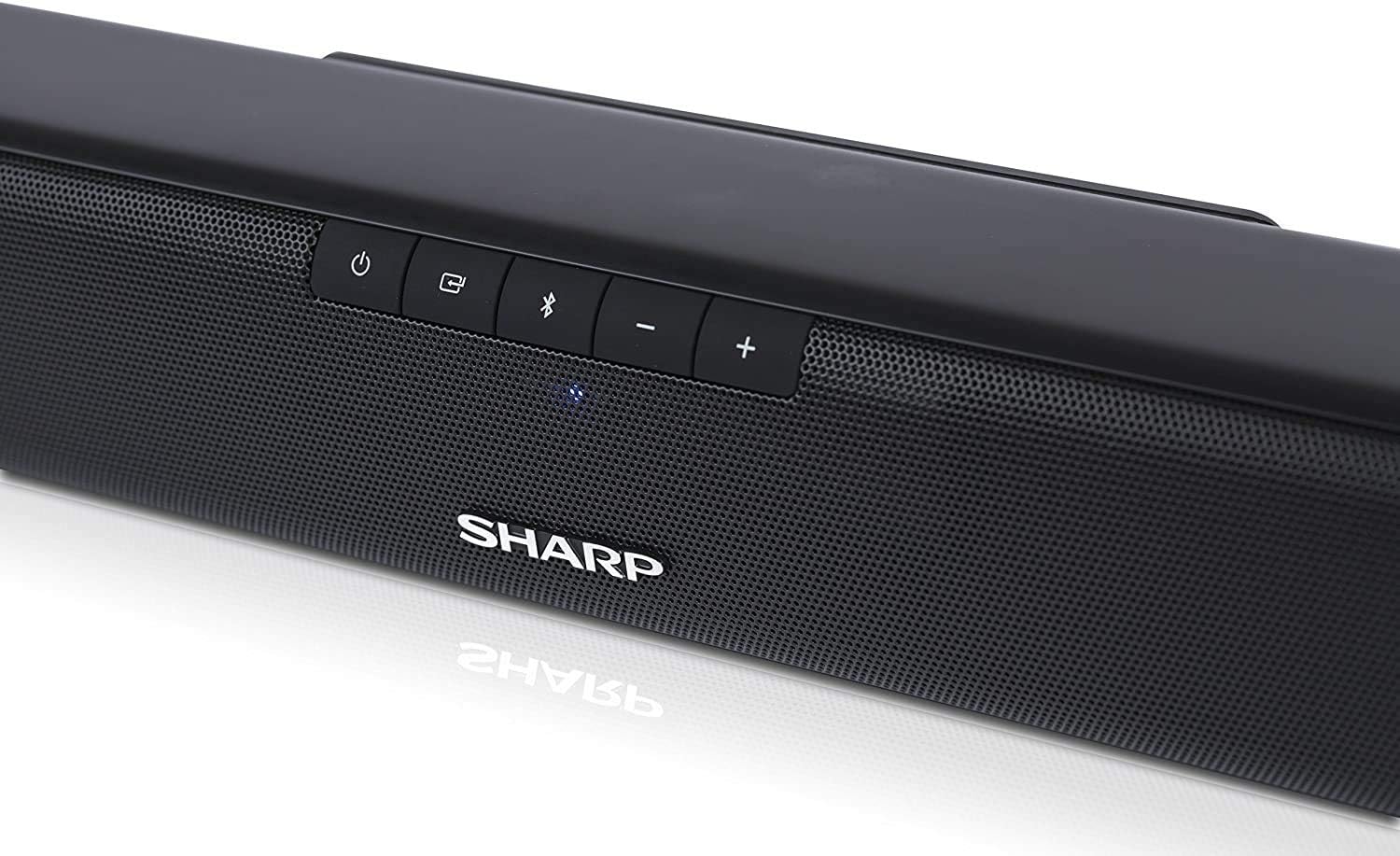
Image: The compact remote control for the soundbar, featuring dedicated buttons for power, input, volume, and sound modes.
5.3 סאָונד מאָדעס
Optimize your listening experience by selecting one of the pre-set sound modes:
- פֿילם מאָדע: Enhances dialogue clarity and provides a wider soundstage for films.
- מוזיק מאָדע: Delivers balanced audio for music playback.
- קול מאָדע: Boosts vocal frequencies for clearer speech, ideal for news or podcasts.
5.4 בלועטאָאָטה פּערינג
To pair your Bluetooth device with the soundbar:
- Turn on the soundbar and press the Bluetooth button on the soundbar or remote control. The Bluetooth indicator light will flash.
- אַקטיווירן בלועטוט אויף דיין סמאַרטפאָון, טאַבלעט, אָדער אַנדער מיטל.
- זוכן פֿאַר
Ask a question about this manual
Ask about setup, troubleshooting, compatibility, parts, safety, or missing instructions. Manuals+ will review the question and use this page’s manual context to help answer it.