
1. סעטאַפּ
1.1 פּעקל אינהאַלט
מאַכן זיכער אַז אַלע קאַמפּאָונאַנץ זענען פאָרשטעלן:
- DADA-TECH Kids Sonic Electric Toothbrush handle
- Replacement Brush Heads (3 included)
- באַניצער מאַנואַל
1.2 באַטאַרייע ייַנמאָנטירונג
The toothbrush is battery-operated. To install or replace the battery:
- Twist the bottom cap of the toothbrush handle counter-clockwise to open the battery compartment.
- אַרײַנשטעלן איין AAA באַטאַרייע, און זיכער מאַכן אַז די פּאָלאַריטעט איז ריכטיק (+/-).
- Twist the bottom cap clockwise to securely close the compartment.
1.3 אנשטעלן דעם באַרשט קאָפּ
To attach a brush head:
- Align the brush head with the shaft on the toothbrush handle.
- Twist the brush head clockwise until it clicks securely into place.
- To remove, twist counter-clockwise and pull gently.
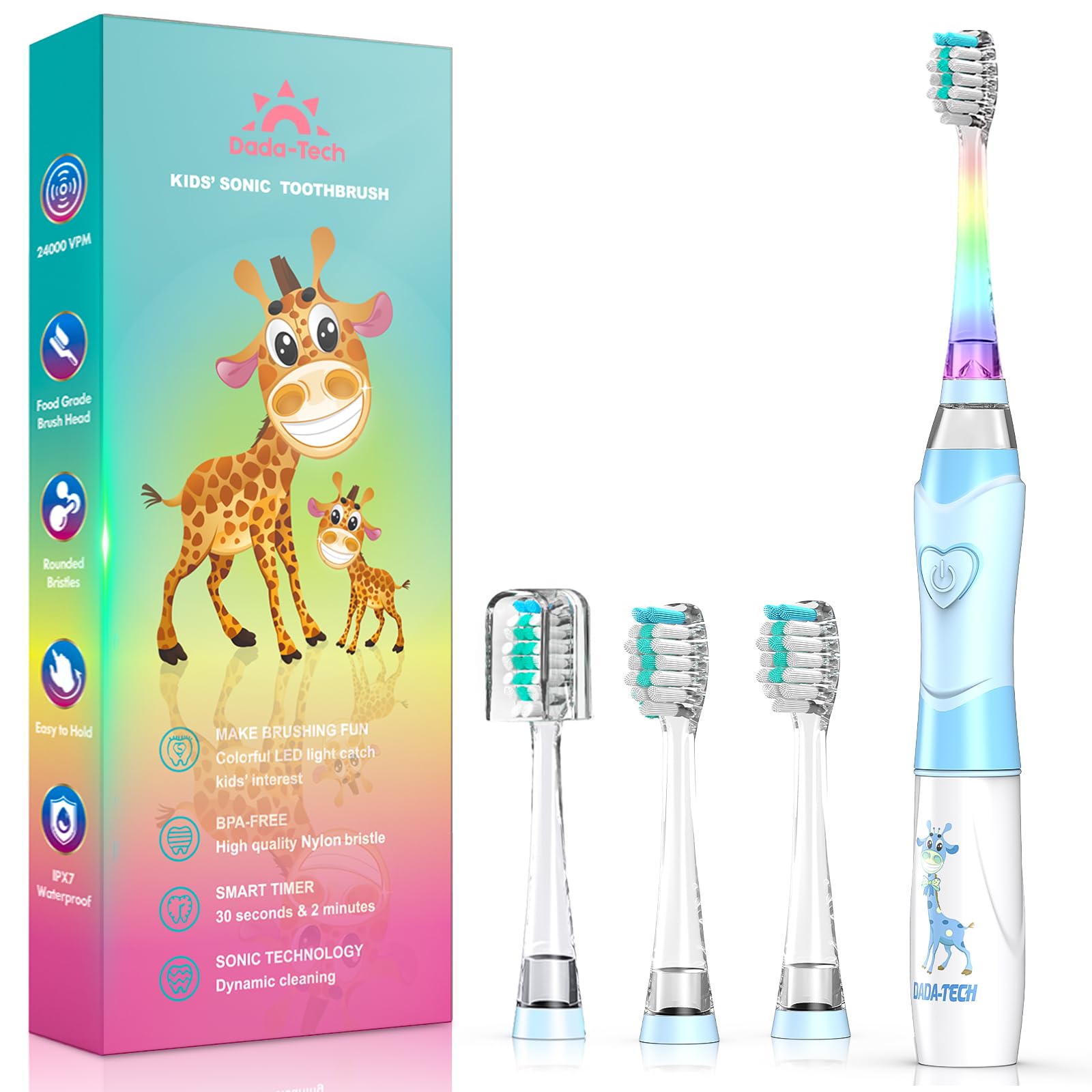
Figure 1: DADA-TECH Kids Sonic Electric Toothbrush (Blue Giraffe)

Figure 2: Toothbrush Components and Battery Compartment
2. אַפּערייטינג ינסטרוקטיאָנס
2.1 אײַנשטעלן/אויסשטעלן און מאָדע אויסקלייבן
Press the power button on the handle to cycle through the operating modes:
- ערשטער דרוק: Activates the toothbrush with sonic vibrations and a white LED light for inspection.
- צווייטע דרוק: Activates the toothbrush with sonic vibrations and a rainbow LED light mode, designed to make brushing engaging.
- דריטע דרוק: Turns the toothbrush off.
2.2 Brushing Technique and Timer
The toothbrush features a built-in 2-minute timer and 30-second pulse reminders to guide proper brushing habits:
- צולייגן אַ פּיז-סייזד סומע פון ציינפּאַסטע צו די באַרשט קאָפּ.
- Place the brush head against the teeth at a slight angle towards the gum line.
- Gently move the brush across the teeth, allowing the sonic vibrations to clean.
- The toothbrush will pause briefly every 30 seconds, signaling to move to a different quadrant of the mouth (upper right, upper left, lower right, lower left).
- After 2 minutes, the toothbrush will automatically turn off, indicating the completion of the recommended brushing time.
Video 1: Demonstration of the DADA-TECH Kids Electric Toothbrush Rainbow Light Series, showcasing its colorful LED lights and sonic action.
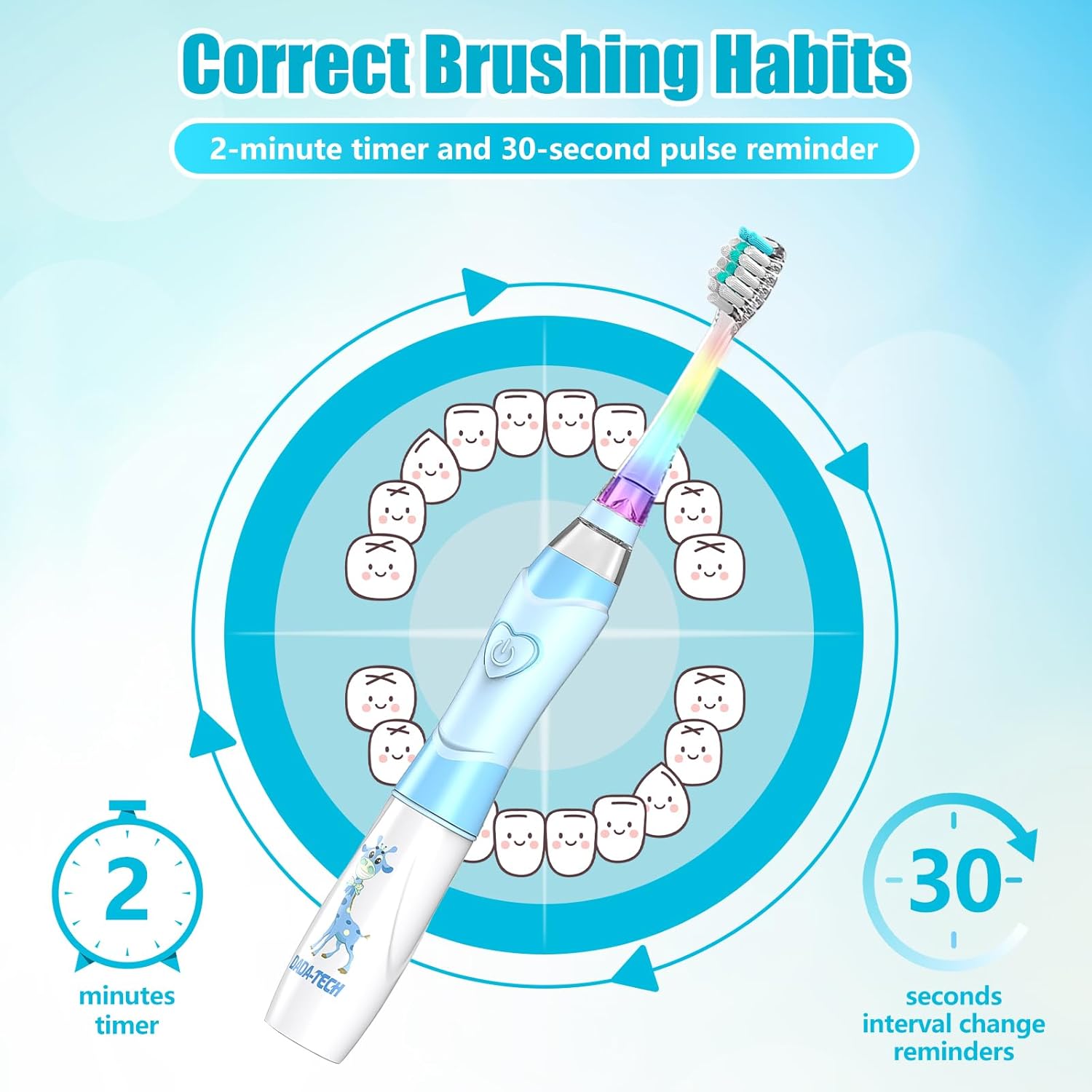
Figure 3: Brushing Habits with 2-Minute Timer and 30-Second Pulse Reminders

Figure 4: LED White Light for Oral Inspection
3. וישאַלט
3.1 רייניקן די ציינבערשטל
נאָך יעדער נוצן:
- שווענקען די באַרשט קאָפּ ונ דורך אונטער פליסנדיק וואַסער.
- ווישן די שעפּן מיט אַדamp שטאָף.
- The toothbrush is IPX7 waterproof, allowing for safe rinsing under water, but avoid prolonged submersion.

פיגור 5: IPX7 וואַסערפּרוף פֿונקציע
3.2 ריפּלייסינג באַרשט העאַדס
Dentists recommend replacing brush heads every 3 months, or sooner if bristles are frayed. Refer to section 1.3 for instructions on attaching and removing brush heads.

Figure 6: Soft Nylon Bristles and Food-Grade Brush Head
4. טראָובלעשאָאָטינג
| פּראָבלעם | מעגלעך סיבה | לייזונג |
|---|---|---|
| די צאָן־בערשטל טוט זיך נישט אָן. | די באַטעריע איז טויט אָדער נישט ריכטיק אינסטאַלירט. | Replace the AAA battery or ensure it is inserted with correct polarity. |
| Weak vibration or LED light. | נידעריק באַטאַרייע מאַכט. | פאַרבייַטן די אַאַאַ באַטאַרייע. |
| Brush head is loose. | Brush head not securely attached. | Ensure the brush head is twisted clockwise until it clicks into place. |
5. ספּעסאַפאַקיישאַנז
- מאָדעל: DT-K6
- סאָרט: DADA-TECH
- עלטער קייט: קינד (2-12 יאָר)
- מאַכט מקור: Battery Operated (1x AAA battery)
- ווייבריישאַנז פּער מינוט (VPM): 24,000
- באַרשט מאַטעריאַל: Nylon (Ultra Soft, >90% rounded tips)
- שעפּן מאַטעריאַל: Acrylonitrile Butadiene Styrene (ABS) and TPE
- וואָטערפּרוף שאַץ: IPX7
- ספּעציעלע פֿעיִקייטן: 2-Minute Timer, 30-Second Pulse Reminder, Rainbow LED Light, White LED Inspection Light, BPA-Free, Non-slip handle
- פּראָדוקט דימענשאַנז: 7.24 X 0.79 X 0.79 אינטשעס
- נומער וואָג: 2.08 אונסעס
- אַרייַנגערעכנט קאַמפּאָונאַנץ: Toothbrush handle, 3 Replacement Brush Heads, User Manual
- UPC: 615311758351
6. וואָראַנטי & שטיצן
DADA-TECH offers a two-year warranty for this product. For warranty claims or any support inquiries, please follow these steps:
- קלאָץ אין צו דיין אַמאַזאָן חשבון.
- Navigate to "Your orders".
- Find the order ID for your DADA-TECH Kids Sonic Electric Toothbrush.
- Click on "Contact seller" to reach DADA-TECH customer support.
This process ensures you receive prompt assistance and helps us understand customer needs for continuous improvement.