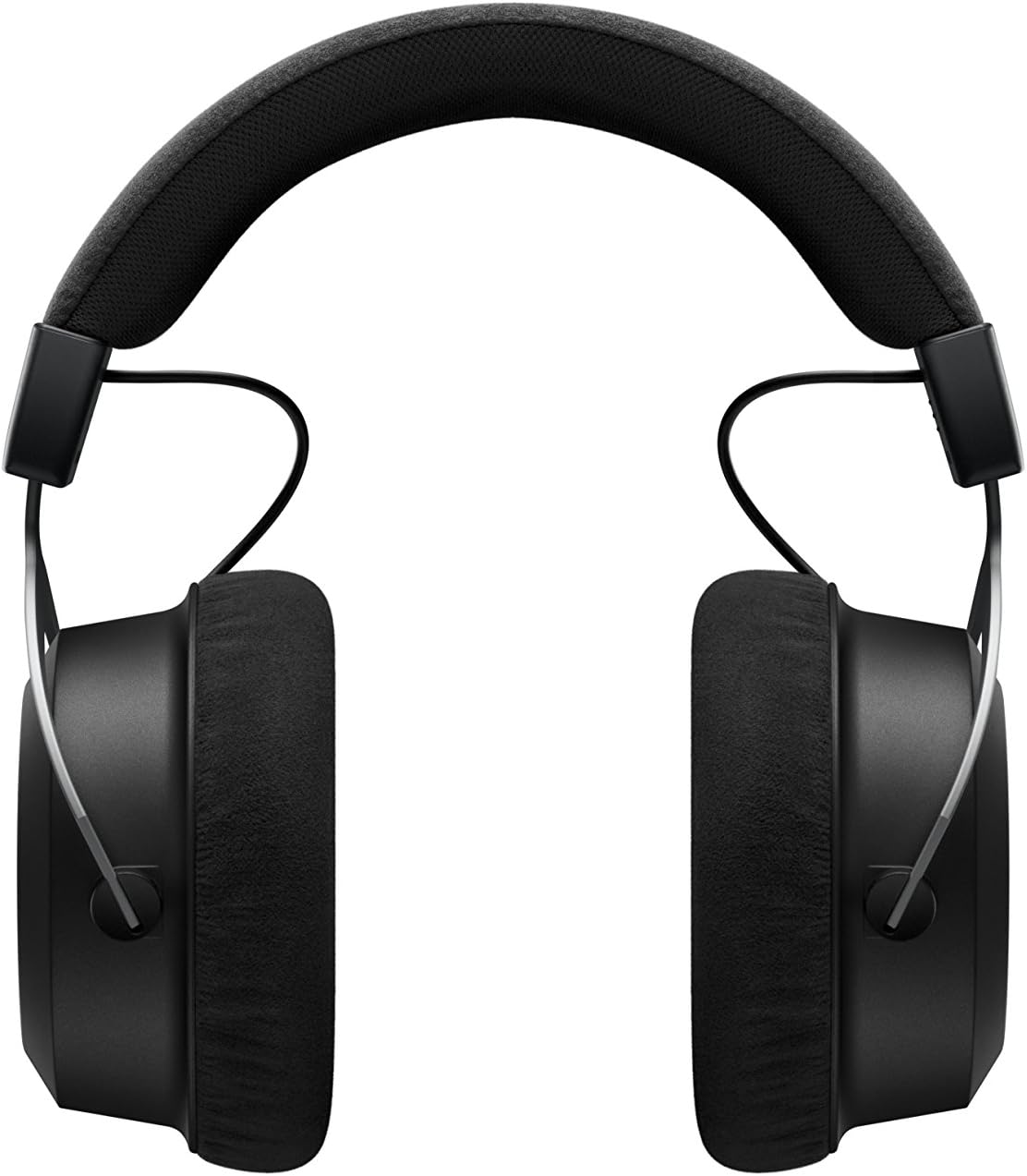
The beyerdynamic Amiron Wireless headphones are designed to provide a high-end audio experience with the freedom of wireless connectivity. These headphones integrate innovative sound personalization and Tesla technology for optimal sound quality. They are crafted with high-quality materials in Germany, ensuring durability and a comfortable fit for extended listening sessions.
וואָס איז אין די קעסטל
Your beyerdynamic Amiron Wireless headphones package includes the following items:
Amiron Wireless headphones
Optional wired connection cable with remote control (Mini Jack 3.5 mm, 1.2 m long, detachable, 4-pole)
טשאַרדזשינג קאַבלע וסב-א צו וסב-C
שווער פאַל
וואָראַנטי ביכל
שנעל אָנהייב פירער
Image: The Amiron Wireless headphones, charging cable, audio cable, and hard case.
פּראָדוקט איבערview
The Amiron Wireless headphones are designed for an immersive audio experience, combining advanced technology with user comfort.
שליסל פֿעיִקייטן:
High-end Bluetooth Connectivity: Features optimum sound quality thanks to Tesla technology and top-class Bluetooth transmission (Qualcomm aptX HD and AAC). Operating range up to 10 meters.
Sound Personalization: Adapts acoustically to the user's hearing through an integrated sound personalization feature, ensuring a tailored audio experience.
טרייסט: Unique wearing comfort achieved through masterfully balanced contact pressure and a perfect fit, ideal for long listening sessions.
פּרעמיום בויען: Made in Germany with high-quality materials, offering durability and flawless workmanship.
ריר קאָנטראָל: Intuitive touch controls on the earcup for easy management of playback and calls.
בילד: זייט view of the Amiron Wireless headphones, highlighting the earcup design and headband.
סעטאַפּ
1. טשאַרדזשינג די כעדפאָונז
Before first use, ensure your Amiron Wireless headphones are fully charged. Connect the provided USB-A to USB-C charging cable to the USB-C port on the headphone and a suitable USB power source. A full charge takes approximately 2 hours and provides over 30 hours of battery life.
2. בלועטאָאָטה פּערינג
צו פארבינדן אייערע כעדפאָונז מיט אַ בלועטוט-ענייבאַלד מיטל:
מאַכן זיכער אַז די כעדפאָונז זענען טשאַרדזשינג און אויסגעדרייט אַוועק.
Press and hold the power button on the headphone until the LED indicator flashes blue and red, indicating pairing mode.
On your device (smartphone, tablet, etc.), go to Bluetooth settings and select "Amiron Wireless" from the list of available devices.
For an optimized listening experience, download the beyerdynamic MIY app from the Google Play Store or Apple App Store. The app allows you to perform a hearing test and create a personalized sound profile that adapts the audio output to your individual hearing. This profile is then stored directly on the headphones.
ווידעא: אן איבערview of the beyerdynamic Amiron Wireless headphones, including unboxing and features like sound personalization and touch controls.
אַפּערייטינג ינסטראַקשאַנז
טאָוטשפּאַד קאָנטראָלס
The right earcup features an integrated touchpad for intuitive control of various functions:
באַנד קאָנטראָל: Swipe up or down on the touchpad.
שפּור נאַוויגאַציע: Swipe forward for the next track, backward for the previous track.
שפּיל / פּויזע: Tap the center of the touchpad.
רופן פאַרוואַלטונג: Tap to answer/end calls, push and hold for voice commands (Siri, Google Assistant).
The sensitivity of these touch controls can be customized via the MIY app.
ווייערד אָפּעראַציע
For a wired connection, plug the provided 3.5 mm audio cable into the headphone's audio jack and your audio source. This allows for passive use even if the battery is depleted or while charging. The inline remote on the cable provides basic playback and call controls.
Image: A user enjoying music with the Amiron Wireless headphones, demonstrating the touch controls on the earcup.
געזונט קוואַליטי
The Amiron Wireless headphones deliver a dynamic and detailed sound profile, characterized by:
באַס: Powerful and precise low-end with good impact, without overpowering other frequencies.
מיטל קייט: Natural and clear, providing excellent reproduction of vocals and instruments.
טרעבאַל: Detailed and smooth high-end, avoiding harshness even at higher frequencies, contributing to an airy sound.
סאָונדסtage: Offers impressive depth and precise instrument placement, creating a spacious and immersive listening experience.
The sound personalization feature via the MIY app further enhances the audio quality by tailoring it to your unique hearing profile.
קאָמפאָרט און דיזיין
The Amiron Wireless headphones prioritize comfort and a robust build:
עאַרפּאַדס: Equipped with soft, velour earpads that provide a comfortable fit and contribute to sound isolation.
העאַדבאַנד: Features a leatherette headband with ample padding for reduced pressure during prolonged use.
מאַטעריאַלס: Constructed with high-quality materials, including metal components, ensuring durability and a premium feel.
פּאַסיק: Designed for a balanced contact pressure and secure fit, making them suitable for home listening.
Image: A user enjoying music with the Amiron Wireless headphones in a relaxed setting, showcasing their comfortable design.
ספּעסאַפאַקיישאַנז
שטריך
דעטאַל
מאָדעל נאָמען
Amiron Wireless
קאַנעקטיוויטי טעכנאָלאָגיע
Wireless Version (Bluetooth 4.0)
ווירעלעסס קאָמוניקאַציע טעכנאָלאָגיע
בלועטאָאָטה
אָפטקייַט ענטפער
5 - 40,000 הערץ
ימפּידאַנס
32 אָהמס
סענסיטיוויטי
100 דב
באַטערי לעבן
30 שעה
טשאַרדזשינג צייט
2 Hours (for 30 hours playback)
בלועטאָאָטה קייט
10 מעטער
קאָנטראָל מעטאָד
Touch (Media Control)
ראַש קאָנטראָל
געזונט אפגעזונדערטקייט
פּונקט וואָג
13.4 אונסעס
פּראָדוקט דימענשאַנז
8.07 X 4.13 X 5.9 אינטשעס
פאַבריקאַנט
בייערדינאמיק, אינק.
וישאַלט
To ensure the longevity and optimal performance of your beyerdynamic Amiron Wireless headphones, follow these maintenance guidelines:
רייניקונג: ניצט אַ ווייכע, טרוקענע שטאָף צו רייניקן די אויערקעפּלעך און קאָפּבאַנד. פֿאַרמייַדט ניצן שטרענגע כעמיקאַלן אָדער שרײַבנדיקע מאַטעריאַלן.
סטאָרידזש: When not in use, store the headphones in their provided hard case to protect them from dust, scratches, and impacts.
באַטערי זאָרגן: Avoid fully discharging the battery frequently. For long-term storage, charge the battery to around 50% to prolong its lifespan.
נעץ: Keep the headphones away from moisture and extreme temperatures.
טראָובלעשאָאָטינג
If you encounter issues with your Amiron Wireless headphones, try the following solutions:
קיין מאַכט: Ensure the headphones are fully charged using the provided USB-C cable.
קען נישט פארבינדן דורך בלועטוט:
זייט זיכער אז די כעדפאָונז זענען אין פּערינג מאָדע (די LED בלינקט בלוי און רויט).
מאַכן זיכער אַז בלועטאָאָטה איז ענייבאַלד אויף דיין מיטל.
ריקט די כעדפאָונז נענטער צו אייער דעווייס (אינערהאלב 10 מעטער).
Try unpairing and re-pairing the headphones from your device's Bluetooth settings.
קיין קלאַנג/נידעריק באַנד:
Check the volume levels on both the headphones (via touchpad) and your connected device.
Ensure the headphones are properly paired.
If using the wired connection, ensure the cable is securely plugged into both the headphones and the audio source.
סאָונד דיסטאָרשאַן:
Reduce the volume on your device and/or headphones.
זיכער מאַכן אַז עס זענען נישטאָ קיין שטערונגען צווישן די כעדפאָונז און דיין בלוטוט מיטל.
וואָראַנטי און שטיצן
The beyerdynamic Amiron Wireless headphones are manufactured in Germany using high-quality materials, offering durability and flawless workmanship. Please refer to the included warranty booklet for detailed information regarding your product's warranty coverage.
For further assistance, technical support, or service inquiries, please visit the official beyerdynamic webפּלאַץ אָדער קאָנטאַקט זייער קונה סערוויס אָפּטיילונג.
Ask about setup, troubleshooting, compatibility, parts, safety, or missing instructions. Manuals+ will review the question and use this page’s manual context to help answer it.