
הקדמה
Welcome to the user manual for your Nokia 130 DS TA-1017 mobile phone. This guide provides essential information for setting up, operating, maintaining, and troubleshooting your device. Please read this manual carefully to ensure proper use and to maximize your phone's capabilities.
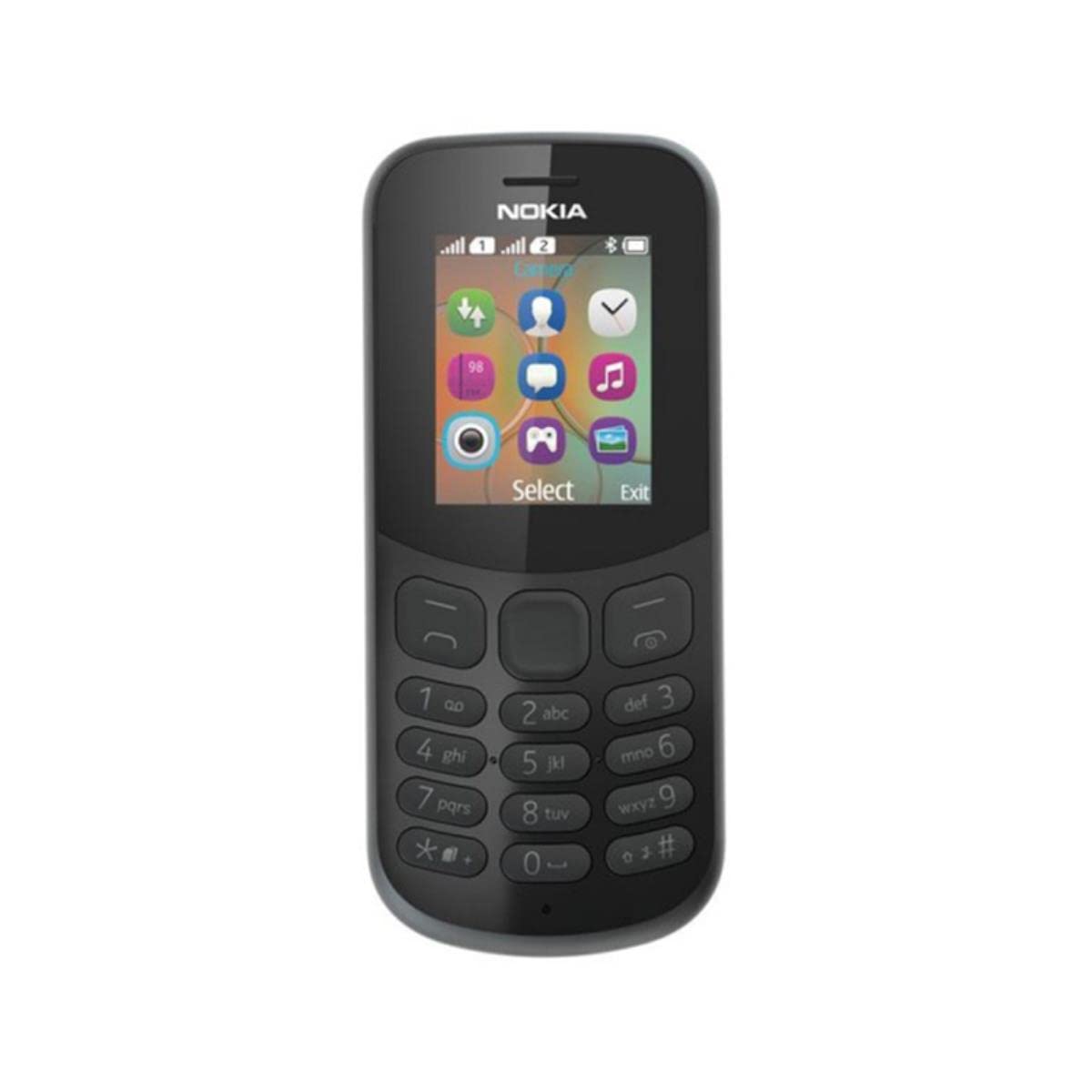
בילד: הינטערשטע view of the Nokia 130 DS TA-1017 mobile phone, highlighting the camera and speaker components.
סעטאַפּ
1. Insert SIM Card(s)
The Nokia 130 DS TA-1017 supports dual SIM cards. To insert a SIM card:
- אַראָפּנעמען די צוריק דעקן פון די טעלעפאָן.
- אויב די באַטאַרייע איז אַרײַנגעשטעלט, נעמט זי אַרויס.
- Slide the SIM card(s) into the designated slot(s) with the gold contacts facing down.
- Ensure the SIM card(s) are securely in place.
2. אַרייַנלייגן זכּרון קאַרד
To expand storage, you can insert a MicroSD card (up to 32 GB):
- With the back cover and battery removed, locate the MicroSD card slot.
- Insert the MicroSD card into the slot with the gold contacts facing down until it clicks into place.
3. Insert and Charge Battery
The phone uses a removable 1020 mAh battery.
- גלייכט די באַטעריע קאָנטאַקטן מיט די טעלעפאָן'ס קאָנטאַקטן און דריק די באַטעריע לײַכט אין פּלאַץ.
- פאַרבייַטן די צוריק דעקן.
- Connect the charger to the phone's charging port and plug it into a power outlet. The phone will indicate charging status.
4. מאַכט אויף / אויסגעלאשן
To power on your phone, press and hold the power key until the phone vibrates or the screen lights up. To power off, press and hold the power key, then select 'Power off' from the options.
אַפּערייטינג דיין טעלעפאָן
1. יקערדיק נאַוויגאַציע
Your Nokia 130 DS TA-1017 runs on the Nokia S30+ operating system. Use the navigation keys and the center select key to move through menus and make selections. The left and right soft keys perform functions indicated on the screen.
2. מאכן און ריסיווינג קאַללס
- צו רופן: אַרייַן די טעלעפאָן נומער מיטן קלאַוויאַטור און דריק דעם רוף קנעפּל (גרינעם קנעפּל).
- צו ענטפֿערן אַ רופן: דריק דעם רוף קנעפּל ווען דער טעלעפאָן קלינגט.
- צו ענדיקן אַ רוף: דריק דעם ענד רוף קנעפל (רויטער קנעפל).
3. שיקן און באַקומען מעסעדזשעס
Navigate to the 'Messages' menu to compose and send SMS messages. You can also view received messages in your inbox.
4. ניצן די קאַמעראַ
Your phone is equipped with a VGA camera. To use the camera, navigate to the 'Camera' application from the main menu. Use the center select key to capture photos.
5. Connecting with Bluetooth
To connect to other Bluetooth devices:
- גיי צו 'מעניו' > 'סעטטינגס' > 'קאנעקטיוויטי' > 'בלוטעט'.
- צינדט אָן בלועטוט.
- אויסקלייבן 'געפּאָרטע דעוויסעס' אדער 'זוכן פֿאַר audio devices' to find and connect to compatible devices.
6. צוגעהערט צו אַודיאָ
The phone features a 3.5 mm headphone jack. Plug in compatible headphones to listen to music or radio privately.
וישאַלט
1. רייניקן דיין דעווייס
Use a soft, lint-free cloth to clean the phone's screen and body. Avoid using harsh chemicals or abrasive materials, as these can damage the device.
2. באַטערי קער
- ויסמיידן יקספּאָוזינג די באַטאַרייע צו עקסטרעם טעמפּעראַטורעס.
- נישט דורכשטעכן אדער באשעדיגן די באטעריע.
- אויב דער טעלעפאָן וועט נישט געניצט ווערן פֿאַר אַ לענגערע צייט, לייגט עס אַוועק מיט אַ טיילווייז אויפגעלאָדעטער באַטאַרייע.
3. ווייכווארג דערהייַנטיקונגען
Periodically check for software updates to ensure your phone has the latest features and security enhancements. Refer to the phone's settings menu for update options.
טראָובלעשאָאָטינג
פּראָסט ישוז און סאַלושאַנז
- טעלעפאָן גייט נישט אָן: זיכער מאַכן אַז די באַטאַרייע איז אויפגעלאָדן און ריכטיק אַרײַנגעשטעלט.
- קיין נעץ סיגנאַל: Check that the SIM card is properly inserted. Move to an area with better network coverage.
- נעבעך באַטאַרייע לעבן: Reduce screen brightness, close unused applications, or replace an aging battery.
- קען נישט מאַכן/באַקומען רופן: Verify SIM card activation and network status.
קאָנטאַקט שטיצן
If you encounter issues that cannot be resolved using the troubleshooting steps, please contact Nokia customer support or your retailer for assistance.
ספּעסאַפאַקיישאַנז
| שטריך | באַשרייַבונג |
|---|---|
| מאָדעל נאָמען | 130 DS TA-1017 |
| דימענשאַנז | 10.6 X 4.5 X 1.4 סענטימעטער |
| אָפּערייטינג סיסטעם | Nokia S30+ |
| באַראַן | 4 מב |
| אינערלעכער זכּרון | 8 מב |
| מיקראָסד קאַרטל שטיצע | אַרויף צו 32 גיגאבייט |
| ווייַז | 1.8" TFT, 160 x 120 pixels |
| באַטאַרייע קאַפּאַציטעט | 1020 mAh (אַרויסנעמבאַר) |
| קאַנעקטיוויטי | GSM (900/1800), Bluetooth |
| אַפּאַראַט | VGA (Rear) |
| כעדפאָון דזשאַק | 3.5 מם |
| SIM סלאָץ | צווייענדיק סים |
| רעדן צייט | אַרויף צו 22 שעה |
וואָראַנטי און שטיצן
For information regarding your product's warranty, please refer to the warranty card included in the product packaging or visit the official Nokia support website. Keep your proof of purchase for warranty claims. For further assistance, contact Nokia customer service.