
1. פּראָדוקט איבערview
Grand Theft Auto: San Andreas is an action-adventure video game developed by Rockstar North and published by Rockstar Games. Set in the fictional state of San Andreas, which is based on California and Nevada, the single-player story follows Carl "CJ" Johnson, who returns home to Los Santos after his mother's murder and is drawn back into his former gang and a life of crime while clashing with corrupt authorities and powerful criminals. The game features an open-world environment where players can freely roam the cities and countryside.

Image 1.1: Front cover of the Grand Theft Auto San Andreas game for Xbox 360. The cover art features various characters and scenes from the game, including the protagonist Carl Johnson, vehicles, and cityscapes.
This manual provides essential information for installing, playing, and maintaining your Grand Theft Auto San Andreas game on the Xbox 360 console.
2. וויכטיק סאַפעטי אינפֿאָרמאַציע
Before playing this game, please read the printed instruction manual provided with your Xbox 360® console, as well as any accessory manuals, for important health and safety information. Please keep all manuals for future reference. For replacement console and accessory manuals, visit www.xbox.com/support.
2.1 Precautions for Video Game Use
- Avoid playing if you are tired or lack sleep.
- Ensure you play in a well-lit room, moderating your screen's brightness.
- When using a video game connected to a screen, play at a good distance from the television or computer screen.
- Avoid overexertion. During use, take breaks of at least 15 minutes every hour.
2.2 Warning about Epilepsy
Some individuals are susceptible to epileptic seizures, potentially involving loss of consciousness, when exposed to certain types of light stimuli such as rapid successions of images, simple geometric patterns, flashes, or explosions. These individuals are at risk of seizures when playing certain video games that include such stimuli, even if they have no history of epilepsy or have never been informed that they are prone to epilepsy.
If you or a family member has experienced symptoms related to epilepsy (seizure or loss of consciousness) in the presence of light stimuli, consult your doctor before any use.
Parents should also be particularly attentive to their children when they play video games. Symptoms to watch for include: dizziness, vision disturbance, eye or muscle twitching, disorientation, involuntary movement or convulsion, or temporary loss of consciousness. Stop playing immediately and consult a doctor.

Image 2.1: Back of the game manual insert, displaying PEGI age ratings (3, 7, 12, 16, 18) and various content descriptors, along with important health and safety warnings regarding video game use and epilepsy.
3. סעטאַפּ און ייַנמאָנטירונג
3.1 Console Preparation
- Ensure your Xbox 360 console is properly connected to a power source and a display device (TV/monitor).
- Turn on your Xbox 360 console.
- Ensure you have sufficient storage space on your console's hard drive or a connected storage device for game saves and potential updates.
3.2 Game Disc Installation
- Open the disc tray on your Xbox 360 console.
- Carefully place the Grand Theft Auto San Andreas game disc into the tray with the label side facing up.
- נאָענט די דיסק טאַץ.
- The console should automatically detect the game disc. Follow any on-screen prompts to install the game to your hard drive if desired. Installing the game can reduce loading times and disc drive noise.
- Once installation is complete (if applicable), select the game from the Xbox 360 dashboard to begin playing.
4. Basic Gameplay
4.1 שפּיל ציל
As Carl "CJ" Johnson, players navigate the fictional state of San Andreas, completing missions to advance the storyline. Missions involve various tasks such as driving, shooting, stealth, and other activities. Beyond the main story, players can explore the open world, engage in side activities, and interact with the environment.
4.2 Controls (Standard Xbox 360 Controller)
While specific in-game controls are detailed within the game's pause menu, here are some common actions:
- לינקער אנאלאג שטעקן: Move character / Steer vehicle
- רעכטער אנאלאג שטעקן: Camera control / Aim weapon
- א קנעפּל: Sprint / Accelerate (vehicle) / Enter vehicle
- ב קנעפּל: Attack / Exit vehicle
- X קנעפּל: Jump / Handbrake (vehicle)
- Y קנעפּל: Action / Reload weapon
- Left Trigger (LT): Aim weapon / Brake (vehicle)
- Right Trigger (RT): Fire weapon / Accelerate (vehicle)
- Left Bumper (LB): Cycle weapons / Look left
- Right Bumper (RB): Cycle weapons / Look right
- אָנהייב קנעפּל: Pause menu / Map
- צוריק קנעפּל: Change camera view
4.3 שפּאָרן פּראָגרעס
Game progress is typically saved by entering safe houses or completing specific missions. Look for on-screen prompts indicating when your game has been saved. It is recommended to save frequently to avoid losing progress.
5. וישאַלט און קער
5.1 Disc Handling and Storage
- Always hold the disc by its edges to avoid touching the playing surface.
- Keep the disc clean and free from dust, fingerprints, and scratches. Use a soft, lint-free cloth to gently wipe the disc from the center outwards if cleaning is necessary.
- Store the disc in its original case when not in use to protect it from damage.
- Avoid exposing the disc to direct sunlight, extreme temperatures, or high humidity.

בילד 5.1: זייט view of the Grand Theft Auto San Andreas Xbox 360 game case, showing the title and Xbox logo on the spine. Proper storage in its case helps protect the disc.
5.2 Console Environment
- זייט זיכער אז אייער Xbox 360 קאנסאל איז געשטעלט אין א גוט-ווענטילירטן ארט כדי צו פארמיידן איבערהיצונג.
- Keep the console and game area free from dust and debris.
6. טראָובלעשאָאָטינג
6.1 Disc Read Errors
- If the console displays a "Disc Read Error" or fails to recognize the game:
- Remove the disc and inspect it for scratches, smudges, or dirt. Clean the disc gently with a soft, lint-free cloth if necessary.
- Ensure the disc is inserted correctly into the disc tray.
- Try restarting your Xbox 360 console.
- If the issue persists, try another game disc to determine if the problem is with the console's disc drive or the game disc itself.
6.2 Game Freezing or Crashing
- If the game freezes or crashes during gameplay:
- ריסטאַרט אייער Xbox 360 קאַנסאָול.
- Ensure your console has adequate ventilation to prevent overheating.
- Clear the Xbox 360 system cache (refer to your Xbox 360 console manual for instructions).
- If the game is installed to the hard drive, try deleting and reinstalling it.
7. פּראָדוקט ספּעסאַפאַקיישאַנז
| באַשרייַבונג | דעטאַל |
|---|---|
| ASIN | B075NT29T2 |
| פּראָדוקט דימענשאַנז | 6 X 1 X 8 אינטשעס |
| פּונקט וואָג | 2.53 אונסעס |
| פאַבריקאַנט | ROCKSTAR |
| ערשטער דאַטע בנימצא | 18 סעפטעמבער 2017 |
| טיפּ פון נומער | ווידעא שפיל |
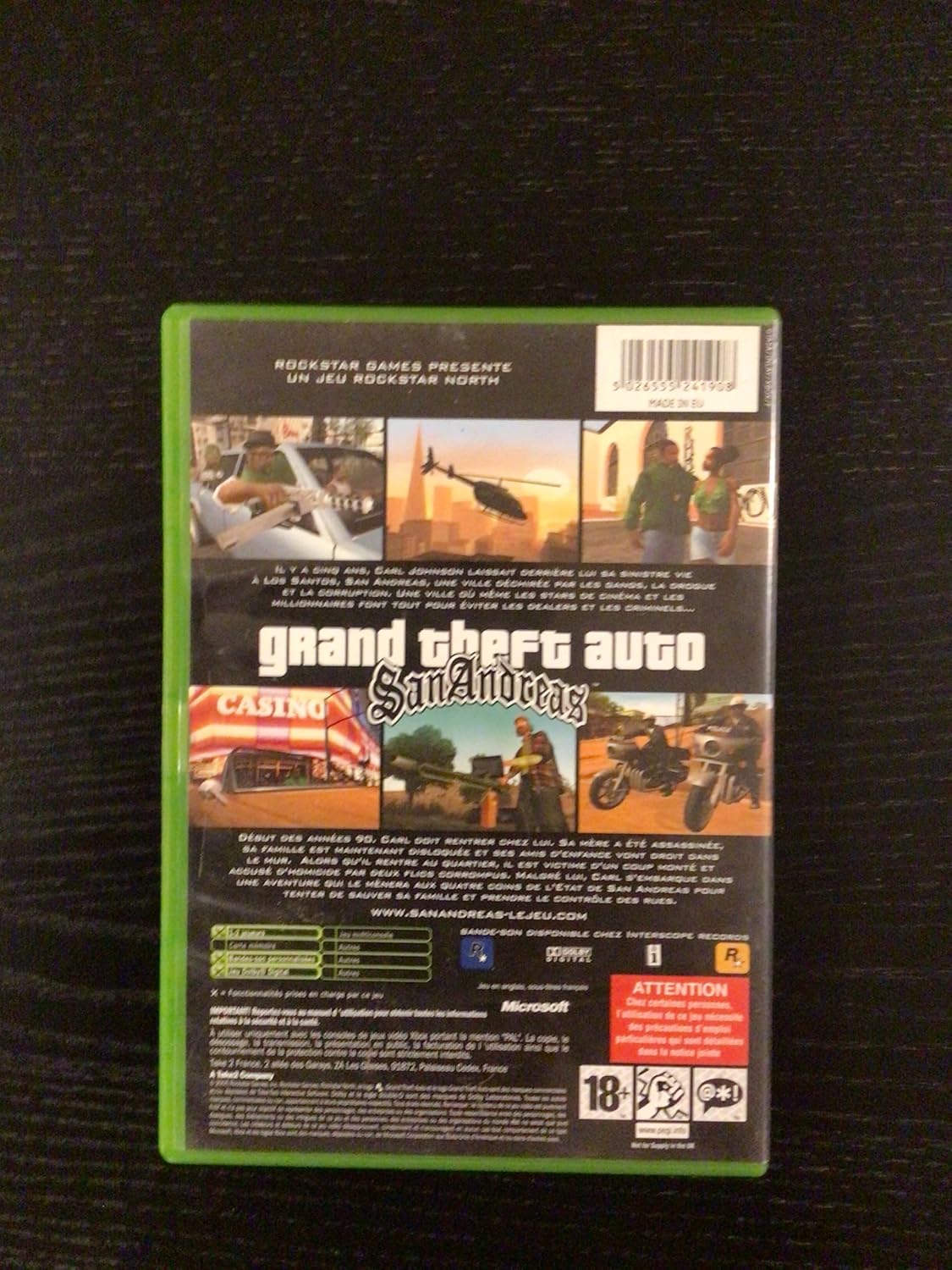
Image 7.1: Back cover of the Grand Theft Auto San Andreas Xbox 360 game case, showing game screenshots, a brief description, and various legal and rating information.
8. וואָראַנטי אינפֿאָרמאַציע
This product is typically covered by a manufacturer's warranty against defects. Specific warranty terms and conditions are usually provided by the game publisher, Rockstar Games, or the retailer at the time of purchase. Please refer to any documentation included with your game or contact the point of purchase for detailed warranty information.
9. קונה שטיצן
For technical assistance, gameplay questions, or other support inquiries related to Grand Theft Auto San Andreas, please visit the official Rockstar Games Support webפּלאַץ:
You may also find helpful information and community forums on the official Xbox support webפּלאַץ.