
הקדמה
This manual provides detailed instructions for the installation, setup, and operation of your LUX Kono KN-S-MG1 Smart Thermostat. Please read this manual thoroughly before beginning installation or operation to ensure proper functionality and safety.
The LUX Kono KN-S-MG1 is a programmable smart thermostat designed to personalize your home comfort and optimize energy savings through features like geofencing and remote control via the LUX app.
זיכערקייַט אינפֿאָרמאַציע
ווארענונג: עלעקטריקאַל קלאַפּ האַזאַרד
- Always turn off power to the heating and cooling system at the main circuit breaker or fuse box before installing or servicing the thermostat.
- Improper wiring can cause damage to the thermostat or the HVAC system.
- די אינסטאַלאַציע זאָל דורכגעפירט ווערן דורך אַ קוואַליפֿיצירטן טעכניקער אויב איר זענט נישט זיכער וועגן קיין שריט.
- Ensure all wiring connections are secure and insulated.
פּעקל אינהאַלט
באַשטעטיקן אַז אַלע זאכן זענען פאַראַן אין דיין פּעקל:
- LUX Kono KN-S-MG1 Smart Thermostat
- מאָנטירונג האַרדווער (שרויף, וואַנט אַנקערס)
- LUX Power Bridge (for systems without a C-wire)
- ינסטאַללאַטיאָן גייד (דעם דאָקומענט)
ייַנמאָנטירונג
Before installation, ensure the power to your HVAC system is turned off at the circuit breaker.
1. Remove Old Thermostat
- Turn off power to your HVAC system at the circuit breaker.
- אַראָפּנעמען די דעקל פון דיין אַלט טערמאַסטאַט.
- Take a picture of the wiring connections for reference.
- Disconnect the wires one by one, labeling each wire with the corresponding terminal letter (e.g., R, C, Y, G, W).
- Remove the old thermostat's backplate from the wall.
2. Wiring the Kono KN-S-MG1
The Kono KN-S-MG1 requires a C-wire for continuous power. If your system does not have a C-wire, use the included LUX Power Bridge.
קאַמפּאַטאַבילאַטי:
- Forced air, gas, oil & electric furnaces (up to 2 Heat/1 Cool stagעס)
- Heat pump systems (with or without auxiliary/emergency heat)
Refer to the wiring diagram specific to your HVAC system type. Connect the labeled wires to the corresponding terminals on the Kono backplate.
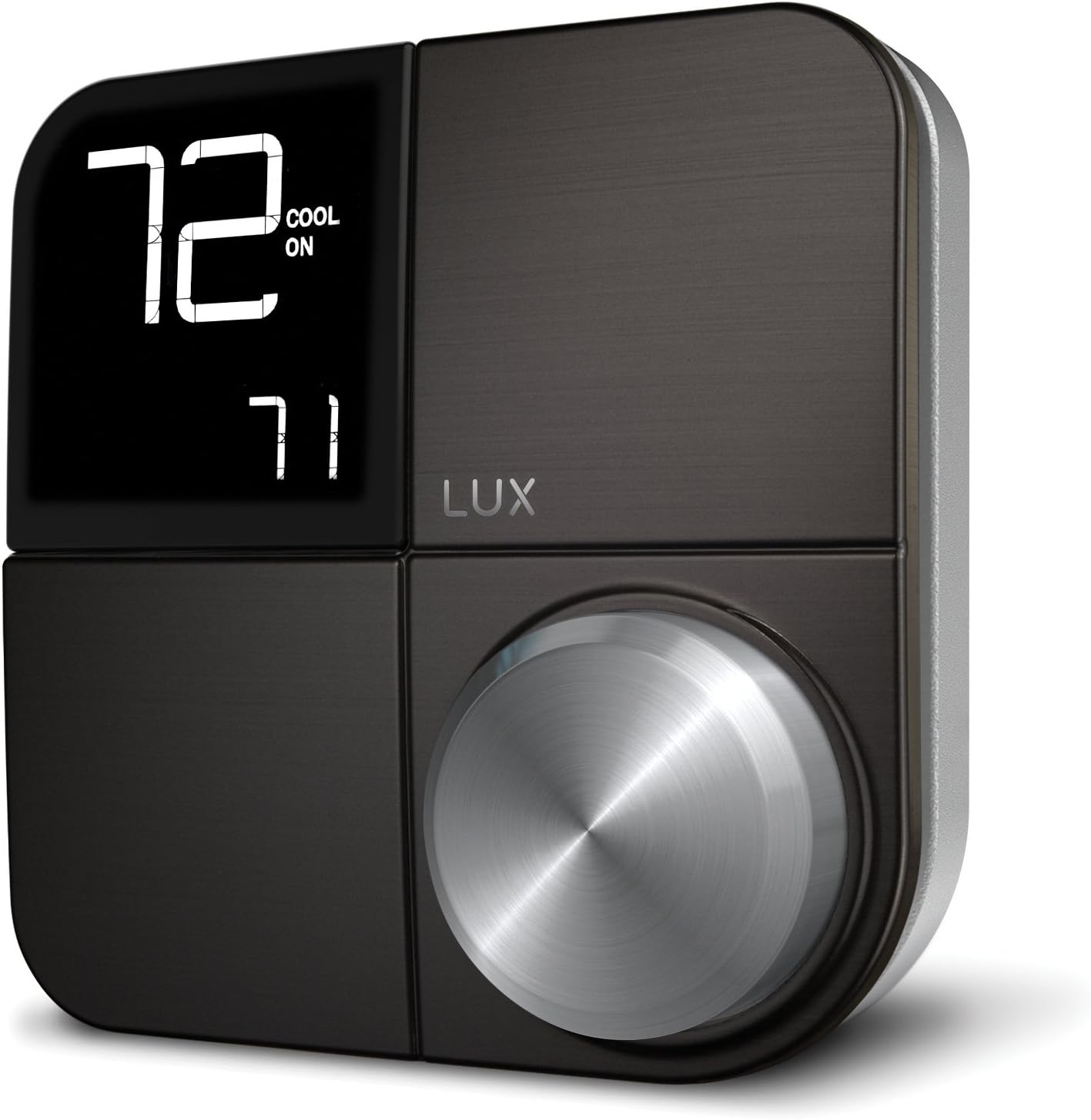 בילד: פראָנט view of the LUX Kono KN-S-MG1 Smart Thermostat, displaying its digital screen and control knob.
3. מאָנטירן דעם טערמאָסטאַט
- Mount the Kono backplate to the wall using the provided screws and anchors. Ensure it is level.
- Carefully push any excess wire back into the wall opening.
- Align the Kono thermostat body with the backplate and gently push it into place until it clicks securely.
 Image: The LUX Kono KN-S-MG1 Smart Thermostat installed on a wall, blending into a modern dining room environment.
ערשטע סעטאַפּ און Wi-Fi פֿאַרבינדונג
- מאַכט אויף: Restore power to your HVAC system at the circuit breaker. The thermostat display should illuminate.
- Download the LUX App: Download the official LUX app from your smartphone's app store.
- שאַפֿן אַ חשבון: Follow the in-app instructions to create a new user account or log in if you already have one.
- פאַרבינדן צו Wi-Fi: The app will guide you through connecting your Kono thermostat to your home Wi-Fi network. Ensure your Wi-Fi network is 2.4GHz compatible.
- סיסטעם קאָנפיגוראַטיאָן: The app will prompt you to configure your HVAC system type (e.g., conventional, heat pump) and other settings.
אַפּערייטינג ינסטראַקשאַנז
יקערדיק אָפּעראַציע
- אַדזשאַסטינג טעמפּעראַטור: Use the control knob on the thermostat or the LUX app to set your desired temperature.
- סיסטעם מאָדע: Switch between Heat, Cool, Auto, and Off modes using the thermostat interface or the app.
- פאָכער מאָדע: Select Fan On (continuous operation) or Fan Auto (fan runs only when heating/cooling) via the thermostat or app.
פּראָגראַממינג סקעדזשולז
The Kono KN-S-MG1 allows you to create custom heating and cooling schedules to optimize comfort and energy usage. Schedules are typically managed through the LUX app for ease of use.
- Open the LUX app and navigate to the scheduling section.
- Create daily or weekly schedules with different temperature settings for various times of the day (e.g., Wake, Away, Home, Sleep).
- Save your schedules to activate them on the thermostat.
אַוואַנסירטע פֿעיִקייטן
- Geofencing (Home & Away Aware): This feature uses your smartphone's location to automatically adjust the thermostat when you leave or approach your home, saving energy when away and ensuring comfort upon return. Enable and configure this feature within the LUX app.
- ווייַט קאָנטראָל: Control your thermostat from anywhere using the LUX app on your smartphone.
- קול קאָנטראָל: The Kono KN-S-MG1 supports integration with certain smart home platforms like Android and Vera for voice control. Note: This product does NOT work with Amazon Alexa or Apple HomeKit.
וישאַלט
- רייניקונג: ווישט אָפּ די אויסערלעכע זייט פון דעם טערמאָסטאַט מיט אַ ווייכן, טרוקענעם שטאָף.amp שטאָף. דו זאלסט נישט נוצן אַברייסיוו קלינערז אָדער סאָלוואַנץ.
- ווייכווארג דערהייַנטיקונגען: Ensure your LUX app and thermostat firmware are up to date for optimal performance and new features. Updates are typically managed through the LUX app.
- קיין באַטעריז פארלאנגט: The Kono KN-S-MG1 is powered by your HVAC system (C-wire) or the LUX Power Bridge, so no battery replacement is necessary.
טראָובלעשאָאָטינג
| פּראָבלעם | מעגלעך סיבה | לייזונג |
|---|---|---|
| טערמאַסטאַט אַרויסווייַזן איז ליידיק. | קיין שטראָם צום טערמאָסטאַט. | Check the circuit breaker for your HVAC system. Ensure the C-wire or LUX Power Bridge is correctly installed and connected. |
| די HVAC סיסטעם רעאַגירט נישט אויף די טערמאָסטאַט. | Incorrect wiring; system mode incorrect; power issue. | Verify wiring connections. Ensure the system mode (Heat/Cool/Auto) is correctly selected. Check power to the HVAC unit. |
| Cannot connect to Wi-Fi or app shows "no internet". | Incorrect Wi-Fi password; router issues; 5GHz network. | Ensure correct Wi-Fi password. Restart your router. Confirm your Wi-Fi network is 2.4GHz. Re-attempt Wi-Fi setup through the LUX app. |
| Temperature not maintained as programmed. | Incorrect schedule settings; geofencing interference; system limitations. | Review your schedules in the LUX app. Check geofencing settings. Ensure your HVAC system is functioning correctly. |
For further assistance, please contact LUX customer support.
ספּעסאַפאַקיישאַנז
| סאָרט | לוקס |
| מאָדעל נאָמען | KN-S-MG1 |
| פּראָדוקט דימענשאַנז | 2.8 X 6.5 X 6 אינטשעס |
| פּונקט וואָג | 9.6 אונסעס |
| קאָליר | שוואַרץ |
| מאַטעריאַל | פּלאַסטיק |
| מאַכט מקור | Electric (System C-wire or LUX Power Bridge) |
| Voltage | 230 וואלטס (AC) |
| קאַנעקטיוויטי טעכנאָלאָגיע | ווי-פי (2.4 גהז) |
| קאָנטראָללער טיפּ | Android, Vera (Note: Does NOT work with Amazon Alexa or Apple HomeKit) |
| ספּעציעלע שטריך | Geofencing: Home & Away Aware |
| ווייַז טיפּ | לקד מיט באַקלייט |
| קאָנטראָל טיפּ | Button Control, Voice |
| מאַונטינג טיפּ | וואנט בארג |
| UPC | 021079170098 |
וואָראַנטי און שטיצן
For warranty information and technical support, please refer to the official LUX website or contact LUX customer service directly. Keep your purchase receipt as proof of purchase.
 Image: The retail packaging for the LUX Kono Smart Thermostat, showing the product image and key features.