
הקדמה
The Poly Blackwire 5220 USB-A Headset is designed for enhanced compatibility, exceptional comfort, and universal connectivity, making it ideal for all-day use in various communication environments. This headset features a noise-canceling microphone with a flexible boom, intuitive inline controls, and soft, conforming ear cushions for passive noise cancellation. It offers flexible connectivity options including USB-A and 3.5 mm, ensuring clear audio and improved productivity for PC, Mac, tablet, and mobile phone users.
וואָס איז אין די קעסטל
- Poly Blackwire 5220 USB-A Headset
פּראָדוקט איבערview

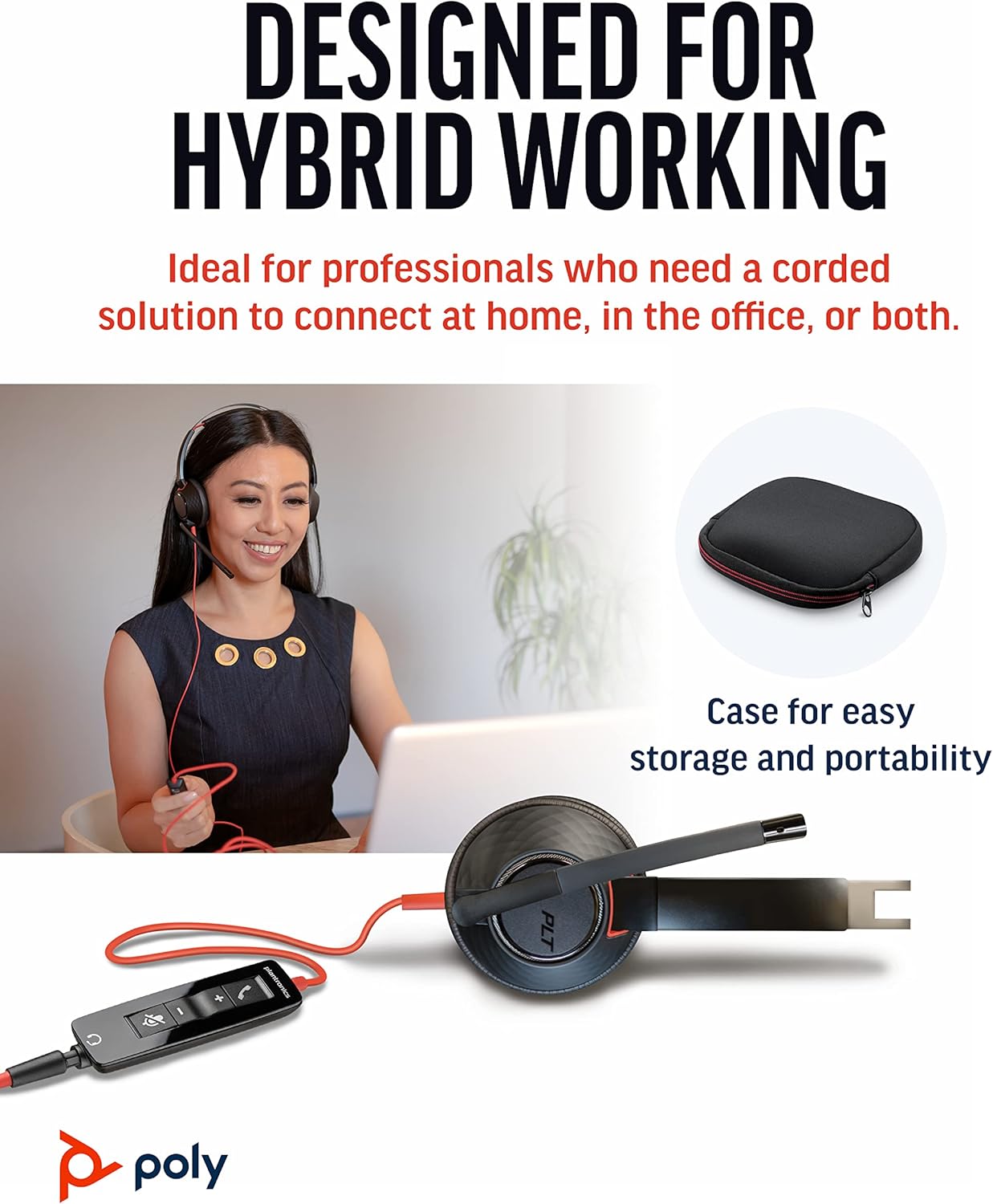


סעטאַפּ
קאַנעקטינג די העאַדסעט
- פֿאַר פּיסי/מעק: Connect the headset's USB-A connector directly to an available USB-A port on your computer. The headset is plug-and-play, meaning it should be automatically recognized by your operating system.
- For Mobile Phone/Tablet: Connect the headset's 3.5 mm jack to the audio port on your mobile device.
Once connected, your operating system or communication application (e.g., Microsoft Teams, Zoom) should automatically detect the headset as the primary audio input and output device. If not, you may need to select it manually in your device's sound settings or the application's audio preferences.
אַפּערייטינג ינסטראַקשאַנז
אינליין קאָנטראָלס
The Blackwire 5220 features an intuitive inline control unit for easy call management:
- ענטפֿערן / סוף רופן קנעפּל: דריקן צו ענטפֿערן אַן אַרײַנקומענדיקן רוף אָדער ענדיקן אַן אַקטיוון רוף.
- באַנד אַרויף (+) קנעפּל: דרוק צו פאַרגרעסערן די צוגעהערט באַנד.
- באַנד אַראָפּ (-) קנעפּל: דריקן צו פאַרמינערן די צוגעהערט באַנד.
- שטיל קנעפּל: Press to mute or unmute the microphone. A voice alert may indicate the mute status.
מיקראָפאָן אַדזשאַסטמאַנט
Position the flexible boom microphone approximately two finger-widths from the corner of your mouth for optimal voice pickup. The microphone is designed to be noise-canceling, focusing on your voice and minimizing background distractions.
SoundGuard Digital Protection
The headset incorporates SoundGuard Digital technology to protect your hearing. It safeguards against sound levels over 118 dBA, sudden loud sounds, and long-term exposure to noise, ensuring a safe listening experience.
וישאַלט
רייניקונג
- Wipe the headset, including ear cushions and microphone boom, with a soft, dry cloth.
- ויסמיידן ניצן האַרב קעמיקאַלז אָדער אַברייסיוו קלינערז.
סטאָרידזש
- האַלט די כעדסעט אין אַ קיל, טרוקן אָרט אַוועק פון עקסטרעמע טעמפּעראַטורן.
- Utilize the included carrying case for protection during travel or storage.
טראָובלעשאָאָטינג
No Sound or Microphone Not Working
- Ensure the headset is securely plugged into the correct port (USB-A or 3.5 mm).
- Check your computer's or device's sound settings to ensure the Poly Blackwire 5220 is selected as the default playback and recording device.
- Verify that the microphone is not muted using the inline control.
- Test the headset with another application or device to rule out software-specific issues.
נעבעך אַודיאָ קוואַליטעט
- Ensure the microphone boom is properly positioned near your mouth.
- Check for any physical obstructions or damage to the cables.
- If using with a computer, ensure your audio drivers are up to date.
ספּעסאַפאַקיישאַנז
| שטריך | דעטאַל |
|---|---|
| מאָדעל נאָמען | בלאַקקווירע 5220 |
| נומער מאָדעל נומער | 207576-01 |
| קאַנעקטיוויטי טעכנאָלאָגיע | Wired (USB-A, 3.5 mm Jack) |
| ווערינג סטייל | Over-the-head, On-ear, Dual Ear (Stereo) |
| מיקראָפאָן | ראַש-קאַנסאַלינג בום מיקראָפאָן |
| Audio Protection | SoundGuard Digital (protects above 118 dBA) |
| אָפטקייַט ענטפער (כעדפאָונז) | 20 הז |
| Frequency Range (Microphone) | 100 הערץ - 6,800 הערץ |
| קאַבלע לענג | 45 אינטשעס |
| מאַטעריאַל | פּלאַסטיק |
| קאָליר | שוואַרץ |
| פּונקט וואָג | 0.035 אונסעס (אומגעפער 1 גראַם) |
| קאַמפּאַטאַבאַל דעוויסעס | PC, Cellphones, Tablets, Mac |
וואָראַנטי און שטיצן
וואָראַנטי אינפֿאָרמאַציע
The Poly Blackwire 5220 USB-A Headset comes with a 2-יאָר גלאָבאַלע וואָראַנטי פֿון דעם קויף־דאַטום. ביטע באַהאַלטן אייער קויף־באַווייַז פֿאַר גאַראַנטיע־קליימז.
נאָך שטיצן
For detailed information, advanced settings, or further assistance, please refer to the official User Guide (PDF) available online:
דאַונלאָוד באַניצער גייד (PDF)
You can also visit the official Poly support webזייטל פֿאַר אָפֿט געשטעלטע פֿראַגעס, ווייכווארג דאַונלאָודז, און קאָנטאַקט אינפֿאָרמאַציע.