
1. הקדמה
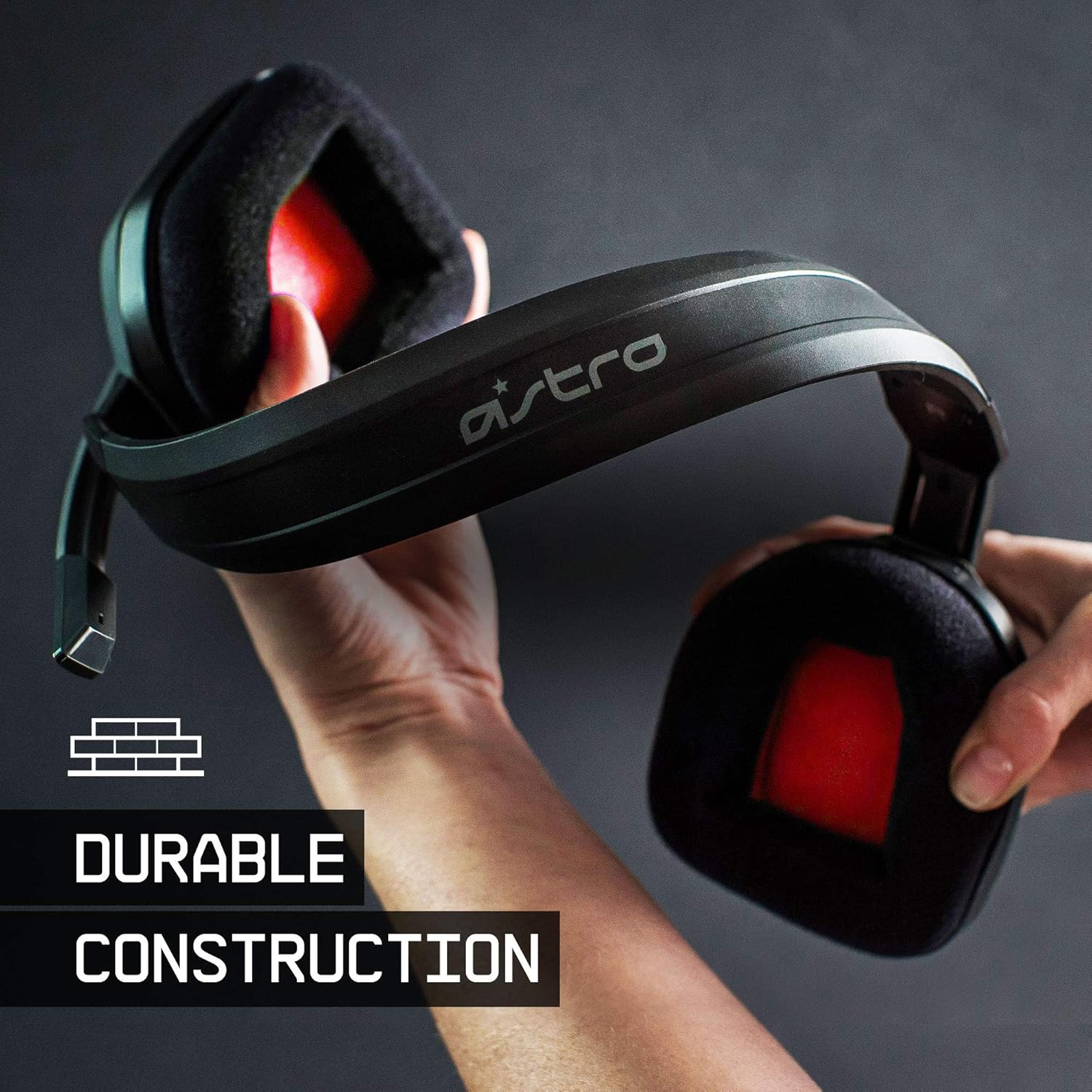
The ASTRO Gaming A10 Headset is engineered for gaming, offering durable construction and extended comfort for prolonged use. It features ASTRO Audio for clear and precise sound, an omnidirectional microphone with flip-up mute functionality, and in-line volume control for a comprehensive audio experience.
2. וואָס איז אין דער קעסטל
Upon unboxing your ASTRO Gaming A10 Headset, you should find the following components:
- ASTRO Gaming A10 Headset
- A10 Volume Cable (3.5mm jack)

3. פּראָדוקט פֿעיִקייטן
- געווער: The A10 Headset is constructed with a durable headband made of anodized aluminum and a damage-resistant polycarbonate blend, designed to withstand rigorous use.
- טרייסט: Featuring extended comfort memory foam ear-cushions, the headset is designed to minimize fatigue during long gaming sessions.
- קאָמוניקאַציע: An omnidirectional microphone with flip-up mute functionality and in-line volume control ensures clear communication with teammates.
- געזונט קוואַליטעט: Tuned with ASTRO Audio, the A10 delivers immersive and accurate audio, providing low latency and precise voice communication.
- קאַמפּאַטאַבילאַטי: The headset is compatible with multiple platforms including PS5, PC/MAC, XBOX SERIES X|S, NINTENDO SWITCH, VR, and streaming devices.



4. סעטאַפּ אינסטרוקציעס
- Connect the A10 Volume Cable: Insert the smaller end of the A10 Volume Cable into the 3.5mm port located on the left earcup of the ASTRO A10 Headset. Ensure it is securely connected.
- פאַרבינדן צו מיטל: Plug the larger end of the A10 Volume Cable into the 3.5mm headphone jack on your gaming controller (e.g., Xbox, PlayStation), PC, Mac, Nintendo Switch, or other compatible device.
- סטרויערן באַנד: Use the in-line volume control wheel on the A10 Volume Cable to adjust the audio level to your preference.
- פּאָזיציע מיקראָפאָן: Lower the microphone boom arm to activate the microphone. Position it appropriately for clear voice capture.

5. אַפּערייטינג ינסטרוקטיאָנס
Microphone Usage (Flip-to-Mute)
The ASTRO A10 Headset features a convenient flip-to-mute microphone. To activate the microphone, simply lower the boom arm into the speaking position. To mute the microphone, flip the boom arm upwards until it clicks into the vertical position. This action instantly mutes your voice input.
באַנד קאָנטראָל
Adjust the audio volume using the in-line control wheel located on the A10 Volume Cable. Rotate the wheel upwards to increase volume and downwards to decrease volume.
6. קאַמפּאַטאַבילאַטי
The ASTRO Gaming A10 Headset is designed for broad compatibility across various gaming and media platforms:
- פּלייסטיישאַן 5 (PS5)
- פּלייסטיישאַן 4 (PS4)
- קסבאָקס סעריעס X|S
- קסבאָקס איינער
- נינטענדאָו סוויטש
- PC
- מעק
- VR devices
- סטרימינג דעוויסעס
- Most mobile phones and tablets with a 3.5mm jack

7. וישאַלט
- רייניקונג: ניצט אַ ווייכע, טרוקענע שטאָף צו רייניקן די כעדסעט. פֿאַרמייַדט ניצן שטרענגע כעמיקאַלן אָדער שרײַבנדיקע מאַטעריאַלן.
- סטאָרידזש: האַלט די כעדסעט אין אַ קיל, טרוקן אָרט אַוועק פון דירעקט זונשייַן און עקסטרעמע טעמפּעראַטורן.
- קאַבלע זאָרגן: פֿאַרמײַדט שאַרפֿע בייגן אָדער איבערגעטריבענע ציען אויף דעם קאַבל צו פֿאַרמײַדן שאָדן.
- אויער קישן: קאָנטראָלירט פּעריִאָדיש די אויער קישנס פֿאַר אָפּגענוצטקייט. ערזאַץ קישנס זענען מעגלעך פֿאַראַן פֿונעם פאַבריקאַנט.
8. טראָובלעשאָאָטינג
- No Audio / Low Audio:
- זיכער מאַכן אַז דער 3.5 מ״מ קאַבל איז גאָר אַרײַנגעשטעקט אין ביידע דעם כעדסעט און דעם אַפּאַראַט.
- קאָנטראָלירט דעם אין-ליין וואָלומען קאָנטראָל און מאַכט זיכער אַז עס איז ארויפגעשטעלט.
- Verify that the audio output settings on your device are correctly configured for the headset.
- פּרובירט דעם כעדסעט מיט אַן אַנדער מיטל צו אויסשליסן אַ מיטל-ספּעציפֿישן פּראָבלעם.
- מיקראָפאָן איז נישט ארבעטן:
- Ensure the microphone boom arm is fully lowered into the speaking position (not flipped up for mute).
- Check the microphone input settings on your device to ensure the headset microphone is selected and not muted.
- פּרובירט דעם מיקראָפאָן מיט אַן אַנדער אַפּליקאַציע אָדער מיטל.
- Static or Distorted Audio:
- Ensure the 3.5mm cable connections are secure and free from debris.
- Try using a different 3.5mm cable if available, to rule out a faulty cable.
- Reduce the volume on your device or headset if the audio is clipping.
9. ספּעסאַפאַקיישאַנז
| שטריך | דעטאַל |
|---|---|
| סאָרט | אַסטראָ גיימינג |
| מאָדעל נאָמען | אַסטראָ גיימינג A10 |
| מאָדעל נומער | 939-001508 |
| קאַנעקטיוויטי טעכנאָלאָגיע | ווייערד |
| כעדפאָון דזשאַק | 3.5 מם דזשאַק |
| פּונקט וואָג | 12.35 אונס |
| אָפטקייַט ראַנגע | 20 הערץ - 20 קילאָהערץ |
| אַודיאָ דרייווער טיפּ | דינאַמיש דרייווער |
| אָפּצוימונג מאַטעריאַל | אַלומינום |
| נאָך פֿעיִקייטן | Microphone Included, Volume Control |
| קאַמפּאַטאַבאַל דעוויסעס | PS5, PC/MAC, XBOX SERIES X|S, NINTENDO SWITCH, VR, STREAMING, most mobile phones, tablets |
10. וואָראַנטי און שטיצן
The ASTRO Gaming A10 Headset comes with a 2-יאָר פאַבריקאַנט ס וואָראַנטי. For warranty claims, technical support, or additional product information, please visit the official ASTRO Gaming webזייטל אדער קאנטאקט זייער קאסטומער סערוויס גלייך.
11. פּראָדוקט ווידעאָס
ASTRO A10 Experience
ווידעא: אן אפיציעלע ווידעא שאוasing the overall experience and key aspects of the ASTRO A10 Headset. This video provides a visual overview of the product's design and functionality.