
Chuango 1
CHUANGO G5 Plus Alarm System User Manual
Model: 1 | Brand: Chuango
הקדמה
The CHUANGO G5 Plus is an advanced GSM/SMS/RFID Touch Alarm System designed to provide comprehensive security for your home or business. This system builds upon the proven G5 platform with enhanced features, including an anti-jamming function for increased reliability.
This manual provides detailed instructions for setting up, operating, and maintaining your CHUANGO G5 Plus alarm system, ensuring optimal performance and security.

Image: The complete CHUANGO G5 Plus alarm system kit, including the main control panel, power adapter, two RFID tags, two remote controls, two door/window sensors, and one PIR motion sensor.
סעטאַפּ
1. אויספּאַקן און קאָמפּאָנענטן
Carefully unpack all items and verify that all components are present:
- הויפּט קאָנטראָל פּאַנעל
- מאַכט אַדאַפּטער
- 2 x RFID Tags
- 2 x Wireless Remote Controls
- 2 x טיר/פֿענצטער סענסאָרן
- 1 x PIR באַוועגונג סענסאָר

Image: The retail packaging box for the CHUANGO G5 Plus alarm system, indicating "Plug & Play Alarm System" and "No Monthly Fees".
2. סים קאָרט ינסטאַלירונג
The G5 Plus system requires a standard GSM SIM card for SMS notifications and calls. Before inserting, ensure the SIM card's PIN code is disabled. This can typically be done using a mobile phone.
- Locate the SIM card slot on the back of the main control panel.
- Insert the prepared SIM card into the slot until it clicks into place.

בילד: די הינטערשטע view of the CHUANGO G5 Plus control panel, showing the power input, mounting holes, and the SIM card slot area. Model: G5 Plus, S/N: G1381314B00139.

בילד: נאך איינס view of the rear of the CHUANGO G5 Plus control panel, highlighting the product label with specifications and a QR code. Model: G5 Plus, S/N: G1380924200219.
3. פּאַוערינג אויף
Connect the power adapter to the main control panel and plug it into a wall outlet. The panel will power on and initiate its startup sequence.
4. Sensor and Accessory Pairing
The included sensors, RFID tags, and remote controls are typically pre-paired with the main panel. If you need to add new accessories or re-pair existing ones, follow the instructions in the system's detailed manual (not provided here, but generally involves putting the panel in learning mode and triggering the sensor/accessory).

Image: A white passive infrared (PIR) motion sensor, a common accessory for the alarm system.

Image: Two black RFID key tags with keyrings, used for convenient arming and disarming of the alarm system by tapping them on the control panel.
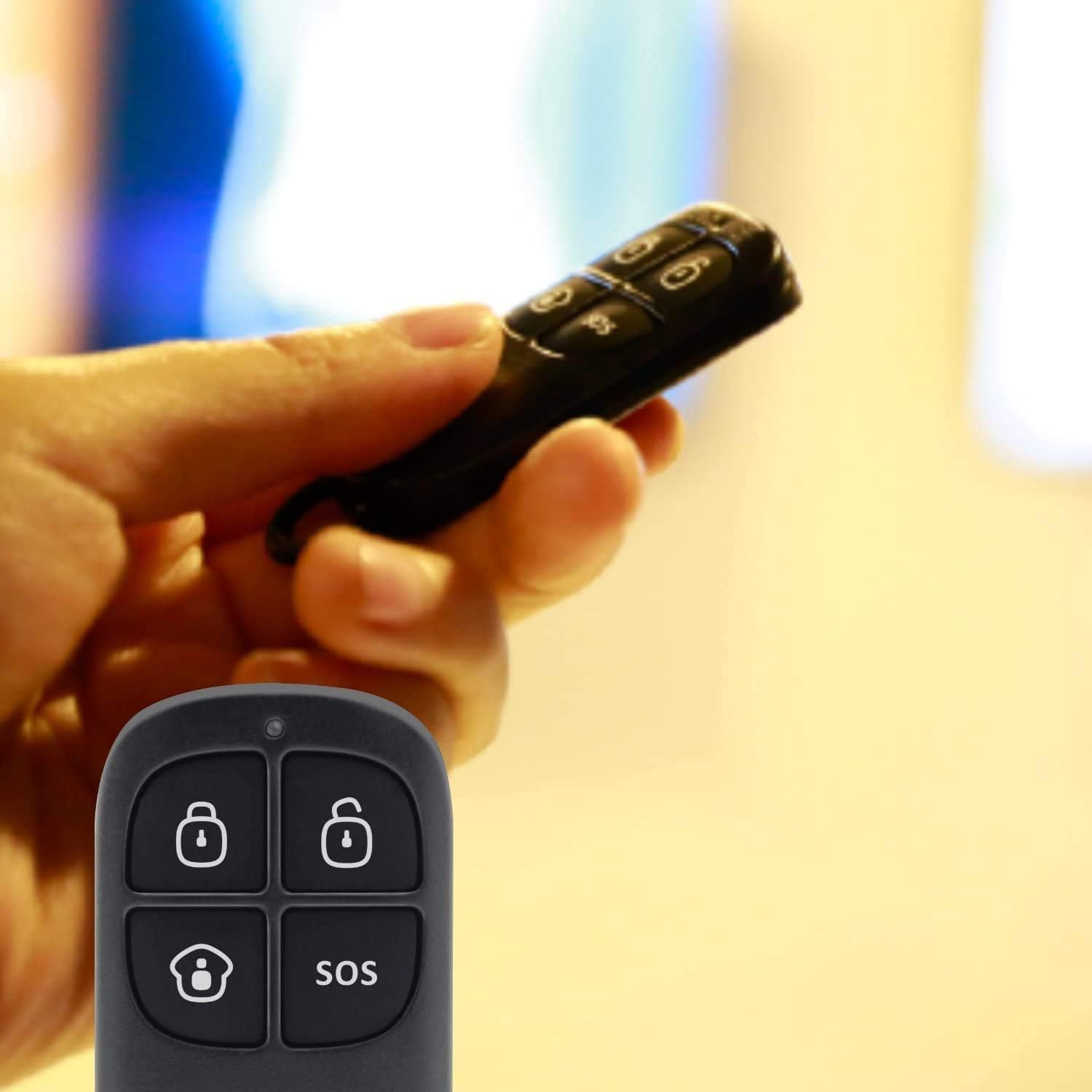
Image: A hand holding one of the black wireless remote controls for the CHUANGO G5 Plus, showing buttons for arming, disarming, home arming, and SOS.
אַפּערייטינג די סיסטעם
אַרמינג און דיסאַרמינג
The CHUANGO G5 Plus offers multiple methods for arming and disarming the system:
- קיפּאַד: Enter your user code on the control panel's touch keypad.
- ווייַט קאָנטראָל: Use the dedicated arm/disarm buttons on the wireless remote.
- RFID Tag: צאַפּן אַ רעגיסטרירטן RFID tag on the designated area of the control panel.
- SMS באַפֿעלן: Send specific SMS commands from a registered phone number to the SIM card in the panel.
- מאָביל אַפּ: Utilize the dedicated mobile application (available for iOS and Android) which sends SMS commands in the background.

בילד: א נאָענטע בילד view of the CHUANGO G5 Plus control panel's touch keypad, showing the numerical keys and function icons for arming, disarming, and home mode.
Anti-Jamming Function
The G5 Plus features an anti-jamming function. If the system detects an attempt to disrupt its wireless communication with sensors using interference frequencies, it will automatically trigger an alarm and notify the owner via SMS. This proactive measure helps prevent sophisticated break-ins.
SMS נאָטיפיקאַטיאָנס
The system sends SMS notifications for various events, including:
- Alarm triggers (specifying the zone).
- מאַכט אירtages and restoration.
- Low battery warnings for sensors.
- ווען אַ RFID tag is used (if configured to notify).
וישאַלט
באַטערי פאַרבייַט
Sensors and remote controls are powered by batteries. When a low battery warning is received via SMS, replace the batteries promptly to ensure continuous protection. Refer to the specific sensor's manual for battery type and replacement instructions.
רייניקונג
Wipe the control panel and sensors with a soft, dry cloth. Avoid using abrasive cleaners or solvents that could damage the surfaces.
טראָובלעשאָאָטינג
שרעק ניט טריגערינג
- Ensure the system is fully armed (not in partial arm mode if the affected zone is excluded).
- Check sensor batteries.
- Verify sensor placement and ensure they are within range of the main panel.
SMS Notifications Not Received
- Confirm the SIM card in the panel has sufficient credit/data and is active.
- Ensure the SIM card's PIN code is disabled.
- Check the GSM signal strength indicator on the control panel.
- Verify that your phone number is correctly registered in the alarm system's settings.
Power Loss Notifications
The system has a backup battery. If you receive a power loss notification, it indicates the main power supply to the panel has been interrupted. The system will continue to operate on its internal battery for approximately 16 hours.
ספּעסאַפאַקיישאַנז
| שטריך | דעטאַל |
|---|---|
| מאָדעל | 1 (G5 Plus) |
| פּראָדוקט דימענשאַנז | 14 X 21 X 9 סענטימעטער |
| פּונקט וואָג | 880 גראַמז |
| פאַבריקאַנט | טשוואַנגאָ |
| באַטעריז | 1 ליטהיום יאָן באַטאַרייע פארלאנגט (אַרייַנגערעכנט) |
| מאַכט מקור | עלעקטריש מיט קאַבל |
| קאַמפּאַטאַבאַל דעוויסעס | סמאַרטפאָנע |
| קאָליר | ווייַס |
וואָראַנטי און שטיצן
For warranty information and technical support, please refer to the documentation provided with your purchase or contact your retailer. You may also visit the official Chuango website for further assistance and updated resources.
Keep your purchase receipt and product serial number (found on the back of the main panel) handy when contacting support.
Ask a question about this manual
Ask about setup, troubleshooting, compatibility, parts, safety, or missing instructions. Manuals+ will review the question and use this page’s manual context to help answer it.