
1. הקדמה
This manual provides detailed instructions for the safe and proper installation, operation, and maintenance of your MANHATTAN Universal Flat-Panel TV Articulating Wall Mount, Model 461399. This single-arm mount is designed to securely hold flat-panel televisions ranging from 13 to 42 inches and weighing up to 20 kg (44 lbs). It offers adjustable tilt, swivel, and level functionalities to optimize your viewינג דערפאַרונג.

בילד 1.1: ווינקלדיק view of the MANHATTAN Universal Flat-Panel TV Articulating Wall Mount.
2. זיכערקייַט אינפֿאָרמאַציע
ווארענונג: Read all instructions carefully before installation. Improper installation can result in property damage, serious injury, or death. If you do not understand these instructions or have doubts about the safety of the installation, contact a qualified installer.
- זיכער מאַכן אַז די מאָנטירונג ייבערפלאַך קען זיכער שטיצן די קאַמביינד וואָג פון די מאָונט און די טעלעוויזיע.
- נישט איבערשטייגן די מאקסימום וואָג קאַפּאַציטעט פון 20 ק"ג (44 פונט).
- דער פּראָדוקט איז בדעה בלויז פֿאַר דרינענדיק נוצן.
- Use only the provided mounting hardware. If any parts are missing or damaged, contact customer support.
- Always use a stud finder to locate wall studs for secure mounting in wood stud walls.
- Wear appropriate safety gear during installation, including eye protection.
3. פּעקל אינהאַלט
Verify that all components are present and undamaged before beginning installation. If any parts are missing or defective, do not proceed with installation and contact customer support.
- Wall Mount Assembly (Single Arm)
- TV Mounting Brackets (VESA Plate)
- Hardware Kit (Screws, Washers, Spacers, Wall Anchors)
- ינסטראַקשאַנז מאַנואַל
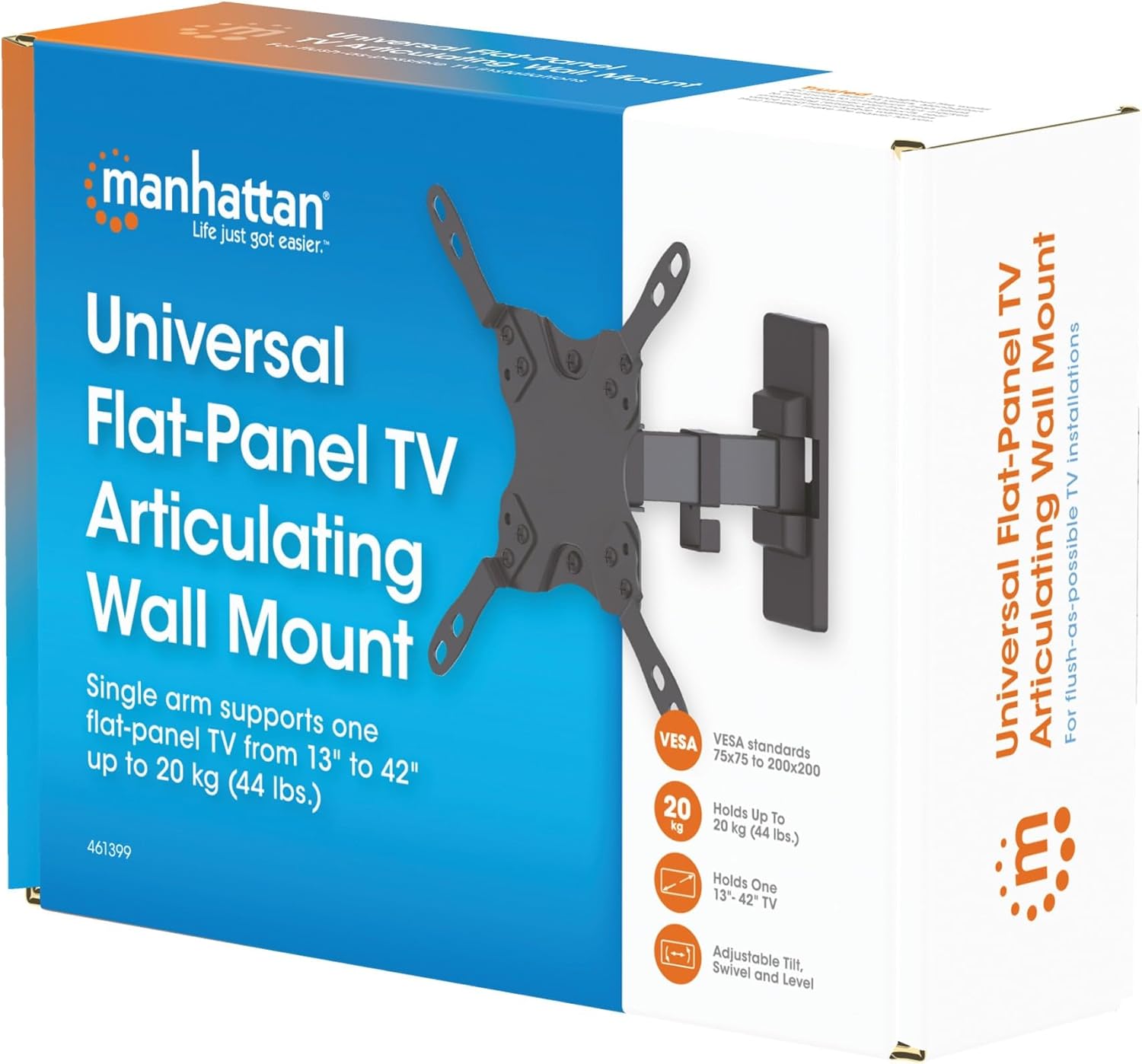
Image 3.1: Packaging of the MANHATTAN Universal Flat-Panel TV Articulating Wall Mount.
4. סעטאַפּ און ייַנמאָנטירונג
4.1 פאַר-ינסטאַלירונג טשעקס
- טעלעוויזיע קאַמפּאַטאַבילאַטי: Ensure your TV's weight is within 20 kg (44 lbs) and its screen size is between 13 and 42 inches. Check the VESA mounting pattern on your TV (typically 75x75mm, 100x100mm, 200x100mm, or 200x200mm).
- וואַנט טיפּ: Determine your wall type (wood stud, concrete, brick). Different wall types require specific mounting hardware and techniques.
- מכשירים פארלאנגט: Pencil, drill, stud finder (for wood walls), level, Phillips head screwdriver, socket wrench.
4.2 באַפעסטיקט טעלעוויזיע קלאַמערן צו טעלעוויזיע
- לייגט פֿאָרזיכטיק אייער טעלעוויזיע מיטן פּנים אַראָפּ אויף אַ ווייכער, ריינער ייבערפֿלאַך כּדי צו פֿאַרמייַדן שאָדן צום עקראַן.
- ידענטיפיצירן די VESA מאַונטינג האָלעס אויף די צוריק פון דיין טעלעוויזיע.
- אויסקלייבן די פּאַסיקע שרויפן, וואַשערס און ספּייסערס פֿון די האַרדווער קיט וואָס פּאַסן צו די מאָנטירונג לעכער פֿון אייער טעלעוויזיע.
- Attach the TV mounting brackets to the back of your TV using the selected hardware. Ensure they are securely fastened but do not overtighten.

בילד 4.2.1: דערציען view of the VESA plate, showing mounting holes for TV attachment.

בילד 4.2.2: פראָנט view of the VESA plate, showing mounting holes for TV attachment.
4.3 מאָנטירן די וואַנט פּלאַטע
- Determine the desired height and position for your TV. Use a pencil to mark the top center of where the mount will be.
- Place the wall plate against the wall at the marked position and use a level to ensure it is perfectly horizontal. Mark the drill holes.
- פֿאַר האָלץ שטאַפּל ווענט: Use a stud finder to locate the center of a wood stud. Drill pilot holes (recommended size in manual, typically 5mm) into the stud. Secure the wall plate using the lag bolts and washers.
- פֿאַר בעטאָן/ציגל ווענט: Drill pilot holes (recommended size in manual, typically 10mm) into the solid concrete or brick. Insert wall anchors into the holes. Secure the wall plate using the lag bolts and washers.
- Ensure the wall plate is firmly and securely attached to the wall.

בילד 4.3.1: זייט view of the mount, illustrating its extension from the wall.
4.4 אויפהענגען דעם טעלעוויזאר
- מיט הילף, הייבט פֿאָרזיכטיק דעם טעלעוויזאָר מיט די אַטאַטשט קלאַמערן און הענגט זיי אָן אויף דער וואַנט פּלאַטע.
- זיכער מאַכן אַז דער טעלעוויזאָר איז זיכער אַרײַנגעזעצט אויף דער וואַנט פּלאַטע.
- Tighten any safety screws or locking mechanisms to prevent accidental dislodgement.
5. אפערירן אינסטרוקציעס (אַדזשאַסטמאַנץ)
This articulating wall mount allows for flexible positioning of your TV to achieve optimal viewינג אַנגלעס.
- טילט אַדזשאַסטמאַנט: Loosen the tilt knobs on the VESA plate, adjust the TV to the desired vertical angle (+5° to -12°), and then retighten the knobs.
- סוויוואַל אַדזשאַסטמאַנט: Gently push or pull the TV to swivel it horizontally (up to 180° depending on TV size and wall distance).
- מדרגה אַדזשאַסטמאַנט: If your TV is slightly unlevel after installation, there may be a mechanism to adjust the horizontal level (typically +/-3°). Consult the specific diagram for your model.

Image 5.1: Technical diagram showing dimensions and available adjustment angles (tilt, swivel, level).
5.1 קאַבלע מאַנאַגעמענט
Utilize the integrated cable clips on the arm to route and organize your TV cables, ensuring a neat appearance and preventing damage.

Image 5.1.1: Detail of the mount arm showing cable management clips.
6. וישאַלט
- קאָנטראָלירט פּעריִאָדיש אַלע שרויפן און פֿאַרבינדונגען צו זיכער מאַכן אַז זיי בלייבן פֿעסט און זיכער.
- רייניקט דעם מאָונט מיט אַ ווייכן, טרוקענעם שטאָף. פֿאַרמייַדט אַברייסיוו רייניגער אָדער סאָלווענטן.
- If the mount becomes stiff, a small amount of silicone-based lubricant can be applied to the articulating joints.
7. טראָובלעשאָאָטינג
| פּראָבלעם | מעגלעך סיבה | לייזונג |
|---|---|---|
| טעלעוויזיע איז נישט גלייך | Wall plate not level during installation; level adjustment needed. | Re-check wall plate level and adjust if necessary. Use the mount's level adjustment feature if available. |
| בארג פילז פרייַ אָדער אַנסטייבאַל | Mounting screws are not fully tightened; wall anchors not properly installed; wall surface is inadequate. | Ensure all mounting screws are securely tightened. Verify wall anchors are correctly installed for your wall type. If the wall is inadequate, consult a professional. |
| Difficulty moving/adjusting TV | Joints are too tight or require lubrication. | Loosen adjustment screws slightly. Apply silicone-based lubricant to articulating joints if needed. |
8. ספּעסאַפאַקיישאַנז
| מאָדעל נומער | 461399 |
| סאָרט | מאַנהעטן |
| מאַונטינג טיפּ | אַרטיקיאַלייטינג וואנט בארג |
| באַוועגונג טיפּ | אַרטיקיאַלייטינג |
| מאַטעריאַל | מעטאַל |
| קאָליר | שוואַרץ |
| קאַמפּאַטאַבאַל דעוויסעס | Television (13" - 42") |
| מאַקסימום וואָג קאַפּאַציטעט | 20 קג (44 לבס) |
| VESA קאַמפּאַטאַבילאַטי | 75x75mm, 100x100mm, 200x100mm, 200x200mm |
| טילט ראַנגע | +5° צו -12° |
| סוויוואַל ראַנגע | Up to 180° (depending on TV size) |
| מדרגה אַדזשאַסטמאַנט | +/-3° |
| פּראָדוקט דימענשאַנז | 7.48 x 8.66 x 8.66 inches (approximate, folded) |
| פּונקט וואָג | 2.31 פונט |
9. וואָראַנטי און שטיצן
For warranty information or technical support, please refer to the documentation included with your purchase or visit the official MANHATTAN webזייטל. האַלט דיין קויפן באַווייַז פֿאַר וואָראַנטי קליימז.
פאַבריקאַנט: מאַנהעטן
ערשטער דאַטע בנימצא: 9 יוני 2017