
myTouchSmart 26745
myTouchSmart Digital Bar Outlet Timer (Model 26745) Instruction Manual
מאָדעל: 26745
הקדמה
This manual provides instructions for the setup, operation, and maintenance of your myTouchSmart Digital Bar Outlet Timer, Model 26745. Please read these instructions carefully before use and retain them for future reference.
The myTouchSmart Digital Bar Outlet Timer is designed to automate the ON/OFF cycles of indoor lights, lamps, small appliances, and electronics. It features a space-saving design, a digital display, and two programmable custom ON/OFF times.
וויכטיק סאַפעטי אינסטרוקציעס
- בלויז פֿאַר דרינענדיק נוצן.
- Do not exceed electrical ratings: 125V AC, 60Hz, 15A (1875W) General Purpose/Resistive, 5A (625W) Tungsten, 1/2 HP.
- Do not use with appliances that have heating elements, such as coffee makers, toasters, or heaters, as this may create a fire hazard.
- זיכער מאַכן אַז דער טייַמער איז גאָר אַרײַנגעשטעקט אין דער ווענטיל.
- Do not immerse in water or use in wet locations.
- Keep children away from the timer.
- נעמט נישט אויס דעם אַפּאַראַט. עס זענען נישטאָ קיין טיילן וואָס דער באַניצער קען סערוויסן אינעווייניק.
פּראָדוקט פֿעיִקייטן
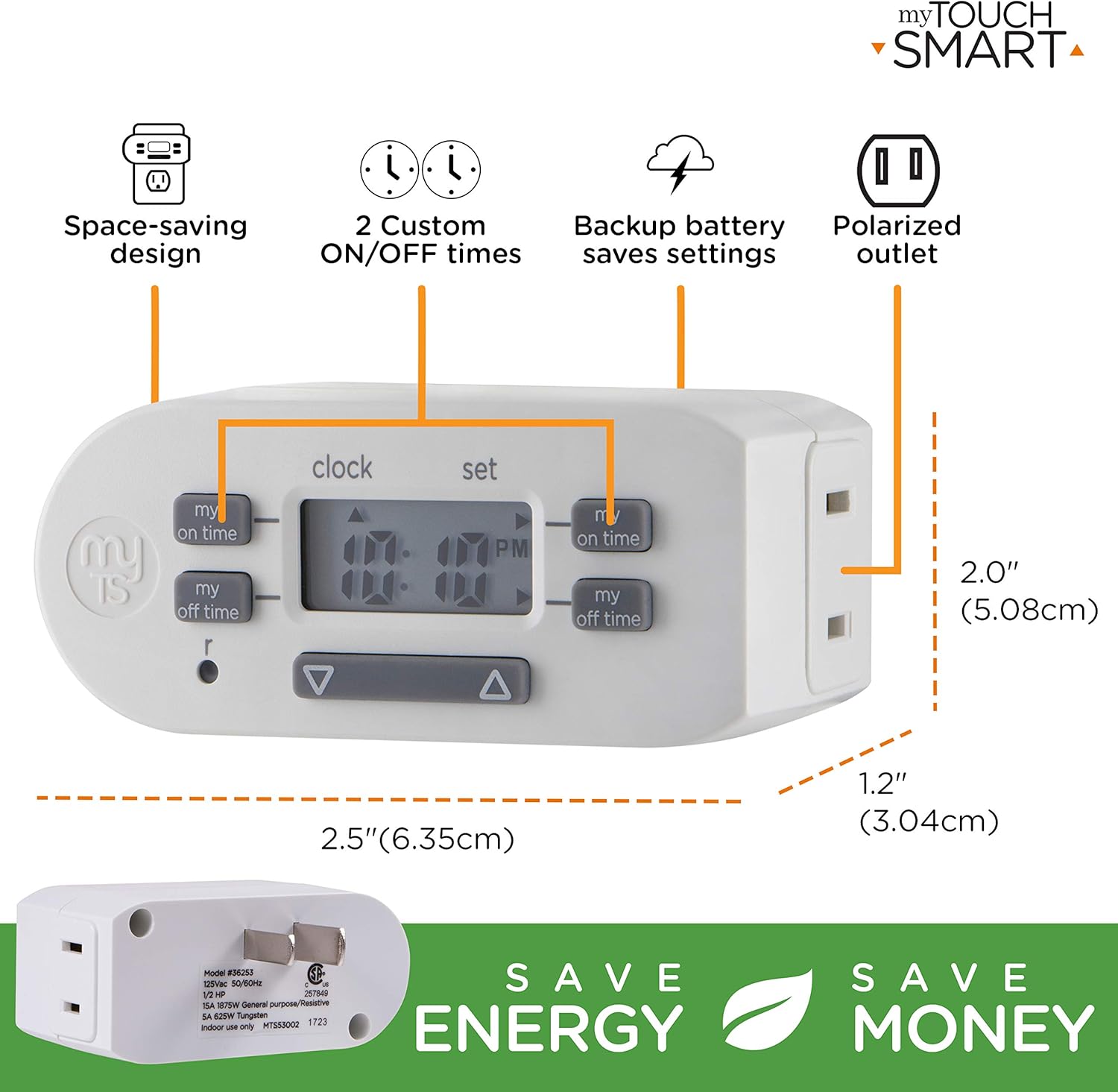
- Space-saving slim bar design.
- One (1) polarized outlet.
- Digital display for easy programming.
- Two custom daily ON/OFF times.
- Backup battery to save settings during power outages.
- Compatible with CFL, LED, incandescent, and halogen light sources.
בילד באַשרייַבונג: A detailed diagram of the myTouchSmart Digital Bar Outlet Timer, highlighting its components such as the custom ON/OFF time buttons, clock/set mode indicator, active program indicator, AM/PM indicator, and scroll buttons. This image helps users identify the different parts of the timer for programming.
סעטאַפּ און ערשטע קאָנפיגוראַציע
1. Charging the Backup Battery
Before initial use, plug the timer into a live electrical outlet for at least 30 minutes to charge the internal backup battery. This battery retains your settings during power outages or when the timer is unplugged.
2. שטעלן די איצטיקע צייט
- דריקן און האַלטן די זייגער קנעפּל.
- בשעת האלטן זייגער, דריקן די ▲ (אַרויף) אָדער ▼ (down) button to adjust the hour. The AM/PM indicator will change accordingly.
- מעלדונג די זייגער button when the correct hour is set.
- דריקן און האַלטן די זייגער קנעפּל ווידער.
- בשעת האלטן זייגער, דריקן די ▲ (אַרויף) אָדער ▼ (down) button to adjust the minutes.
- מעלדונג די זייגער button when the correct minute is set.

בילד באַשרייַבונג: This image illustrates the "Simple Setup" process for the timer. It shows the digital display and buttons, with arrows pointing to the scroll buttons for setting the current time and the "my on time" and "my off time" buttons for custom programming. The image emphasizes the ease of setting up the device.
אַפּערייטינג ינסטראַקשאַנז
Programming Custom ON/OFF Times
The timer allows for two custom daily ON/OFF programs. Follow these steps to set your desired schedules:
פּראָגראַם 1:
- דרוק די MY ON TIME button (left side) once. The display will show "1 ON".
- דרוק די ▲ (אַרויף) אָדער ▼ (down) button to adjust the desired ON hour for Program 1.
- דרוק די MY ON TIME button again to confirm the hour and move to minutes.
- דרוק די ▲ (אַרויף) אָדער ▼ (down) button to adjust the desired ON minutes for Program 1.
- דרוק די MY ON TIME button again to save the ON time.
- דרוק די MY OFF TIME button (left side) once. The display will show "1 OFF".
- דרוק די ▲ (אַרויף) אָדער ▼ (down) button to adjust the desired OFF hour for Program 1.
- דרוק די MY OFF TIME button again to confirm the hour and move to minutes.
- דרוק די ▲ (אַרויף) אָדער ▼ (down) button to adjust the desired OFF minutes for Program 1.
- דרוק די MY OFF TIME button again to save the OFF time.
פּראָגראַם 2:
Repeat the steps above using the MY ON TIME און MY OFF TIME קנעפּלעך אויף די רעכט זייַט of the timer. The display will show "2 ON" and "2 OFF" respectively.
בילד באַשרייַבונג: This image displays two examples of how to program the timer. Program 1 is set to turn ON at 6:00 A.M. and OFF at 9:00 A.M. Program 2 is set to turn ON at 4:00 P.M. and OFF at 10:00 P.M. This visual guide helps users understand how to set their own custom schedules.
Connecting an Appliance
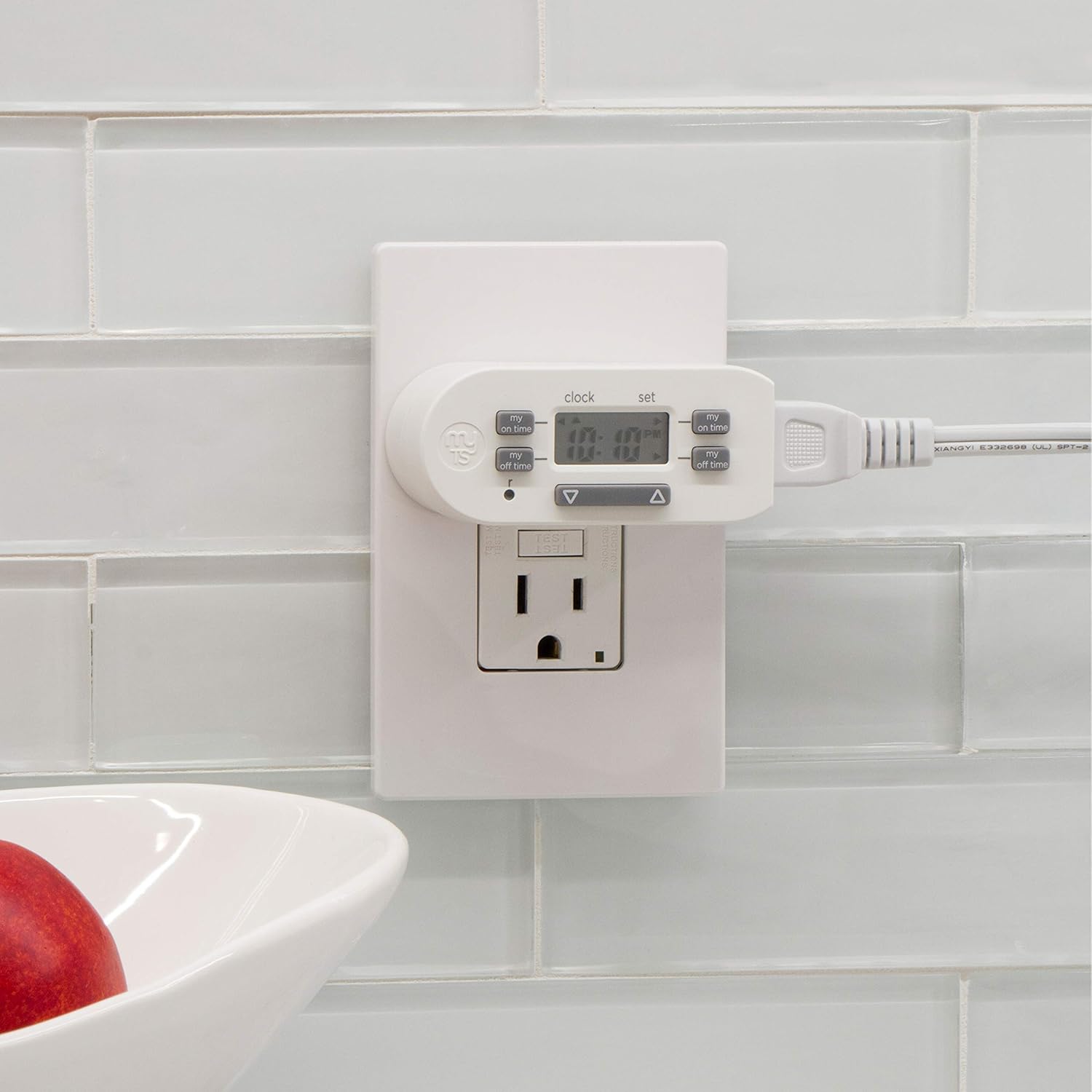
Once programmed, plug the appliance or light you wish to control into the polarized outlet on the side of the timer. Ensure the appliance's power switch is in the ON position for the timer to control its power cycle.

בילד באַשרייַבונג: The image shows the myTouchSmart Digital Bar Outlet Timer plugged into a standard wall outlet. A lamp's power cord is then plugged into the polarized outlet on the side of the timer, demonstrating how to connect a device for timed operation. The slim design of the timer is visible, not obstructing the second wall outlet.
וישאַלט
- רייניקונג: Disconnect the timer from the power outlet before cleaning. Wipe with a dry, soft cloth. Do not use liquid or abrasive cleaners.
- באַטערי: The internal backup battery is not user-replaceable. If the display becomes dim or settings are not retained after charging, the unit may need replacement.
- סטאָרידזש: סטאָר די טייַמער אין אַ קיל, טרוקן אָרט ווען ניט אין נוצן.
טראָובלעשאָאָטינג
| פּראָבלעם | מעגלעך סיבה | לייזונג |
|---|---|---|
| די אַפּאַראַט טוט זיך נישט אָן/אויסלעשן אין פּראָגראַמירטע צייטן. |
|
|
| דער עקראַן איז טונקל אָדער ליידיק. |
|
|
| סעטינגס גייען פארלוירן נאכן אויסשטרעקן דעם עלעקטרישן מאשיןtage or unplugging. | Backup battery is not sufficiently charged or has reached end of life. | Plug the timer into a live outlet for at least 30 minutes. If the issue persists, the internal battery may need replacement (unit replacement). |
ספּעסאַפאַקיישאַנז
- מאָדעל: 26745
- עלעקטריקאַל שאַץ: 125 וו אַק, 60 הז
- מאַקסימום מאַסע: 15A (1875W) General Purpose/Resistive
- Tungsten Load: 5 אַ (625 וו)
- מאָטאָר מאַסע: קסנומקס / קסנומקס הפּ
- אַוטלעץ: 1 Polarized
- דימענסיעס: בעערעך 2 X 2.5 X 1.25 אינטשעס
- Certification: CSA
וואָראַנטי און שטיצן
This product is backed by a one-year limited warranty. For warranty claims or technical support, please contact myTouchSmart customer service. Refer to the product packaging or the manufacturer's webפּלאַץ פֿאַר קאָנטאַקט אינפֿאָרמאַציע.
פאַבריקאַנט: Jasco Products Company, LLC