
הקדמה
א דאנק פארן קויפןasing the Gemini AS-12BLU Professional Audio Bluetooth PA Loudspeaker. This manual provides essential information for the safe and efficient operation of your new audio system. Please read this manual thoroughly before use and retain it for future reference.
שליסל פֿעיִקייטן
- 12-inch 1500W Peak Class AB Built-In Amplifier for crisp, concert-quality sound.
- Impedance at 4 Ohms with a linear frequency response between 30Hz-20Khz.
- Pure titanium 1" HF Compression Driver and Wide Dispersion Horn.
- Integrated MP3 player with USB, SD card, Bluetooth, and FM Radio capabilities.
- Two input channels with separate gain controls.
- Multiple input options: Mic and Line XLR, 1/4’’, 1/8’’, and RCA inputs.
- Mix Output for connecting to other audio devices.
- High/Low Equalization Controls for precise audio adjustment.
- Durable ABS Impact Resistant Nylon Fiber Cabinet.
- Top and side handles for easy transport.
- Flyable and stand-mountable design for versatile placement.
- Clip LED Alert to prevent overheating.
פּעקל אינהאַלט
ביטע אָפּהאַקן דאָס קעסטל פֿאַר די פֿאָלגנדיקע זאַכן:
- Gemini AS-12BLU PA Loudspeaker
- מאַכט אַדאַפּטער
- באַניצער מאַנואַל (דעם דאָקומענט)
אויב קיין זאכן זענען פעלנדיק אָדער דאַמידזשד, ביטע קאָנטאַקט דיין הענדלער מיד.
קאָנטראָלס און קאַנעקשאַנז
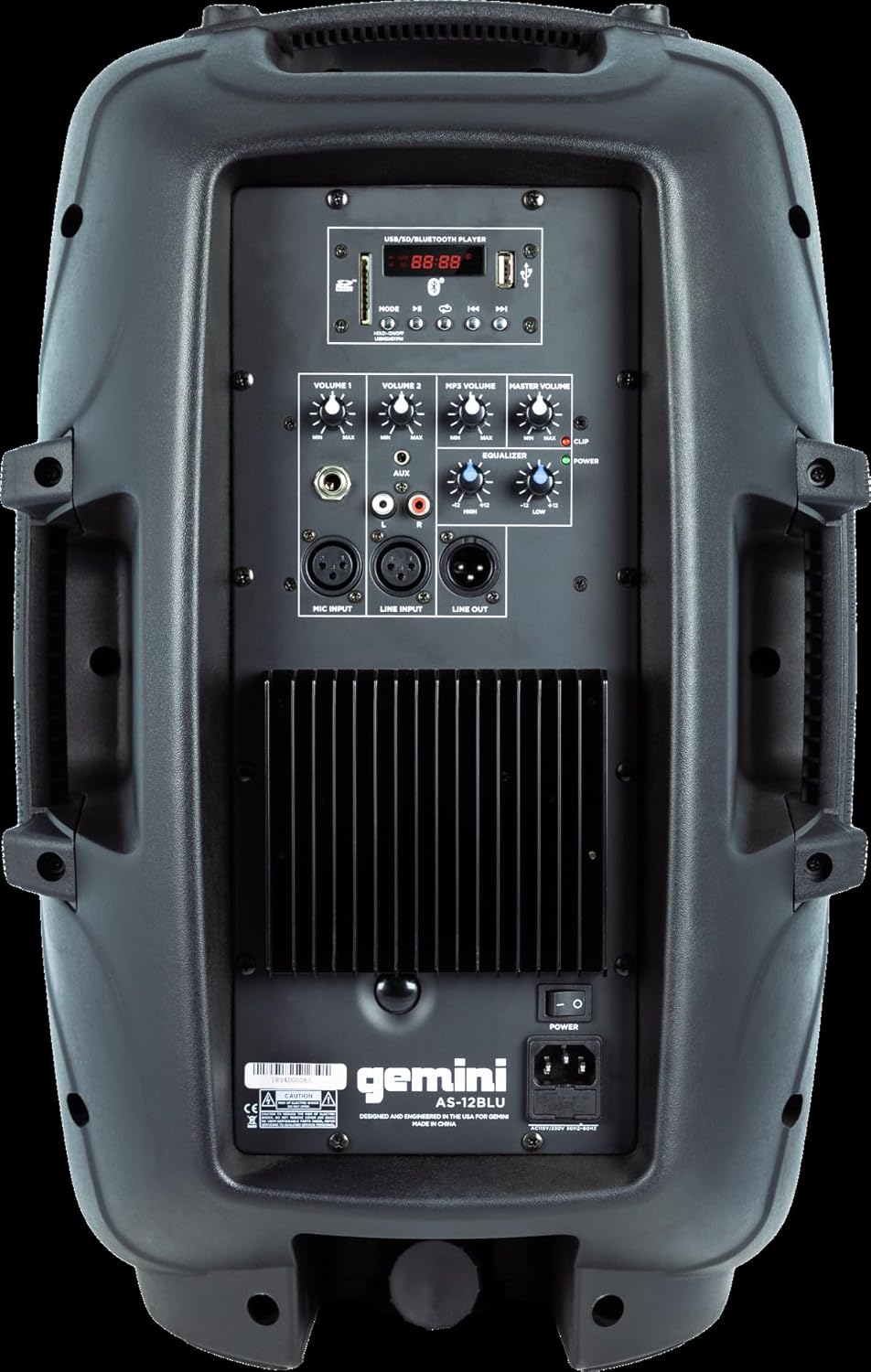
Image: Rear panel of the AS-12BLU loudspeaker. This view highlights the comprehensive control interface, including the USB/SD/Bluetooth player, volume controls, equalization knobs, and various input/output jacks.
פראָנט View
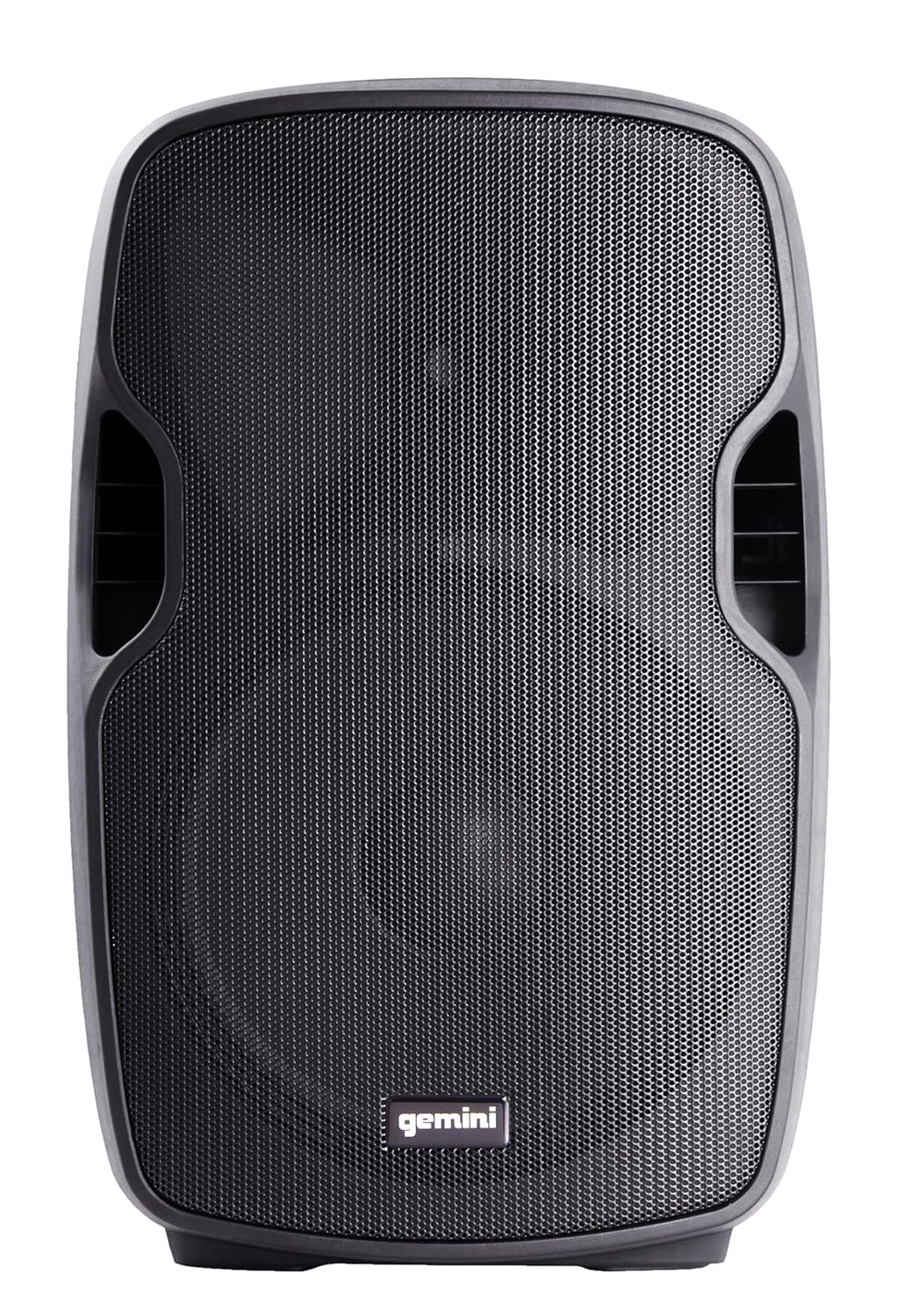
בילד: פראָנט view of the AS-12BLU loudspeaker. This image displays the speaker's robust grille and integrated side handles, designed for both protection and portability.
אַנגגאַלד View
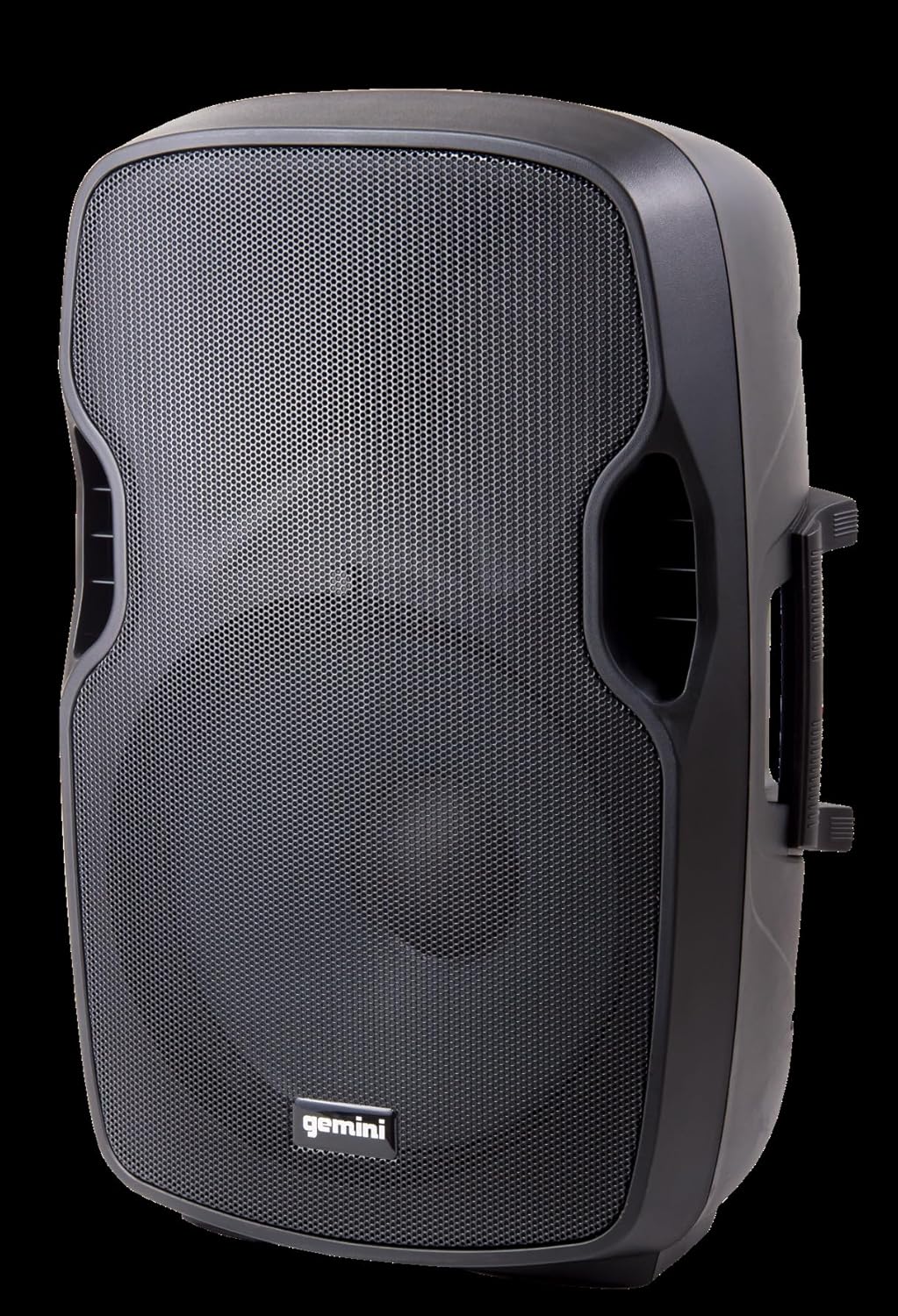
בילד: ווינקלדיק view of the AS-12BLU loudspeaker. This perspective highlights the speaker's ergonomic design, including the integrated handles on both sides, facilitating easy transport and setup.
דערציען פּאַנעל איבערview:
- יו-עס-בי/ס-די/בלוטעט שפּילער: Digital media playback interface.
- מאָדע קנעפּל: Switches between USB, SD, Bluetooth, and FM Radio modes.
- Volume 1 & 2: Independent gain controls for Mic and Line inputs.
- MP3 באַנד: קאָנטראָלירט דעם באַנד פֿון דעם אינטעגרירטן מעדיע שפּילער.
- בעל באַנד: Overall output volume control.
- High/Low Equalization: Adjusts treble and bass frequencies.
- Mic Input (XLR & 1/4"): פֿאַר פֿאַרבינדן מיקראָפֿאָנען.
- Line Input (XLR, 1/4", 1/8", RCA): For connecting line-level audio sources (e.g., mixers, instruments, media players).
- Line Out (XLR): For connecting to additional PA speakers or recording devices.
- מאַכט סוויטש: טורנס די אַפּאַראַט אויף/אַוועק.
- AC אַרייַנשרייַב: Connects the power adaptor.
- קלעמערל געפירט: Illuminates when the audio signal is clipping, indicating potential distortion.
סעטאַפּ
- אָרט: Position the AS-12BLU on a stable, flat surface or mount it on a compatible speaker stand. Ensure adequate ventilation around the unit.
- מאַכט קשר: Connect the provided power adaptor to the AC Input on the rear panel of the speaker, then plug the other end into a suitable power outlet.
- ערשט מאַכט אויף: Ensure all volume controls are set to minimum before turning on the power switch.
- קאַנעקטינג אַודיאָ קוואלן:
- מיקראָפאָן: Connect your microphone to the Mic Input (XLR or 1/4").
- ליניע-לעוועל דעוויסעס: Connect mixers, instruments, or other audio players to the Line Input (XLR, 1/4", 1/8", or RCA).
- Connecting Additional Speakers (Optional): Use the Line Out (XLR) to connect to the input of another powered PA speaker for expanded sound coverage.
אַפּערייטינג ינסטראַקשאַנז
יקערדיק אָפּעראַציע:
- After connecting all sources and powering on, slowly increase the Master Volume to a desired listening level.
- Adjust individual input volumes (Volume 1, Volume 2, MP3 Volume) as needed for proper balance.
- Use the High/Low Equalization controls to fine-tune the audio's treble and bass response.
- Monitor the Clip LED. If it illuminates frequently, reduce the input gain or volume to prevent distortion and potential speaker damage.
Bluetooth Pairing:
- Press the "Mode" button on the USB/SD/Bluetooth Player until "BLUE" or "BT" appears on the display, indicating Bluetooth mode.
- אויף אייער בלוטוט-פארשטארקטע דעווייס (סמאַרטפאָן, טאַבלעט, אאז"וו), אַקטיווירט בלוטוט און זוכט פֿאַר פֿאַראַן דעווייסעס.
- Select "GEMINI AS-12BLU" from the list of devices.
- אַמאָל פּערד, קענט איר שפּילן אַודיאָ פֿון אייער מיטל דורך דעם רעדנער.
וסב / סד פּלייבאַק:
- אַרײַנשטעלן אַ USB פֿלעש דרייוו אָדער SD קאַרטל מיט MP3 אַודיאָ files into the corresponding slot on the USB/SD/Bluetooth Player.
- The unit should automatically switch to USB or SD mode and begin playback. If not, press the "Mode" button to select the correct source.
- Use the playback controls (Play/Pause, Next/Previous Track) on the player to navigate your music.
עפעם ראַדיאָ:
- Press the "Mode" button until "FM" appears on the display.
- The unit will automatically scan and store available FM radio stations.
- Use the Next/Previous Track buttons to cycle through the stored stations.
וישאַלט
- רייניקונג: ניצט אַ ווייכע, טרוקענע שטאָף צו רייניקן די אויסערלעכע זייט פון דעם רעדנער. ניצט נישט קיין שרײַבנדיקע רייניגער, וואַקסן, אדער סאָלווענטן.
- סטאָרידזש: When not in use, store the speaker in a cool, dry place, away from direct sunlight and extreme temperatures.
- ווענטילאַטיאָן: Ensure the speaker's vents are not blocked to prevent overheating.
- מאַכט שנור: Regularly inspect the power cord for any damage. If damaged, replace it with an authorized Gemini part.
טראָובלעשאָאָטינג
| פּראָבלעם | מעגלעך סיבה | לייזונג |
|---|---|---|
| קיין מאַכט | שטראָם־קאַבל נישט פֿאַרבונדן; שטראָם־ווענטיל נישט אַקטיוו; שטראָם־שוואַלטער אויסגעלאָשן. | Ensure power cord is securely connected. Check power outlet with another device. Turn power switch ON. |
| קיין סאָונד רעזולטאַט | Master Volume too low; Input volume too low; Incorrect input selected; Audio source issue. | Increase Master Volume. Increase relevant input volume. Press "Mode" to select correct input. Check audio source device. |
| פאַרקרימט סאָונד | Volume levels too high (clipping); Damaged cable; Speaker overload. | Reduce Master Volume or input gain until Clip LED no longer illuminates. Replace faulty cables. Do not exceed speaker's rated power. |
| בלועטאָאָטה ניט פּערינג | Speaker not in Bluetooth mode; Device too far; Device already paired to another speaker. | Ensure speaker is in Bluetooth mode ("BLUE" or "BT" on display). Move device closer to speaker. Disconnect device from other Bluetooth speakers. |
| יו-עס-בי/עס-די שפילט נישט | אומרעכט file format; USB/SD card corrupted; Incorrect mode selected. | פאַרזיכערן files are MP3 format. Try a different USB/SD card. Press "Mode" to select USB or SD. |
ספּעסאַפאַקיישאַנז
| שטריך | דעטאַל |
|---|---|
| מאָדעל נומער | AS-12BLU |
| רעדנער טיפּ | 12-inch Portable Active PA Loudspeaker |
| שפּיץ מאַכט רעזולטאַט | 1500 וואטס |
| Ampליפיער קלאַס | קלאַס AB |
| ימפּידאַנס | 4 אָהמס |
| אָפטקייַט ענטפער | 30 הערץ - 20 כ"ץ |
| הף דרייווער | 1" Pure Titanium Compression Driver |
| קאַנעקטיוויטי | Bluetooth, USB, SD Card, FM Radio, XLR, 1/4", 1/8", RCA |
| אַודיאָ רעזולטאַט מאָדע | סטערעאָ |
| פּראָדוקט דימענשאַנז | 14.57 X 11.81 X 22.83 אינטשעס |
| פּונקט וואָג | 11.42 פונט |
| קאַבינעט מאַטעריאַל | ABS Impact Resistant Nylon Fiber |
וואָראַנטי און שטיצן
Gemini products are designed for reliability and performance. For information regarding warranty coverage, technical support, or service, please visit the official Gemini webפּלאַץ אָדער קאָנטאַקט זייער קונה סערוויס אָפּטיילונג.
Official Gemini Webפּלאַץ: www.geminisound.com
ביטע האַלטן דיין דערווייַז פון קויפן פֿאַר וואָראַנטי קליימז.


