
הקדמה
Thank you for choosing the ALLOYSEED Bluetooth FM Transmitter Car Charger. This device allows you to stream audio from your Bluetooth-enabled smartphone or tablet to your car's FM radio, make hands-free calls, and charge your mobile devices via its integrated USB port. Please read this manual carefully to ensure proper use and optimal performance.
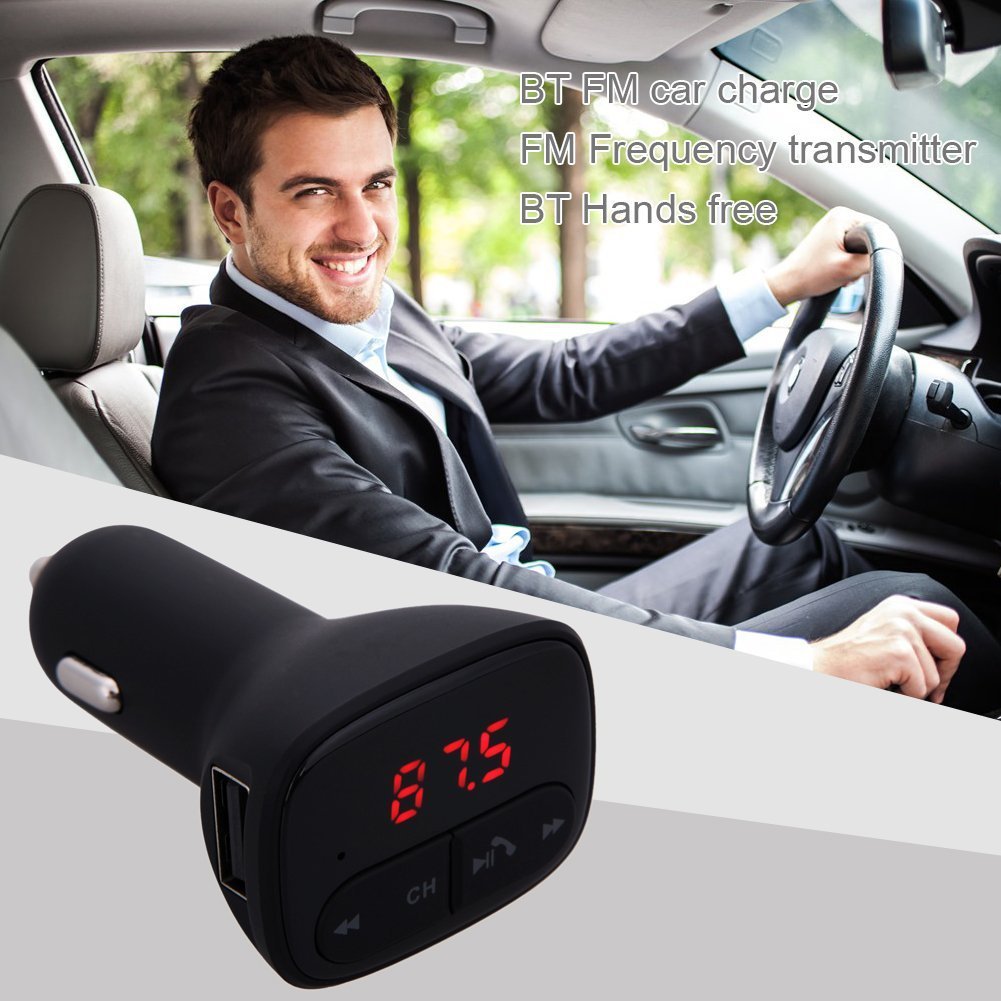
Image: The ALLOYSEED Bluetooth FM Transmitter Car Charger plugged into a car's cigarette lighter socket, with a driver in the background.
זיכערקייַט אינפֿאָרמאַציע
- דו זאלסט נישט דיסאַסעמבאַל אָדער מאָדיפיצירן די מיטל.
- האַלטן די מיטל אַוועק פון וואַסער, נעץ און עקסטרעם טעמפּעראַטורעס.
- ויסמיידן יקספּאָוזינג די מיטל צו דירעקט זונשייַן פֿאַר עקסטענדעד פּיריאַדז.
- Ensure the car's cigarette lighter socket provides the specified DC 12V~24V input voltage.
- Do not operate the device while driving if it distracts you from the road. Prioritize road safety.
פּראָדוקט איבערview
Familiarize yourself with the components of your ALLOYSEED Bluetooth FM Transmitter Car Charger:
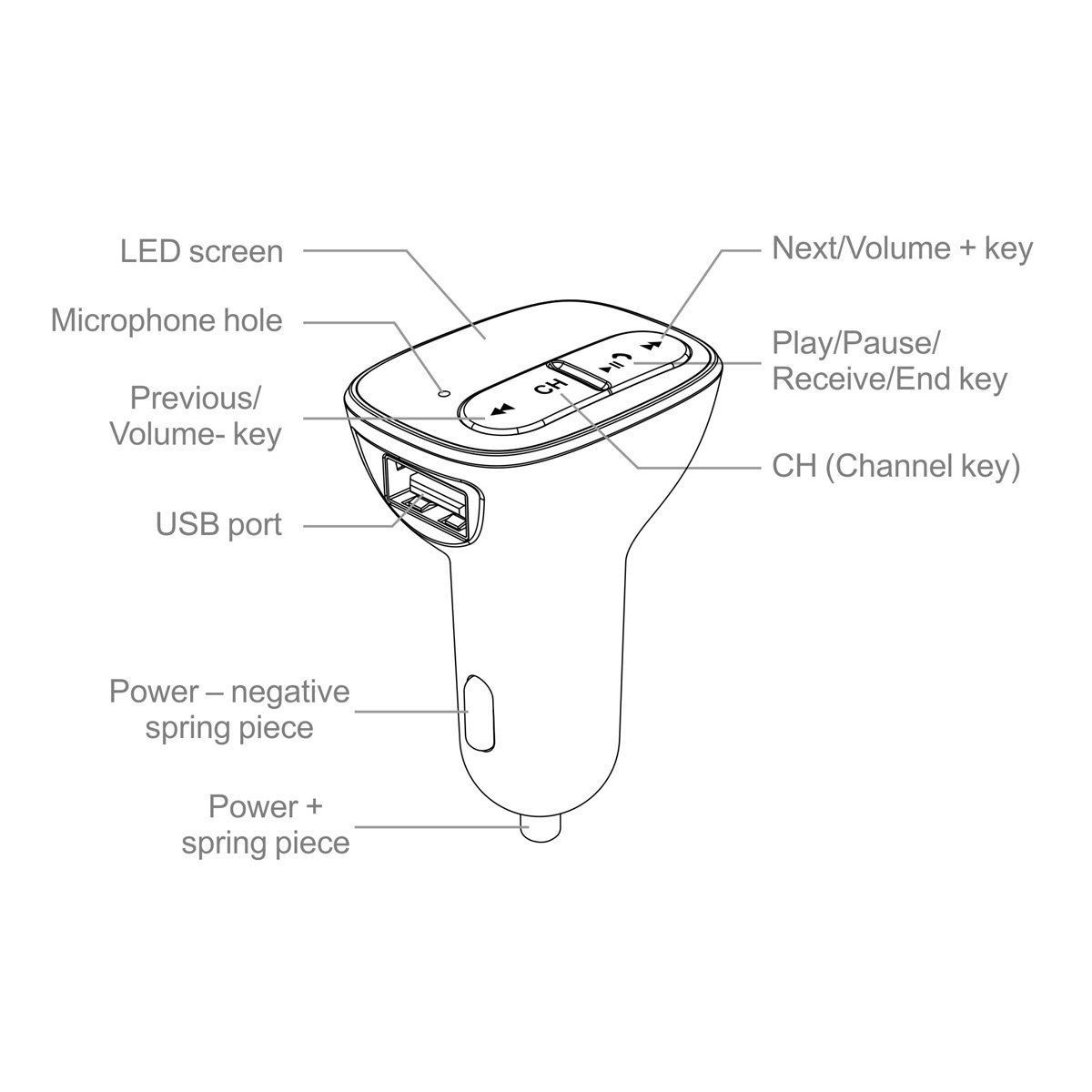
Image: A detailed diagram of the ALLOYSEED Bluetooth FM Transmitter Car Charger, highlighting its various components and controls.
- געפֿירט סקרין: Displays FM frequency.
- Microphone Hole: פֿאַר הענט-פֿרײַ רופן.
- פרייַערדיק / באַנד שליסל: קורץ דריקן פֿאַר פֿריִערדיקן ליד, לאַנג דריקן צו פֿאַרמינערן די באַנד.
- Next/Volume+ Key: קורץ דריקן פֿאַר דער ווייַטער ליד, לאַנג דריקן צו פאַרגרעסערן די באַנד.
- Play/Pause/Receive/End Key: קורץ דריקן צו שפּילן/פּויזירן מוזיק, ענטפֿערן/ענדיגן רופן. לאַנג דריקן צו אָפּוואַרפֿן רופן.
- CH (Channel Key): Short press to enter FM frequency adjustment mode.
- וסב פּאָרט: 2.1A output for charging mobile devices.
- Power - Negative Spring Piece: Connects to the negative terminal of the car's power socket.
- Power + Spring Piece: Connects to the positive terminal of the car's power socket.
ספּעסאַפאַקיישאַנז
| אַרייַנשרייַב וואָלtage | דק 12 וו ~ 24 וו |
| אַרבעט איצט | <100mA (when not charging) |
| עפעם פרעקווענסי קייט | 87.5 - 108.0MHz (0.1MHz increments) |
| עפעם טראַנסמיסיע דיסטאַנסע | <3M |
| בלועטאָאָטה ווערסיע | V2.1+EDR |
| Bluetooth Protocols Supported | A2DP/AVRCP/HSP/HFP |
| A2DP Transmission Distance | >5 ם |
| וסב רעזולטאַט קראַנט | 2.1 א |
| וסב רעזולטאַט וואָלtage | 5.2V |
| פּונקט וואָג | 80 ג |
סעטאַפּ
- אַרייַנלייגן אין מאַשין סאָקקעט: Plug the ALLOYSEED Bluetooth FM Transmitter into your car's 12V-24V cigarette lighter socket. The device will power on automatically, and the LED screen will display the current FM frequency.
- מאַכט אויף: The device powers on automatically when connected to the car's power.
אַפּערייטינג ינסטראַקשאַנז
1. Setting the FM Frequency
- דרוק די CH (Channel) key. The frequency display on the LED screen will start flashing.
- ניצן די Previous/Volume- key or Next/Volume+ key to adjust the FM frequency. Select a frequency that is clear and not occupied by a local radio station.
- Once the desired frequency is set, wait a few seconds. The display will stop flashing, and the frequency will be saved.
- Tune your car's FM radio to the זעלביקער אָפטקייַט as displayed on the transmitter.
2. בלועטאָאָטה פּערינג
- After powering on, the device will automatically enter Bluetooth pairing mode. The LED screen may show a Bluetooth icon or similar indicator.
- אויף דיין סמאַרטפאָנע אָדער טאַבלעט, געבן בלועטאָאָטה און זוכן פֿאַר בנימצא דעוויסעס.
- Select the device named "ALLOYSEED" (or similar) from the list to pair.
- Once paired, a confirmation sound or indicator may be heard/seen. You are now ready to stream audio.
3. מוזיק פּלייבאַק
- After successful Bluetooth pairing, open your music player on your smartphone/tablet and start playing music.
- The audio will be transmitted to your car's FM radio.
- ניצן די שפּיל / פּאָז שליסל on the transmitter to play or pause music.
- ניצן די Previous/Volume- key און Next/Volume+ key for track navigation (short press) and volume adjustment (long press).
- The device has an automatic memory function, resuming the last played song when restarted.
4. האַנדס-פֿרייַ פאַך
- When a call comes in, the music will automatically pause.
- דרוק די Play/Pause/Receive/End key איין מאל צו ענטפֿערן דעם רוף.
- צו ענדיקן אַ רוף, דריקן די Play/Pause/Receive/End key אַמאָל ווידער.
- צו אָפּוואַרפן אַ ינקאַמינג רוף, דריקן לאַנג אויף די Play/Pause/Receive/End key.
- דער איינגעבויטער מיקראָפאָן ערמעגליכט קלאָרע קאָמוניקאַציע.
5. טשאַרדזשינג דעוויסעס
- פאַרבינדן דיין רירעוודיק מיטל (סמאַרטפאָנע, טאַבלעט, אאז"ו ו) צו די וסב פּאָרט on the transmitter using a compatible USB charging cable.
- The USB port provides a 2.1A output for efficient charging.
וישאַלט
- רייניקט דעם אַפּאַראַט מיט אַ ווייכן, טרוקענעם שטאָף. ניצט נישט קיין פליסיקע רייניגער אָדער אַעראָזאָלן.
- Ensure the USB port and cigarette lighter connector are free from dust and debris.
- האַלט דעם אַפּאַראַט אין אַ קיל, טרוקן אָרט ווען נישט אין באַנוץ פֿאַר לענגערע פּעריאָדן.
טראָובלעשאָאָטינג
- קיין מאַכט: Ensure the device is securely plugged into the car's cigarette lighter socket and that the car's ignition is on. Check the car's fuse for the cigarette lighter.
- שלעכטע קלאַנג קוואַליטעט/סטאַטיש:
- Adjust the FM frequency on the transmitter and your car radio to find a clear, unoccupied channel.
- Ensure the volume on your phone and car radio is set appropriately.
- Move away from areas with strong radio interference.
- בלועטאָאָטה ניט פּערינג:
- מאַכן זיכער אַז בלועטאָאָטה איז ענייבאַלד אויף דיין רירעוודיק מיטל.
- ריסטאַרט דעם טראַנסמיטער דורך עס אַרויסצוציען און ווידער אָנשטעקן.
- פֿאַרגעסט דעם מיטל פֿון אייער טעלעפֿאָן'ס בלועטוט סעטטינגס און פּרוּווט ווידער צו פאַרבינדן.
- Ensure the transmitter is within range of your phone.
- USB Charging Not Working:
- Check if the charging cable is properly connected to both the device and the USB port.
- פּרוּווט אַ אַנדערש וסב קאַבלע.
- Ensure the car charger is receiving power.
וואָראַנטי און שטיצן
This product is covered by a warranty policy. For details regarding warranty coverage, terms, and conditions, please refer to the information provided at the point of purchase or contact ALLOYSEED customer support. Keep your purchase receipt as proof of purchase.
For technical assistance or further inquiries, please contact ALLOYSEED customer support through the official channels provided by the seller or manufacturer.