
Sauder 432726
Sauder Palladia Office Desk Instruction Manual
Model: 432726 | Brand: Sauder
פּראָדוקט איבערview
The Sauder Palladia Office Desk is designed to provide a functional and stylish workspace. This executive desk features a spacious top surface, multiple storage options including pencil drawers, storage drawers, and a file drawer, along with integrated cable management and a keyboard tray. Its Glacier Oak finish with Rosso Slate accents offers a sophisticated aesthetic suitable for various home office environments.

בילד: פראָנט view of the Sauder Palladia Office Desk, showcasing its Glacier Oak finish and dark top surface.
שליסל פֿעיִקייטן
- ברייטע אַרבעט ייבערפלאַך: Accommodates laptops, notepads, and other office essentials.
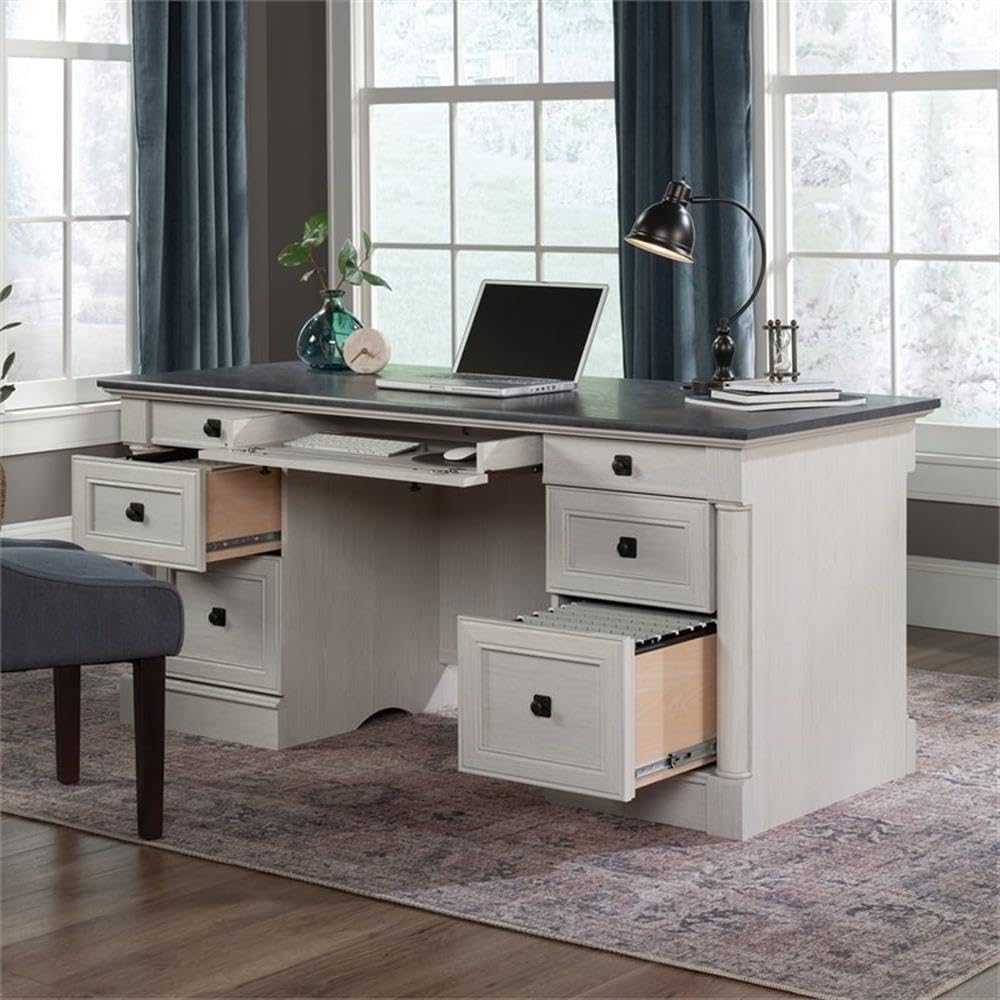
- אינטעגרירטע קלאַוויאַטור טאַץ: A large drawer with a flip-down panel for keyboard, mouse, or laptop.
- Multiple Storage Drawers: Includes two pencil drawers and two storage drawers for organization.
- File שופלאָד: נידעריקער file drawers with full extension slides accommodate letter, legal, or European size hanging files.
- קאַבלע פאַרוואַלטונג: Features two desktop grommets and numerous pass-throughs to reduce cord clutter.
- דוראַבאַל קאַנסטראַקשאַן: Crafted with engineered wood and metal runners for smooth drawer operation.
- עלעגאַנט ענדיקן: Glacier Oak finish with Rosso Slate accents.
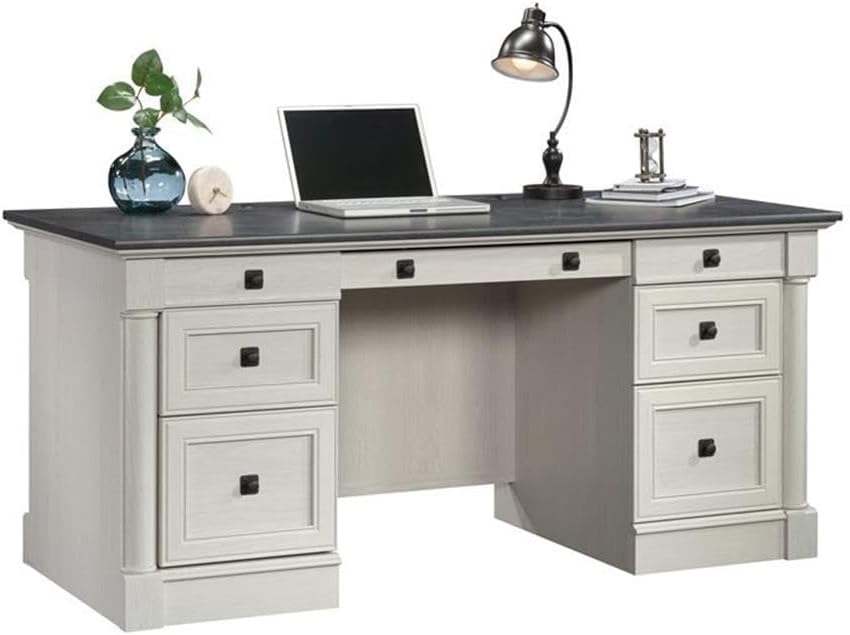
Image: The desk with its central keyboard tray pulled out and the bottom right file drawer open, demonstrating storage capabilities.

בילד: א נאָענטע בילד view פון די file drawer, showing its capacity for hanging files.

בילד: א דעטאַלירטע view of the pull-out keyboard tray, designed to hold a keyboard and mouse.
ספּעסאַפאַקיישאַנז
| אַטריביוט | דעטאַל |
|---|---|
| סאָרט | Sauder |
| מאָדעל נומער | 432726 |
| מאָדעל נאָמען | פּאַללאַדיאַ |
| קאָליר | Glacier Oak |
| פּראָדוקט דימענשאַנז (ד רענטגענ וו רענטגענ ה) | 29.53"ד רענטגענ 65.12"וו רענטגענ 29.61"ה |
| פּונקט וואָג | 242 פונט |
| באַזע מאַטעריאַל | ענדזשאַנירד האָלץ |
| ענדיקן טיפּ | Paper Laminate |
| נומער פון גאַטקעס | 4 (plus keyboard tray) |
| שופלאָד גלייד מעקאַניזאַם | Metal runners or slides |
| Maximum Weight Recommendation (Top Surface) | 75 פונט |
| פארלאנגט אַסעמבלי | יא |
| מכשירים רעקאָמענדירט פֿאַר פֿאַרזאַמלונג | האַמער, שרויפנציהער |

Image: A detailed diagram showing the overall dimensions of the desk and the internal dimensions of its various drawers.
אַסעמבלי אינסטרוקציעס
This desk requires assembly. It is recommended to have at least two people for assembly due to the weight and size of the components. Follow the included manufacturer's assembly manual for detailed, step-by-step instructions. Ensure all parts are accounted for before beginning assembly.
צוגרייטונג:
- Clear a large, open workspace.
- אויספּאַקן אַלע קאָמפּאָנענטן און קאָנטראָלירן קעגן דער טיילן־ליסטע אין דעם מאַנואַל.
- Organize hardware and panels by their labels.
- Have a hammer and a #2 Phillips head screwdriver readily available.
אַלגעמיינע פֿאַרזאַמלונג עצות:
- Read each step completely before performing it.
- Do not overtighten screws, especially into engineered wood, to prevent stripping.
- Ensure all cam locks and fasteners are securely engaged for structural integrity.
- For drawer slides, ensure they are properly aligned and lubricated if necessary for smooth operation.
אַפּערייטינג פֿעיִקייטן
קלאַוויאַטור טאַץ:
The central drawer features a flip-down panel, allowing it to function as a keyboard and mouse tray. Gently pull the drawer out and flip down the front panel to access your keyboard and mouse. Push the panel back up and slide the drawer in to conceal them when not in use.
סטאָרידזש שופלאָדן:
The desk includes two smaller pencil drawers and two larger storage drawers. The bottom drawers are designed as file drawers, accommodating letter, legal, or European size hanging files. Utilize these drawers to organize documents, office supplies, and personal items.
קאַבלע פאַרוואַלטונג:
Two grommets are located on the top surface of the desk to route cables from your devices (e.g., monitor, laptop charger) through to the back of the desk. Internal pass-throughs are also integrated to help manage and conceal cables, maintaining a tidy workspace.
בילד: די הינטערשטע view of the desk, showing the finished back panel and potential cable routing areas.

בילד: די הינטערשטע view of the desk with a cabinet door open, revealing internal storage shelves for books or other items.
וישאַלט און זאָרג
To maintain the appearance and longevity of your Sauder Palladia Office Desk, follow these care instructions:
- רייניקונג: ווישן די סערפאַסיז מיט אַדamp שטאָף. פֿאַרמײַדט ניצן שאַרפֿע כעמיקאַלן, אַברייסיוו רייניגער, אָדער פּאָליר וואָס קענען שאַטן די ענדיקונג.
- ספּילז: ווישט גלייך אפ יעדע פארגיסונג צו פארמיידן פייכטקייט שאדן צום אינזשענירטן האלץ.
- היץ און נעץ: Avoid placing hot items directly on the surface. Use coasters for beverages to prevent rings and stains.
- זונשייַן: פארלענגערטע אויסשטעלונג צו דירעקט זונשייַן קען מיט דער צייט פאַראורזאַכן אויסבלאַסן אָדער פאַרפאַרבונג.
- מאָווינג: When moving the desk, lift it rather than dragging it to prevent damage to the legs and structure.
טראָובלעשאָאָטינג
שופלאדן גליטשן נישט גלאט:
- Ensure the drawer slides are correctly installed and aligned on both the drawer and the desk frame.
- קוקט איבער פֿאַר קיין שטערונגען אין די שופלאָד גלידער.
- Verify that all screws securing the slides are tightened appropriately, but not overtightened, which can warp the wood.
- Apply a silicone-based lubricant to the metal runners if friction persists.
טיש פילט זיך וואקלדיק נאך צוזאמענשטעלן:
- Recheck all cam locks and fasteners to ensure they are fully engaged and tightened.
- Verify that all panels are correctly seated in their grooves and connections.
- Ensure the desk is placed on a level surface. Adjust any leveling feet if present.
פעלנדיקע אדער געשעדיגטע טיילן:
- Refer to the manufacturer's contact information in the warranty section for assistance with replacement parts.
וואָראַנטי אינפֿאָרמאַציע
The Sauder Palladia Office Desk is covered by a 5-יאָר לימיטעד וואָראַנטי on parts. This warranty covers manufacturing defects and material flaws under normal residential use. For specific terms and conditions, please refer to the warranty documentation included with your product or contact Sauder customer support.
קונה שטיצן
For further assistance, including assembly questions, replacement parts, or warranty claims, please contact Sauder customer support. Visit the official Sauder webזייטל אדער זעט די קאנטאקט אינפארמאציע וואס איז צוגעשטעלט אין אייער פראדוקט פארפאקונג.
איר קענט אויך באַזוכן די יו Sauder Store on Amazon פֿאַר נאָך פּראָדוקט אינפֿאָרמאַציע און שטיצע רעסורסן.
Ask a question about this manual
Ask about setup, troubleshooting, compatibility, parts, safety, or missing instructions. Manuals+ will review the question and use this page’s manual context to help answer it.