
הקדמה
The SteelSeries Apex 100 Gaming Keyboard is designed for optimal gaming performance, featuring Quick Tension Switches for fast reaction times, tactile feedback, and quiet operation. It includes blue LED backlighting, advanced anti-ghosting, and is built with splash resistance for durability.
סעטאַפּ
1. קאַנעקטינג די קלאַוויאַטור
Connect the keyboard's USB-A cable to an available USB port on your computer. The keyboard is plug-and-play, and your operating system should automatically detect and install the necessary drivers.

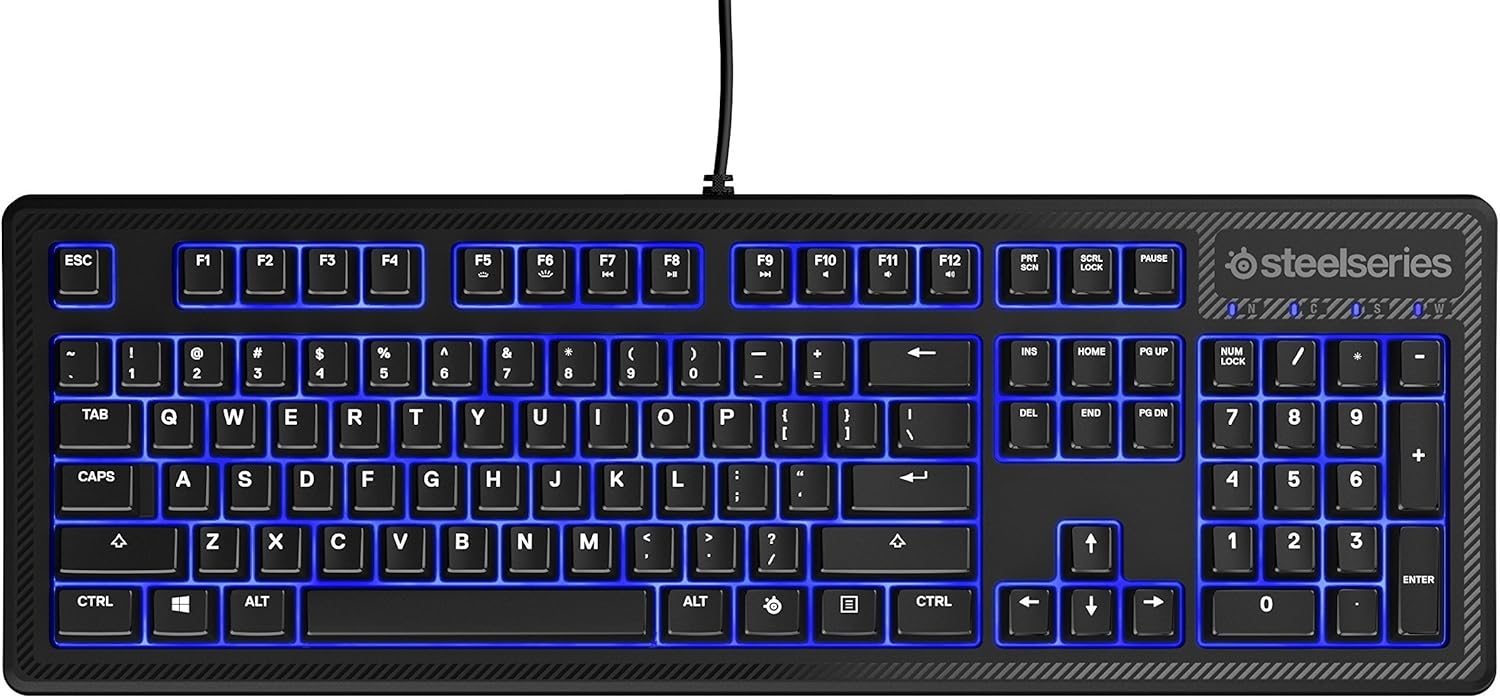
בילד: אויבן view of the SteelSeries Apex 100 Gaming Keyboard, showing the full QWERTY layout with blue LED backlighting and the attached USB cable.
2. ווייכווארג אינסטאַלאַציע (אפציאָנעל)
For advanced customization, including macro programming and backlighting adjustments, download and install the SteelSeries Engine 3 software from the official SteelSeries webפּלאַץ (steelseries.com/engine). פֿאָלגט די אינסטרוקציעס אויף דעם עקראַן פֿאַר אינסטאַלירן.
אַפּערייטינג די קלאַוויאַטור
שליסל פֿעיִקייטן
- Quick Tension Switches: Designed to mimic mechanical switches, providing a tactile feel and fast actuation.
- בלויע LED באַקלייטונג: Offers brilliant ground effects backlighting. Intensity can be adjusted via SteelSeries Engine 3.
- Advanced Anti-Ghosting: Ensures all key presses are registered accurately during intense gaming sessions.
- מעדיע קאָנטראָלס: Integrated media control functions are accessible via function keys (F7-F12) in combination with the Fn key.
בילד: זייט view of the SteelSeries Apex 100 Gaming Keyboard, highlighting its ergonomic design and keycap profile.
Customization with SteelSeries Engine 3
The SteelSeries Engine 3 software allows you to:
- שאַפֿן און צוטיילן מאַקראָס צו יעדן שליסל.
- Adjust the intensity of the blue LED backlighting.
- Configure polling rates and other performance settings.
וישאַלט
רייניקונג
To clean your keyboard, disconnect it from your computer. Use a soft, dry cloth to wipe down the keys and chassis. For stubborn dirt, a slightly damp cloth with mild soap can be used, ensuring no liquid enters the key switches or internal components. The keyboard is splash resistant, but not waterproof; avoid submerging it or exposing it to excessive liquids.
געווער
The Apex 100 keyboard features a guaranteed 20-million click lifespan for its switches, ensuring long-term reliability under heavy use.

בילד: אונטן view of the SteelSeries Apex 100 Gaming Keyboard, showing the drainage channels and adjustable feet.
טראָובלעשאָאָטינג
קלאַוויאַטור ניט ריספּאַנדינג
- זיכער מאַכן אַז דער USB קאַבל איז זיכער פארבונדן צו ביידע די קלאַוויאַטור און דעם קאָמפּיוטער.
- פרובירט צו קאנעקטן די קלאַוויאַטור צו אַן אַנדער USB פּאָרט.
- ריסטאַרט דיין קאָמפּיוטער.
- אויב איר ניצט אַ USB כאַב, פּרוּווט צו פאַרבינדן גלייך צום קאָמפּיוטער.
פראבלעמען מיט באַקלייטונג
- Check the backlighting settings within the SteelSeries Engine 3 software.
- Ensure the keyboard's brightness level is not set to minimum.
שליסלען ניט רעדזשיסטערינג
- רייניקט אַרום די אַפעקטירטע קנעפּלעך צו באַזייַטיקן קיין דעבריס.
- If the issue persists, consider reinstalling the SteelSeries Engine 3 software or updating your USB drivers.
For further assistance, please refer to the SteelSeries support webפּלאַץ.
ספּעסאַפאַקיישאַנז
| שטריך | דעטאַל |
|---|---|
| סאָרט | SteelSeries |
| מאָדעל נאָמען | אַפּעקס 100 |
| מאָדעל נומער | 64435 |
| קאַנעקטיוויטי טעכנאָלאָגיע | וסב-א |
| קלאַוויאַטור באַשרייַבונג | גיימינג |
| רעקאָממענדעד ניצט | גיימינג |
| ספּעציעלע שטריך | באַקלייט |
| קאָליר | בלוי |
| קלאַוויאַטור באַקלייטינג קאָליר סופּפּאָרט | Single Color (Blue) |
| סטייל | Whisper Quiet – Tactile & Silent |
| פּראָדוקט דימענשאַנז | 18.21"ל x 6.13"בר x 1.58"ה |
| מאַכט מקור | וסב |
| באַשטימען טיפּ | Tactile (Quick Tension Switches) |
| קלאַוויאַטור אויסלייג | QWERTY |
| קנעפּל קוואַנטיטעט | 104 |
| קאָמפּאַטיבלע אָפּערייטינג סיסטעם משפּחה | Windows |
| נומער פון קיז | 100 |
| אָפּצוימונג מאַטעריאַל | פּלאַסטיק |
| פּונקט וואָג | 2.42 פונט |
| UPC | 813682020101 |
וואָראַנטי אינפֿאָרמאַציע
According to product information, this item comes with קיין וואָראַנטי. Please check with your retailer for their return or exchange policies.
שטיצן
For additional support, driver downloads, or frequently asked questions, please visit the official SteelSeries support webפּלאַץ: