
1. פּראָדוקט איבערview
The Canon EF 24-105mm f/4L IS II USM is a versatile standard zoom lens designed for Canon EOS cameras. It features a constant f/4L aperture and a broad focal range from wide-angle to mid-telephoto, making it suitable for various photographic situations. The integrated Image Stabilizer (IS) provides up to 4 stops of shake correction, enhancing sharpness in handheld shooting. Its optical design includes Air Sphere Coating (ASC) to minimize flare and ghosting, and a 10-blade circular aperture for smooth background blur.
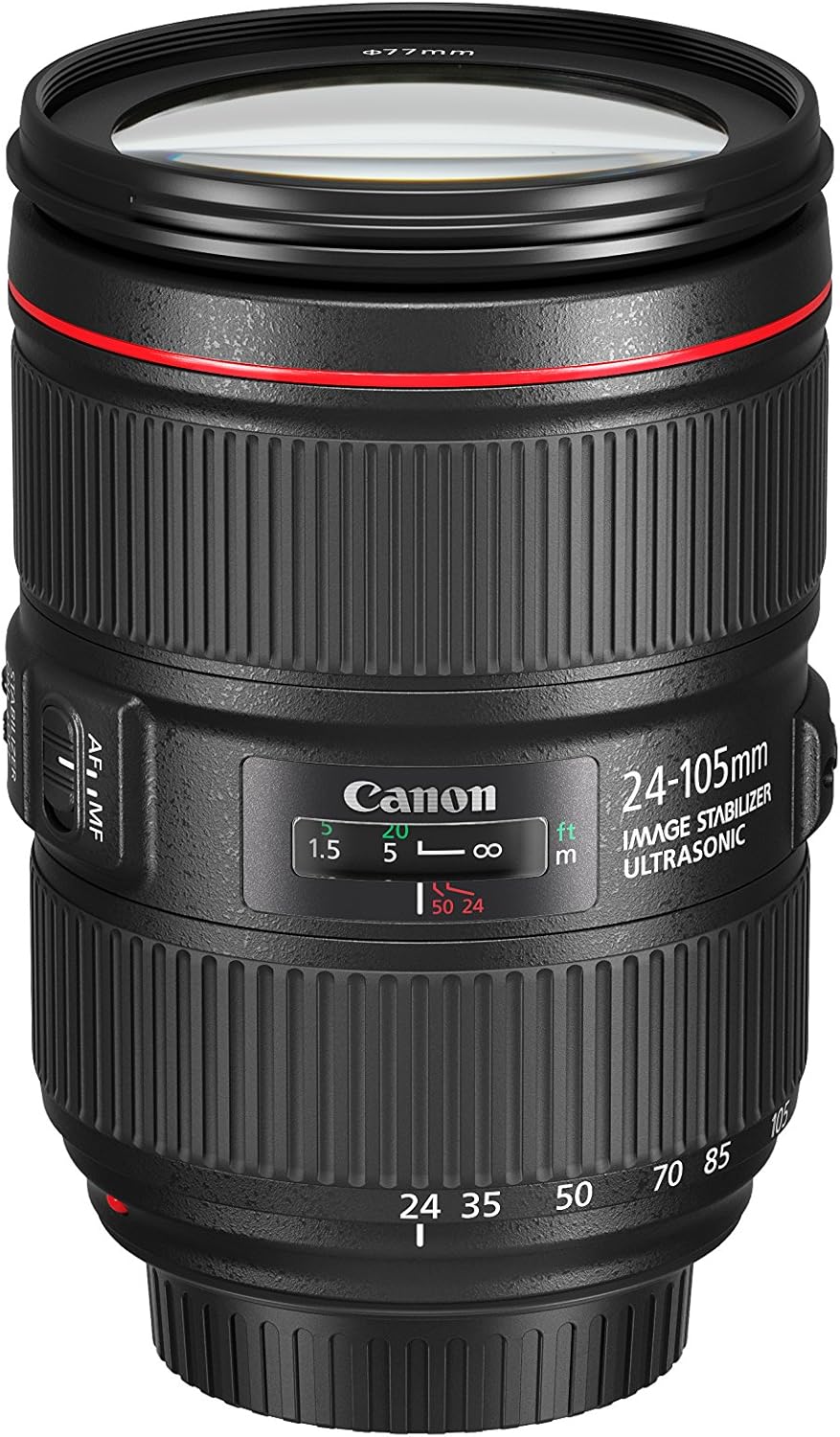
Image 1.1: The Canon EF 24-105mm f/4L IS II USM Lens, showcasinג זײַן קאָמפּאַקטן דיזײַן.
שליסל פֿעיִקייטן:
- All-new optical design: Significant improvements in peripheral brightness.
- High-performance standard zoom lens: Constant f/4L aperture with a broad angle of view (wide angle to mid-telephoto).
- Air Sphere Coating (ASC): Helps to significantly reduce flare and ghosting.
- בילד סטאַביליזער: Up to 4 stops of shake correction for sharp images.
- Circular Aperture (10 blades): Delivers beautiful, soft backgrounds.
2. וואָס איז אין דער קעסטל
Verify that all the following items are included with your Canon EF 24-105mm f/4L IS II USM Lens:
- EF 24-105mm f/4 L IS II USM Lens
- אָביעקטיוו קאַפּ E-77II
- אָביעקטיוו שטויב קאַפּ ע
- לינז קעסטל LP1219
- Lens Hood EW-83M
- אינסטרוקציע מאַנואַל
- וואָראַנטי קאָרט
3. סעטאַפּ
3.1 אנשטעלן די לינז
- אַראָפּנעמען די דערציען אָביעקטיוו היטל און די אַפּאַראַט גוף היטל.
- גלייכט אויס דעם רויטן אינדעקס מארק אויף דער לענס מיטן רויטן אינדעקס מארק אויף דער קאמערא קערפער.
- דריי די לינז זייגערווייז ביז זי קליקט אריין אין פלאץ.
3.2 רימוווינג די אָביעקטיוו
- While pressing the lens release button on the camera, turn the lens counter-clockwise until it stops.
- אַראָפּנעמען די אָביעקטיוו.
- באַפעסטיקט דעם הינטערשטן לענס דעקל צום לענס און דעם גוף דעקל צום קאַמעראַ.
3.3 Attaching the Lens Hood (EW-83M)
Align the red dot on the lens hood with the red dot on the front of the lens. Turn the hood clockwise until it clicks into place. The lens hood helps to prevent flare and ghosting by blocking unwanted light.
4. אפערירן די לינז

בילד 4.1: זייט view of the lens showing the AF/MF and Stabilizer switches.
4.1 Focus Mode Switch (AF/MF)
- AF (אויטאָפאָקוס): Set the switch to AF for automatic focusing.
- מאַנועלע פאָקוס (MF): Set the switch to MF to manually adjust focus using the focus ring.
4.2 Image Stabilizer Switch (ON/OFF)
- אויף: Turn the Image Stabilizer ON to reduce camera shake when shooting handheld.
- OFF: Turn the Image Stabilizer OFF when using a tripod or when shooting at very high shutter speeds.
4.3 Zoom Ring
Rotate the zoom ring to change the focal length from 24mm (wide-angle) to 105mm (telephoto). The lens maintains a constant f/4 aperture throughout the zoom range.

בילד 4.2: פראָנט view of the lens, showing the zoom ring and filter thread.
4.4 פאָקוס רינג
When the focus mode switch is set to MF, rotate this ring to adjust the focus manually.
4.5 Zoom Lock Switch
This switch is located on the side of the lens. When engaged, it locks the lens at the 24mm position to prevent zoom creep during transport or when the camera is pointed downwards.
5. וישאַלט
5.1 רייניקן די לינז
- ניצט אַ לענס בלאָזער צו באַזייַטיקן שטויב פון דער לענס ייבערפלאַך.
- For smudges or fingerprints, use a soft, clean lens cloth and a small amount of lens cleaning solution. Wipe gently in a circular motion.
- Never use abrasive materials or harsh chemicals.
5.2 Storing the Lens
- Always attach the front and rear lens caps when not in use.
- האַלט די לענס אין אַ קיל, טרוקן אָרט, אַוועק פון דירעקט זונשייַן און עקסטרעמע טעמפּעראַטורן.
- If storing for an extended period, place it in a lens case with a desiccant to prevent mold and mildew.
6. טראָובלעשאָאָטינג
אויב איר טרעפט פּראָבלעמען מיט אייער לענס, באַטראַכט די פאלגענדע געוויינטלעכע לייזונגען:
- לינז פאָקוסירט נישט: Ensure the AF/MF switch is set to AF for autofocus, or adjust manually in MF mode. Check that the lens is securely attached to the camera body.
- בילד בלער: Verify the Image Stabilizer is ON if shooting handheld. Check your camera's shutter speed and ISO settings.
- לענס נישט דערקענט דורך קאַמעראַ: Remove and reattach the lens. Clean the electrical contacts on both the lens and camera body with a clean, dry cloth.
For more detailed troubleshooting or persistent issues, refer to your camera's instruction manual or contact Canon customer support.
7. אפיציעלע פּראָדוקט ווידעאָ
ווידעא 7.1: אן אפיציעלער איבערview of the Canon EF 24-105mm f/4L IS II USM lens, highlighting its features and design.
8. ספּעסאַפאַקיישאַנז
| שטריך | דעטאַל |
|---|---|
| סאָרט | קאַנאָן |
| מאָדעל נומער | 1380C002 |
| פאָקאַל לענג | 24-105מם |
| לענס טיפּ | פארגרעסער |
| קאַמפּאַטאַבאַל מאַונטינגז | קאַנאָן עף |
| מאַקסימום עפענונג | f/4 |
| מינימום עפענונג | f/22 |
| בילד סטאַביליזאַטיאָן | אָפּטיש |
| פאָקוס טיפּ | אַוטאָ פאָקוס |
| נומער פון דייאַפראַם בלאַדעס | 10 |
| Photo Filter Size | 77 מם |
| אָביעקטיוו קאָוטינג | Air Sphere Coating |
| קאָליר | שוואַרץ |
9. וואָראַנטי און שטיצן
This Canon EF 24-105mm f/4L IS II USM Lens comes with a 1-יאָר פאַבריקאַנט ס וואָראַנטי. For warranty claims, technical support, or service inquiries, please visit the official Canon website or contact your local authorized Canon service center. Keep your purchase receipt and warranty card as proof of purchase.
אָנליין שטיצן: קאַנאָן שטיצע Webפּלאַץ